Pressbrake CNC Control Setup Questions

More
3 years 6 months ago - 3 years 6 months ago #269697 by PCW
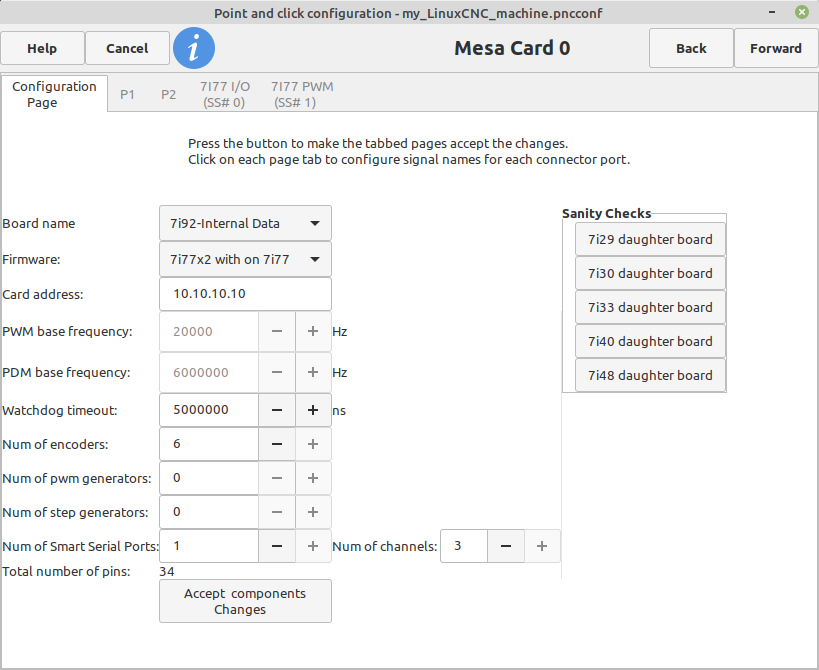
 You do not need to use discovery (pncconf has a 7i92/7i77 setup built in),
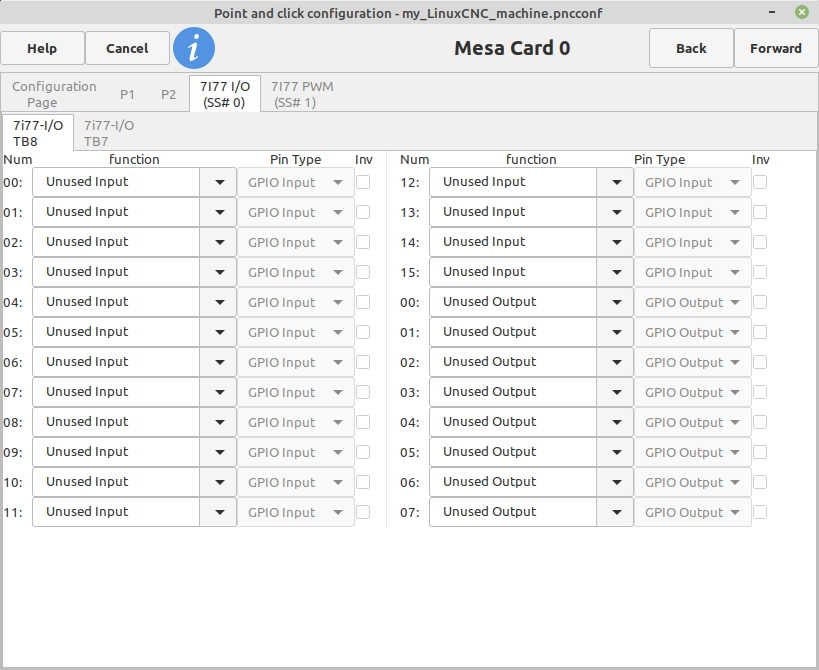
you just select 7i92 internal data and 7i77x2 Digital I/O is setup in the 7I77 IO SS#0 tab


Last edit: 3 years 6 months ago by PCW. Reason: fix ss #

Please Log in or Create an account to join the conversation.

More
3 years 6 months ago #269699 by santy
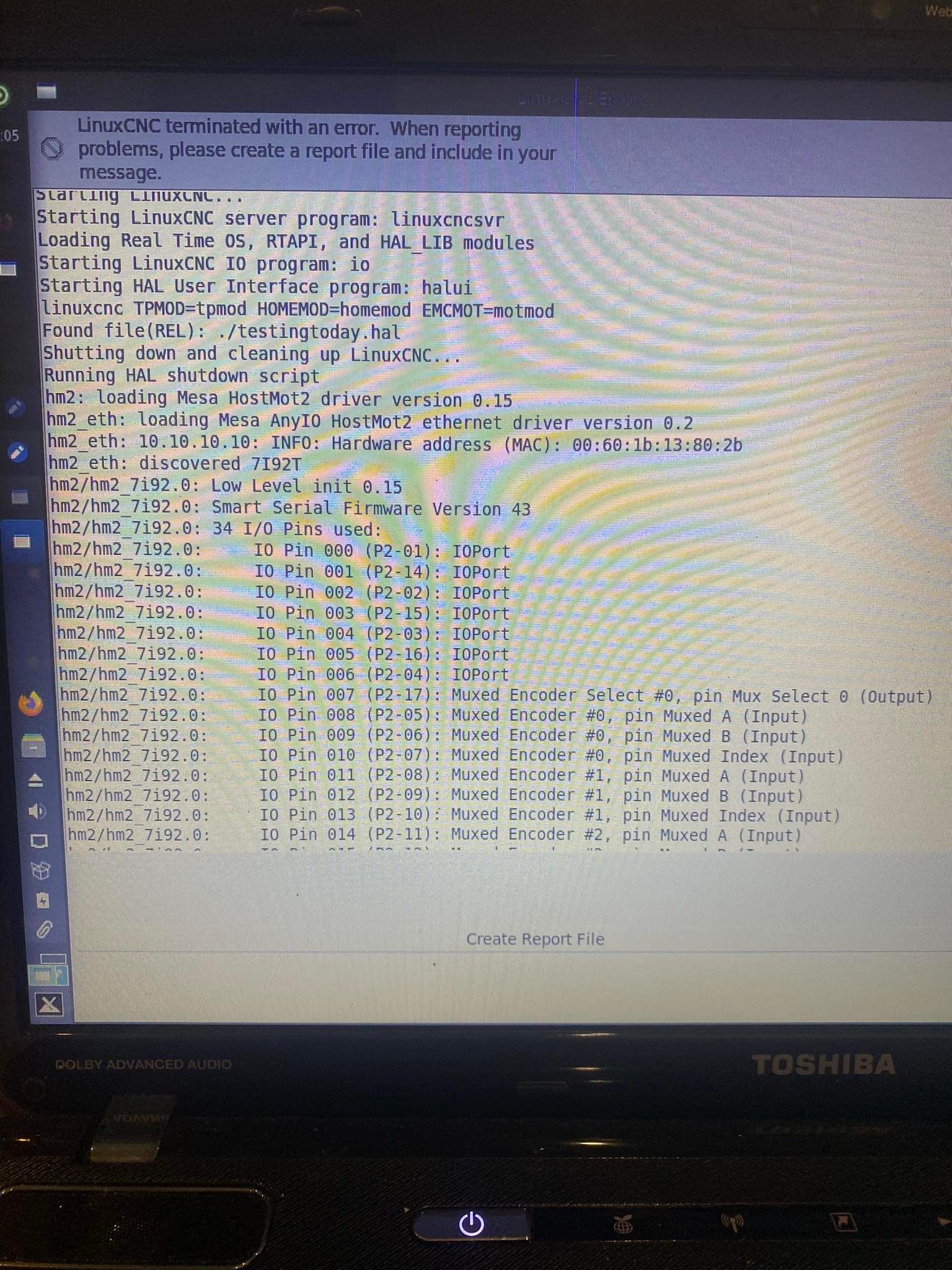
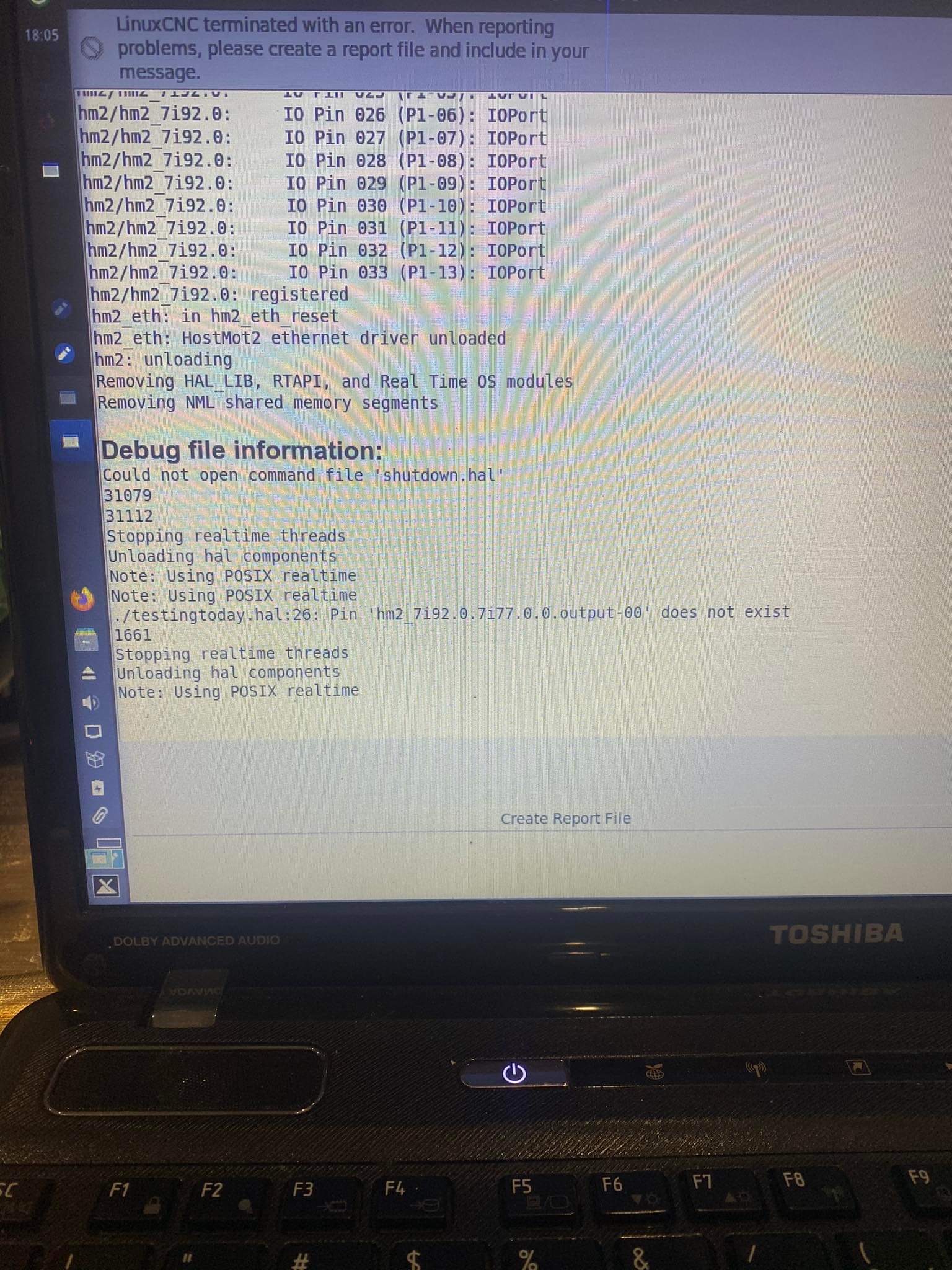
Exactly and i tried that once. But i still have trouble as it doesnt recognize any 7i77 pins. I also tried removing this output and just leaving the pwm gens i set for each axis, and i get a similar error 
but for analogout0-scalemX not found.

Please Log in or Create an account to join the conversation.
More
3 years 6 months ago - 3 years 6 months ago #269701 by PCW
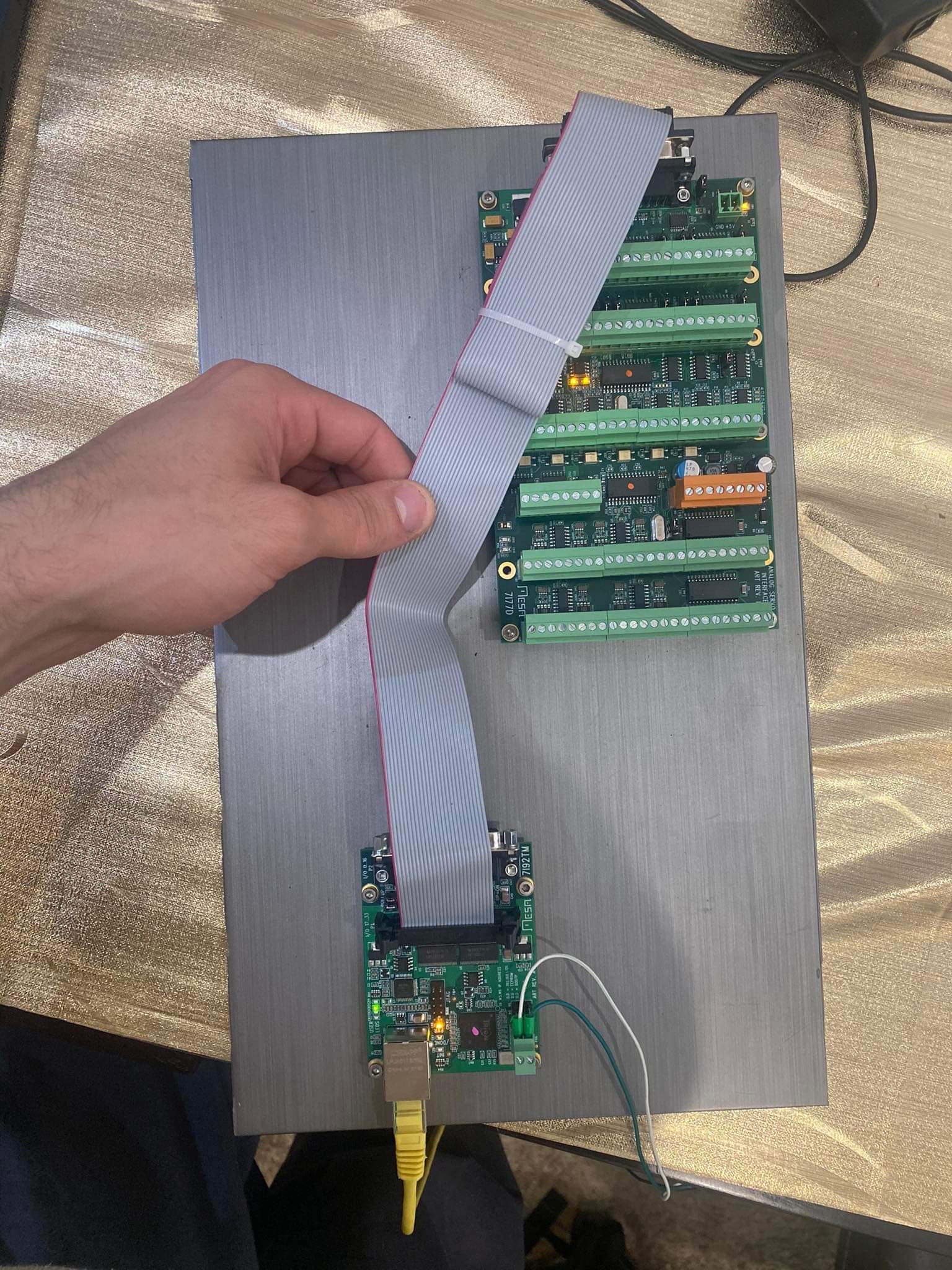
You don't have field power applied (orange connector) 
so no 7I77 digital I/O will be available.

Also, you have the 7I77 connected to the second 7I92 connector
It should connect to the first (you can plug them directly together)
Last edit: 3 years 6 months ago by PCW.

Please Log in or Create an account to join the conversation.
More
3 years 6 months ago #269707 by santy
i didn't know that i could connect them together!!
i wired 24v to each end of the orange connector as in the manual and now it detects the analog outputs. once i get back to it i will be connecting them together aswell.

thats why it only was detecting it when i used the discovery option or when i used the double board config, because i was only detecting the SS #4!

thank you a LOT for the help! i will now be trying to modify this files to work on my config.

i have every got every motor/encoder and signals of the machine in detailed manual connections from someone who used to design these machines at the manufacturer (really nice 60/70 yo retired man) so it will be a cool project!

Please Log in or Create an account to join the conversation.
More
3 years 6 months ago #269869 by EW_CNC

I haven't had success opening the other gui presented here with the Gauge tonnage reader.
 
I have that GUI opening for me on Debian Bookworm with the latest updates.
I attached my latest file. Unzip to /linuxcnc/configs/ make sure file "bender" is set to "allow executing file as program".
Double click "bender" and choose "Run in Terminal".
If it does not open, report what it shows in the terminal.
 

File Attachment:

File Name: Bender042523.tar.gz
File Size:36.85 KB


Please Log in or Create an account to join the conversation.

More
3 years 6 months ago #270401 by santy
ok that seems to work better now! i was using the linuxcnc launcher to run the ini like a normal config, and it was weird that i was including the code to load the pressgui.ui but only the press.comp gui was appearing!

now i got the bender to run.

so now i should be editing the bender.hal file, with the respective pin changing from 7i97 to my HMOD or 7i92 scheme.

What i don't understand is why do i have my output/pwm signals referring to the 7i77, and my encoders refer to the ethernet card (7i92). shouldn't i be using the encoders in the 7i77? I just can't get them in PNCCONF.
for example analog out works in the 7i77:

net x-output     => [HMOT](CARD0).7i77.0.1.analogout0
net x-pos-cmd    <= joint.0.motor-pos-cmd
net x-enable     <= joint.0.amp-enable-out
# enable _all_ sserial pwmgens
net x-enable   => [HMOT](CARD0).7i77.0.1.analogena


but my encoders only mention the HMOTCARD0. although i think i should be connecting them to the 7i77... 
setp    [HMOT](CARD0).encoder.00.counter-mode 0
setp    [HMOT](CARD0).encoder.00.filter 1
setp    [HMOT](CARD0).encoder.00.index-invert 0
setp    [HMOT](CARD0).encoder.00.index-mask 0
setp    [HMOT](CARD0).encoder.00.index-mask-invert 0
setp    [HMOT](CARD0).encoder.00.scale  [JOINT_0]ENCODER_SCALE

net x-pos-fb               <=  [HMOT](CARD0).encoder.00.position
net x-vel-fb               <=  [HMOT](CARD0).encoder.00.velocity
 

Please Log in or Create an account to join the conversation.

Time to create page: 0.172 seconds
Powered by Kunena Forum