minum error and homing

More
10 years 8 months ago #69579 by andypugh
Replied by andypugh on topic minum error and homing
Have a look in the preview window (if using axis)
You will see that there is a dotted red box that shows the machine limits, and the toolpath will be inside that box. Or should be at least.
You should also see the current G-code origin and the current position of your tool inside the work envelope.

If you press the "touch off" button and set X Y Z to zero you will see the path preview move, and see the G-code origin move to be at your tool-tip.

You can set X Y Z to values other than zero, too. Try it, attempt to get a feel for what this does, and how it moves the tool path around inside the machine envelope.

Typical G-code has an origin at some base part feature or at the corner or middle of the starting material. The g-code origin is _never_ at the upper front left corner of the work envelope where the machine absolute origin is.

Once the tool path preview lies entirely inside the machine envelope box, the code will run.

This will all make a great deal more sense when you start making actual parts.
The following user(s) said Thank You: wrongway

Please Log in or Create an account to join the conversation.

More
10 years 8 months ago #69583 by Rick G
The following user(s) said Thank You: wrongway

Please Log in or Create an account to join the conversation.

More
10 years 8 months ago #69590 by wrongway
Replied by wrongway on topic minum error and homing
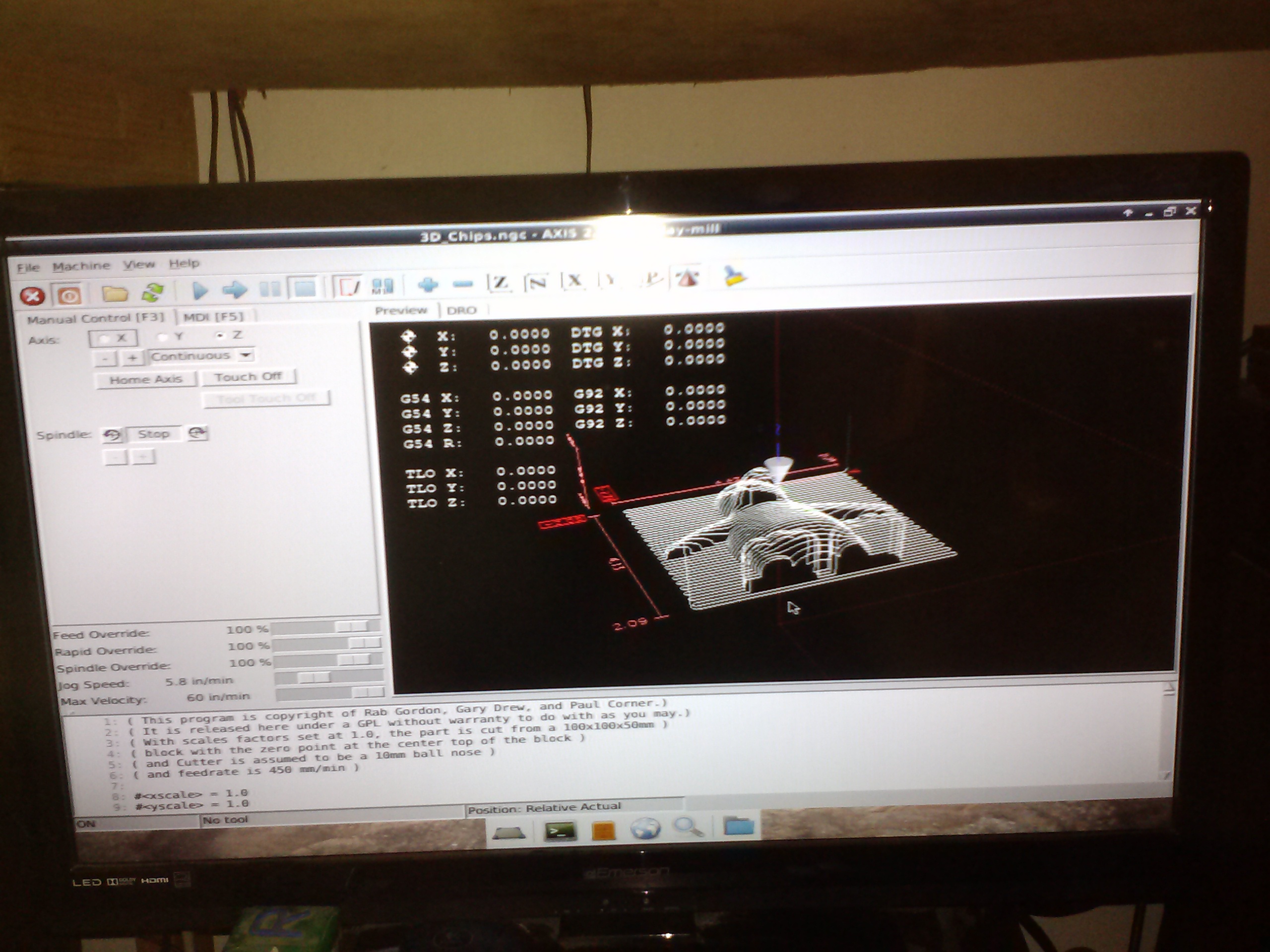
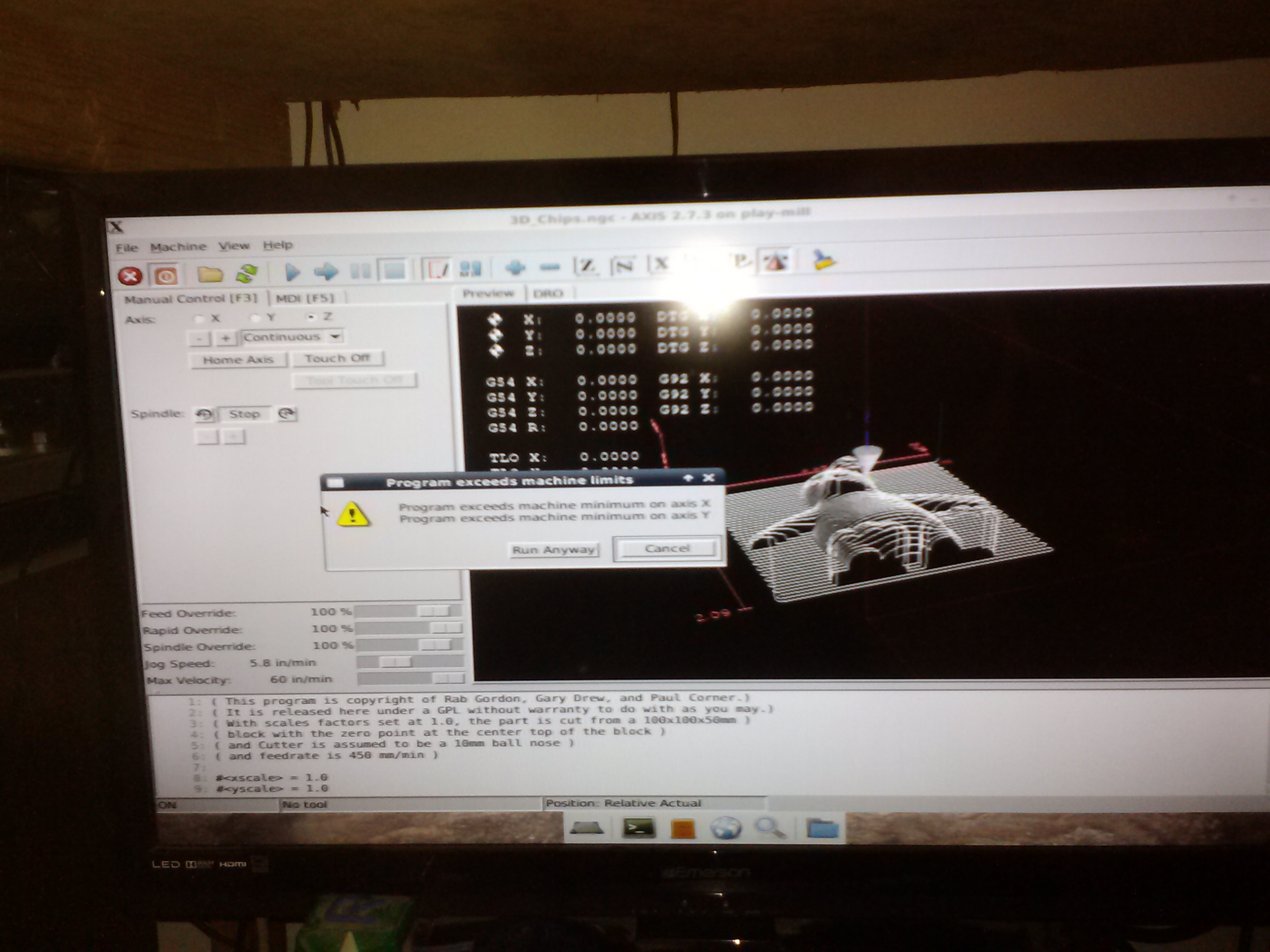
I am trying to understand here sorry beer with me if you don't mind but here is where I am getting stuck now I got the homing thing down a bit but still cant get this or anything big like this to run I have a large enough table if I where to try and cut this out when I do get it all figured out and setup here are some picture of whats is going on

Please Log in or Create an account to join the conversation.
More
10 years 8 months ago #69593 by Todd Zuercher
If you look at your pictures, you can see the table limit (the fine dotted red 3-d rectange). The X0,Y0 corner of that is going right down though the center of the tool paths.
If you would touch off so that the current position of x and y (your machine origin) is something like x4 and y4. The file should run for you.

There are several way you can do that, you can press the touch off button and input 4, or you can jog over 4 and press the touch off button and press enter.
There are more ways to do it, but baby steps first.
The following user(s) said Thank You: wrongway

Please Log in or Create an account to join the conversation.
More
10 years 8 months ago #69594 by wrongway
Replied by wrongway on topic minum error and homing
thank you so much I now have it run for the first time doing 3d-chips but I cant see it very well kind of small and when I make it bigger it goes off the screen on the right side thing I did the tool touch off kind of big :woohoo: nut I am getting there I guess you can teach a old dog new tricks I will see what else I can mess up and will be giving a shout out again I am sure next I am going to try to import a picture and see what I can break hope nothing hope I am learning something with all the messing up

Please Log in or Create an account to join the conversation.

More
10 years 8 months ago #69595 by wrongway
Replied by wrongway on topic minum error and homing
thank you so much I now have it run for the first time doing 3d-chips but I cant see it very well kind of small and when I make it bigger it goes off the screen on the right side thing I did the tool touch off kind of big :woohoo: nut I am getting there I guess you can teach a old dog new tricks I will see what else I can mess up and will be giving a shout out again I am sure next I am going to try to import a picture and see what I can break hope nothing hope I am learning something with all the messing up maybe I can get a picture of what I meen about going off the screen now or I am sure you know what I meen again thank you so much

Please Log in or Create an account to join the conversation.

Time to create page: 0.066 seconds
Powered by Kunena Forum
