Hi,
After some reading, trail and error the principle works.
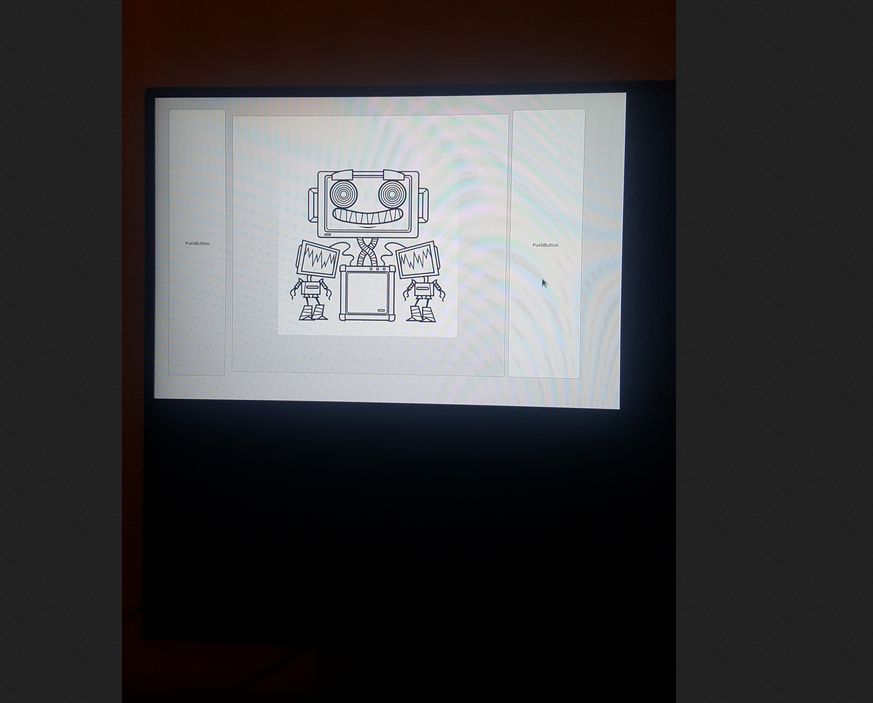
What we have is a embedded linux os starting a qt application. For the rest it does nothing at the moment.
To be clear, there is no desktop environment.
It's only one app that run's at the moment. Just like a apple phone. Everything is closed source. :woohoo:
It seem's closed source company's make big money.
Spec's :
1. It's booting into the qt app without login window. ( I bypassed this for now, login for user level can be activated. )
2. It's not using any window-manager like sddm etc. ( It uses a Xorg package and a libqt5widgets5 package from sid )
3. It uses systemd. Nothing is demolished after the debootstrap. So i coded in today's standard's.
4. Kernel : Linux debian10 5.10.0-6-rt-amd64 #1 SMP PREEMPT_RT Debian
5. Process documentation is hosted at :
github.com/grotius-cnc/Linux-Embedded/releases/tag/1.0.0
-> howto.txt
6. First preview attached :
Wow... fckng hell.
7. Iso runtest ok.
I got a lot of idea's now.
Ok, next thing is to get some kind of hal layer working. Maybe strip down lcnc?
Maybe begin a lcnc module format. For the Ros we only need hal at the moment.
We need some kind of graphical artist.
If someone can build the teach pendant layout's in qt creator. That would be nice.
Only the layout with button's, labels, etc. is good. The signal and slot's will come later on.
Naming the buttons and labels following a coding style is important. I leave always the orginal name at the
beginning of the widget. A button begin's with "button-stop" for example. A label is "label-dro-xmax" for example.
Keep low letters to stay uniform. Use mid stripes to stay uniform. etc. Use color-template's for machine's.
We could add different types of pendant's. I suppose a mill is different then a robot.
Ok i have no goal. We will see how it goes. If there are helper's we can make progress.
Here is the iso to test out the software, just grab a old hard-drive and put it on. Check if your left over data usb's are removed for sure.
github.com/grotius-cnc/Linux-Embedded/re...0/Linux-Embedded.iso
The "normal install" is a auto installer. You don't have to do anything. It's using a preceeding technique.
After install it does a power down.
When you press the power button. The pc will boot straight into the embedded robot program. Ok have fun !!