Change default set-up home from 0,0,1 to 0,0,0.25

More
3 years 8 months ago #264640 by jferguson
When I fire up Linuxcnc to run the mill, after I've engaged the E-Switch and the second switch I must home each axis before starting the run.  LinuxCNC then sets the home to 0,0,1.0.  The height gage I use is 1/4 inch in thickness (for a good reason). I now have to do some manual fussing to get what I want.
How can I change this default to X=0, Y=0, and Z=0.250?
 

Please Log in or Create an account to join the conversation.

More
3 years 8 months ago #264687 by tommylight
Edit the ini file in the config folder with the machine name, set
Home = 0 or whatever you need for each axis and joint
Home_offset = 0 or whatever you need after homing is finished.
Normaly Home is 0, while Home_offset is set to something small so the machine backs off of the limit switches, or if you need the machine to position itself somewhere else to easier load material.
Be aware that using Home_offset will show 0 after homing, and using Home values will show those values.

Please Log in or Create an account to join the conversation.

More
3 years 8 months ago - 3 years 8 months ago #264700 by jferguson
thanks much.
btw, My installation of a Debian 2.8.4 linuxcnc instance on my multi boot machine is a roaring success. 2tricks, one was to use ethernet (no driver for my wifi card in this Debioan ISO, if Grub loader refuses to install, use the one you already had.
john
Last edit: 3 years 8 months ago by jferguson.
The following user(s) said Thank You: tommylight

Please Log in or Create an account to join the conversation.
More
3 years 8 months ago - 3 years 8 months ago #264704 by jferguson


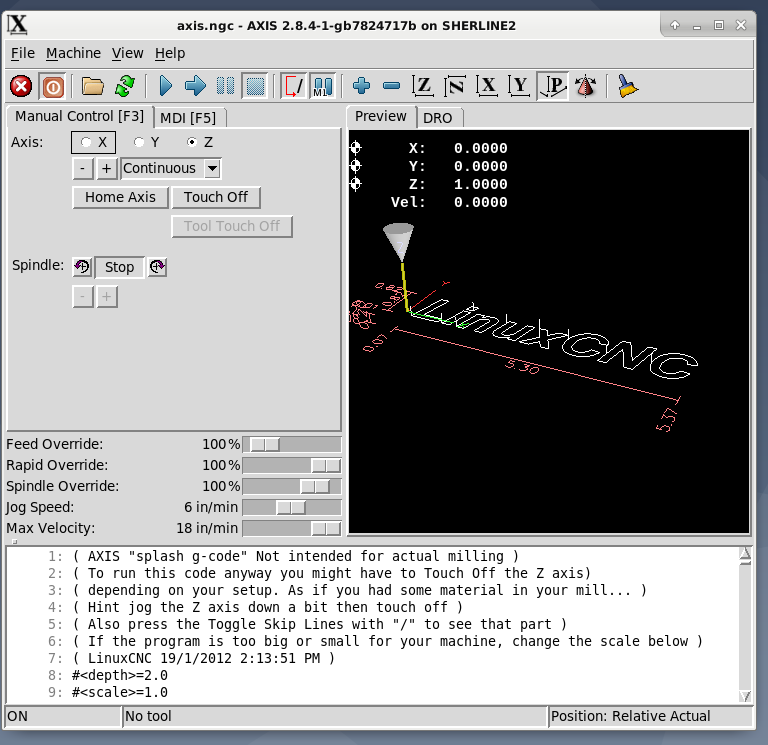
I was hoping that somehow, I could get the homing setup which is shown on this screen to indicate the Z Home to be .250. I just cannot find anywhere in the INI where this can be changed.  Is it hard-coded somewhere?

I suppose an alternative way to get the result I want it is to put a line sending the machine to Z0.25 (instead of 1.0000) before the first stop for a tool change.
Last edit: 3 years 8 months ago by jferguson.

Please Log in or Create an account to join the conversation.

More
3 years 8 months ago - 3 years 8 months ago #264705 by Aciera
As already suggested:
Change the HOME_OFFSET value in the relevant JOINT_n section of the ini file (where 'n' is the joint number for your z axis)
linuxcnc.org/docs/html/config/ini-config.html#sec:joint-section

edit:
If unsure please post your ini file.
Last edit: 3 years 8 months ago by Aciera.

Please Log in or Create an account to join the conversation.

More
3 years 8 months ago #264711 by jferguson
Worked exactly as I wanted. Thank you both so much for helping me with this.

John
The following user(s) said Thank You: tommylight

Please Log in or Create an account to join the conversation.

Time to create page: 0.277 seconds
Powered by Kunena Forum
