Help : Layman configuration for Raspberry Pi 5, Linuxcnc 2.9. and Mesa 7i96

More
1 year 3 months ago #332477 by sk_linuxcnc
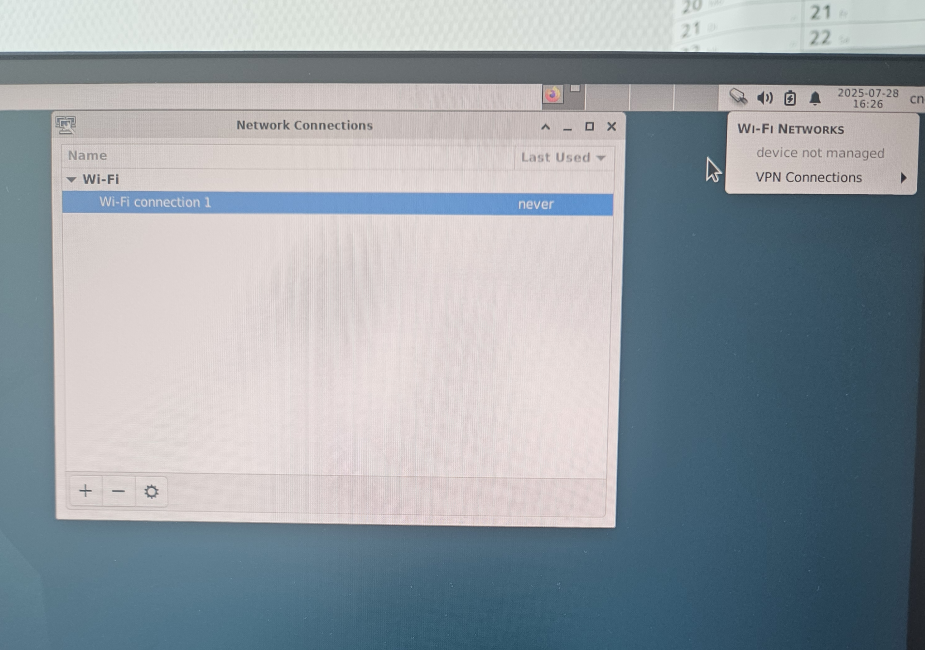
quick question, why does my network manager look like this? im still connected to wifi, and also have the connection to mesa card, but those options dont show up. i also set up a new wifi connection 1 to a different source, but im not able to switch into it or make it run. 

Please Log in or Create an account to join the conversation.
More
1 year 3 months ago #332478 by PCW
If you setup a network interface in the interfaces file,
that particular interface is no longer managed by
the network manager.
The following user(s) said Thank You: sk_linuxcnc

Please Log in or Create an account to join the conversation.

More
1 year 3 months ago #332479 by sk_linuxcnc
Hello Sir, i did read about that in the wiki.debian.org/NetworkManager
how may i make it visible and editable through the network manager. specifically the wifi connection.
also as i pointed above, i tried to make a new wifi connection to my mobile hotspot, but as you can see, i cannot connect to it or use it.

what is the go around?

Please Log in or Create an account to join the conversation.

More
1 year 3 months ago #332481 by unknown
Remove the setup for the network you want to manage from the network file.
Leave the wired connection in the network file and use network manager for the wifi. I turn the wifi off whilst running a job.
May help with latency, stops Bad Guys from messing stuff up.
The following user(s) said Thank You: sk_linuxcnc

Please Log in or Create an account to join the conversation.
More
1 year 3 months ago #332483 by sk_linuxcnc
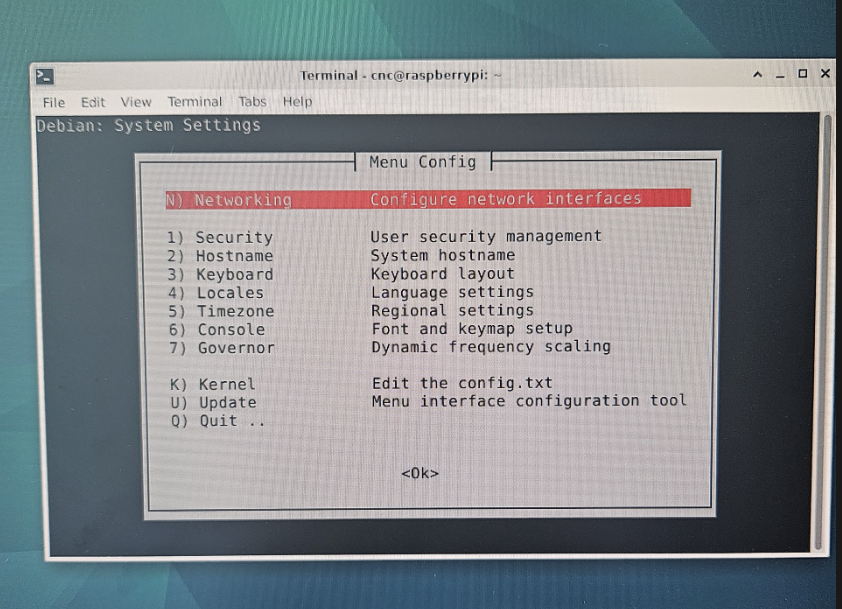
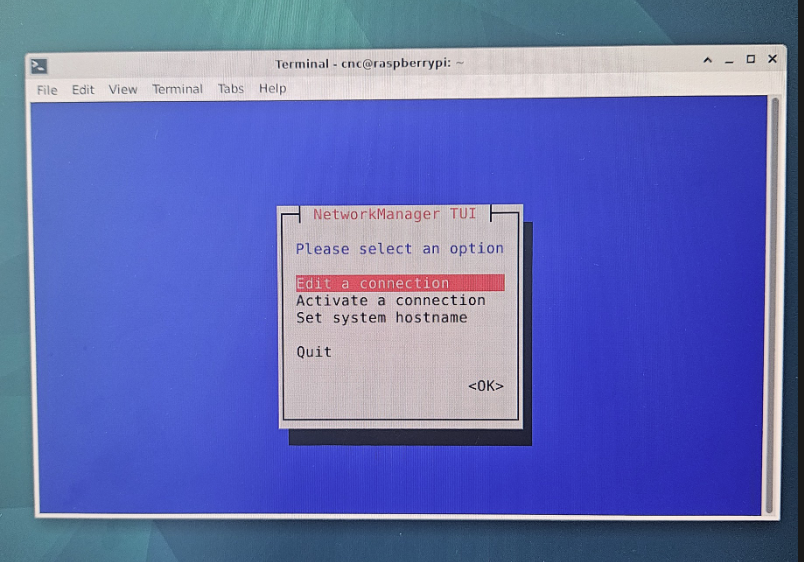
with network manager installed, i cannot reach the network interface file like earlier. 
i tried to use
> sudo service NetworkManager stop
but then i cannot enter the network menu in the sudo menu-config anymore

to edit the file in the etc/network folder i cannot save whatever i have edited. and i would really like to edit it through the sudo menu-config rather than messing up any files manually through the filemanager

whats the go around? 

Please Log in or Create an account to join the conversation.
More
1 year 3 months ago #332484 by sk_linuxcnc
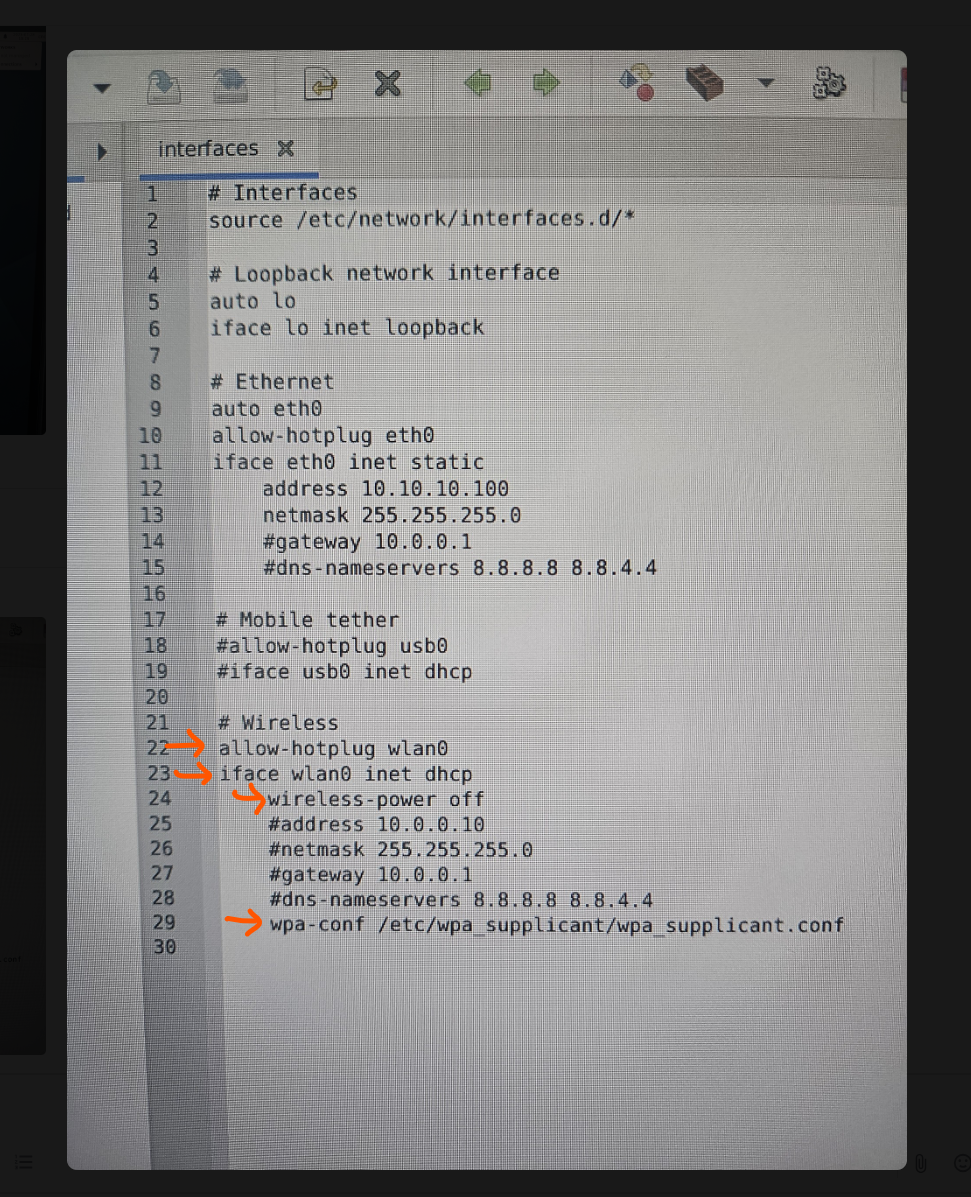
and as i understand, you suggest to comment out the following lines in the interface file? correct? or will i also have to edit something in the Wpa supplicant? (once again i would prefer doing it through the menu-config)

Please Log in or Create an account to join the conversation.
Time to create page: 0.130 seconds
Powered by Kunena Forum
