Gscreen - a GTK / Glade / Python based screen

More
13 years 8 months ago #30437 by danemc
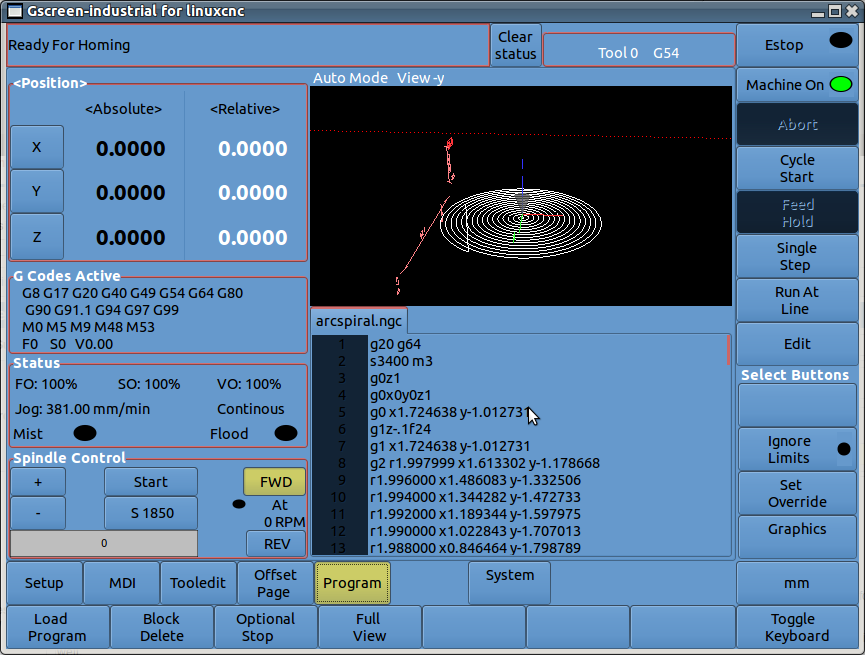
this looks great so far. axis has to be the worst cnc interface i've seen. but between this, tkmini and touchy i think there are good choices and this may be being the best. one thing i'm wondering about is multi screen support? could this open in multiple windows? i always thought it would be useful to use a pair of monitors and have a pair of "sceens" open on a cnc machine. even if multi widow or multi monitor would be a problem i think having a way to split the screen into panels that can each render from the list of screens that are compatible with the machine mode you are in would be useful. i think some of the newer hass machines work like this.

Please Log in or Create an account to join the conversation.

More
13 years 8 months ago #30439 by cmorley
There is some support for multiple screens and more could come with interest.
At the moment the second screen would more likely be used for user added status widgets (leds bar meters, readouts) and buttons.

Having the second screen display the graphics plot, instead of the main screen would be a benefit.

There is some work to make touchscreens work with multiple screens, as by default the touchscreen assumes it covers both screens...

Please Log in or Create an account to join the conversation.

More
13 years 8 months ago - 13 years 8 months ago #30451 by tjamscad

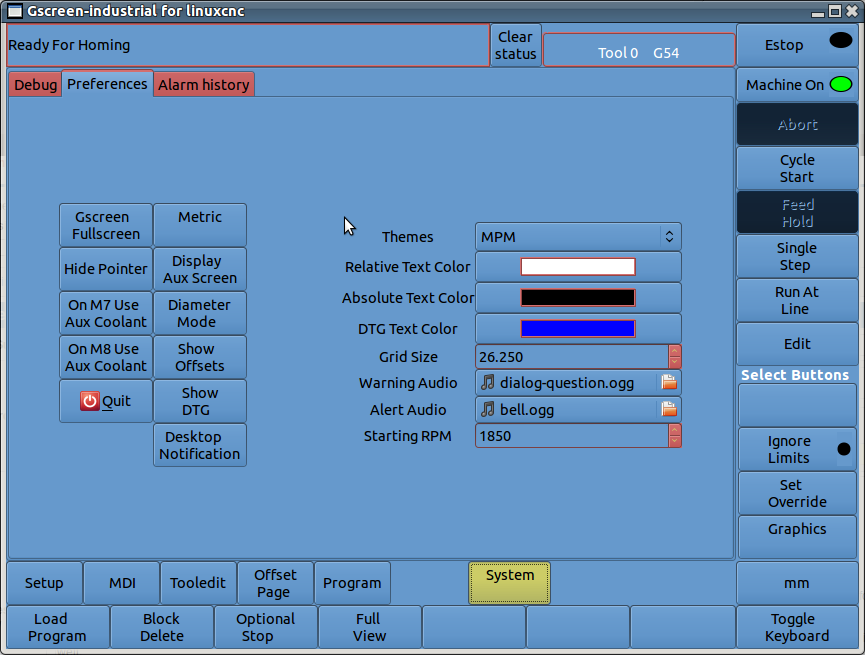
cmorley wrote: mm/in button in preference page set the startup metric/imperial mode.
The button on the regular screen sets the at-the-moment metric/imperial mode.

Yes the yellow high light lets you know you can edit them. It's changeable but I haven't exposed that as a preference.

How did you change all the colors? Did you change the theme? Are you using Ubuntu 12.04?


A preference for that yellow would be great.
I am using 12.04 and I started with a theme called Clearlooks-DarkOrange. That has of course been modified by me. It is one of the few themes that I found would do all the things that I wanted it to do.

Also the gcode line number background in the program mode is tied to inactive button color. Can that be put on a different layer/level so i can change it indepently as well.

The same with the text for the alarm box at the top. I would like to change that text as well.

Can you edit the current tool number section to be the same vertical size as the alarm area and center the text?
Last edit: 13 years 8 months ago by tjamscad.

Please Log in or Create an account to join the conversation.
More
13 years 8 months ago #30459 by newbynobi
Hallo Chris,

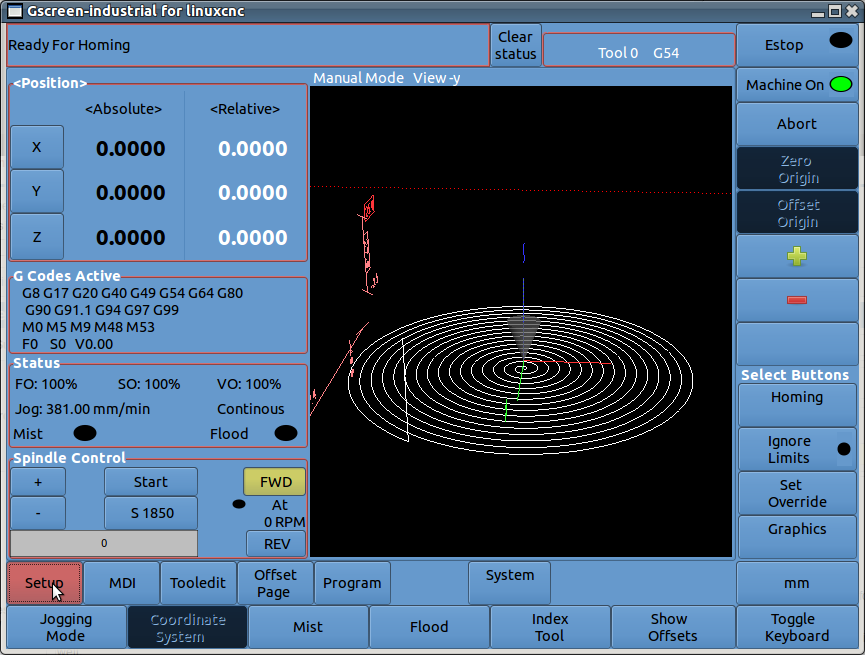
I personaly don't like buttons with no label or image, because they are useless and can disturbe users.

Why not replace the unused button with labels as placeholder?
I am doing it this way in gmoccapy.

Norbert

Please Log in or Create an account to join the conversation.
More
13 years 8 months ago #30460 by tjamscad
Chris,

Comments from Stuart:

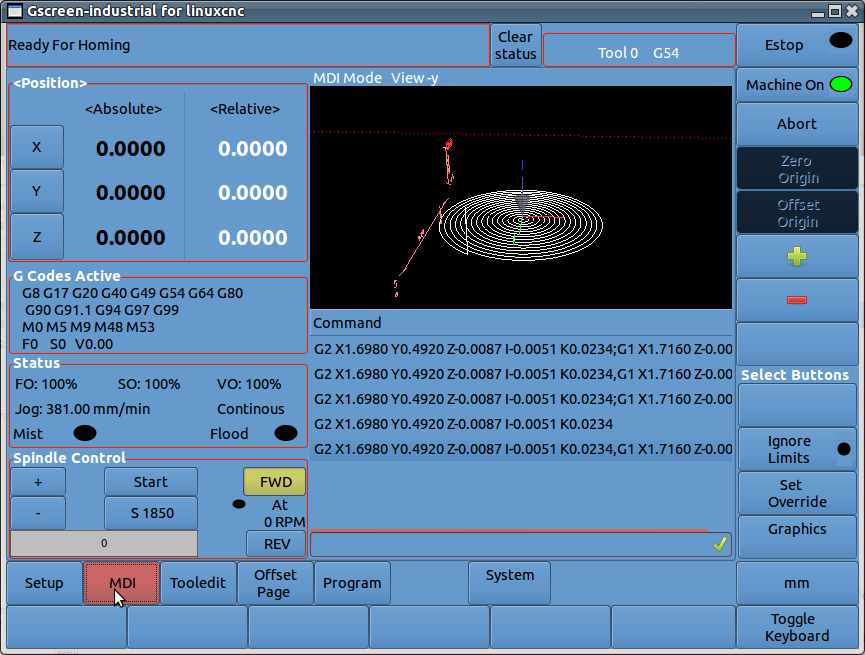
1. I think the 'ignore limits' button should not be on the front page. It should be under another menu or button.

2. What is the function of the 'set override' button? It should probably not be on the first page.

3. Is there some type of signal showing when each axis is homed? That is nice to see.

4. In the field showing machine position I like to see a 'distance to go' for each axis. That can be a preference and maybe be combined with one or more axis position displays.

Please Log in or Create an account to join the conversation.
More
13 years 8 months ago #30461 by newbynobi
Halo Chris,

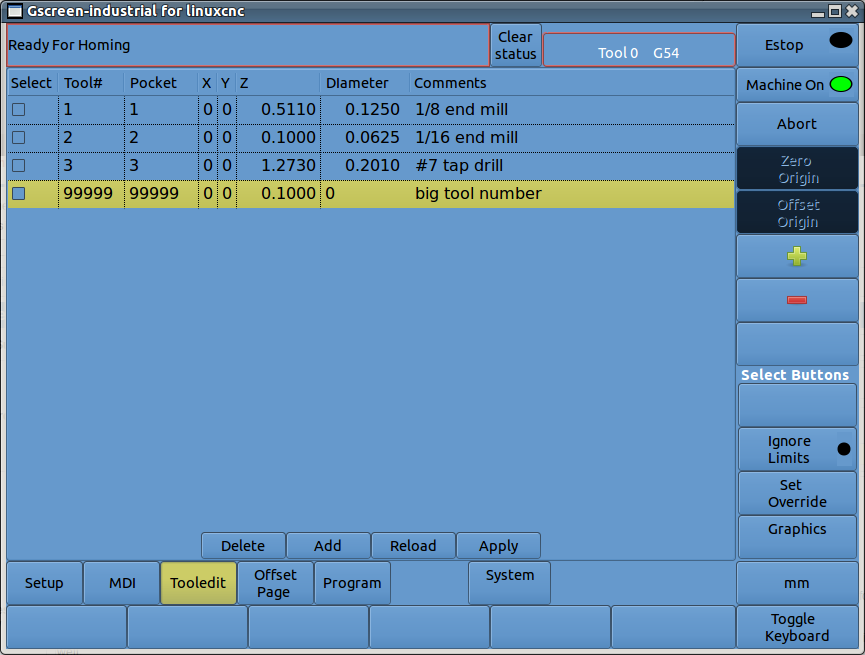
can you include in tooledit widget an function like so:
Code:
def get_selected_tool(self): liststore = self.model def match_value_cb(model, path, iter, pathlist): if model.get_value(iter, 0) == 1 : pathlist.append(path) return False # keep the foreach going pathlist = [] liststore.foreach(match_value_cb, pathlist) # foreach works in a depth first fashion if len(pathlist) != 1: return None else: return(liststore.get_value(liststore.get_iter(pathlist[0]),1))

I would need this to select the tool to change within the tooledit widget.

Regards Norbert

Please Log in or Create an account to join the conversation.
Time to create page: 0.367 seconds
Powered by Kunena Forum