Screen shots of gui designs

More
4 years 10 months ago #229052 by Reinhard

I wish to add automatic tool image change based on the tooltable,
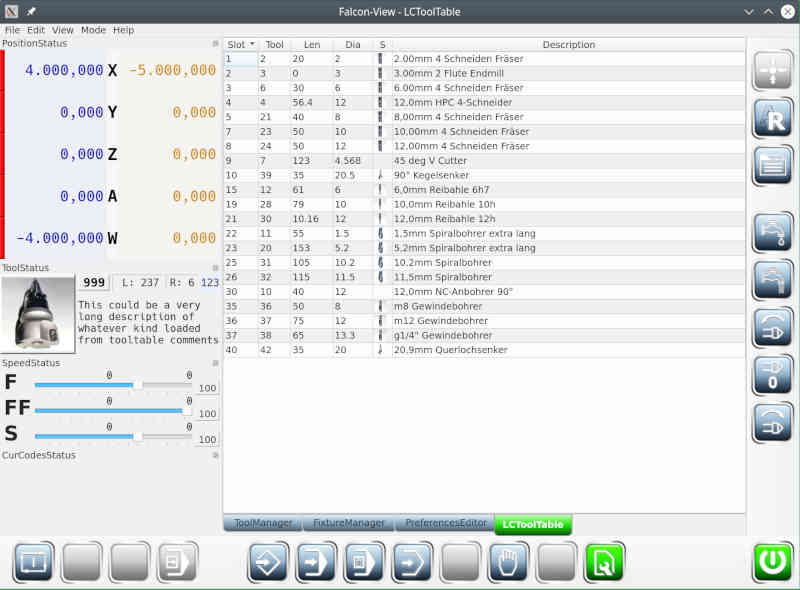
Hi,

I had similar idea:


... and as *imho* the backend does not need to know anything about tool images, I did it this way:
  • I added an entry to INI-File called TOOL_IMAGE_DIR
  • I extended tool table entry format like this
       
Code:
T6 P3 Z30.000 D6.000 ;6.00mm 4 Schneiden Fräser | EndMill
        which means, that comment is extended by tooltype separated by "|"
  • tool_image_dir contains pictures named like tooltype with extension jpg or png.
  • tool info shows a picture scaled to 150x150 and the list shows (the same) picture scaled to 24x24
The extensions are small and don't require backend changes, as comment is already optional.
You find my project at github as well as tooltable-model

Cheers Reinhard
The following user(s) said Thank You: besriworld

Please Log in or Create an account to join the conversation.
More
4 years 10 months ago #229059 by Reinhard
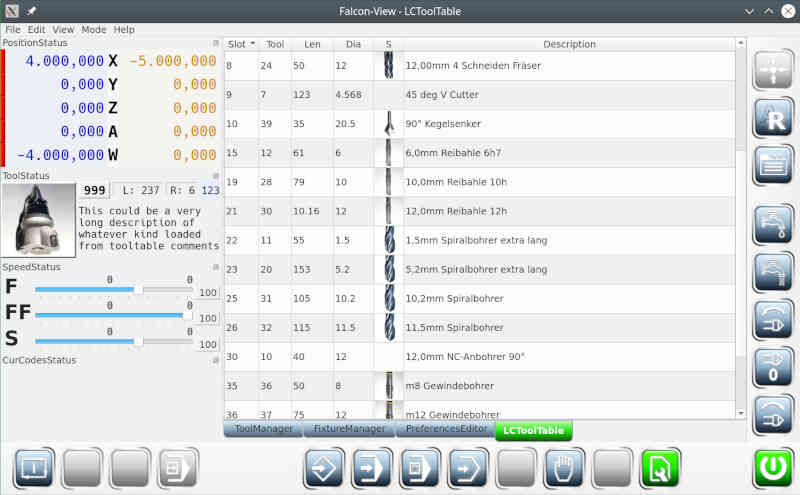
just discovered how to increase rowheight in QTableView:
 

Please Log in or Create an account to join the conversation.
More
4 years 9 months ago - 4 years 9 months ago #230591 by MarkoPolo
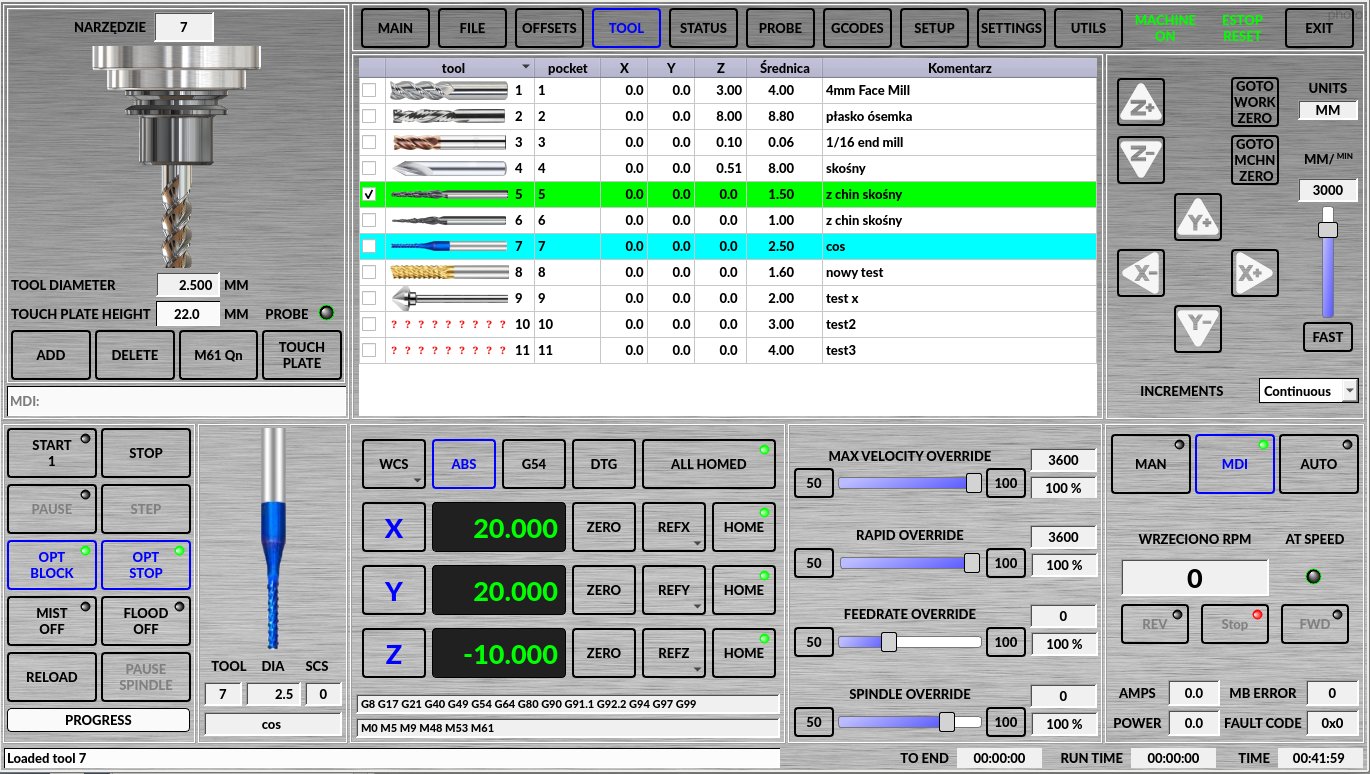
My further modificationsI've added images to the tool table, and it's time to end the program.
Primitively written but for my needs it works.
Where can I report a minor error in the tool table?

 
Last edit: 4 years 9 months ago by MarkoPolo.
The following user(s) said Thank You: aparecido, besriworld

Please Log in or Create an account to join the conversation.

More
4 years 9 months ago #230626 by cmorley
Replied by cmorley on topic Screen shots of gui designs
Nice job. You can:
make a forum discussion in qtvcp
add an issue to linuxcnc's github
send a message to the mailist.

Please Log in or Create an account to join the conversation.

More
3 years 2 months ago #278720 by chrisfairbrothern
Hi Markopolo, The tool pictures are just what I need; well done. I have many tools, and have copied the image (i.e.) copy [1].png [10].png to use as tool number 10. restarted, but I cannot see the image for tool number 10.
In qtdragon_handler.py the line 486 looks like it loads the tool images.
Is there any chance you could fix this to load tool images up to 999 please?
Many thanks

Please Log in or Create an account to join the conversation.

More
3 years 2 months ago #278725 by MarkoPolo
It's been a long time since I did this, but I'll take a look at it.
Tool images above no. 9 are the tool images not showing up at all?

Marek

Please Log in or Create an account to join the conversation.

Time to create page: 0.469 seconds
Powered by Kunena Forum
