Screen shots of gui designs

More
8 years 3 months ago - 8 years 3 months ago #113858 by Ilya
Replied by Ilya on topic Screen shots of gui designs
Thanks for reply!
I used the older version.
I tried to update the branch, but I broke it. Had to build anew.

After building, I got an error:
Code:
Traceback (most recent call last): File "/home/ilya/linuxcnc-dev/lib/python/qtvcp/plugins/qtvcp_plugin.py", line 28, in <module> from qtvcp.plugins.widgets_plugin import * File "/home/ilya/linuxcnc-dev/lib/python/qtvcp/plugins/widgets_plugin.py", line 7, in <module> from qtvcp.widgets.gcode_widget import GcodeEditor ImportError: No module named gcode_widget
I fixed line 7 in widgets_plugin.py: Changed gcode_widget to gcode_editor
Maybe you should fix that too.

Now, I'll try to follow your prompts.
Thanks,
Ilya


_______________________________________________

The same error in the file with the file qt_cnc_handler.py
Code:
File "/home/ilya/linuxcnc-dev/share/qtscreen/skins/qt_cnc/qt_cnc_handler.py", line 11, in <module> from qtvcp.widgets.gcode_widget import GcodeEditor as GCODE ImportError: No module named gcode_widget
Last edit: 8 years 3 months ago by Ilya.

Please Log in or Create an account to join the conversation.
More
8 years 3 months ago #113891 by cmorley
Replied by cmorley on topic Screen shots of gui designs
Yo must be using qt5vcp_py2 branch - it got stale - I was doing renaming in qt5_vcp_cleanup.
I just pushed to qt5vcp_py2 to bring it back to date.
If you try to pull this branch into your local branch it will complain of conflicts.

Be careful with this next command it overwrites the code in the branch:
(save any personal work you have done on this branch that you want to keep)

So the command to use after switching to qt5vcp_py2 is:
git reset --hard origin/qt5vcp_py2
Ilya:

This command doesn't merge anything it overwrites your branch to linuxcnc's github version.

There was a big name change in this code - qtscreen was renamed qtvcp.
Not all the docs reflect this change.
The docs do give details of how to get designer working so you can edit screens.

The errors you describe should go away.
If you have more questions please make a new topic so as not to take over this thread.
I would be very interested in your comments on the project.
Are you interested in development or use of qtvcp?

Chris M

Please Log in or Create an account to join the conversation.

More
8 years 3 months ago #113942 by cmorley
Replied by cmorley on topic Screen shots of gui designs
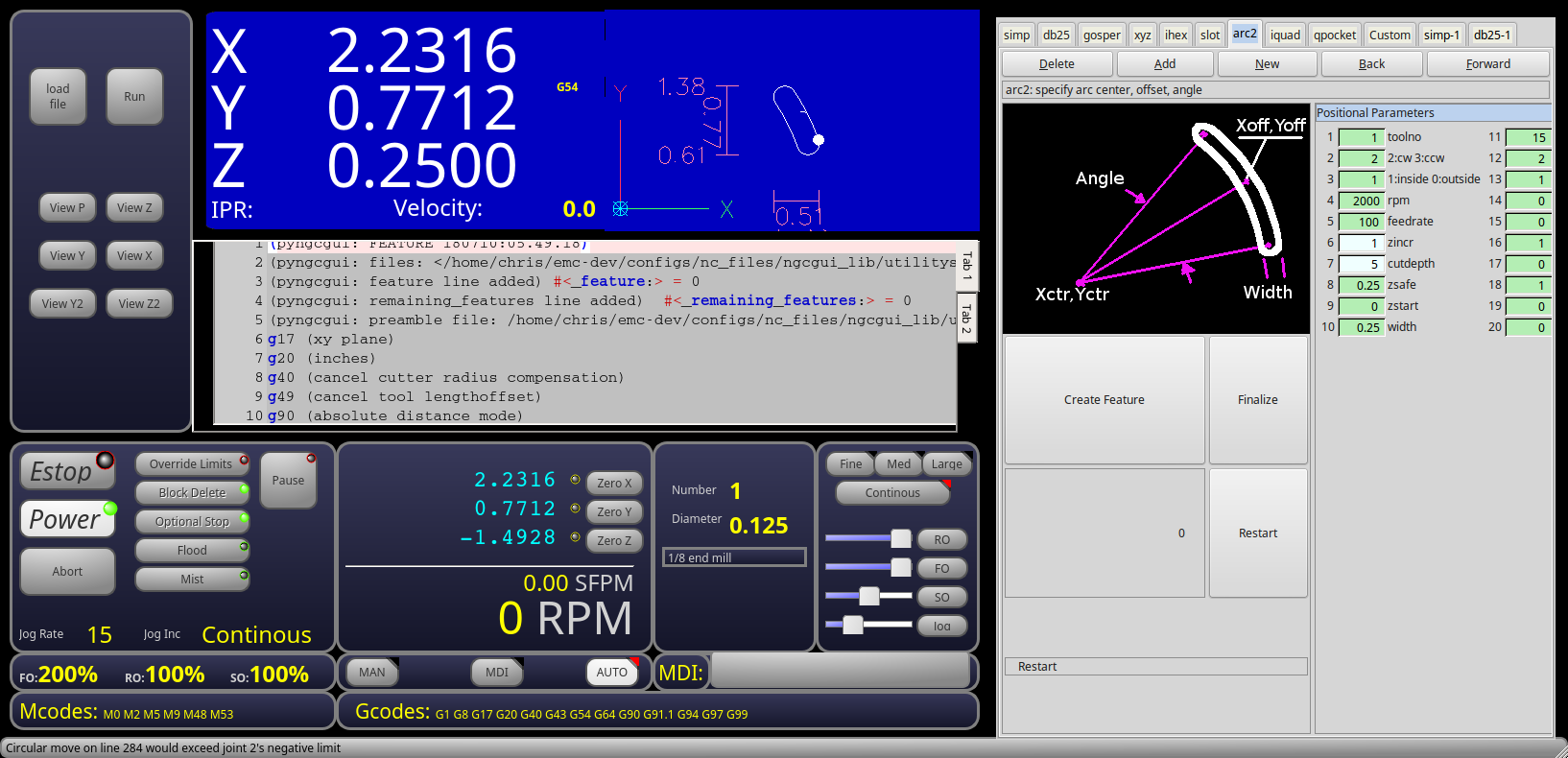
seems I might have embedding figured out for qtvcp...here is pyngcgui embedded on the right.
I tried nativecam but it seems to break gladevcp embedding and refuses (by design) to run on anything but axis,gmoccapy or gscreen...
The following user(s) said Thank You: BigJohnT, phillc54, tommylight, fixer, KCJ

Please Log in or Create an account to join the conversation.

More
8 years 1 month ago #117389 by pavelshakal
And where you can take this axis?

Please Log in or Create an account to join the conversation.

More
8 years 1 month ago #117428 by tommylight
Axis here is referring to the GUI that Linuxcnc uses by default, not a physical axis or joint.

Please Log in or Create an account to join the conversation.

More
8 years 1 month ago #117440 by KCJ
Replied by KCJ on topic Screen shots of gui designs
pavelshakal: Are you asking where you can get the QtVCP GUI?
It is in the qt5vcp_py2 linuxcnc branch: github.com/linuxcnc/linuxcnc/tree/qt5vcp_py2

You will have to clone the linuxcnc repo, checkout the qt5vcp_py2 branch and build to be able to try out the GUI. It is not very difficult, there is some info in previous posts to this thread.

Cheers,
Kurt

Please Log in or Create an account to join the conversation.

Time to create page: 0.467 seconds
Powered by Kunena Forum
