
MPG and analog command config issue
- vibram
- Offline
- Premium Member
-

Less
More
- Posts: 84
- Thank you received: 2
04 Dec 2025 20:46 - 04 Dec 2025 20:46 #339747
by vibram
MPG and analog command config issue was created by vibram
Hello I try to setup a mill with all servo drives run with analog command and it's working fine.
However, now I try to setup a MPG
after customizing the HAL file, here is the situation:
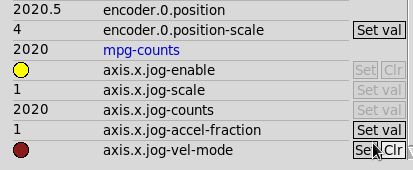
the MUX is correctly working for the scale and the axis.x.jog-scale is correct (value from 0.01 to 1mm)
axis.x.jog-enable works fine, same for Y and Z
axis.x.jog-counts works fine, I can see the number of pulses moving when I turn the handle
axis.x.jog-accel-fraction is set to 1
When using Axis interface with the and - button, it works fine
However; when I turn the handle, the axis is not moving at all, I don't have any error message.E-stop is off and Toggle Machine power if ON obviously.
Any idea what could be the issue?
thank you
However, now I try to setup a MPG
after customizing the HAL file, here is the situation:
the MUX is correctly working for the scale and the axis.x.jog-scale is correct (value from 0.01 to 1mm)
axis.x.jog-enable works fine, same for Y and Z
axis.x.jog-counts works fine, I can see the number of pulses moving when I turn the handle
axis.x.jog-accel-fraction is set to 1
When using Axis interface with the and - button, it works fine
However; when I turn the handle, the axis is not moving at all, I don't have any error message.E-stop is off and Toggle Machine power if ON obviously.
Any idea what could be the issue?
thank you
Last edit: 04 Dec 2025 20:46 by vibram.
Please Log in or Create an account to join the conversation.
- vibram
- Offline
- Premium Member
-
Less
More
- Posts: 84
- Thank you received: 2
05 Dec 2025 20:40 - 05 Dec 2025 20:50 #339772
by vibram
Replied by vibram on topic MPG and analog command config issue
Sorry for my bad English
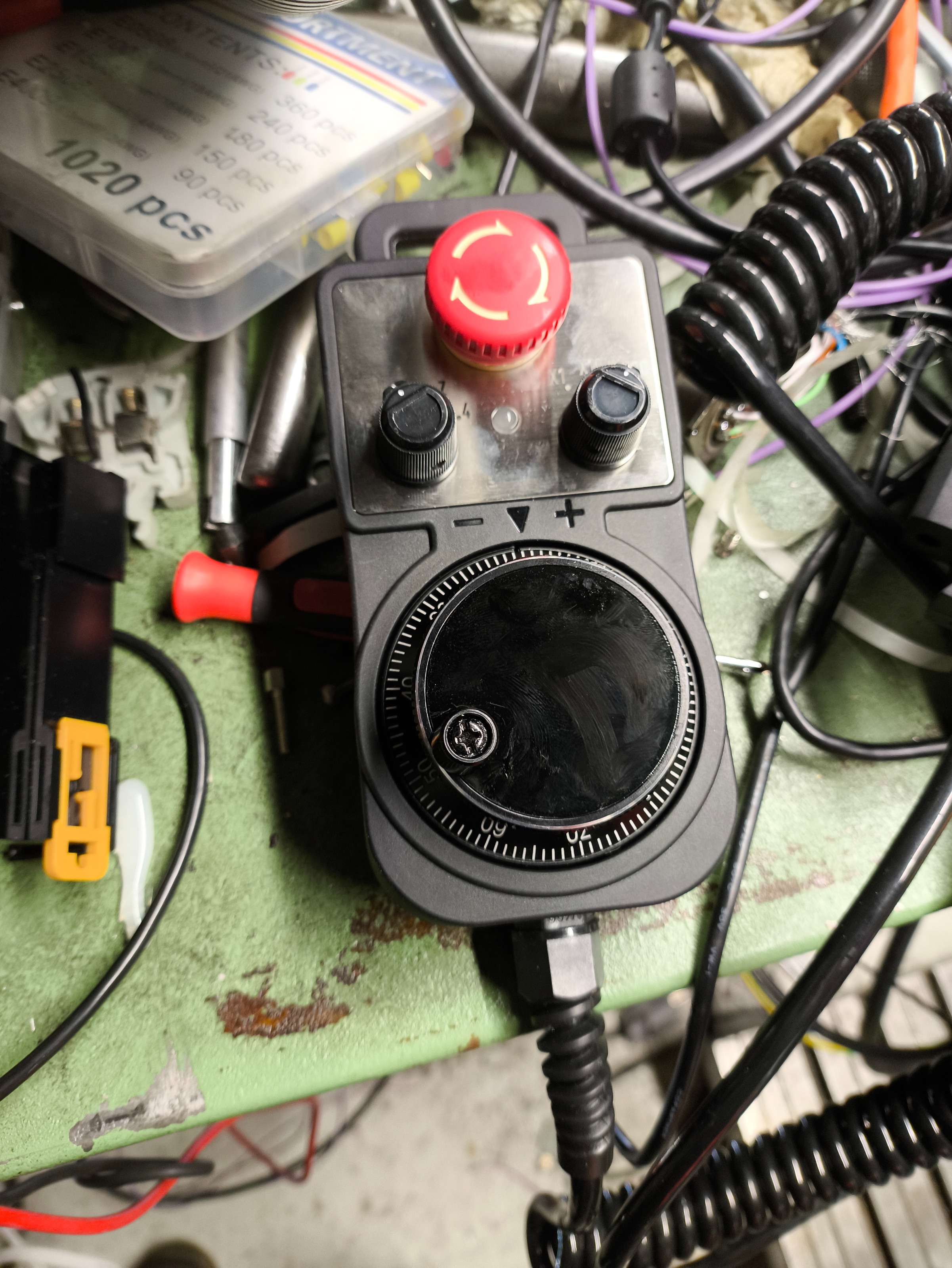
Here are a picture from the handwheel /mpg and from the mess/cabinet
Not sure if it will help a lot
Pg up and Pg down buttons works well however I need to manually select the axis. The knob doesn't change the selected axis in Axis gui
Edit: I finally found the issue, I always struggle between axis and joint...
I managed to move axis using the joint instead of axis.
Here are a picture from the handwheel /mpg and from the mess/cabinet
Not sure if it will help a lot
Pg up and Pg down buttons works well however I need to manually select the axis. The knob doesn't change the selected axis in Axis gui
Edit: I finally found the issue, I always struggle between axis and joint...
I managed to move axis using the joint instead of axis.
Last edit: 05 Dec 2025 20:50 by vibram.
Please Log in or Create an account to join the conversation.
- vibram
- Offline
- Premium Member
-
Less
More
- Posts: 84
- Thank you received: 2
08 Dec 2025 07:47 #339852
by vibram
Replied by vibram on topic MPG and analog command config issue
yes, everything is working well thanks 
Please Log in or Create an account to join the conversation.
- RogerWilliams
- Offline
- New Member
-

Less
More
- Posts: 1
- Thank you received: 0
05 Feb 2026 14:49 - 06 Feb 2026 07:54 #342472
by RogerWilliams
Replied by RogerWilliams on topic MPG and analog command config issue
Hello I try to setup a mill with all servo drives run with analog command and it's working fine.
However, now I try to setup a MPG
after customizing the HAL file, here is the situation:
the MUX is correctly working for the scale and the axis.x.jog-scale is correct (value from 0.01 to 1mm)
axis.x.jog-enable works fine, same for Y and Z
axis.x.jog-counts works fine, I can see the number of pulses moving when I turn the handle
axis.x.jog-accel-fraction is set to 1
When using Axis interface with the and - button, it works fine
However; when I turn the handle, the axis is not moving at all, I don't have any error message.E-stop is off and Toggle Machine power if ON obviously.
Any idea what could be the issue?
thank you
D'après votre description, la plupart des connexions MPG semblent correctes. Le problème vient probablement de la manière dont les incréments de déplacement sont utilisés. Un piège courant est que les incréments seuls ne permettent pas de déplacer un axe si le mode de déplacement n'est pas correctement configuré. Assurez-vous que l'axe est en mode « téléopération » ou en mode de déplacement par articulation, selon que vous utilisez une configuration par articulations ou par axes. Vérifiez également que les incréments MPG sont bien connectés aux broches d'articulation ou d'axe appropriées, et non mélangés. Il faut aussi vérifier la vitesse de déplacement : même avec l'accélération activée, une vitesse de déplacement nulle ou très faible, ou une limite de vitesse de déplacement trop basse, n'entraînera aucun mouvement. Découvrez un casino en ligne retrait instantané où les jeux classiques et modernes se rencontrent. Enfin, assurez-vous qu'aucun autre signal (comme un autre canal MPG ou une source de déplacement d'interface utilisateur) ne maintient l'activation du déplacement à l'état bas pendant l'exécution.
Last edit: 06 Feb 2026 07:54 by RogerWilliams.
Please Log in or Create an account to join the conversation.
Time to create page: 0.084 seconds