Complete HOW-TO Linux Mint 18.1 32/64 RTAI or PREEMPT with RIP install or deb

More
9 years 9 months ago #86850 by Rolquin
This is a great tutorial, there is a lot of information here. Thanks for sharing.

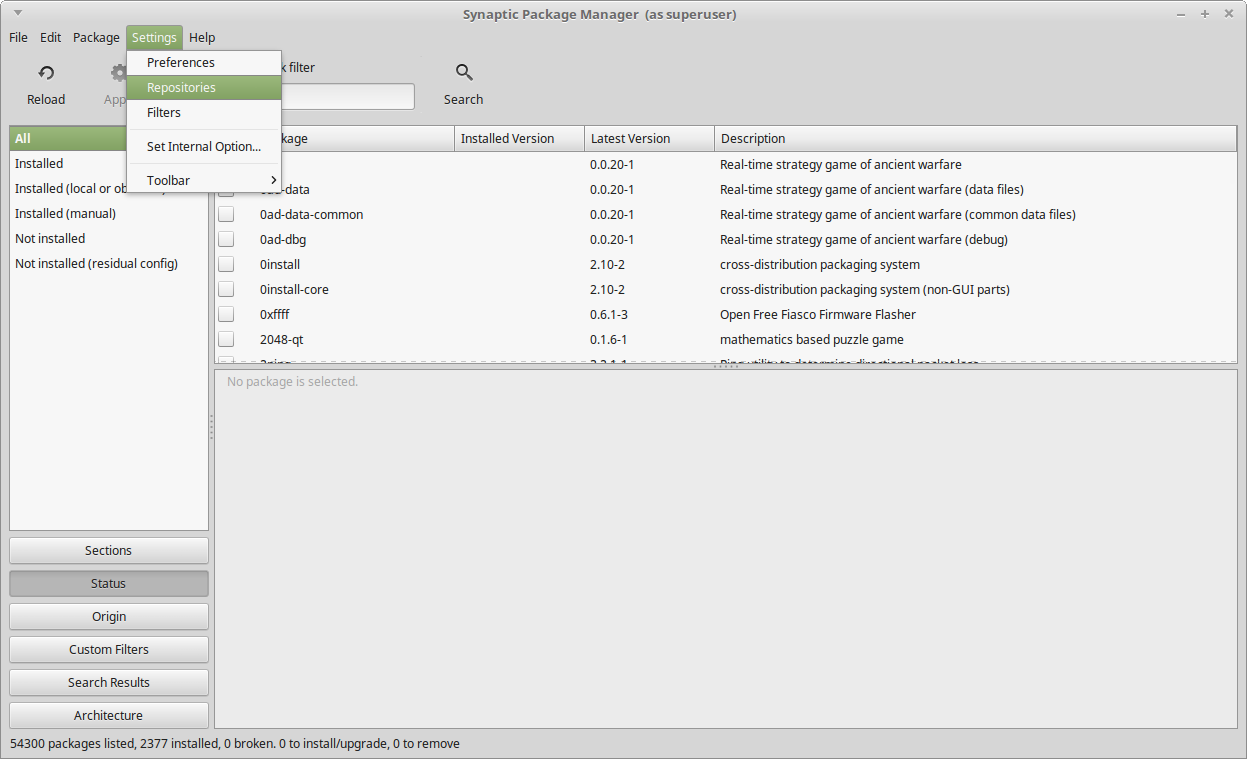
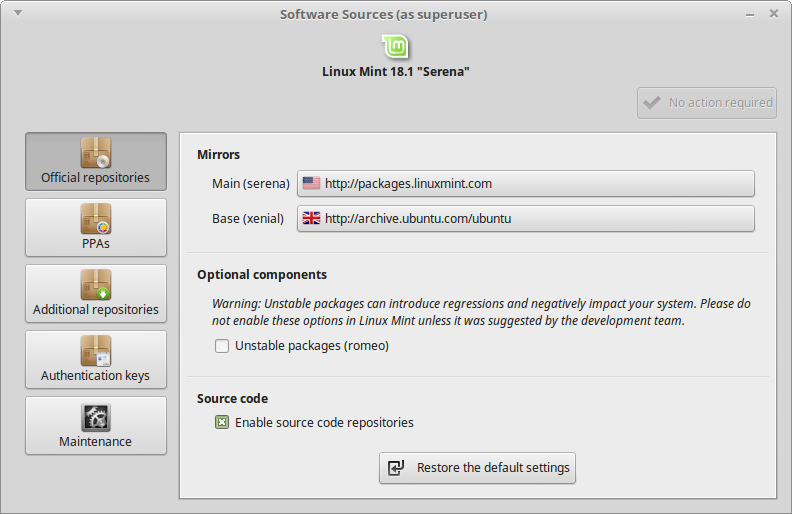
I have not been complete this step: Package Manager>Settings>Repositories> Check Mark - Enable Source Code Repositories.

For some reason the check mark option is not active in synaptic manager.
Is there any way to get this option active ?

Thanks.

Please Log in or Create an account to join the conversation.

More
9 years 9 months ago #86854 by rodw

bevins wrote:

rodw wrote:

Code:
#!/bin/bash sudo service network-manager stop sudo rm /var/lib/NetworkManager/NetworkManager.state sudo service network-manager start

Then run bash ./netstart.sh to restart your network.


Shouldn't there be a "service network-manager restart" command?


Bevins, There is, last line...

Please Log in or Create an account to join the conversation.
More
9 years 9 months ago #86855 by rodw

Rolquin wrote: I have not been complete this step: Package Manager>Settings>Repositories> Check Mark - Enable Source Code Repositories.


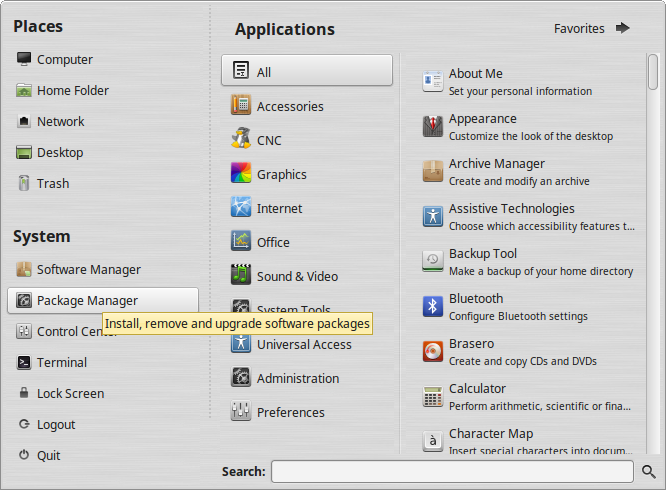
I think you are looking in Synaptic, not Package Manager. Remember that everything in Linux is configured via text files and Package Manager and Synaptic are GUI interfaces to allow you to edit the relevant text files with less pain.. These 2 programs kind of overlap and there are others as well.

Please Log in or Create an account to join the conversation.
More
9 years 9 months ago - 9 years 9 months ago #86856 by cncnoob1979
Rolquin,

Is package manager asking you for your su password when you open it?

You should have a screen like so:


EDIT: sorry I said synaptic; meant synaptic package manager in my response.
Last edit: 9 years 9 months ago by cncnoob1979.

Please Log in or Create an account to join the conversation.
More
9 years 9 months ago #86911 by Rolquin
Hi there many thanks for all your help.

I'm using Debian , but the Screen looks pretty similar. Only difference , when I'm going to the application menu , either way when I select Setting or System the sub menu is the Synaptic Package manager. I can not find Package manager.

And yes i have been asked for a password, under the Synaptic , but the option for the check mark is not active.
I know your post its related to Mint , as I'm a newbie not sure if its a better option by now stay on Debian.

Thanks.

Please Log in or Create an account to join the conversation.

More
9 years 9 months ago #86914 by cncnoob1979
Have you tried to check build dependencies yet?

See if it works without the hassle of enabling repositories. I bet Debian is enabled by default.

Just skip the step of enabling source repositories. Continue from there.

Run the configure ( ./configure uspace) in Debian depending on what guide your following.

Please Log in or Create an account to join the conversation.

Time to create page: 0.447 seconds
Powered by Kunena Forum
