Linuxcnc Mint 19.3 ISO

  • BeagleBrainz
  • Topic Author
  • New Member
  • New Member
More
6 years 1 day ago #187948 by BeagleBrainz
Replied by BeagleBrainz on topic Linuxcnc Mint 19.3 ISO
Ok I think we need to uncross our wires.

Lets get a few things sorted.
1. The installation went fine.
2. Can you boot into the new installation ?
3. You want to configure grub (the boot loader) so that "intel_idle.max_cstate=0" is permanent ?

Now depending on the answer to point 2 there are two different paths we will go down.

Then we'll have you cooking with non-fossil gaseous fuels.

Please Log in or Create an account to join the conversation.

More
6 years 11 hours ago #188001 by Muzzer
Replied by Muzzer on topic Linuxcnc Mint 19.3 ISO
Hi there

Yes, it installed OK and I can boot into the new installation - but only if I manually insert the intel_idle bit each time. So yes, I'd like to hard wire that into the startup.

As you can tell, I'm way outside my comfort zone!

Thanks for helping me here!

Please Log in or Create an account to join the conversation.

  • BeagleBrainz
  • Topic Author
  • New Member
  • New Member
More
6 years 3 hours ago - 5 years 11 months ago #188040 by BeagleBrainz
Replied by BeagleBrainz on topic Linuxcnc Mint 19.3 ISO
Ok it's pretty simple.

Open a terminal.
Code:
sudo mcedit /etc/default/grub

Edit this line:
Code:
GRUB_CMDLINE_LINUX_DEFAULT="quiet splash"

To:
Code:
GRUB_CMDLINE_LINUX_DEFAULT="quiet splash intel_idle.max_cstate=0"

Press F9, Select Exit and confirm save:

Now Run:
Code:
sudo update-grub

If you want to check that the change has been made:
Code:
cat /boot/grub/grub.cfg

If everything is correct you should see your new option there.

A little more info on Grub here:
www.howtogeek.com/196655/how-to-configur...ot-loaders-settings/
Last edit: 5 years 11 months ago by BeagleBrainz.

Please Log in or Create an account to join the conversation.

More
5 years 11 months ago #188249 by Muzzer
Replied by Muzzer on topic Linuxcnc Mint 19.3 ISO
Finally got some workshop time and had another go at this. Thanks for the link, which seemed to explain what grub is about.

It all seemed to make some semblance of sense. However, mcedit doesn't seem to exist in this Mint setup. Mr Howtogeek suggested "gksu gedit /etc/default/grub" but it didn't like gksu. This wasn't going well.

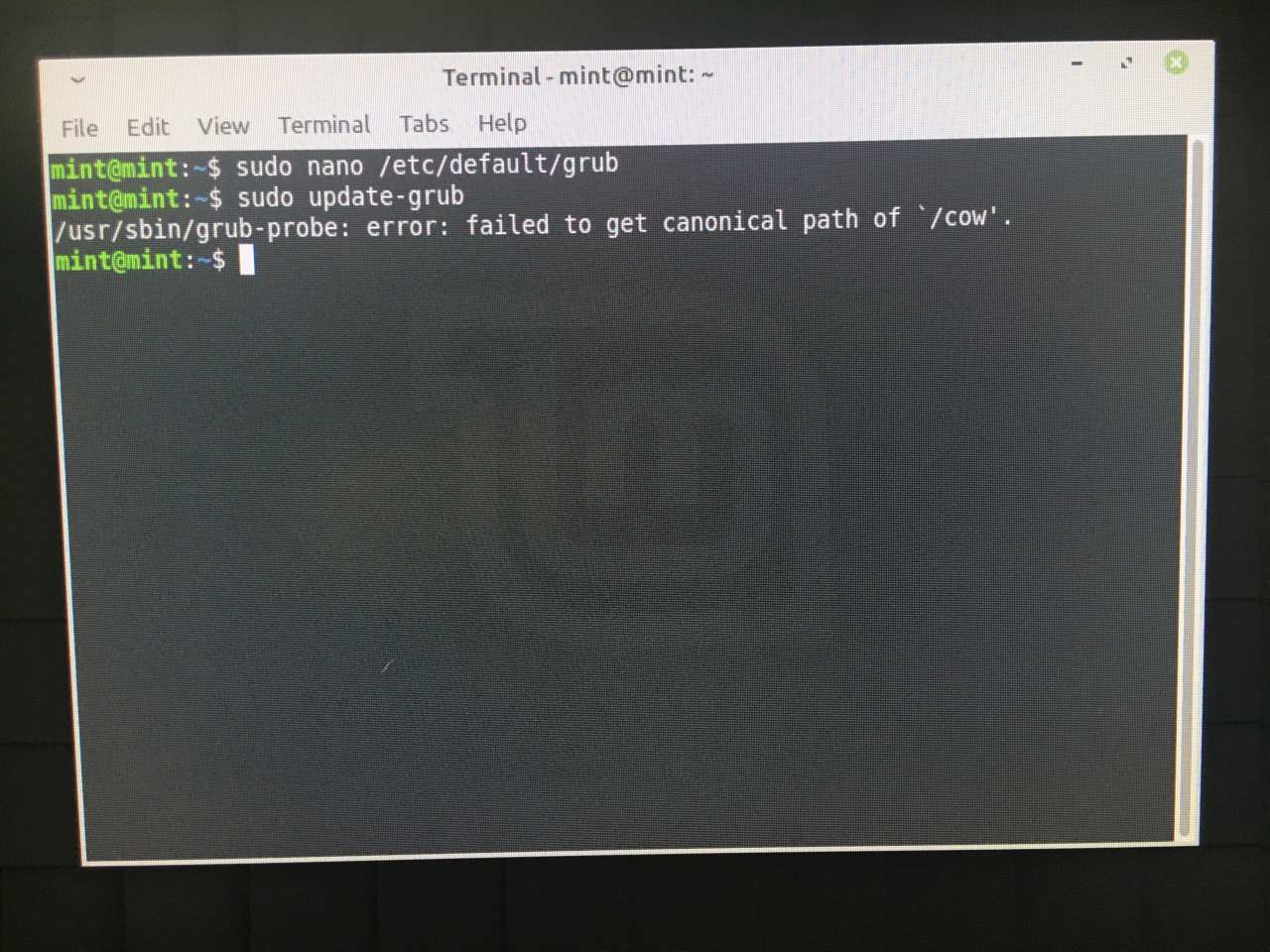
I managed to open, save and edit /etc/default/grub correctly using nano, checking that it had indeed saved the changes OK.

But now I can't run sudo update-grub, as it can't find the /cow directory(!).


I get the feeling this may be something to do with running from the live install, possibly some sort of Catch-22 situation. Perhaps the new SSD isn't mounted. Until I reboot and run from the installed system, perhaps I can't run update-grub. Yet I can't get back into the installed system until I've edited the intel_idle entry into grub. When I press e during the boot sequence, I get the grub screen generated during the install, not the original, simpler one. Ooof.

When I look up the error message, we get into some pretty heavy stuff. I have no real understanding of what I'm doing.

Please Log in or Create an account to join the conversation.

  • BeagleBrainz
  • Topic Author
  • New Member
  • New Member
More
5 years 11 months ago - 5 years 11 months ago #188265 by BeagleBrainz
Replied by BeagleBrainz on topic Linuxcnc Mint 19.3 ISO
Firstly I you have to boot into the new installation. Not the live installation. So you have to remove the USB stick and boot from the SSD.
Secondly I messed up the command to edit the file. Which has been fixed
Code:
sudo mcedit /etc/default/grub

mcedit will be there if you used the ISO I created as I have added it.
It doesn’t matter what the grub screen looks like, it is the same process. The cursor may not be there so you will have to mess about a bit to find yourself in the right spot.
If you can not boot from the SSD with the new installation we will have to try another process.
But you have to be able to boot from the new installation on the SSD for the above method to work.
A standard Mint ISO does not have mcedit installed. So to use mcedit you have to use the ISO I created.
Last edit: 5 years 11 months ago by BeagleBrainz.

Please Log in or Create an account to join the conversation.

More
5 years 11 months ago #188341 by Muzzer
Replied by Muzzer on topic Linuxcnc Mint 19.3 ISO
Yes, that's the problem. I can't boot from the SSD. The only way in to Mint is via the live USB program. Takes 20 mins or so to install, then you only have one try to edit grub. When that fails you have to start all over again. Sigh.

If you can tell me how to fix this some other way, I may finally be able to get it to boot up into Mint!

Thanks

Please Log in or Create an account to join the conversation.

Time to create page: 0.407 seconds
Powered by Kunena Forum