
- Posts: 55
- Thank you received: 4
Rounds and Ovals.Graphics issues
- keyboard
- Offline
- Senior Member
-

Less
More
10 years 9 months ago - 10 years 9 months ago #68044
by keyboard
Rounds and Ovals.Graphics issues was created by keyboard
Is it just my install? I am running Wheezy (3.4.9-rtai-686-pae) with Linuxcnc 2.7.3. Noticed all my rounds are coming out oval on the screen.
In Linuxcnc, or the pie chart in Libre office. Checked and tried all settings i could find and try, no change. Tried a different display , same problem.Even the grid is rectangular in the graph screen area.
:blink: :blush:
OMG !!! round here in the attachment :woohoo: :woohoo: :woohoo:
(Copied pic to usb and attached here , using win10) compared to same screen shot by my camera.
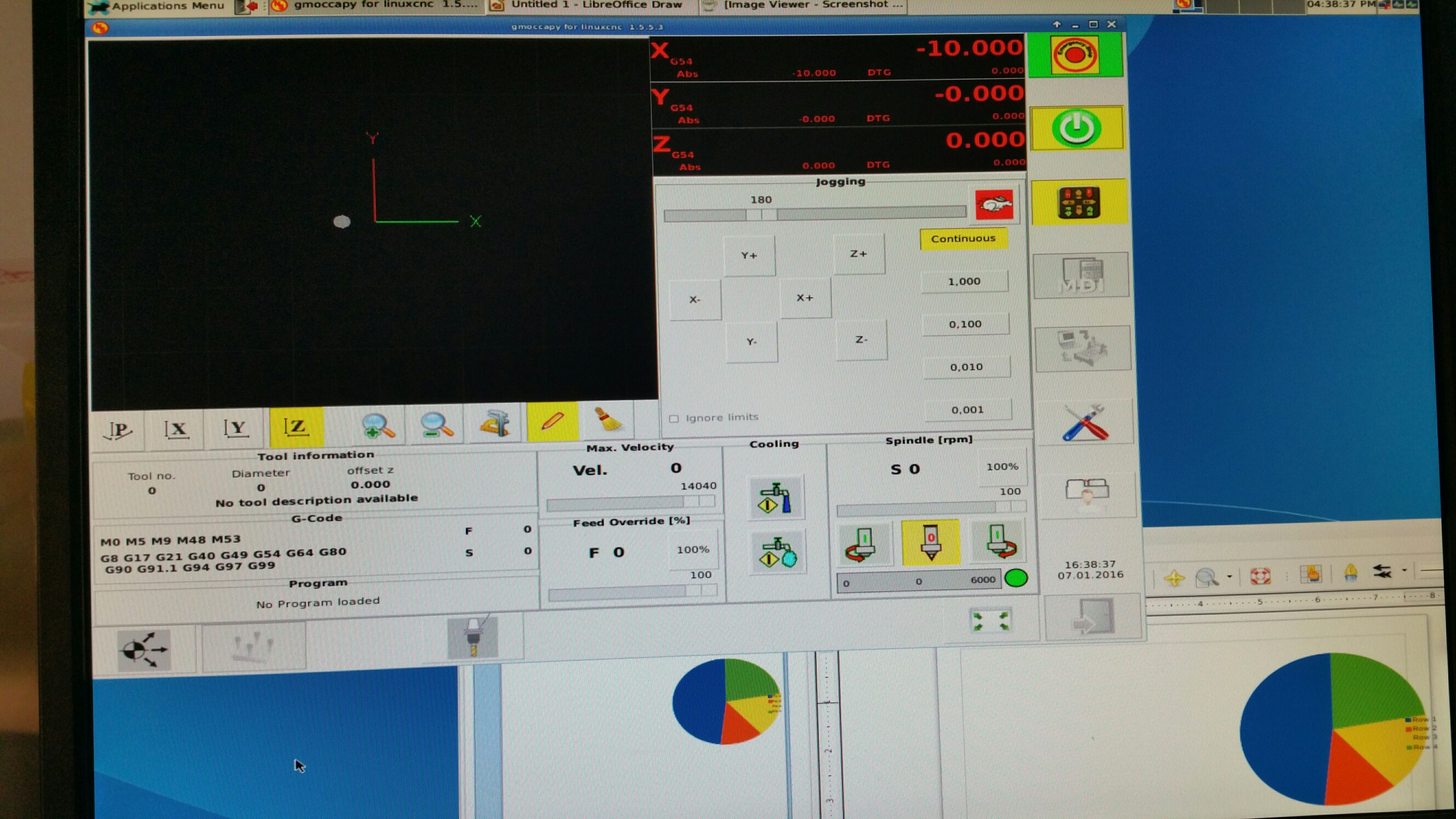
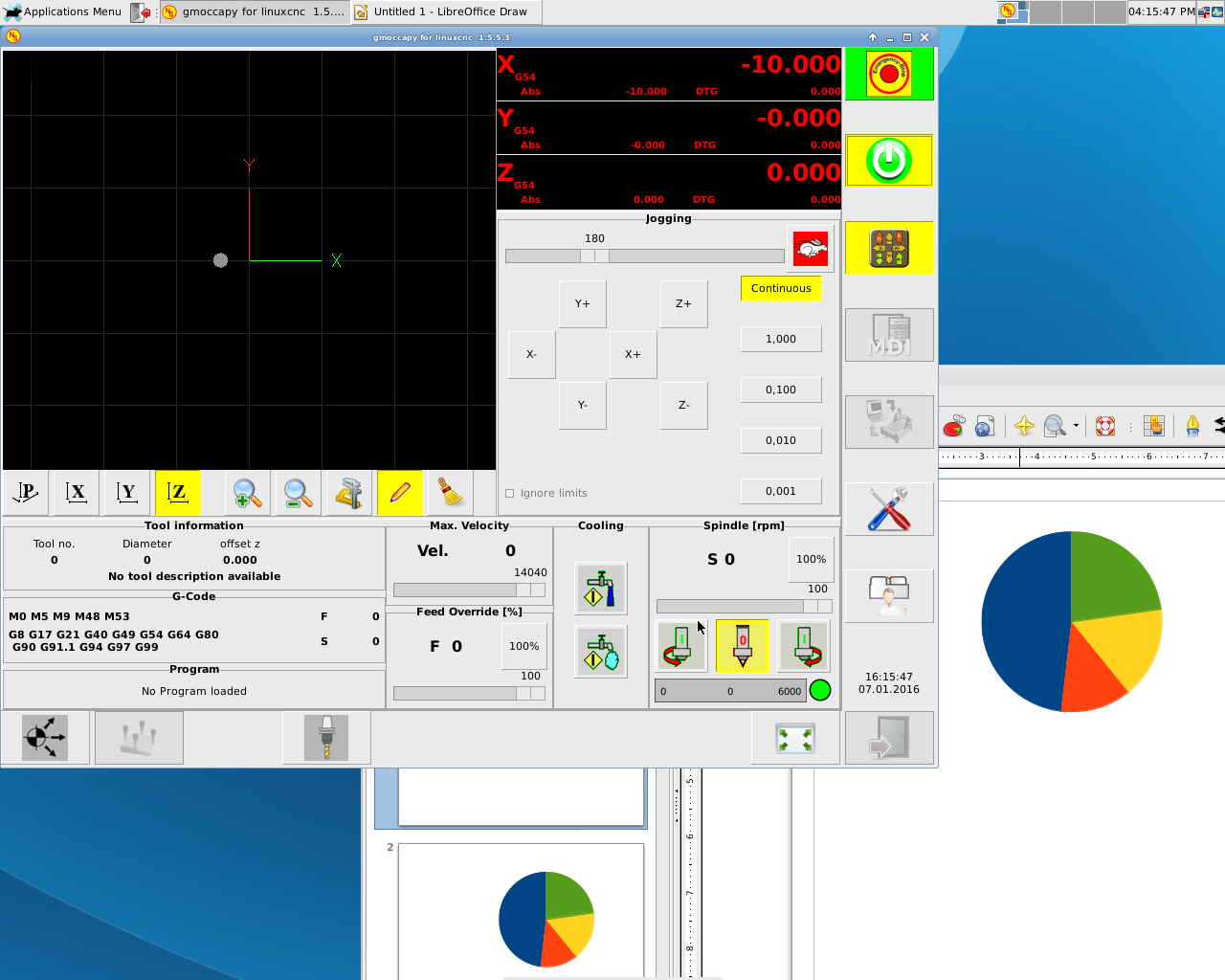
In Linuxcnc, or the pie chart in Libre office. Checked and tried all settings i could find and try, no change. Tried a different display , same problem.Even the grid is rectangular in the graph screen area.
:blink: :blush:
OMG !!! round here in the attachment :woohoo: :woohoo: :woohoo:
(Copied pic to usb and attached here , using win10) compared to same screen shot by my camera.
Last edit: 10 years 9 months ago by keyboard.
Please Log in or Create an account to join the conversation.
- keyboard
- Offline
- Senior Member
-
Less
More
- Posts: 55
- Thank you received: 4
10 years 9 months ago #68049
by keyboard
Replied by keyboard on topic Rounds and Ovals.
I realise its got to do with display settings. But tried all i could find. no luck. 
Please Log in or Create an account to join the conversation.
- andypugh
- Offline
- Moderator
-

Less
More
- Posts: 19899
- Thank you received: 4655
10 years 9 months ago #68058
by andypugh
Replied by andypugh on topic Rounds and Ovals.
It might be a setting that you can adjust on the actual monitor.
Can you find the monitor native resolution from the manual?
Can you find the monitor native resolution from the manual?
The following user(s) said Thank You: keyboard
Please Log in or Create an account to join the conversation.
- keyboard
- Offline
- Senior Member
-
Less
More
- Posts: 55
- Thank you received: 4
10 years 9 months ago #68065
by keyboard
Replied by keyboard on topic Rounds and Ovals.
Thanks for your response.
I tried two different screens, as well as went into their menus and reset to defaults etc. I feel its the video out from Wheezy thats messed up . I'm going to attempt a re-install and report back.
I tried two different screens, as well as went into their menus and reset to defaults etc. I feel its the video out from Wheezy thats messed up . I'm going to attempt a re-install and report back.
Please Log in or Create an account to join the conversation.
- keyboard
- Offline
- Senior Member
-
Less
More
- Posts: 55
- Thank you received: 4
10 years 9 months ago #68073
by keyboard
Replied by keyboard on topic Rounds and Ovals.
Re-installed complete from USB. Narrowed it down to display settings. cannot set a display refresh rate. When i run Xrandr , get a failed to get size of Gamma ......
Any clues to try ?
Any clues to try ?
Please Log in or Create an account to join the conversation.
- tommylight
- Offline
- Moderator
-
Less
More
- Posts: 22011
- Thank you received: 7491
10 years 9 months ago #68087
by tommylight
Replied by tommylight on topic Rounds and Ovals.Graphics issues
Yeah, definitely a resolution problem, been there wasted a few days and gave up.
You have a 4x3 resolution on a 19x9 monitor. Had the same problem and nothing helped on an older computer. I did try xrandr and other tricks, even editing xorg manually but no joy. It was (and still is) a monitor problem, since that same computer works perfectly with any other monitor, and that same monitor gives the same problem on any other computer. Narrowed it down to a h/v sync problem and continued using it like that ( not nice since max i get is 960x640 and some visual errors ).
Tom
You have a 4x3 resolution on a 19x9 monitor. Had the same problem and nothing helped on an older computer. I did try xrandr and other tricks, even editing xorg manually but no joy. It was (and still is) a monitor problem, since that same computer works perfectly with any other monitor, and that same monitor gives the same problem on any other computer. Narrowed it down to a h/v sync problem and continued using it like that ( not nice since max i get is 960x640 and some visual errors ).
Tom
The following user(s) said Thank You: keyboard
Please Log in or Create an account to join the conversation.
Time to create page: 0.553 seconds