THC plasma configs, with HOW TO.

More
8 years 2 months ago - 8 years 2 months ago #115472 by Grotius
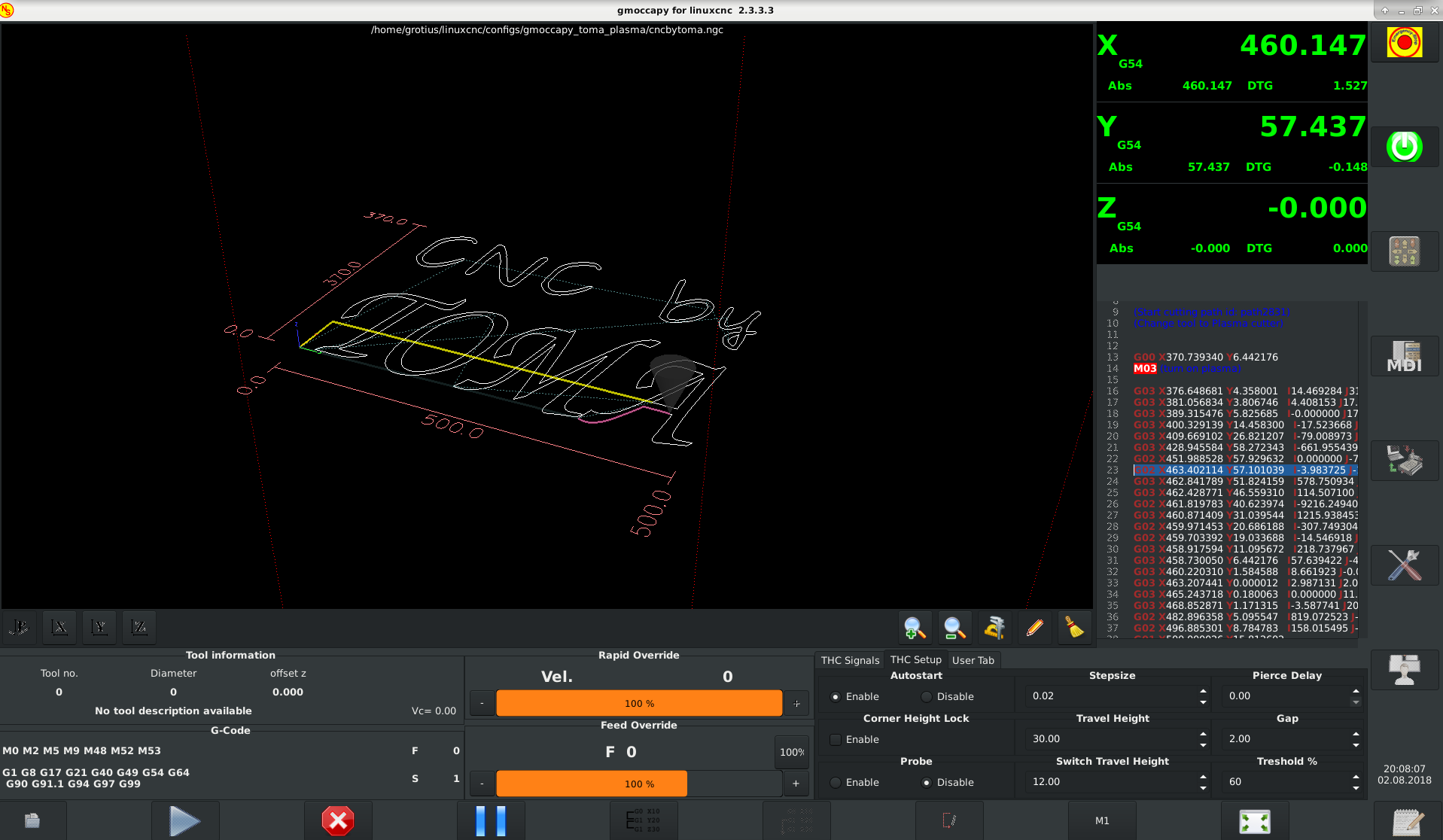
Finally Fertig.

Wow this works very nice !!
Everything is in hal.

I impressed myself with this working result.

The probe and autostart is now radiobutton. The buttonhandler works better with radiobuttons, checkbuttons don't work very well in replacement panel's. You ask yourself maybe, why is that g-code panel still on the left. My pc is out of memory in 64bit to open
the main gmoccapy glade file, so next week i get a new pc and replace the left panel for something that we can use for plasma.


Hmm. Now we can add in hal the future probe section module.

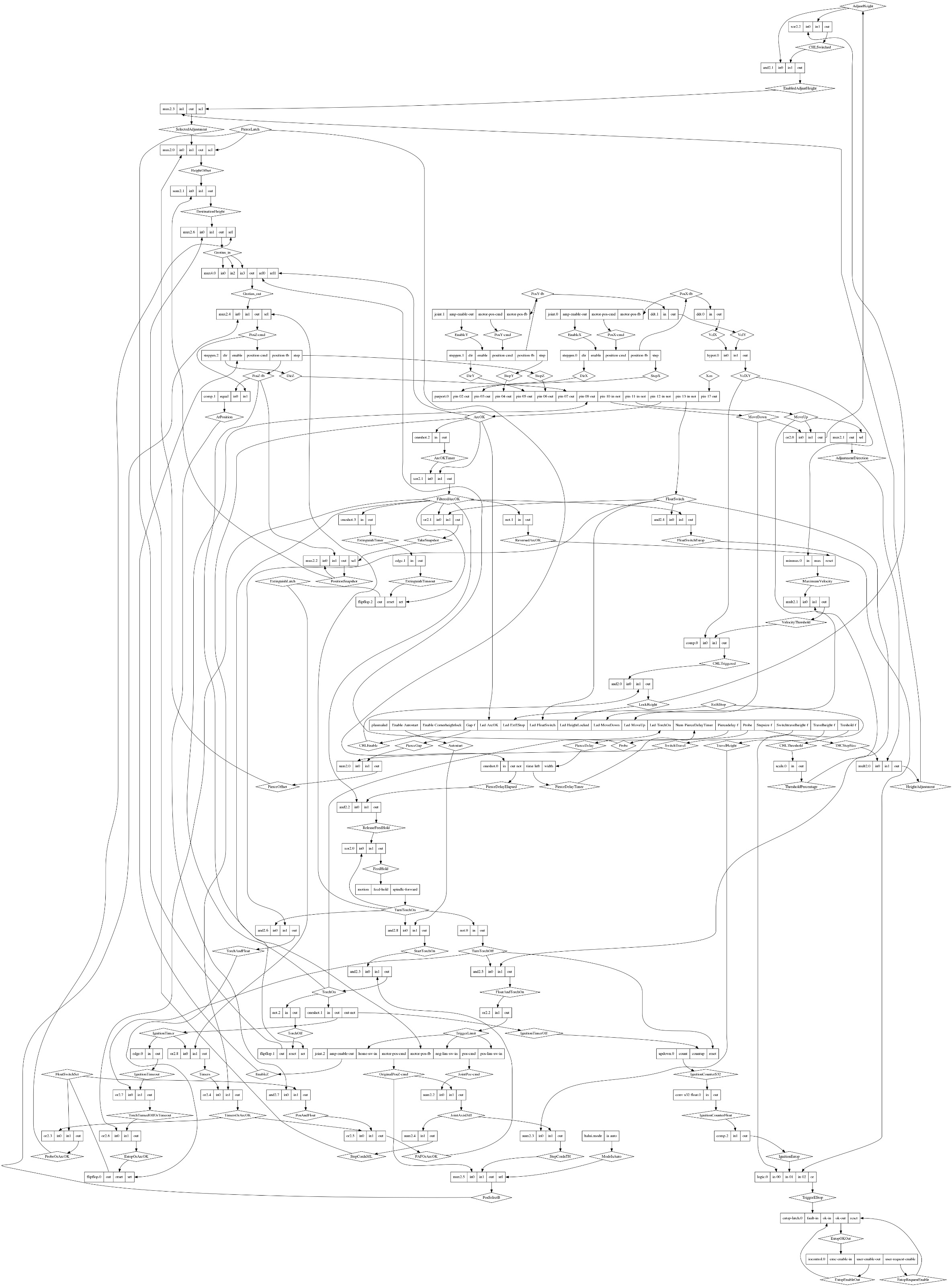
But first let's print a new hal schematic.
Code:
Made By Grotius, 1 August 2018 Visual Complicated Hal Files Okey if you run the linuxcnc program with Toma config. In linuxcnc open Halshow. Pasword = 123 Then open terminal in same folder whre dot.py is living, execute in terminal : python dot.py > final.dot python dot.py | dot -Tpng > final.png or try python dot.py | dot -Tpng > final.jpg this also works fine. Then we get some hal drawings of current configuration.

For making the schematic png or jpg, rename the file to dot.py :

File Attachment:

File Name: dot_2018-08-02.py
File Size:4.01 KB


Attached the latest config files for Toma Plasma

File Attachment:

File Name: Perfectos.zip
File Size:32.18 KB


The new Hal configuration including the option :
- Enable / Disable probe (height measuring function at start)


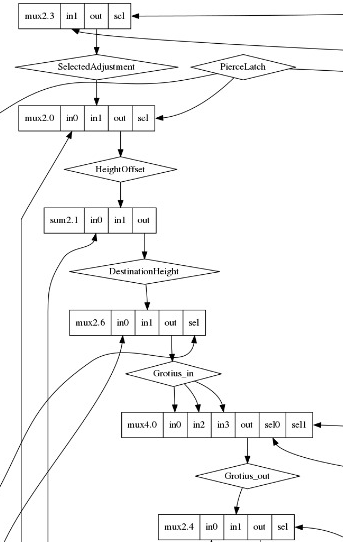
I see the schematic has changed. It now has it's first mux4 component.
Last edit: 8 years 2 months ago by Grotius.
The following user(s) said Thank You: chimeno, tommylight

Please Log in or Create an account to join the conversation.

More
8 years 2 months ago - 8 years 2 months ago #115563 by Grotius
Hi,

I have a problem, i want to make a configuration for plasma with Mesa but i don't have this product to test the signals.
Can Pcw sent one card to me with the mesa thc interface card?
Last edit: 8 years 2 months ago by Grotius.

Please Log in or Create an account to join the conversation.

More
8 years 2 months ago #115588 by tommylight
Do you have a small DC motor with an encoder attached ?
You will need :
an adjustable dc power supply ( anything that can change output voltage a bit, it does not need to be from 0 to xxx)
A small DC motor with encoder ( any encoder it does not matter what ppr )
a parallel port or a mesa board
Connect the power supply to the motor, you can use resistors or another motor in series to control the speed or just by loading it with hand
Connect the encoder to parallel port or mesa board, configure it as a THCAD from mesa
Test it and modify and adjust to your hearts content !
FYI
THCAD outputs a variable frequency depending on the input voltage, so you get the same behaviour by using the above set-up, namely, the DC motor is there just for producing the frequency and that frequency will be depending on the speed of the motor so you can slow or speed the motor and that would have the same result as the Torch voltage going down or up when using THCAD.

Please Log in or Create an account to join the conversation.

More
8 years 2 weeks ago #118693 by ARKLATEXPITS
Hi guys, I am totally green when it comes to Linux. I just installed it a week ago, I don't understand how to install the configs that have been written for Plasma into the files. Is it possible for me to have someone give me step by step instructions on it? I would greatly appreciate it.

Please Log in or Create an account to join the conversation.

More
8 years 2 weeks ago #118696 by tommylight
Copy the extracted config folder to /home/YOUR_USER_NAME/linuxcnc/configs/
Make a new link from the desktop and point it that folder and use the thc_something.ini file, add linuxcnc IN FRONT of it like so
linuxcnc /home/YOUR_USER_NAME/linuxcnc/configs/thc_toma.ini

Use that to start linuxcnc, also read the readme file and do the editing of the files as needed.

Please Log in or Create an account to join the conversation.

More
8 years 1 week ago #119176 by ARKLATEXPITS
Hi, Guys it's me again can you give me step by step on how to copy or modify a config for plasma? when I said I was new, I mean I've never worked with Linux before at all.

Please Log in or Create an account to join the conversation.

Moderators: snowgoer540
Time to create page: 0.528 seconds
Powered by Kunena Forum