Inssues Hole cutting

More
2 years 5 months ago #300006 by phillc54
Replied by phillc54 on topic Inssues Hole cutting
I can confirm that this is an issue on both QtPlasmaC and plasmac2 in both LinuxCNC 2.9 and master.
I have been able to consistently observe it on metric configs but it does not appear to happen on imperial configs, this is with both configs run both a metric g-code and a imperial g-code.
It does not happen on PlasmaC in LinuxCNC 2.8, nor does it seem to happen on AXIS in LinuxCNC 2.9.
It also happens with all hole detection features commented out, a simple piece of code like below does not run the second G3 line on some holes:
Code:
 G0 X8 Y45.5  M3 $0 S1 (plasma start)  G3 X2.873 Y50.627 I-2.563 J2.563  G3 X2.873 Y50.627 I5.127 J-5.127  M5 $0 (plasma end)
Adding a G4 P1 or a G0 X2.873 Y50.627 between the G3 lines appears to make no difference.

Currently I have no idea what is causing it...

In the meantime if you need to cut this job then changing the leadins to perpendicular should work.

 
The following user(s) said Thank You: paulsao

Please Log in or Create an account to join the conversation.

More
2 years 5 months ago #300032 by paulsao
Replied by paulsao on topic Inssues Hole cutting
Thanks Phill for confirming it, if I am going to change to perpendicular, in arc I got better results in the holes but I will have to change to do the job. Thank you anyway.

Please Log in or Create an account to join the conversation.

More
2 years 5 months ago #300071 by snowgoer540
Replied by snowgoer540 on topic Inssues Hole cutting
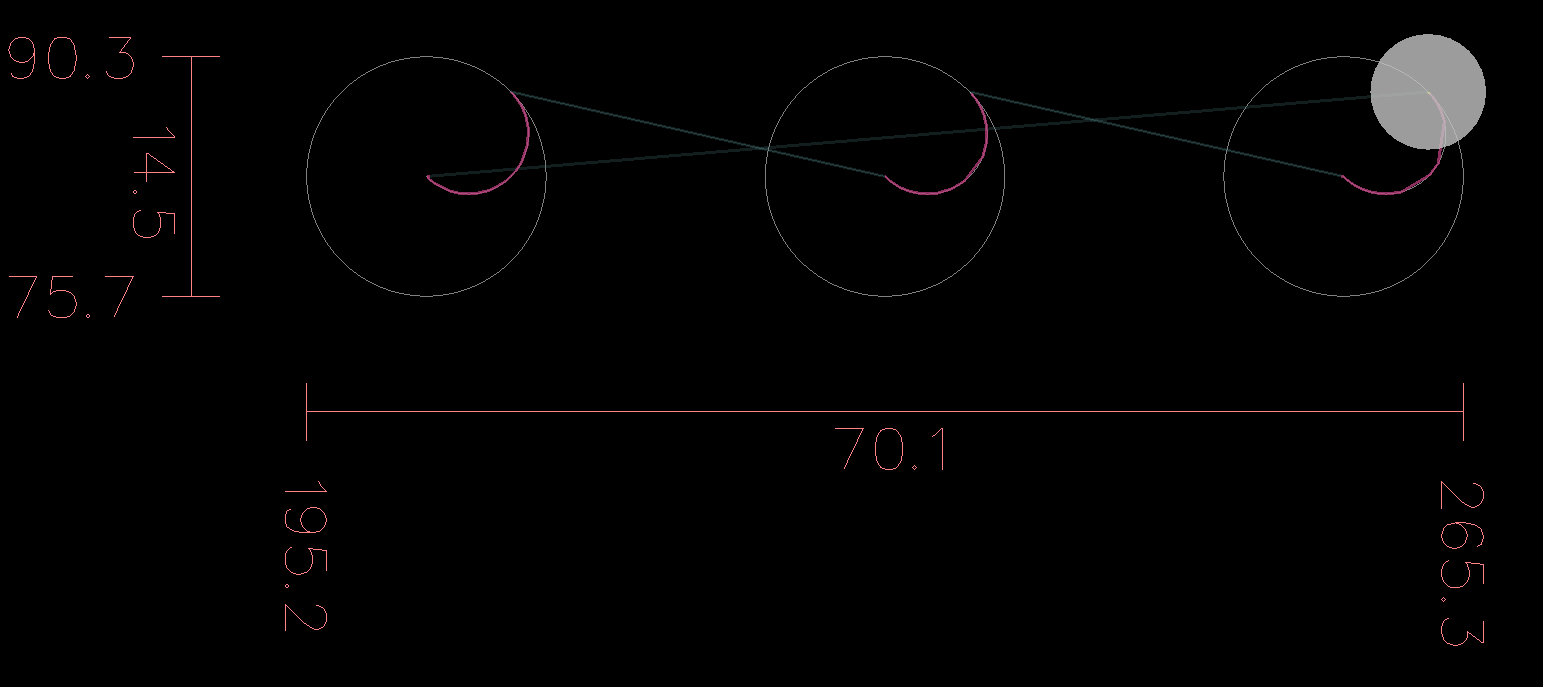
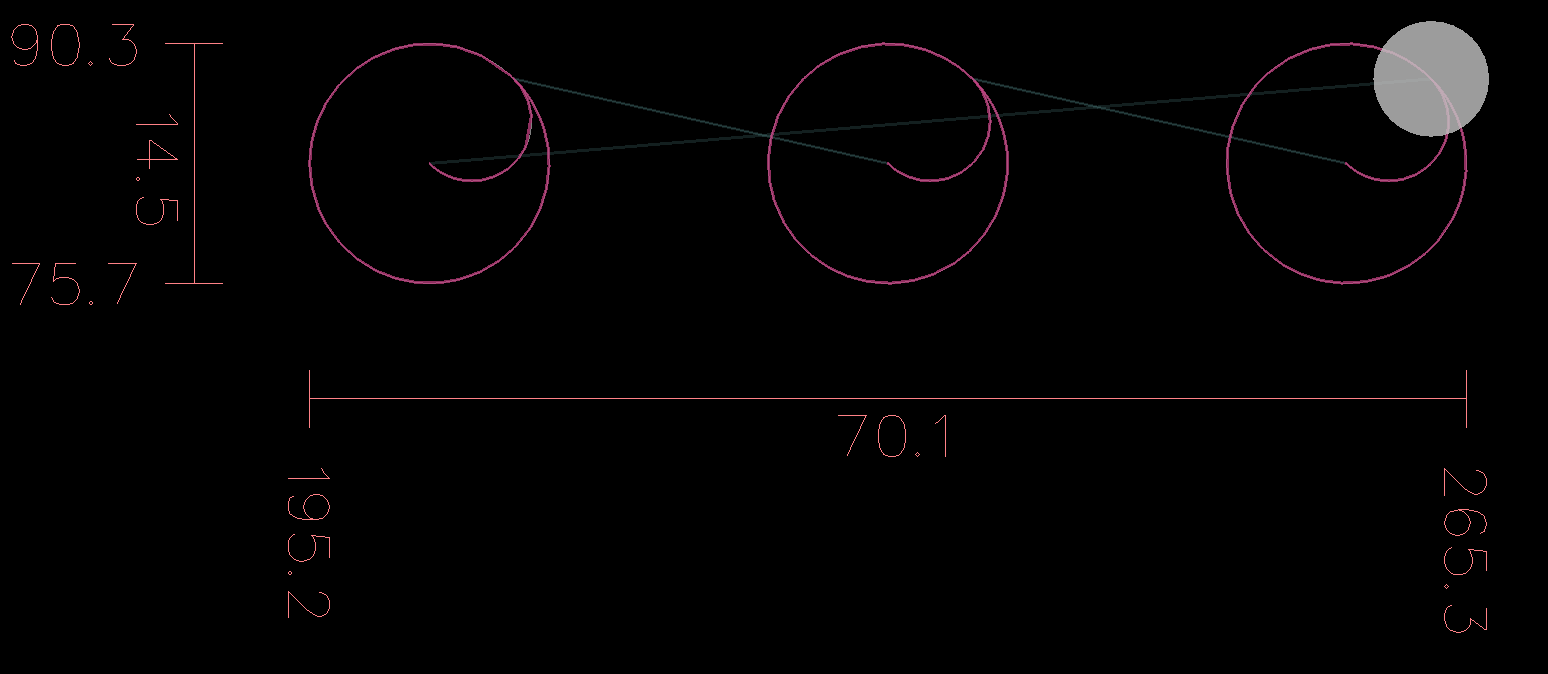
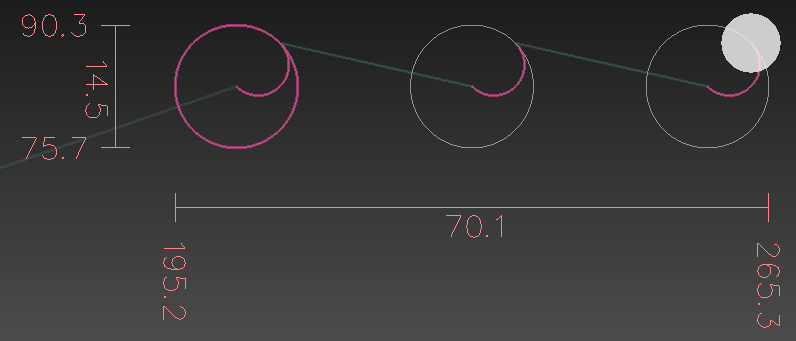
It's odd, because the code Phill posted, works for me.  But running paulsao's code, I get 3 holes in a row that don't work, so I isolated them and started playing around.  I dont know why, but if I change the starting point coordinates by 0.001mm, it works:

Before:
Code:
 G0 X202.444 Y83  G3 X207.571 Y88.127 I2.563 J2.563  G3 X207.571 Y88.127 I-5.127 J-5.127  G0 X230.222 Y83  G3 X235.349 Y88.127 I2.563 J2.563  G3 X235.349 Y88.127 I-5.127 J-5.127  G0 X258.000 Y83  G3 X263.127 Y88.127 I2.563 J2.563  G3 X263.127 Y88.127 I-5.127 J-5.127

Result:


After:
Code:
 G0 X202.445 Y83  G3 X207.571 Y88.127 I2.563 J2.563  G3 X207.571 Y88.127 I-5.127 J-5.127  G0 X230.223 Y83  G3 X235.349 Y88.127 I2.563 J2.563  G3 X235.349 Y88.127 I-5.127 J-5.127  G0 X258.001 Y83  G3 X263.127 Y88.127 I2.563 J2.563  G3 X263.127 Y88.127 I-5.127 J-5.127

Result:
 

I do see this issue in the following GUIs:

QtDragon HD XYZ (although not for all the circles)
 

QtDragon XYZ Metric:


No idea why, but the following GUIs ran OK:
QtAxis
Axis


Total g-code, because I wonder if these holes work on either of your setups:
Code:
 G21 (units: metric)  G40 (cutter compensation: off)  G90 (distance mode: absolute)  F10000  G0 X202.444 Y83  G3 X207.571 Y88.127 I2.563 J2.563  G3 X207.571 Y88.127 I-5.127 J-5.127  G0 X230.222 Y83  G3 X235.349 Y88.127 I2.563 J2.563  G3 X235.349 Y88.127 I-5.127 J-5.127  G0 X258.000 Y83  G3 X263.127 Y88.127 I2.563 J2.563  G3 X263.127 Y88.127 I-5.127 J-5.127  M30 (end program)

Please Log in or Create an account to join the conversation.

More
2 years 5 months ago - 2 years 5 months ago #300073 by snowgoer540
Replied by snowgoer540 on topic Inssues Hole cutting
Well, I did some digging as I remembered some stuff around arcs and circles and what not.  Long journey short, I came across this:

github.com/LinuxCNC/linuxcnc/commit/ad91...6d2b50d1fff275200941

Andy added the comment:
Code:
// andypugh 5/2/22 This seems to be interpreted to be in config units.


Which lead me to change line 717 of posemath.h to change the CART_FUZZ value from 1.0e-8 to 1.0e-7, and that worked, the arcs transitioned into the circles as intended.  

Then I noticed that Phill you commented on Andy's commit.  So I changed CART_FUZZ back to 1.0e-8, and made a change at line 1851 of _posemath.c to:
Code:
if (d < CART_FUZZ) {

To open the check up a little bit, and that also works.  Since your  commit  and comment on andy's commit had to do with movement around circles, maybe the latter change is more appropriate?

I am honestly not sure which is more appropriate.
Last edit: 2 years 5 months ago by snowgoer540.

Please Log in or Create an account to join the conversation.

More
2 years 5 months ago #300076 by tommylight
Replied by tommylight on topic Inssues Hole cutting
Had a play with this, Axis metric sim shows same behavior, goes through arcs only on all 3.
Probably because both G3 lines have the same starting point so nothing to move to, despite different I and J values.
Changing the G0 value changes the result, as it also moves the end point of the first G3 line, so it has where to move to.
Changing the first G3 line X by 0.001 below makes everything work properly, while changing it by 0.001mm above will completely erase the circle. The opposite is true for Y value.
Replacing G3 with G2 in any line works as expected, so does replacing both.
The following user(s) said Thank You: snowgoer540

Please Log in or Create an account to join the conversation.

More
2 years 5 months ago - 2 years 5 months ago #300080 by snowgoer540
Replied by snowgoer540 on topic Inssues Hole cutting
Thanks Tommy.

I do believe this is an issue with the "FUZZ" values not changing with the machine units.

If I import stdio.h into _posemath.c and add a print statement after the line Phill changed in the previous commit (approx line 1851), to print "d", when I run the file, I get the following results...

IMPERIAL CONFIG:

Code:
-0.00000000000000054123 -0.00000000000000013357 0.00000000000000018041 -0.00000000000000054123


METRIC CONFIG:

Nothing.  The line is never reached because d is not < DOUBLE_FUZZ.

However, if I change the line to compare against CART_FUZZ I get:

Code:
0.00000000000010924595 -0.00000039177040989102 0.00000000000003641532 -0.00000039177033173132 0.00000000000010924595 -0.00000039177054844686


The other circle check around line 1862 uses CART_FUZZ as well, so I think changing line 1851 to be the correct route of action...
Last edit: 2 years 5 months ago by snowgoer540.
The following user(s) said Thank You: tommylight, paulsao

Please Log in or Create an account to join the conversation.

Moderators: snowgoer540
Time to create page: 0.427 seconds
Powered by Kunena Forum