
QTPLASMAC integrated cad/cam
- tcbmetalworks
- Offline
- Senior Member
-

- Posts: 74
- Thank you received: 21
Please Log in or Create an account to join the conversation.
- grijalvap
-

- Offline
- Elite Member
-

- Posts: 200
- Thank you received: 63
-Open DXF natively and generate the G-Code,
-Includethe database aproach used in monokrome to optimize holes.
-Ease of use, from final user stand point.
Please Log in or Create an account to join the conversation.
- rodw
-

- Offline
- Platinum Member
-

- Posts: 12156
- Thank you received: 4149
Finally Sheetcam has both widows and Linux versions of their software and a single license allows you to use both.
You should also look at monokrom as recent advances by Joco with the internal cam is pretty amazing! Plus it also does its own hole processing by replacing any hole gcode with optimized leadins.
Please Log in or Create an account to join the conversation.
- Hakan
- Offline
- Platinum Member
-
- Posts: 1317
- Thank you received: 454
marginal support, company sold and lead developer left the ship (if I understood right).
Anyway, I do most prototypes, one-offs of everything. Sometimes 2 or maybe even 10 but not more. And never again.
I find the Conversational tools to work well, but could be expanded upon.
I already have G-code when it enters QtPlasmaC.
Nesting of several G-code files would be very helpful. Positioning, rotation. Some tools exists in Conversational.
Interactive positioning would be nice. Moving lead-in positions would be nice, but I see the problem.
Very rarely, if ever, I go via dxf and Sheetcam.
Please Log in or Create an account to join the conversation.
- snowgoer540
-

- Offline
- Moderator
-

- Posts: 2580
- Thank you received: 907
QtPlasmaC does control the Z axis on its own, with exceptions being things like turning the THC on and off via g-code.
QtPlasmaC does not add lead-ins
QtPlasmaC does use the material feed rates
QtPlasmaC Conversational can add lead-ins if you so choose. It is also set up so that the material you have selected when creating the conversational file will be the material used for the generated g-code, thus using its feed rates.
QtPlasmaC is not a CAM package at all. Nor was its included conversational intended to be a replacement for a good plasma CAM package. It's there for convenience only.
I suspect this view point to be a result of your inexperience with Plasma cutting. I create all of my cut jobs using g-code provided by SheetCAM. It's not a mess at all, and allows for great control of cutting.This kindof makes a mess if you want to use sheet cam or something similar.
Is the download link at the bottom of this link too convenient?aswell as theres not really a great way to run sheetcam via linux as far a i know.
sheetcamshop.myshopify.com/pages/download-sheetcam
SheetCAM in Linux works fine.
Please Log in or Create an account to join the conversation.
- Hakan
- Offline
- Platinum Member
-
- Posts: 1317
- Thank you received: 454
I'm sure it will spark some interest when you show us.
Please Log in or Create an account to join the conversation.
- tcbmetalworks
- Offline
- Senior Member
-
- Posts: 74
- Thank you received: 21
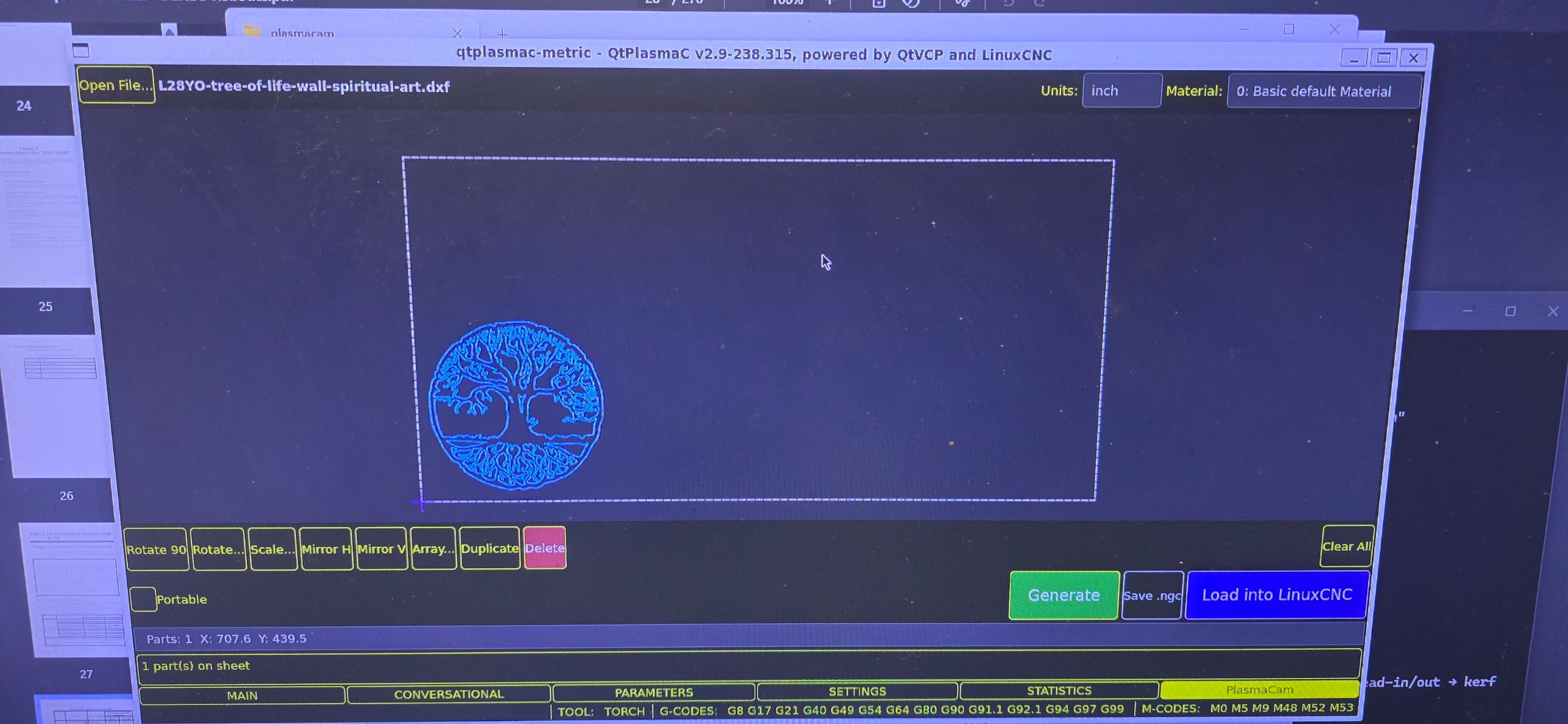
Attachments:
Please Log in or Create an account to join the conversation.
- tcbmetalworks
- Offline
- Senior Member
-
- Posts: 74
- Thank you received: 21
Please Log in or Create an account to join the conversation.
- Hakan
- Offline
- Platinum Member
-
- Posts: 1317
- Thank you received: 454
Materials, there are two ways (at least). One is to set all options in Sheetcam and that overrides the settings from the Materials tab.
Sheetcam is then the master of everything. That's what you have seen.
An other way is to set material index from sheetcam, it uses then the material index from the Materials tab.
Still, you need to select that when you sit with Sheetcam.
For that you need to go in the post processor code and change to false line 24
useTool = false -- Set to true to use SheetCam's tool table to generate a temporary material file entryAn other way, that I use, is to set material myself when I am at the machine.
Sheetcam only makes the cutting movements, not the material selection.
For that, insert comments in the printouts on line 171 in the post processor
   else
      post.Text ('; M190 P' , tool,' (',string.lower(toolName), ' material)\n')
      post.Text ('; M66 P3 L3 Q2 (wait for valid change)\n')
endAutomatic nesting isn't needed, at least to start with.
Being able to read in several G-code objects and interactively
place them on a sheet would be golden.
I like your start and hope you continue.
Please Log in or Create an account to join the conversation.
- tcbmetalworks
- Offline
- Senior Member
-
- Posts: 74
- Thank you received: 21
Please Log in or Create an account to join the conversation.