Probe Error causes Jog lockout

More
10 months 9 hours ago #340852 by Lcvette
if you still have probe basic installed, would you mind running a test in the simulation? I am running a sim test here and cannot reproduce the error using the on screen probing buttons. i can probe a point in space and immediately jog afterwards using both the keyboard and on screen buttons. so its hard for me to discover why your install is not responding the same. but if you test the sim and the problem does not exist then it would be something in your configuration most likely.

Please Log in or Create an account to join the conversation.
More
10 months 9 hours ago #340853 by Lcvette
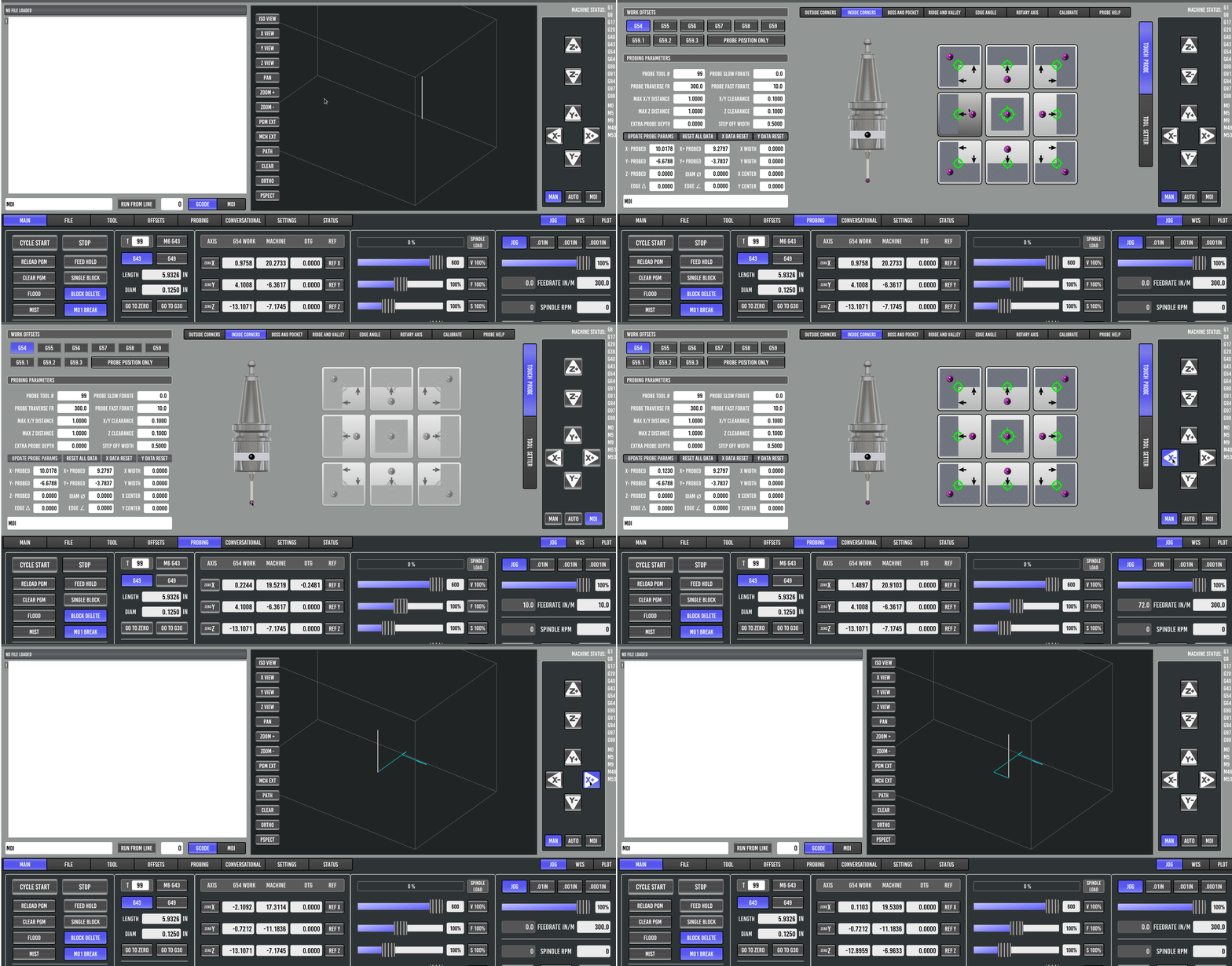
video showing it functioning in sim and how to test:

load tool 99 probe tool, move probe tip somewhere clear in the work envelope, use inside corners probe page and select a single move probe routine, trigger the probe by clicking the probe graphics probe tip. try jogging to see if sim repsonds correctly.


Please Log in or Create an account to join the conversation.

More
9 months 4 weeks ago #340886 by Thllll
I am unable to reproduce the error on the sim because I needed to trigger the probe while it was going to home or the starting location to start probing. This would cause a G38.2 error then the lockout would start. I ran a debug and returned a [Error] from a specific routine. I should have grabbed a screenshot.. I noticed a difference in the sim subroutines folder vs the subroutines folder I got from the github. I replaced all the files and lockout is no longer accruing

Please Log in or Create an account to join the conversation.

More
9 months 4 weeks ago #340967 by Lcvette
ok great!

Please Log in or Create an account to join the conversation.

More
9 months 4 weeks ago #340973 by Lcvette

I am unable to reproduce the error on the sim because I needed to trigger the probe while it was going to home or the starting location to start probing. This would cause a G38.2 error then the lockout would start. I ran a debug and returned a [Error] from a specific routine. I should have grabbed a screenshot.. I noticed a difference in the sim subroutines folder vs the subroutines folder I got from the github. I replaced all the files and lockout is no longer accruing
If you by chance find the offending routine again, please let me know!

I assume the issue for the probe triggering while going to home or to the starting position was for tool setting?  or was this for a custom 3d touch probe subroutine you created?  I would like to try and find where the issue was coming from to make sure it gets corrected and doesn't re-appear in future edits.

Thanks!

Chris

Please Log in or Create an account to join the conversation.

Moderators: KCJ, Lcvette
Time to create page: 0.066 seconds
Powered by Kunena Forum
