
Search Results (Searched for: )
- PedPEx
31 May 2026 17:51 - 31 May 2026 18:04
Rendering Error in layout Search/Results/Row: Kunena\Forum\Libraries\BBCode\KunenaBBCodeLibrary::renderEbayLayout(): Argument #1 ($ItemID) must be of type int, string given, called in /var/www/html/libraries/kunena/src/BBCode/KunenaBBCode.php on line 310. Please enable debug mode for more information.
Displaying 3526 - 3540 out of 11908 results.
Replied by PedPEx on topic LCEC creating Danfoss VFD config
Rendering Error in layout Search/Results/Row: Kunena\Forum\Libraries\BBCode\KunenaBBCodeLibrary::renderEbayLayout(): Argument #1 ($ItemID) must be of type int, string given, called in /var/www/html/libraries/kunena/src/BBCode/KunenaBBCode.php on line 310. Please enable debug mode for more information.
- Aciera
31 May 2026 17:49 - 31 May 2026 19:31
Replied by Aciera on topic How to remove automatic g54 after M2/M30 ?
Have a look at this PR:
github.com/LinuxCNC/linuxcnc/pull/4093
github.com/LinuxCNC/linuxcnc/pull/4093
- RMJ fabrication
31 May 2026 16:38
Replied by RMJ fabrication on topic Ethernet connection to Mesa 7i76e disconnecting on its own after one minute
These are my HAL and INI files
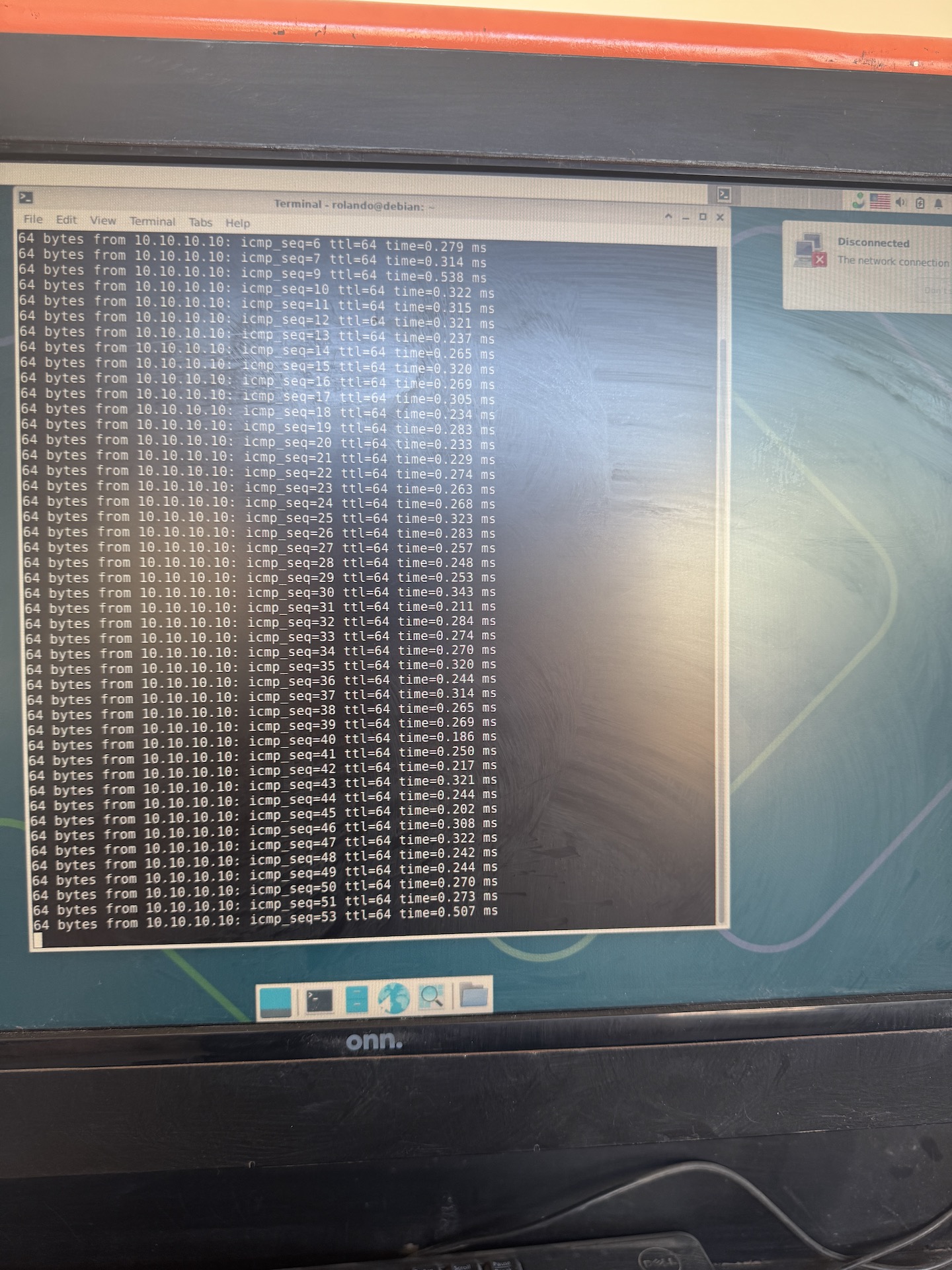
I can ping 10.10.10.10 but every time it goes over 0.500 ms it throws the error
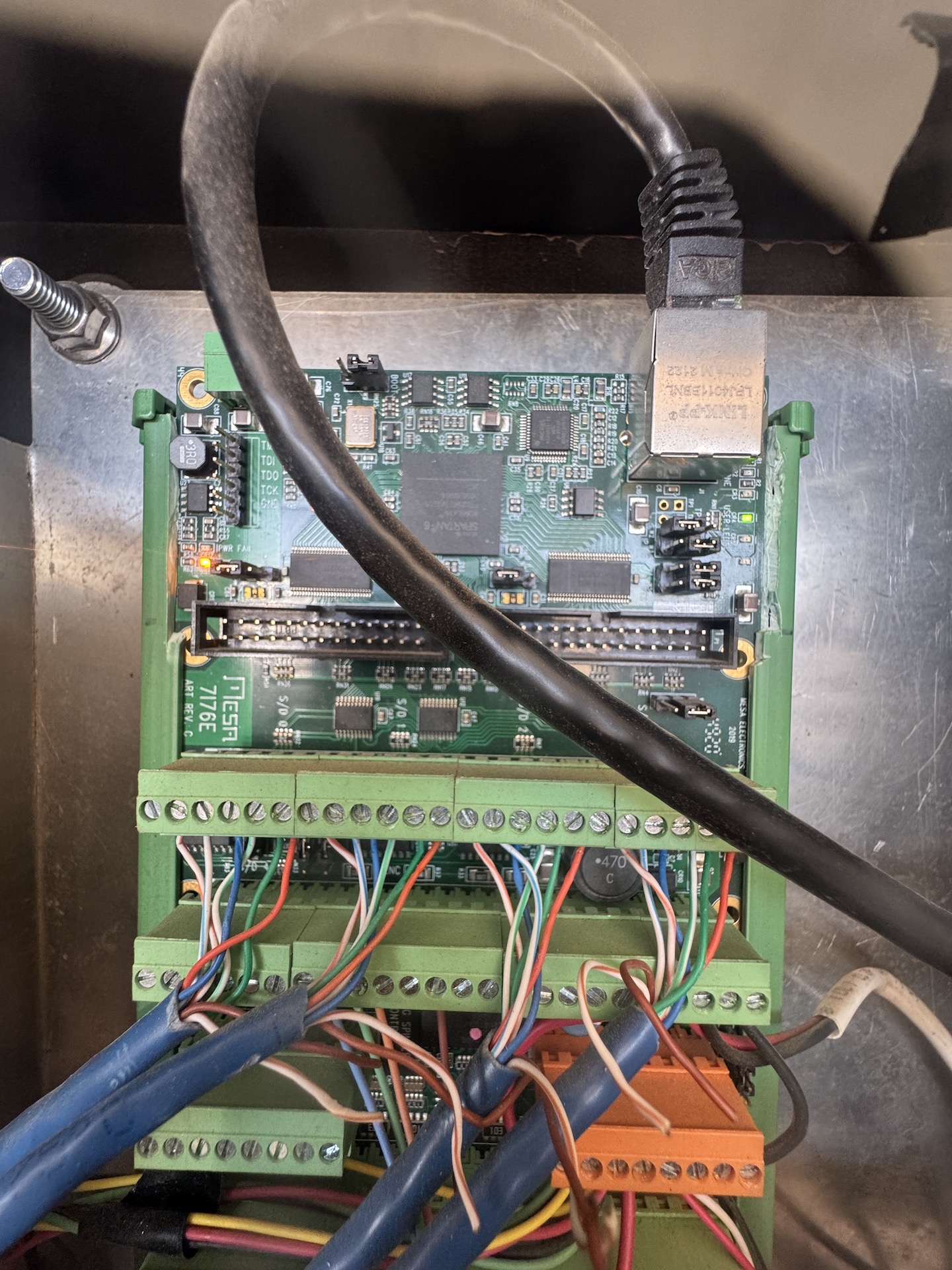
These are my W2 and W3 jumpers
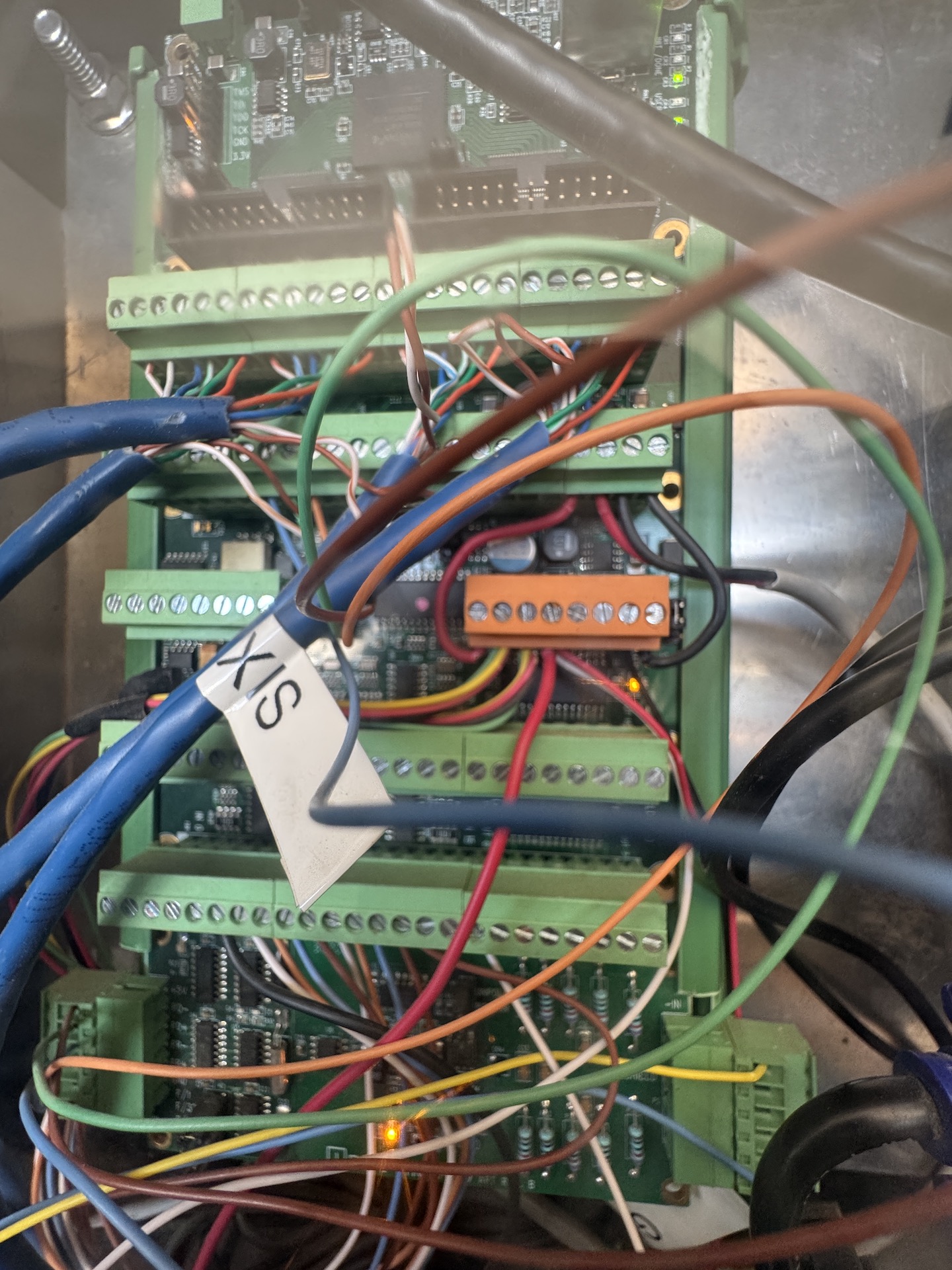
This is power to the board
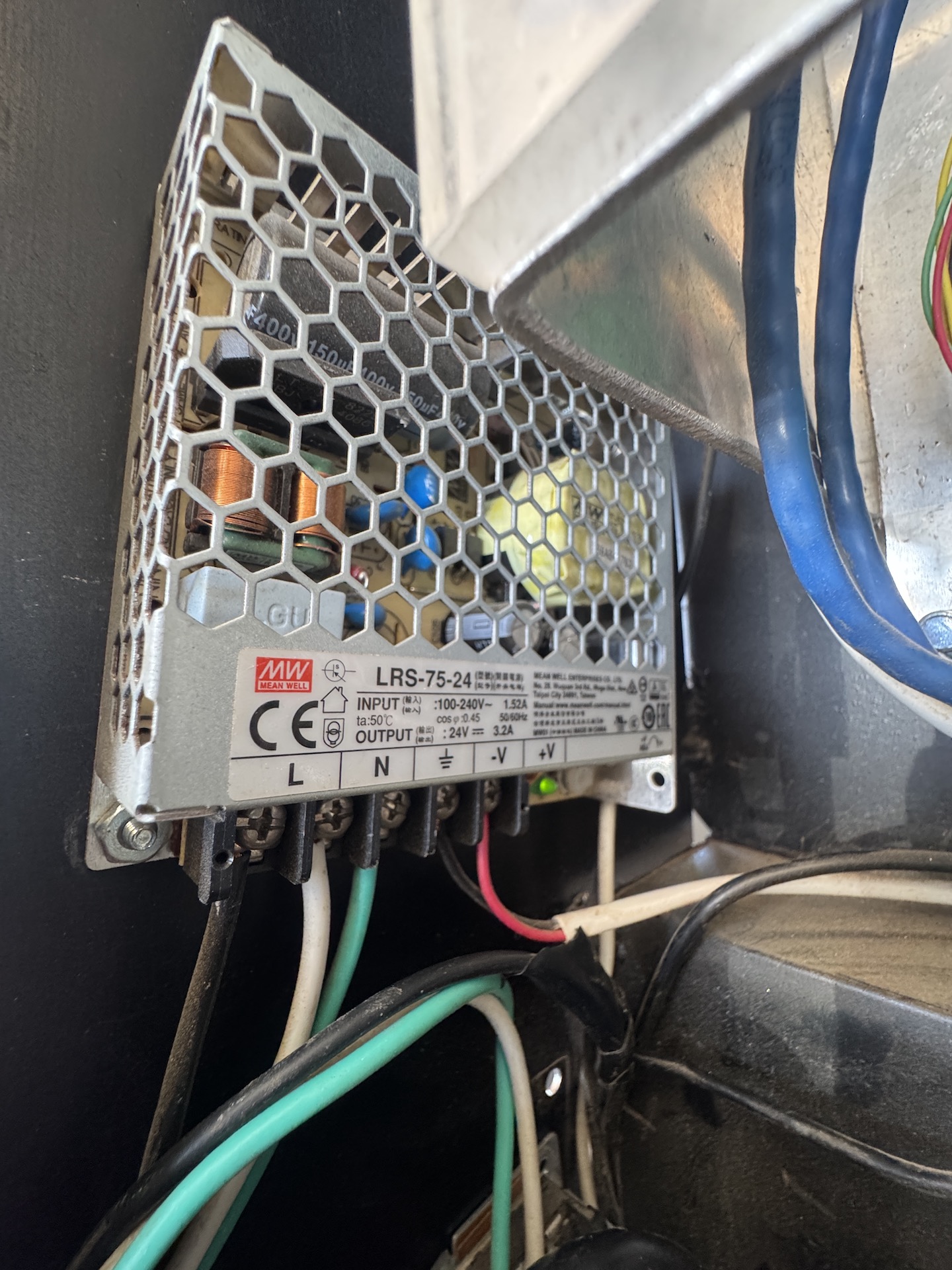
This is the power supply to the board
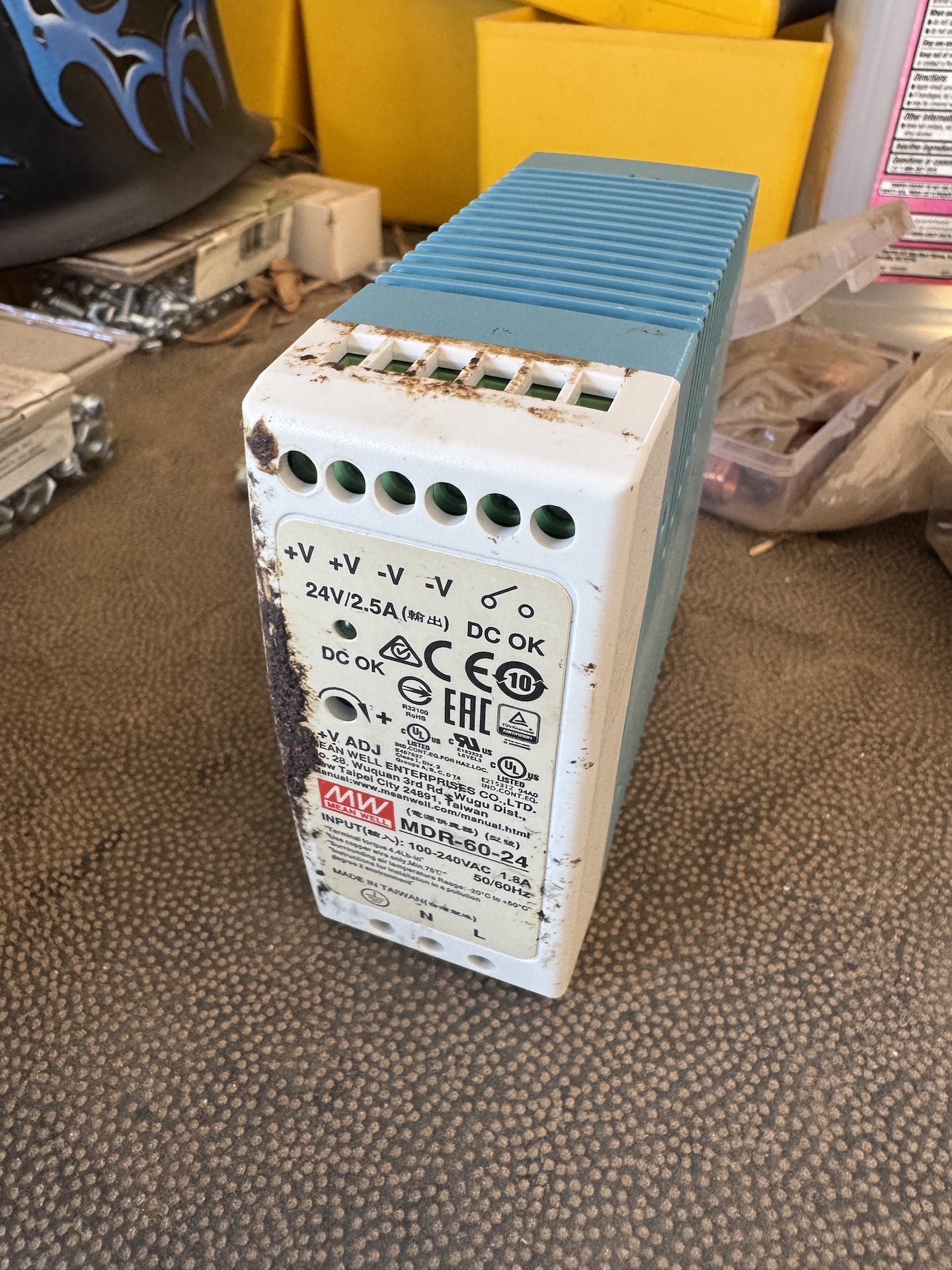
And I also have a Meanwell MDR 60 24 for testing its just a really old one.
I can ping 10.10.10.10 but every time it goes over 0.500 ms it throws the error
These are my W2 and W3 jumpers
This is power to the board
This is the power supply to the board
And I also have a Meanwell MDR 60 24 for testing its just a really old one.
- Aciera
31 May 2026 16:35
Replied by Aciera on topic How to remove automatic g54 after M2/M30 ?
+1
I have wished for a possibility to op-out of this automatic resetting to G54 on M2/M30 several times in the past.
I have wished for a possibility to op-out of this automatic resetting to G54 on M2/M30 several times in the past.
- PCW
31 May 2026 15:56
Replied by PCW on topic Differential encoder hard crashes the PC MESA7i77
This is why I suggested using an external 5V supply
(shorting an external supply would not affect the PC)
(shorting an external supply would not affect the PC)
- PedPEx
31 May 2026 14:52
Replied by PedPEx on topic Retrofitting an old industrial CNC mill with EtherCAT components - MAHO MH400E
Hello guys,
I did some further testing of the modified EL5021 terminal. As expected, when a 120-ohm resistor is added to each channel, it is indeed able to read 1V_pp sensors again. I confirmed this with a Baumer OG73 S SN1024 (SEW branded). So, it was time to get the EL5021 integrated into LinuxCNC. For this, I used my Claude subscription and pretty quickly got a working driver for the encoder input terminal. As far as I can tell, there are no bugs in the driver. Unlike the EL5101 and EP5101, the EL5021 doesn't have the option to reset its counter with every C pulse (at least with the revision that I have - HW: 08; SW: 05). I also found out that Beckhoff seems to have made a major revision change with the newer terminals. A lot of the documented Data Objects from the Beckhoff Information System are not implemented in my terminal.
The only thing left to do is to write a component that takes care of the Beckhoff Latch-C and Latch-C-valid signals and makes them as easy as possible to use for the standard homing procedure of LinuxCNC.
Wish you all a nice Sunday
I did some further testing of the modified EL5021 terminal. As expected, when a 120-ohm resistor is added to each channel, it is indeed able to read 1V_pp sensors again. I confirmed this with a Baumer OG73 S SN1024 (SEW branded). So, it was time to get the EL5021 integrated into LinuxCNC. For this, I used my Claude subscription and pretty quickly got a working driver for the encoder input terminal. As far as I can tell, there are no bugs in the driver. Unlike the EL5101 and EP5101, the EL5021 doesn't have the option to reset its counter with every C pulse (at least with the revision that I have - HW: 08; SW: 05). I also found out that Beckhoff seems to have made a major revision change with the newer terminals. A lot of the documented Data Objects from the Beckhoff Information System are not implemented in my terminal.
The only thing left to do is to write a component that takes care of the Beckhoff Latch-C and Latch-C-valid signals and makes them as easy as possible to use for the standard homing procedure of LinuxCNC.
Wish you all a nice Sunday
- pesto
31 May 2026 14:42
LinuxCNC LSP — smart editing + live error-checking for HAL, INI and G-code (VS C was created by pesto
**TL;DR:** I built a free, open-source (GPL) language server that gives you autocomplete, hover docs, go-to-definition and *live error checking* for your `.hal`, `.ini` and `.ngc` files — so config mistakes show up as red squiggles in your editor instead of as a cryptic failure when you start LinuxCNC.
Marketplace: marketplace.visualstudio.com/items?itemN...erStolz.linuxcnc-lsp
We all know the drill: you tweak a HAL file, start the machine, and it dies with an error about a pin that doesn't exist — because you typed `parport.0.pin-02-ot` instead of `-out`. Or a signal silently does nothing because nothing actually writes to it. This catches that stuff *while you type.*
**What it catches for you (HAL):**
- Unknown components and **misspelled pin/parameter names** (it knows 214 HAL components, 2,153 pins, 589 parameters)
- **Signals with no writer, no reader, or two writers** fighting over one signal
- **Type conflicts** — linking a `bit` pin to a `float` signal
- **`setp` on a read-only parameter**
- It actually understands `count=`, `names=`, and array modparams like `num_chan=`, so multi-channel components resolve correctly — and it matches halcompile's prefix rules (e.g. `loadrt hal_parport` → `parport.0.*`)
**For INI files:**
- Unknown keys, duplicate/conflicting keys, values that don't match the expected type or enum
- Hover any key for docs; homing keys link straight to the LinuxCNC manual
- Cross-file aware: HAL files that reference `[SECTION]KEY` get checked against the actual INI
**For G-code (.ngc/.nc/.tap):**
- Hover docs for ~229 G/M-words, autocomplete for codes and parameters, O-word subroutine support
Plus the usual editor niceties everywhere: autocomplete, go-to-definition, find-all-references, rename-across-files, document outline, and quick-fixes (e.g. "add the missing INI key").
**A couple of things I think you will appreciate:**
- It's **pure static analysis** — no running LinuxCNC instance, no special setup. Just open your config folder.
- I validated it against **all 247 stock LinuxCNC configs**. That audit even turned up a handful of real conflicting-key bugs in the shipped configs.
- It's a standard **LSP**, so while the easy path is the VS Code extension, it'll plug into Neovim/Emacs/etc. too.
- **GPL-2.0**, source on GitHub: github.com/PeterStolz/linuxcnc-lsp — issues and PRs very welcome.
It's early (v0.1.x), so if it flags something it shouldn't, or misses something it should, please tell me — bug reports against your real configs are exactly what makes it better.
Marketplace: marketplace.visualstudio.com/items?itemN...erStolz.linuxcnc-lsp
We all know the drill: you tweak a HAL file, start the machine, and it dies with an error about a pin that doesn't exist — because you typed `parport.0.pin-02-ot` instead of `-out`. Or a signal silently does nothing because nothing actually writes to it. This catches that stuff *while you type.*
**What it catches for you (HAL):**
- Unknown components and **misspelled pin/parameter names** (it knows 214 HAL components, 2,153 pins, 589 parameters)
- **Signals with no writer, no reader, or two writers** fighting over one signal
- **Type conflicts** — linking a `bit` pin to a `float` signal
- **`setp` on a read-only parameter**
- It actually understands `count=`, `names=`, and array modparams like `num_chan=`, so multi-channel components resolve correctly — and it matches halcompile's prefix rules (e.g. `loadrt hal_parport` → `parport.0.*`)
**For INI files:**
- Unknown keys, duplicate/conflicting keys, values that don't match the expected type or enum
- Hover any key for docs; homing keys link straight to the LinuxCNC manual
- Cross-file aware: HAL files that reference `[SECTION]KEY` get checked against the actual INI
**For G-code (.ngc/.nc/.tap):**
- Hover docs for ~229 G/M-words, autocomplete for codes and parameters, O-word subroutine support
Plus the usual editor niceties everywhere: autocomplete, go-to-definition, find-all-references, rename-across-files, document outline, and quick-fixes (e.g. "add the missing INI key").
**A couple of things I think you will appreciate:**
- It's **pure static analysis** — no running LinuxCNC instance, no special setup. Just open your config folder.
- I validated it against **all 247 stock LinuxCNC configs**. That audit even turned up a handful of real conflicting-key bugs in the shipped configs.
- It's a standard **LSP**, so while the easy path is the VS Code extension, it'll plug into Neovim/Emacs/etc. too.
- **GPL-2.0**, source on GitHub: github.com/PeterStolz/linuxcnc-lsp — issues and PRs very welcome.
It's early (v0.1.x), so if it flags something it shouldn't, or misses something it should, please tell me — bug reports against your real configs are exactly what makes it better.
- tommylight
-

31 May 2026 14:10
Replied by tommylight on topic Differential encoder hard crashes the PC MESA7i77
I suspect the MPG has a defective output and causing a short to 5V supply, that in turn causes the 7i77 to error out. Or it draws to much current maybe?
- zz912
31 May 2026 13:47
Replied by zz912 on topic How to remove automatic g54 after M2/M30 ?
Thank you for help.
I preffer:
Default value AUTOMATIC_G54 = TRUE
I preffer:
Code:
if (INI configuration "AUTOMATIC_G54") == TRUE
{ settings->origin_index = 1;
settings->parameters[5220] = 1.0; }
Default value AUTOMATIC_G54 = TRUE
- tommylight
-
31 May 2026 13:19
Replied by tommylight on topic Brilliant Bambu Lab
Live execution of a Bambu 3D printer!!!
- rodw
-

31 May 2026 12:25
Replied by rodw on topic How to remove automatic g54 after M2/M30 ?
Actually, A neat way of dealing with this could be adding a new parameter (5391?) and modify the code so that if it was set to true, the original 2.7 buggy behaivour was restored eg
if settings->parameters[5391] == 0.0{
settings->origin_index = 1;
settings->parameters[5220] = 1.0;
}
Be worth playing with that.
if settings->parameters[5391] == 0.0{
settings->origin_index = 1;
settings->parameters[5220] = 1.0;
}
Be worth playing with that.
- rodw
-
31 May 2026 11:42 - 31 May 2026 11:44
Replied by rodw on topic How to remove automatic g54 after M2/M30 ?
Pretty sure you would just comment out these two lines
github.com/LinuxCNC/linuxcnc/blob/master...erp_convert.cc#L5177
// settings->origin_index = 1;
// settings->parameters[5220] = 1.0;
1 = G54 so this is where the reset is happening
parameters like 5220 are described here linuxcnc.org/docs/html/gcode/overview.ht...:numbered-parameters
github.com/LinuxCNC/linuxcnc/blob/master...erp_convert.cc#L5177
// settings->origin_index = 1;
// settings->parameters[5220] = 1.0;
1 = G54 so this is where the reset is happening
parameters like 5220 are described here linuxcnc.org/docs/html/gcode/overview.ht...:numbered-parameters
- rodw
-
31 May 2026 11:30
Replied by rodw on topic How to remove automatic g54 after M2/M30 ?
Seems this G54 reset occurs in Interp::convert_stop()
in interp_convert.cc
github.com/LinuxCNC/linuxcnc/blob/master...erp_convert.cc#L5052
edit at your own risk
Note this is where Gcode is converted to blocks that are stored in a circular buffer and subsequently executed by motion.
in interp_convert.cc
github.com/LinuxCNC/linuxcnc/blob/master...erp_convert.cc#L5052
edit at your own risk
Note this is where Gcode is converted to blocks that are stored in a circular buffer and subsequently executed by motion.
- rodw
-
31 May 2026 10:53
Replied by rodw on topic Ethernet connection to Mesa 7i76e disconnecting on its own after one minute
I'm a bit confused, Initiially an IP address was not set but in later ip a dumps it was correctly set for a Mesa board at 10.10.10.10, It was never made clear after that if the Mesa board was pingable. I assumed it was.
I would like to see the Hal and ini files to confirm the MESA IP address.
Can you ping the card?
Also from photos of the board, it would be great if PCW could confirm that the links are set for the 10.10.10.10 address is set correctly. W2 down, W3 Up
Also, need to check out the 5 volt power supply to the board which is usually powered form field power which seems to be the case. But are the links set correctly to send 5 volts to the logic side? Can PCW confirm?
The final thing to check on physical wiring, What is the field power voltage? What is the actual power supply? What is the power supply current available? There have been numerous instances where borderline power supplies cause network failure with Mesa cards. This must be ruled out. If need be get a good industrial power supply such as Meanwell MDR-60-24.
It might be worth setting the IP address back to automatic (DHCP) and connecting the PC to your normal network using this NIC card to confirm networking is working.
I mentioned it before but be sure to set the IP address and coalescing as shown in man hm2_eth (use your IP address and
linuxcnc.org/docs/stable/html/man/man9/h...h%20static%20address
So if all of that checks out and a new network cable does not fix things AND the network is connecting but drops out every 45 seconds or gets error finishing read., there will likely be one of several power saving settings kicking in periodically.
I would like to see the Hal and ini files to confirm the MESA IP address.
Can you ping the card?
Also from photos of the board, it would be great if PCW could confirm that the links are set for the 10.10.10.10 address is set correctly. W2 down, W3 Up
Also, need to check out the 5 volt power supply to the board which is usually powered form field power which seems to be the case. But are the links set correctly to send 5 volts to the logic side? Can PCW confirm?
The final thing to check on physical wiring, What is the field power voltage? What is the actual power supply? What is the power supply current available? There have been numerous instances where borderline power supplies cause network failure with Mesa cards. This must be ruled out. If need be get a good industrial power supply such as Meanwell MDR-60-24.
It might be worth setting the IP address back to automatic (DHCP) and connecting the PC to your normal network using this NIC card to confirm networking is working.
I mentioned it before but be sure to set the IP address and coalescing as shown in man hm2_eth (use your IP address and
linuxcnc.org/docs/stable/html/man/man9/h...h%20static%20address
So if all of that checks out and a new network cable does not fix things AND the network is connecting but drops out every 45 seconds or gets error finishing read., there will likely be one of several power saving settings kicking in periodically.
- zz912
31 May 2026 09:01
How to remove automatic g54 after M2/M30 ? was created by zz912
M2 and M30 commands have the following effects:
In LCNC 2.7 it fortunately did not work.
In LCNC 2.9 it UNfortunately works.
My friends used LCNC 2.7. They used G54 for vise number 1 G55 for vise number 2 and so on. They dont use G5X in ngc files. They have many many ngc files. They were happy.
They started use Mesa cards 7i96s so they had to upgrade to LCNC 2.9. But in LCNC 2.9 automatic Ǵ54 UNfortunately works again. It is very dangerous for them. They works on vise number 2 with active G55, but after program end G54 is activated.
I need help. Where is "automatic Ǵ54 after M2/M30" in source code? I want delete it for us using.
- Origin offsets are set to the default (like G54).
In LCNC 2.7 it fortunately did not work.
In LCNC 2.9 it UNfortunately works.
My friends used LCNC 2.7. They used G54 for vise number 1 G55 for vise number 2 and so on. They dont use G5X in ngc files. They have many many ngc files. They were happy.
They started use Mesa cards 7i96s so they had to upgrade to LCNC 2.9. But in LCNC 2.9 automatic Ǵ54 UNfortunately works again. It is very dangerous for them. They works on vise number 2 with active G55, but after program end G54 is activated.
I need help. Where is "automatic Ǵ54 after M2/M30" in source code? I want delete it for us using.
Time to create page: 0.143 seconds