Challenges Tuning Servos on Brother TC-225 Retrofit

More
6 years 3 months ago - 6 years 3 months ago #175192 by Type_Zero_Design
Quick update.
Param 7 is set to 300
Param 15 is set to 0 (off)

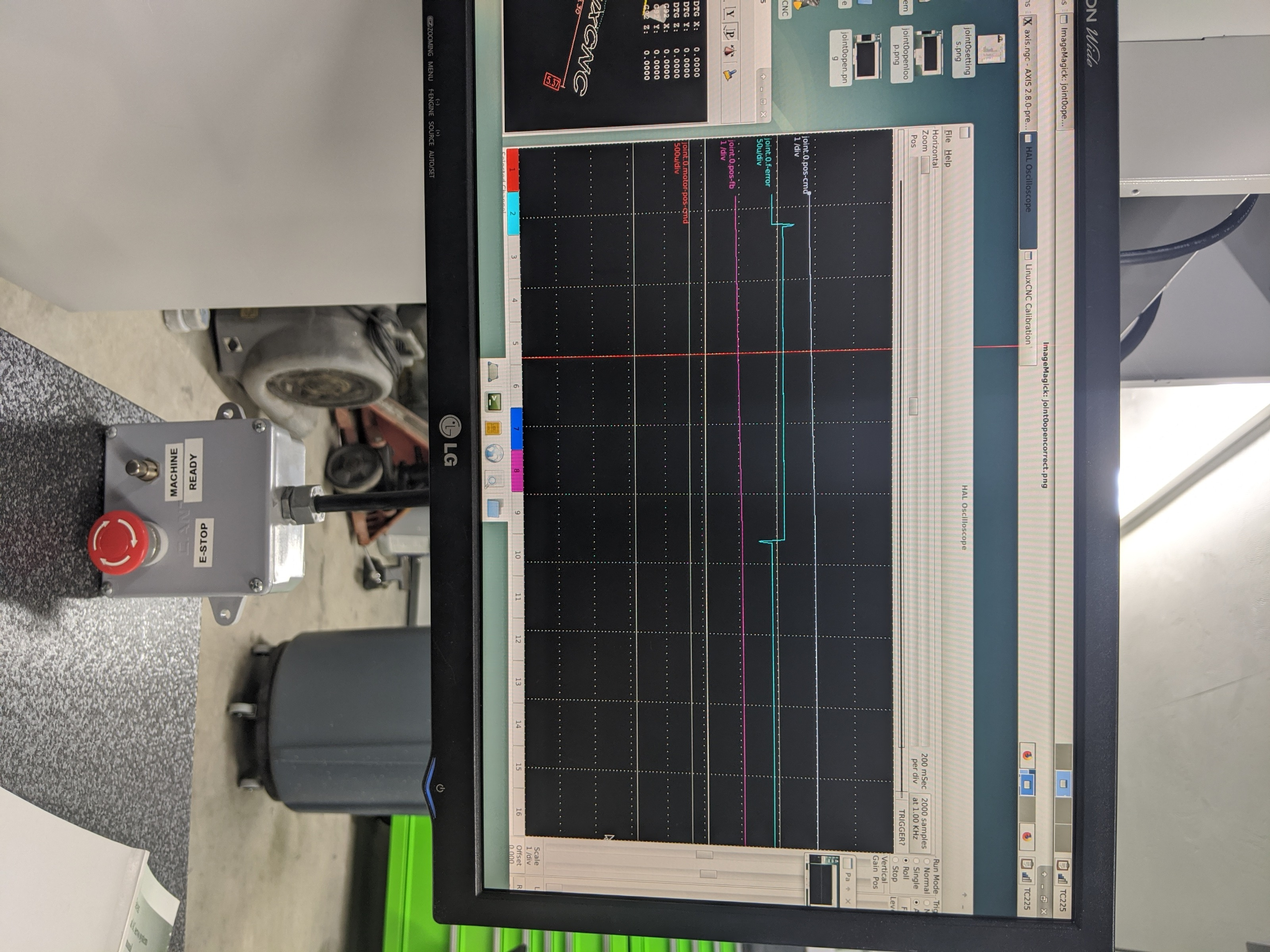
Attached a screenshot of the same joint0 with the change to the HAL to run open loop.
Adjusted p=1000 and left FF1=1


been reading the Chinese/english manual today and there is a section about tunning the drive. If based on the scope you think it should be tunned better itself.. what exactly am I shooting for on the scope?

**Not sure why it keeps rotating my photos when they post. Sorry. **
Last edit: 6 years 3 months ago by Type_Zero_Design.

Please Log in or Create an account to join the conversation.
More
6 years 3 months ago #175197 by PCW
Can you also plot the commanded and actual positions?
An error plot by itself is a bit hard to interpret

Please Log in or Create an account to join the conversation.

More
6 years 3 months ago #175249 by Type_Zero_Design
Quick note... I realized on the open loop scope I posted earlier I'm pretty sure FF1 was set at 0 so may want to ignore that.

Reran the open loop jog with the requested data points P=1000 FF1=1


Below is a Closed Loop jog with the requested data points and P=8 and FF1=1

Please Log in or Create an account to join the conversation.

More
6 years 3 months ago #175439 by Type_Zero_Design
Any insight on the results above? Is this an accel decel issue?

Please Log in or Create an account to join the conversation.

More
6 years 3 months ago #176366 by rmu
I wonder what kind of drive / servo system you are using? The english in the manual is hilarious.

Your halscope pictures are bit hard to read, I would try to create actual screenshots on the linuxcnc computer, and use proper scale on all channels (nothing to see on position command and feedback because zoomed out too much).

Please Log in or Create an account to join the conversation.

More
6 years 3 months ago #176377 by tommylight
The last picture looks like way to much lag or to loose of P term and/or incorrect FF1.
"Take screenshot" should be somewhere in the menu, most probably in the "accessories"

Please Log in or Create an account to join the conversation.

Time to create page: 0.082 seconds
Powered by Kunena Forum
