Arduino based USB Pendant for Linuxcnc

More
10 years 9 months ago #68750 by ymilord
The HAL used was the example provided in the zip (unaltered)

Please Log in or Create an account to join the conversation.

More
10 years 9 months ago - 10 years 9 months ago #68751 by ArcEye
Start the config, look at Machine > Hal Configuration, check to see the component and its pins are connected to halui.

Then watch those pins and see the values changing as you move the axes in the sim.

If that works, it must be your connection, check the physical connection and that your Arduino actually uses /dev/ttyUSB0
AND that the device exists in /dev. udev might not have detected it and created the port for some reason.
A lot of Arduinos use different ports, but you should have seen which port it was on when you flashed it.
Last edit: 10 years 9 months ago by ArcEye.

Please Log in or Create an account to join the conversation.

More
10 years 9 months ago #68759 by ArcEye
From a terminal
tail -f /var/log/messages

Plug in your pendant and you should get an output like this
Code:
Jan 19 14:25:30 INTEL-i7 kernel: [19814.122134] usb 4-1.5: new full-speed USB device number 9 using ehci-pci Jan 19 14:25:30 INTEL-i7 kernel: [19814.220941] usb 4-1.5: New USB device found, idVendor=0403, idProduct=6001 Jan 19 14:25:30 INTEL-i7 kernel: [19814.220946] usb 4-1.5: New USB device strings: Mfr=1, Product=2, SerialNumber=3 Jan 19 14:25:30 INTEL-i7 kernel: [19814.220948] usb 4-1.5: Product: FT232R USB UART Jan 19 14:25:30 INTEL-i7 kernel: [19814.220949] usb 4-1.5: Manufacturer: FTDI Jan 19 14:25:30 INTEL-i7 kernel: [19814.220951] usb 4-1.5: SerialNumber: A80090Oa Jan 19 14:25:30 INTEL-i7 kernel: [19814.223355] ftdi_sio 4-1.5:1.0: FTDI USB Serial Device converter detected Jan 19 14:25:30 INTEL-i7 kernel: [19814.223388] usb 4-1.5: Detected FT232RL Jan 19 14:25:30 INTEL-i7 kernel: [19814.223735] usb 4-1.5: FTDI USB Serial Device converter now attached to ttyUSB0 Jan 19 14:25:30 INTEL-i7 mtp-probe: checking bus 4, device 9: "/sys/devices/pci0000:00/0000:00:1d.0/usb4/4-1/4-1.5" Jan 19 14:25:30 INTEL-i7 mtp-probe: bus: 4, device: 9 was not an MTP device

I think this one has an ATMega arduino inside it.

Just brought the pendant up from the workshop, compiling etc.

Should have test results soon.

Please Log in or Create an account to join the conversation.

More
10 years 9 months ago #68760 by ArcEye
I have used the files from the .zip on page 5
forum.linuxcnc.org/media/kunena/attachme.../arduino-pendant.zip

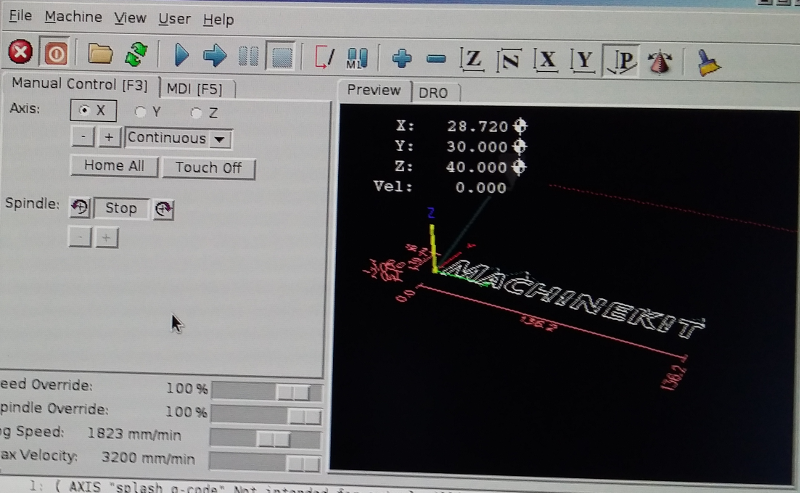
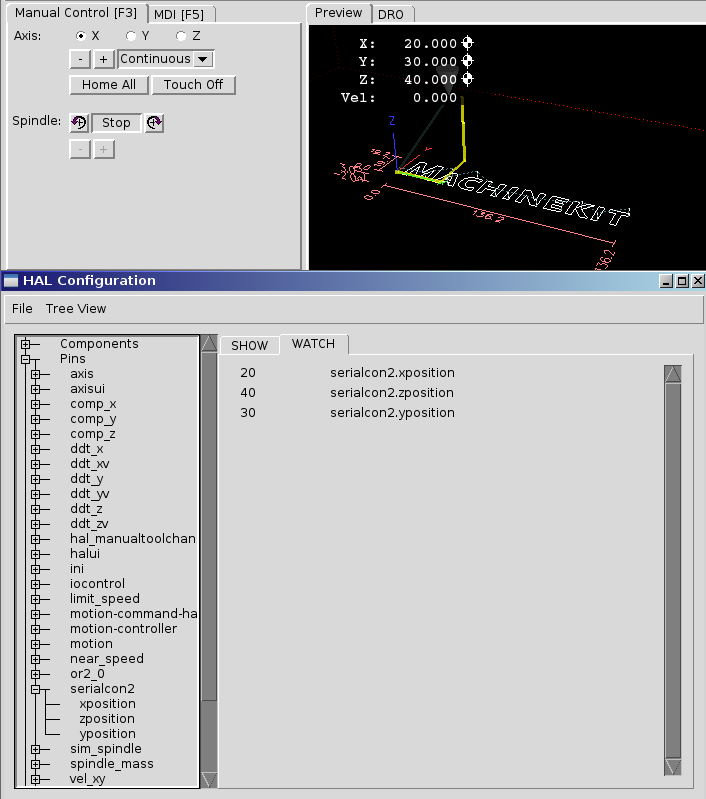
Running under Machinekit because that was what I had installed, minimal alterations to core_sim.hal file, just to load tp and declare kins and tp in the EMCMOT line, and the pendant just works.

Axis


Pendant


Machine > Hal Configuration


Hopefully you will find your problem soon, my best guess has to be the port address, which is hard coded in the component.

regards

Please Log in or Create an account to join the conversation.

More
10 years 9 months ago - 10 years 9 months ago #68973 by ymilord
I reloaded MK (dev) and and used the setup in the zip you linked too. Verified in the config to see if it was set to how you mentioned above.. And the same thing. Nothing. The tty is somewhat hardcored. You can change it in the serialcon2 file before you compile it. But either way it's set to ttyUSB0 which is what the arduino is set to. But at any rate, from the machine that is running MK I can screen /dev/ttyUSB0 and manually send values to the display. (as a standard user. Not root) So between the Arduino (Uno, MEGA or a nano- I've tried all three) MK/LinuxCNC does not send the values to the display.

Once again it fires up with no errors.
Last edit: 10 years 9 months ago by ymilord.

Please Log in or Create an account to join the conversation.

More
10 years 9 months ago #68977 by ArcEye
That mystifies me, the only other thing I can think of - the baud rate.

In the later zip the serialcon2 component sets the baud rate to maximum ie.
#define BAUDRATE B115200

It might be that your arduino cannot cope with that and is not receiving anything
Try setting it to minimum ie.
#define BAUDRATE B9600

The other possibility is that you did not use all the libraries in the zip to compile the arduino script.
The new libraries are different, that includes serial and you need to use the packaged ones.

Please Log in or Create an account to join the conversation.

Time to create page: 0.081 seconds
Powered by Kunena Forum