
- Posts: 22011
- Thank you received: 7491
Hardware latency tests, used PC's
- tommylight
- Away
- Moderator
-

Less
More
6 years 6 months ago - 6 years 4 months ago #163883
by tommylight
Hardware latency tests, used PC's was created by tommylight
Did a lot of testing today on a lot of PC's and a laptops regarding latency, so here are the results, have to do this as one post per computer due to attached pictures.
Prerequisite: Everything not needed for Linuxcnc is disabled in bios, including serial ports, any type of power saving, speedstep, C states, modems, virtual everything, fan control, suspend to anything, turbo, etc. ACPI is left untouched and multicore support is active as can be seen on screenshots, no isol_cpus used. Information about the processors used can be seen on the screen shots.
I will update this topic as i get my hands on more PC's.
This info is provided "as is" and as such i hold no responsibility implicit or otherwise for the results. Your results may wary, mostly due to not disabling something mentioned above in BIOS, failing HDD or controller, failing RAM modules or memory controller, overheating or failing processor fan, etc.
-
-
Command to use for latency testing in terminal:
For base and servo thread:
-
-
NOT usable Laptops and PC's due to very bad latency issues:
Bellow list is for laptops or PC's that are not usable for controlling a machine at all, no amount of disabling or tweaking will help as they have very aggressive power saving options that can not be disabled.
Dell Latitude E6400, E6510
Lenovo X220, T420S
-
-
Tested Equipment and results:
Lenovo R61e:
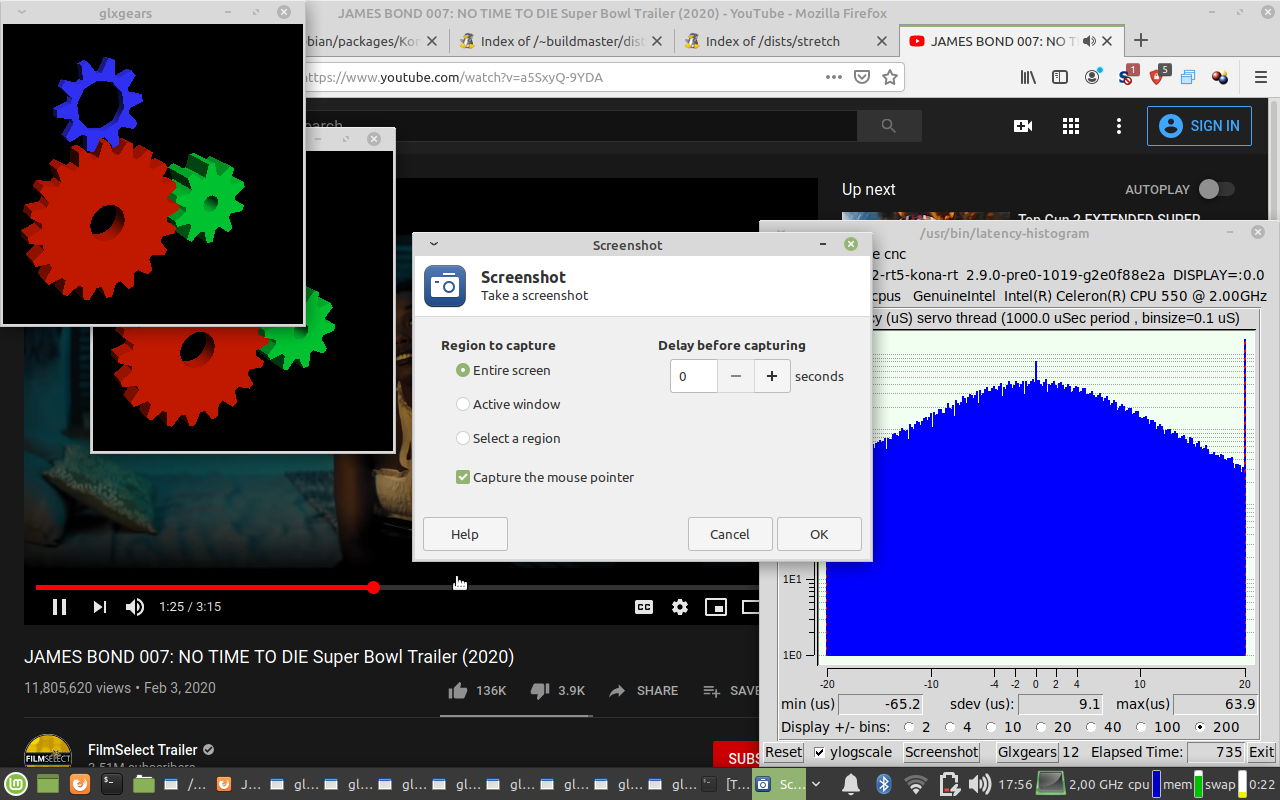
This is with only 1Gb of RAM, Linux Mint 19.3 XCFE, kernel 4.16.12-rt5-kona-rt, single core processor at 2GHz.
Using 4.9.47-rt37-kona-rt kernel the latency is much better, and can run Linuxcnc through ethernet connected to a 7i92 for 2 days without latency issues.
Overall, a usable laptop for machine control, especially with more memory. No battery so no info if removing the power would cause latency errors.
Edit:
Using this laptop for several weeks now, no issues so far, it works nicely and does not cause latency spikes even under load.
Prerequisite: Everything not needed for Linuxcnc is disabled in bios, including serial ports, any type of power saving, speedstep, C states, modems, virtual everything, fan control, suspend to anything, turbo, etc. ACPI is left untouched and multicore support is active as can be seen on screenshots, no isol_cpus used. Information about the processors used can be seen on the screen shots.
I will update this topic as i get my hands on more PC's.
This info is provided "as is" and as such i hold no responsibility implicit or otherwise for the results. Your results may wary, mostly due to not disabling something mentioned above in BIOS, failing HDD or controller, failing RAM modules or memory controller, overheating or failing processor fan, etc.
-
-
Command to use for latency testing in terminal:
Code:
latency-histogram --nobase --sbinsize 1000 --show
Code:
latency-histogram --bbinsize 1000 --sbinsize 1000 --show
-
NOT usable Laptops and PC's due to very bad latency issues:
Bellow list is for laptops or PC's that are not usable for controlling a machine at all, no amount of disabling or tweaking will help as they have very aggressive power saving options that can not be disabled.
Dell Latitude E6400, E6510
Lenovo X220, T420S
-
-
Tested Equipment and results:
Lenovo R61e:
This is with only 1Gb of RAM, Linux Mint 19.3 XCFE, kernel 4.16.12-rt5-kona-rt, single core processor at 2GHz.
Using 4.9.47-rt37-kona-rt kernel the latency is much better, and can run Linuxcnc through ethernet connected to a 7i92 for 2 days without latency issues.
Overall, a usable laptop for machine control, especially with more memory. No battery so no info if removing the power would cause latency errors.
Edit:
Using this laptop for several weeks now, no issues so far, it works nicely and does not cause latency spikes even under load.
Last edit: 6 years 4 months ago by tommylight. Reason: More info
The following user(s) said Thank You: hoffb77
Please Log in or Create an account to join the conversation.
- tommylight
- Away
- Moderator
-
Less
More
- Posts: 22011
- Thank you received: 7491
6 years 6 months ago #163885
by tommylight
Replied by tommylight on topic Hardware latency tests, used PC's
DELL Optiplex 780 SFF :
2GB of RAM, onboard parallel port
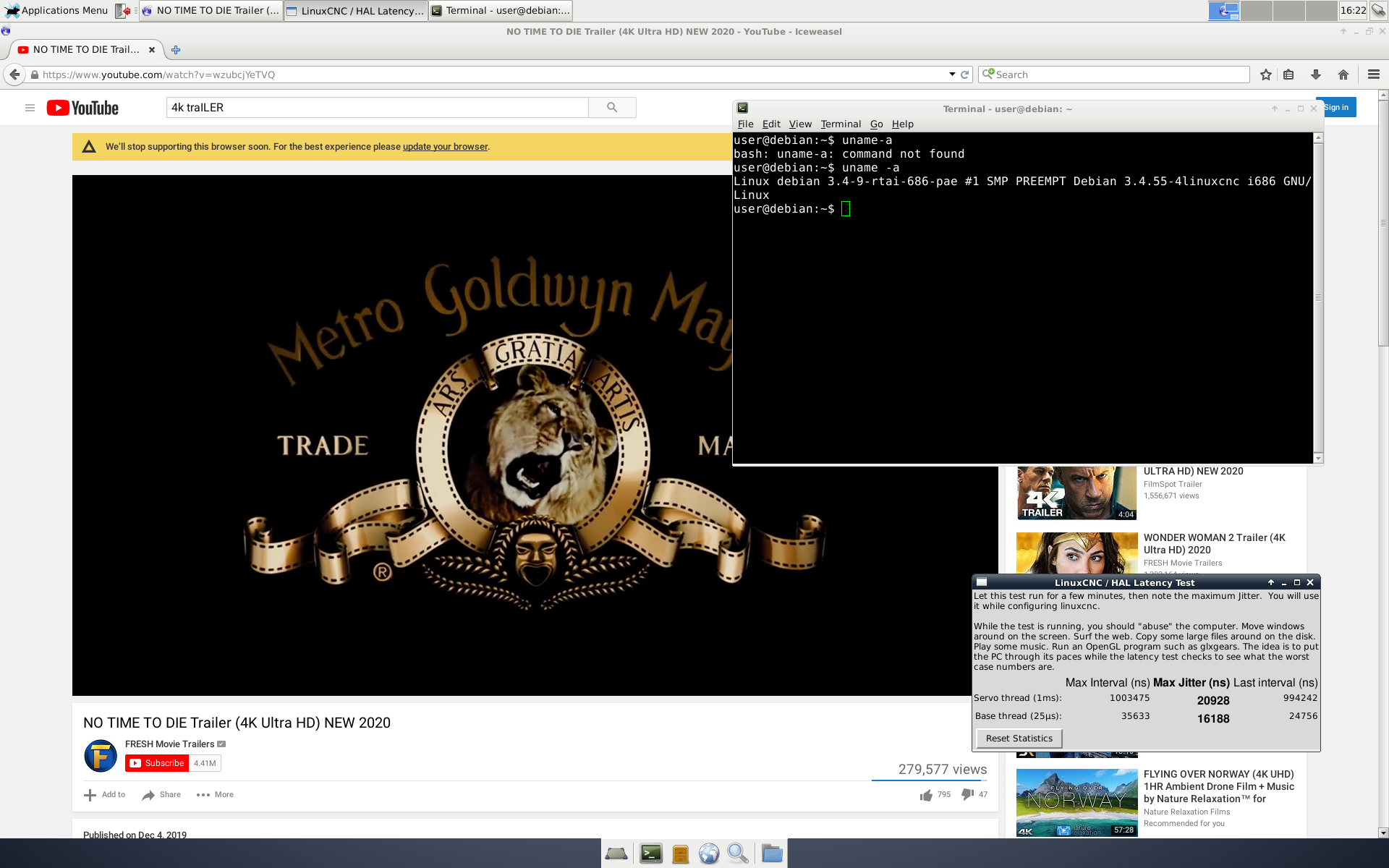
Kernel 3.4-9-RTAI-pae, Linux Debian Wheezy
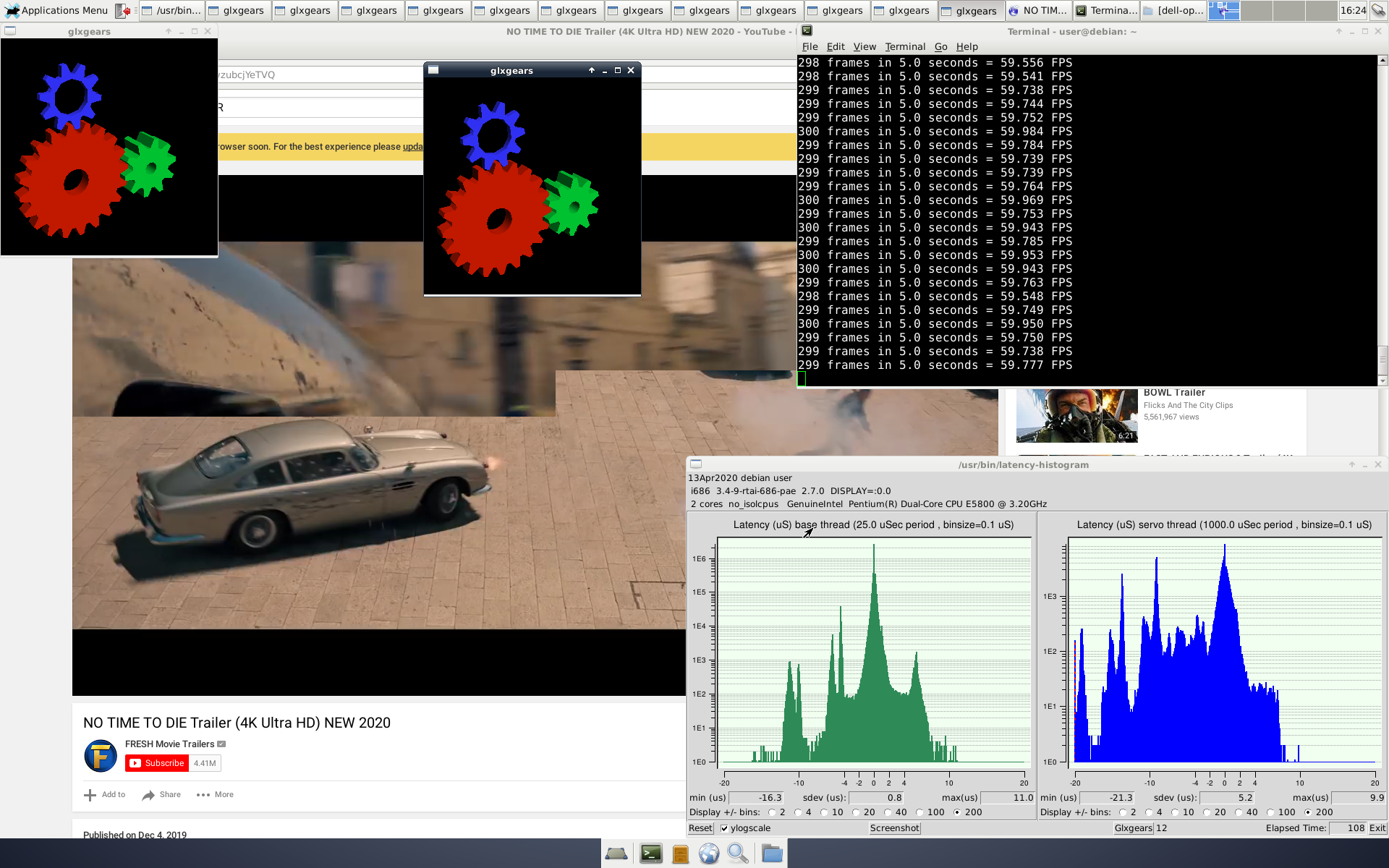
Kernel RT-Preempt, see screenshot, Linux Mint 19.2 Mate edition,

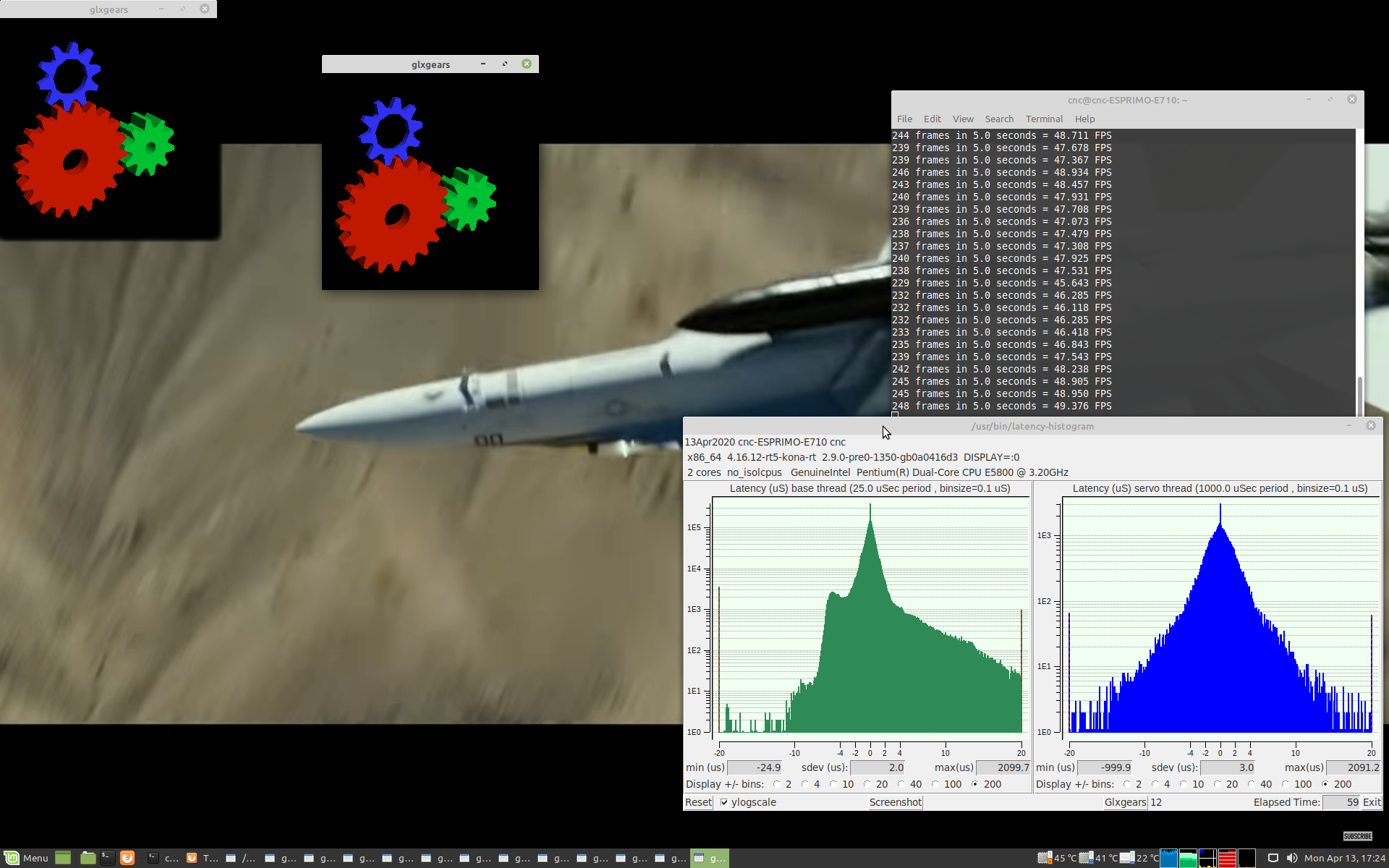
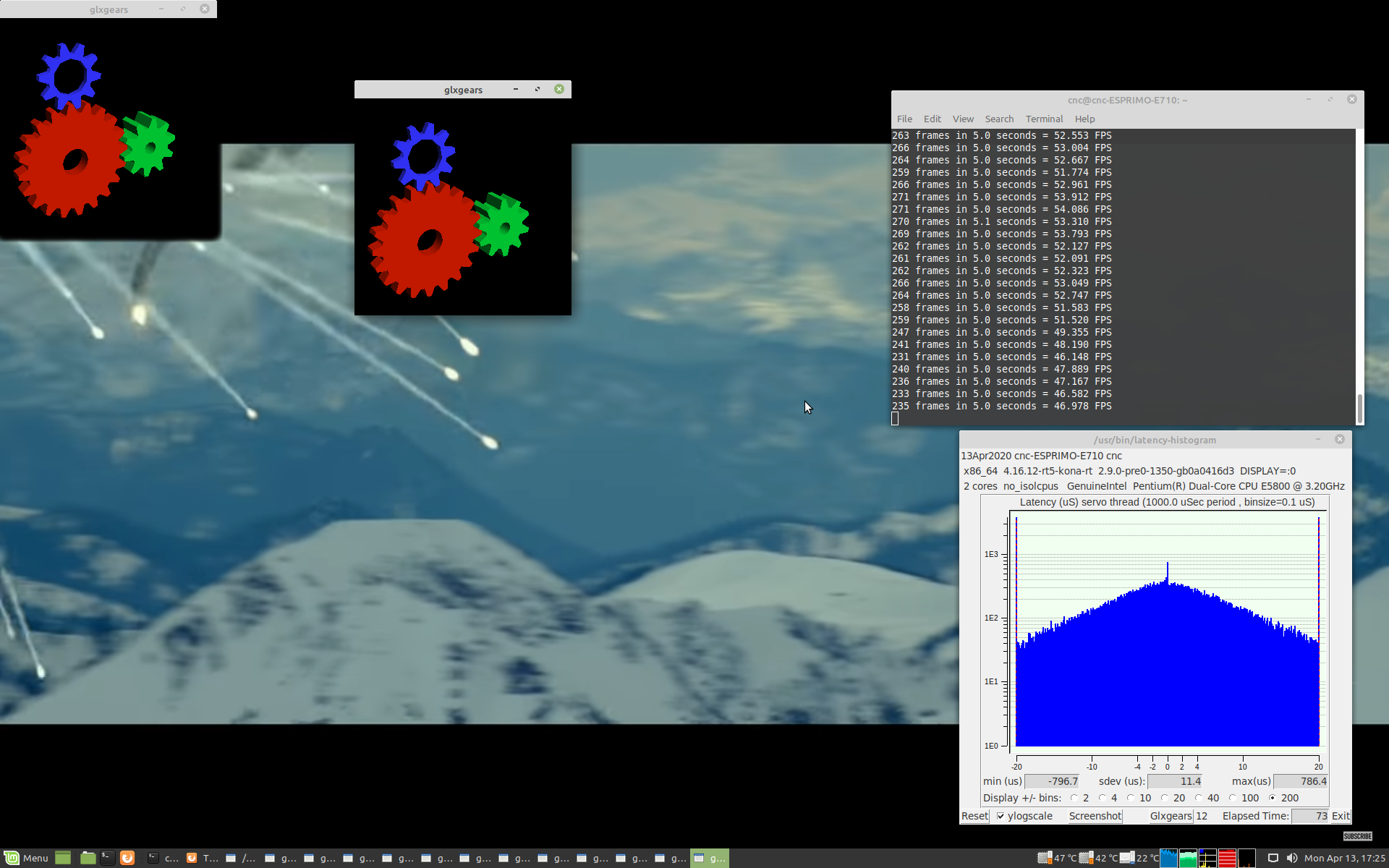
Overall not good when under load, with no load it can be used for software stepping, base thread at 100.000, but with limited step rate. Good for hobby machines, not for industrial ones.
Kernel RTAI, new versions of RTAI kernel fail as can be seen on the screen shots, Linuxcnc does not work. Resolution at 1600X1200, should be 1920X1200.
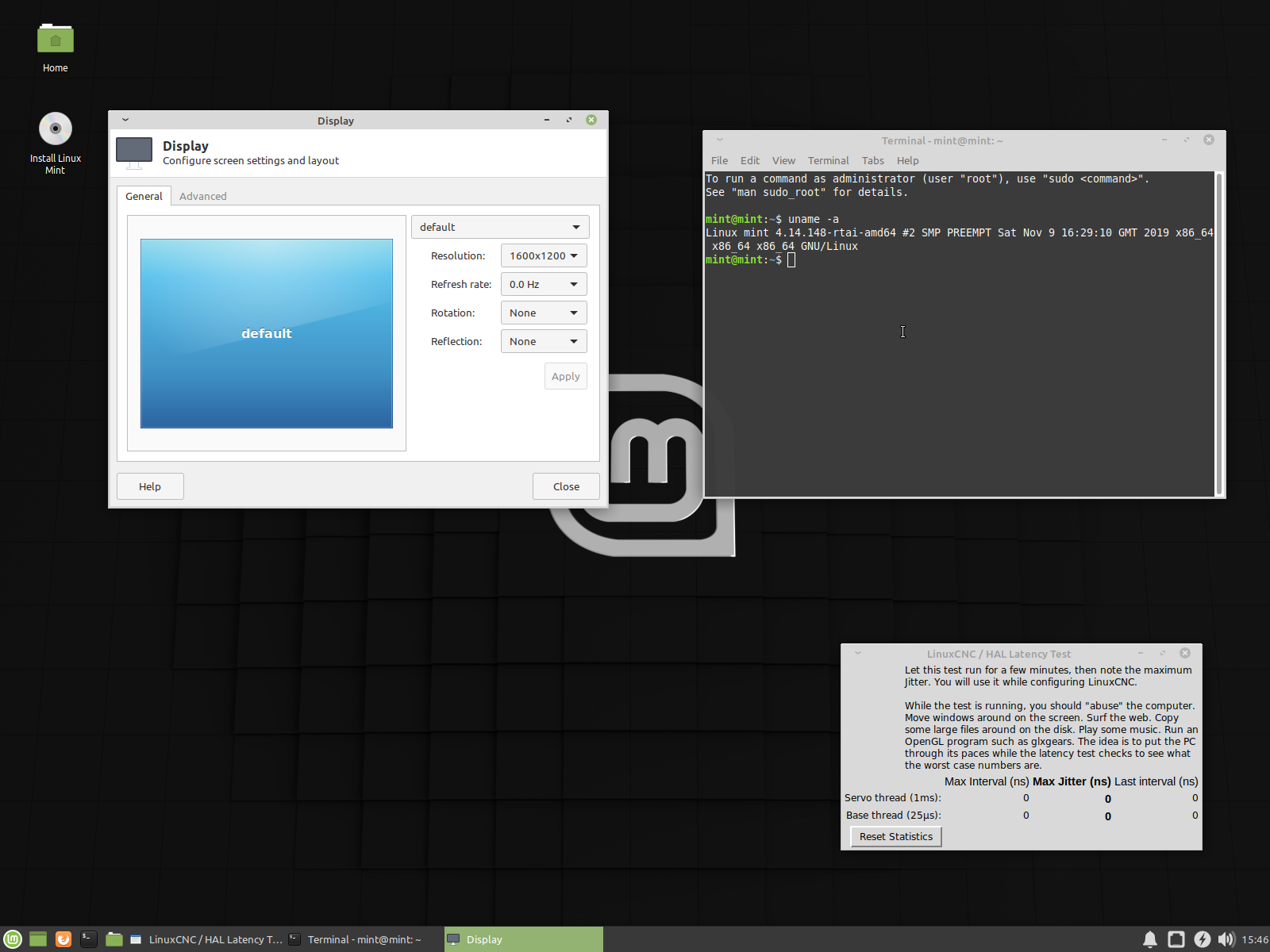
2GB of RAM, onboard parallel port
Kernel 3.4-9-RTAI-pae, Linux Debian Wheezy
Kernel RT-Preempt, see screenshot, Linux Mint 19.2 Mate edition,
Overall not good when under load, with no load it can be used for software stepping, base thread at 100.000, but with limited step rate. Good for hobby machines, not for industrial ones.
Kernel RTAI, new versions of RTAI kernel fail as can be seen on the screen shots, Linuxcnc does not work. Resolution at 1600X1200, should be 1920X1200.
Please Log in or Create an account to join the conversation.
- tommylight
- Away
- Moderator
-
Less
More
- Posts: 22011
- Thank you received: 7491
6 years 6 months ago - 6 years 4 months ago #163887
by tommylight
Replied by tommylight on topic Hardware latency tests, used PC's
HP 8000 SFF
Parallel port on a header, usually included, 4GB RAM
RT-Preempt
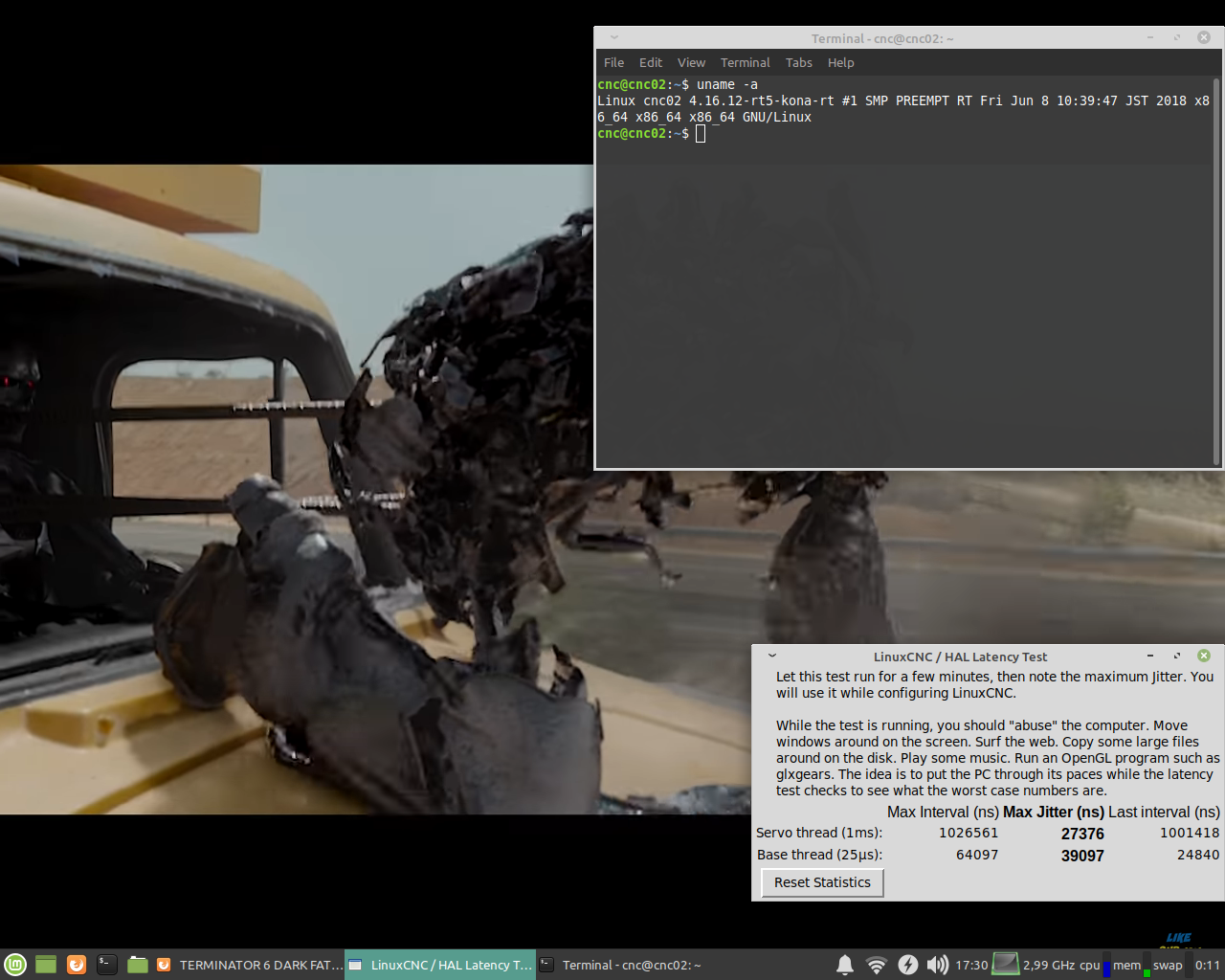
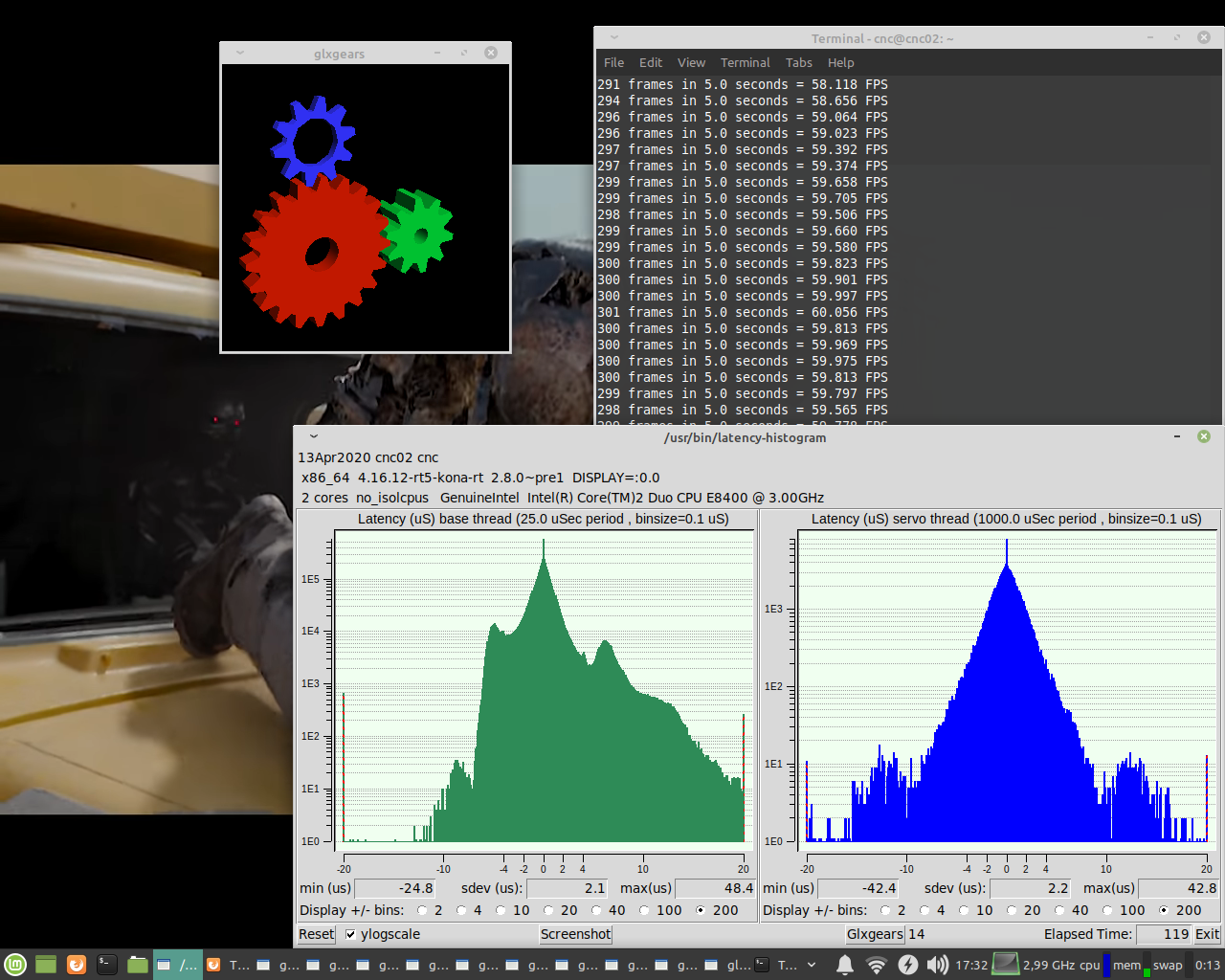
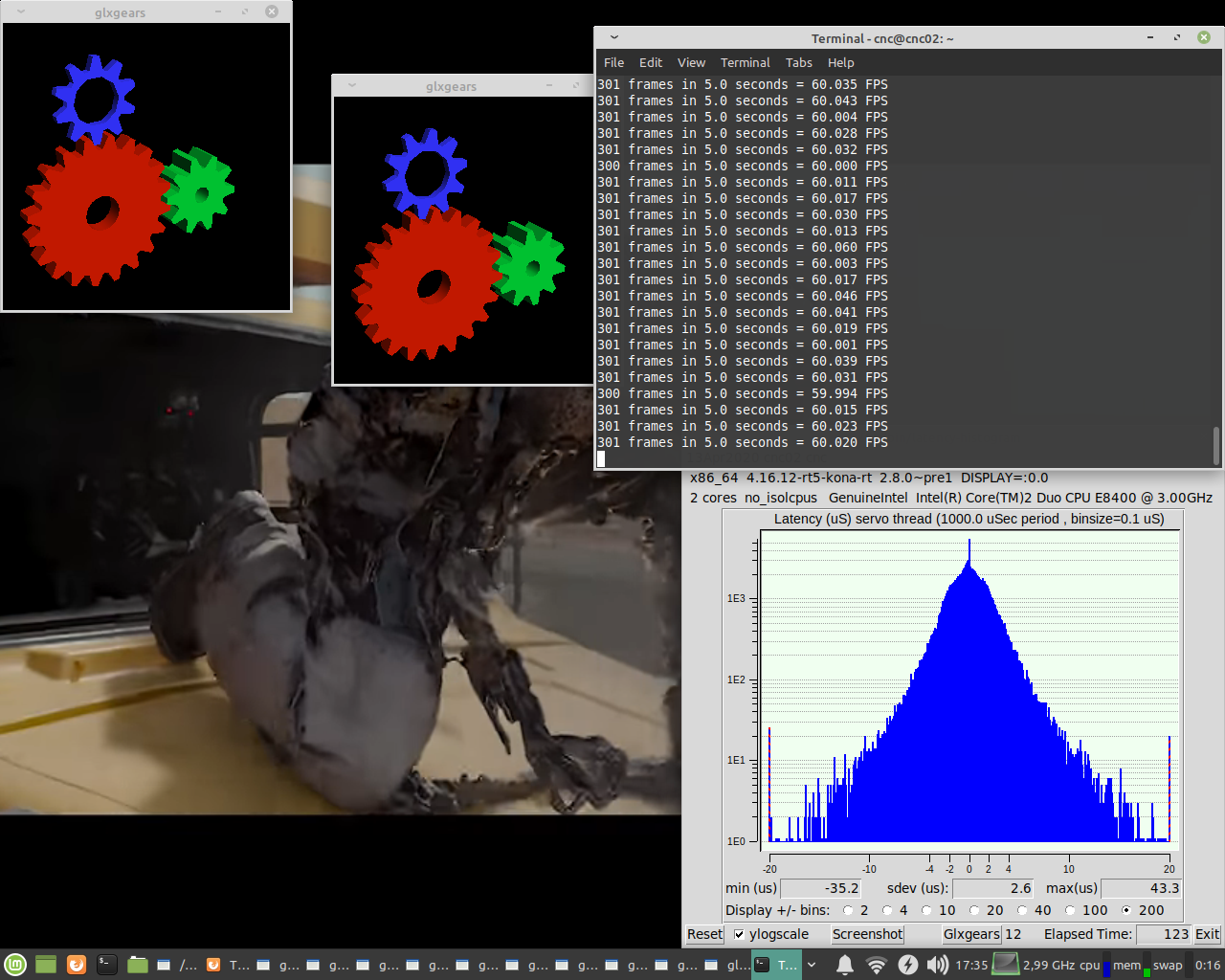
RTAI, new, does not work, Linuxcnc does not start. Resolution at 1024X768, should be 1280X1024
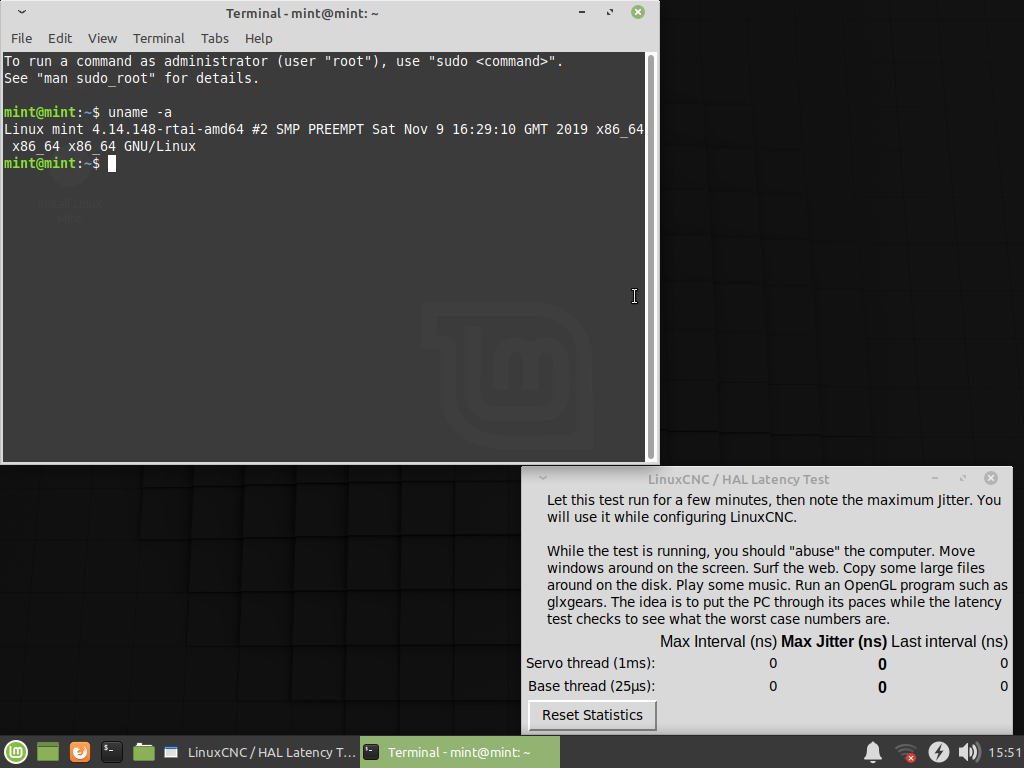
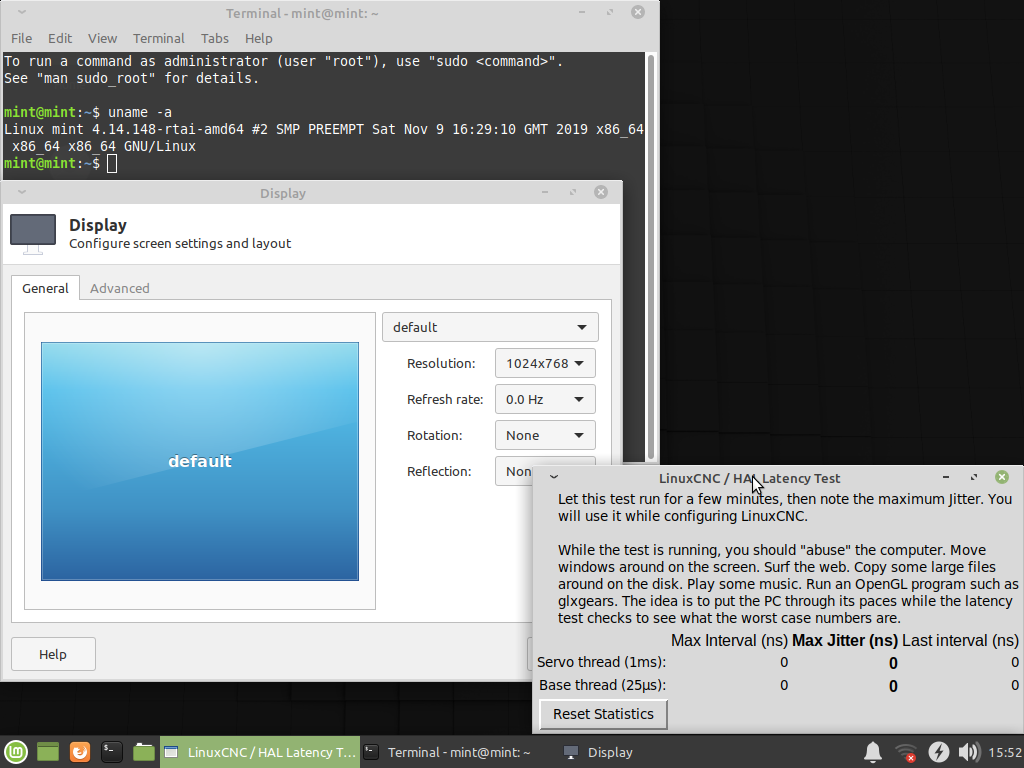
Debian Wheezy with RTAI:
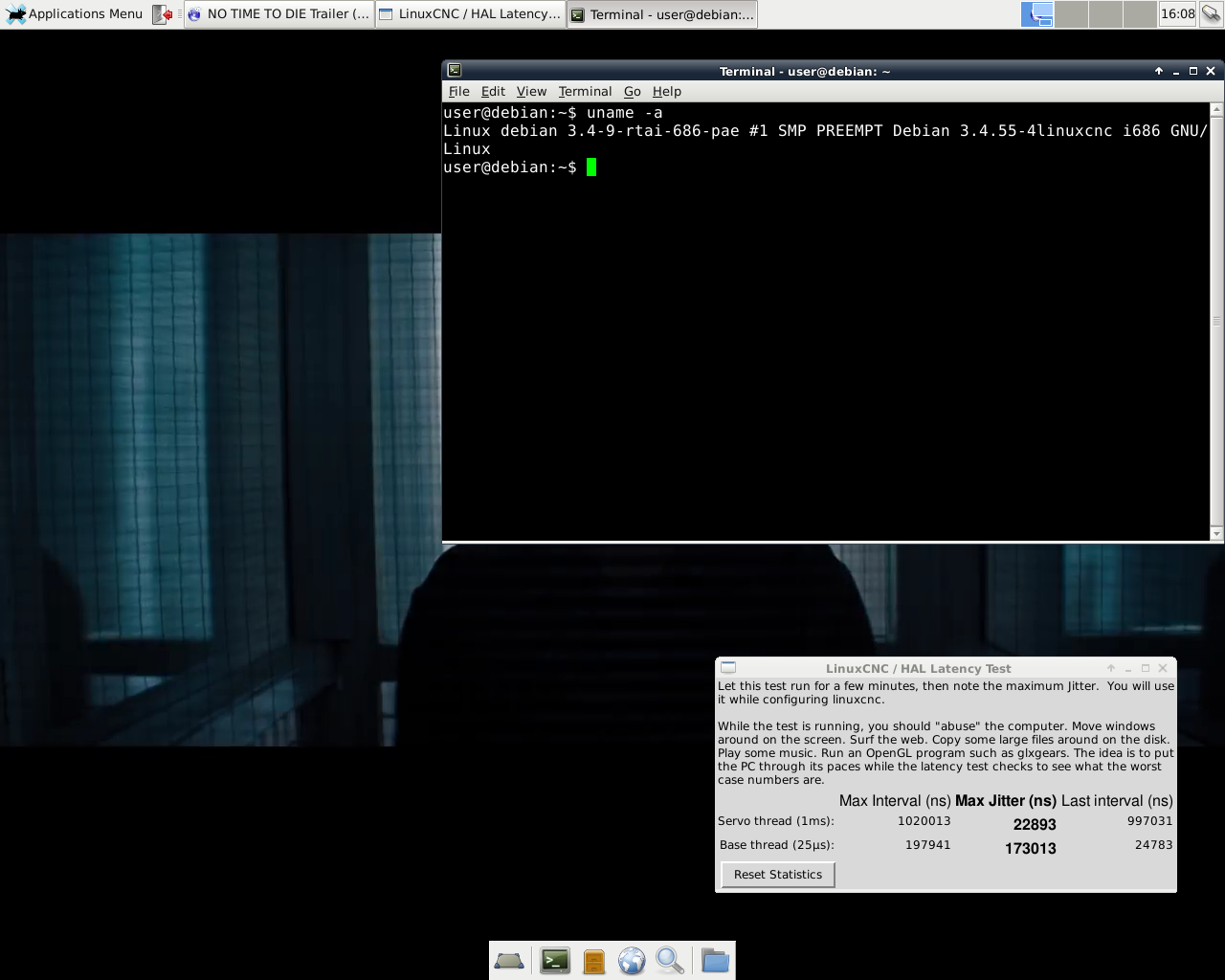
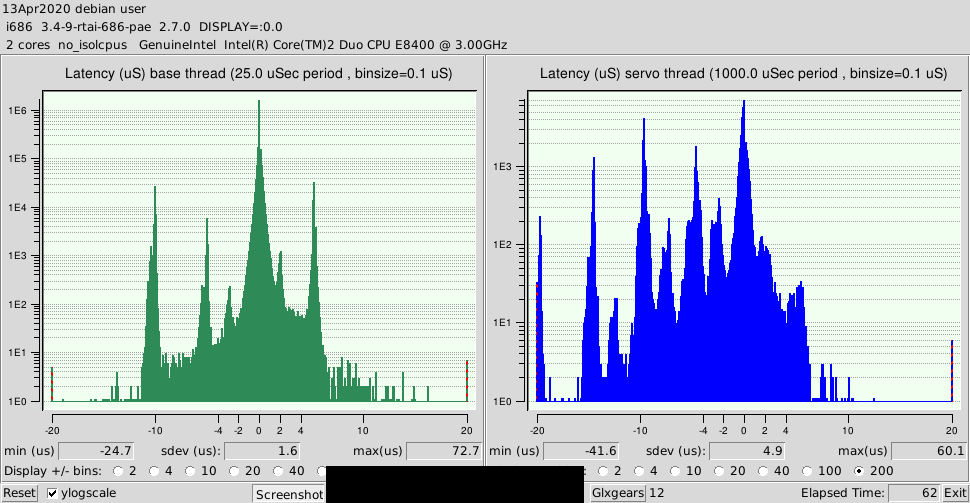
Very usable for Mesa PCI or PCI-E and ETH, also usable for software stepping with parallel port at higher base thread at the cost of step rate, can do latency errors if under load.
Edit:
Used for several days with Mesa 6i25, no issues at all.
Parallel port on a header, usually included, 4GB RAM
RT-Preempt
RTAI, new, does not work, Linuxcnc does not start. Resolution at 1024X768, should be 1280X1024
Debian Wheezy with RTAI:
Very usable for Mesa PCI or PCI-E and ETH, also usable for software stepping with parallel port at higher base thread at the cost of step rate, can do latency errors if under load.
Edit:
Used for several days with Mesa 6i25, no issues at all.
Last edit: 6 years 4 months ago by tommylight. Reason: More info
Please Log in or Create an account to join the conversation.
- tommylight
- Away
- Moderator
-
Less
More
- Posts: 22011
- Thank you received: 7491
6 years 6 months ago - 6 years 6 months ago #163889
by tommylight
Replied by tommylight on topic Hardware latency tests, used PC's
Mainboard ASUS H61M-K, 4GB RAM, no parallel port or header:
RT-Preempt
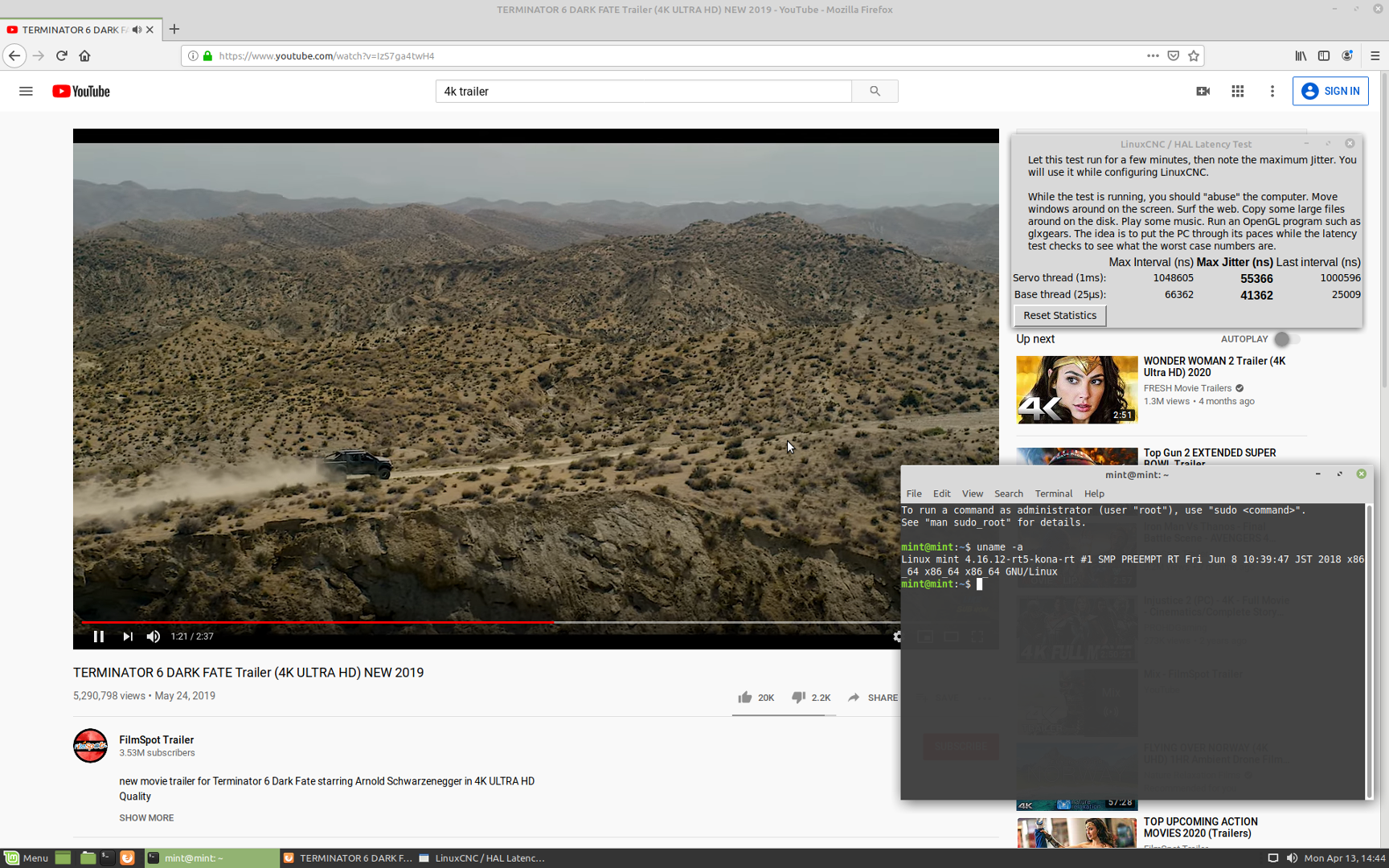
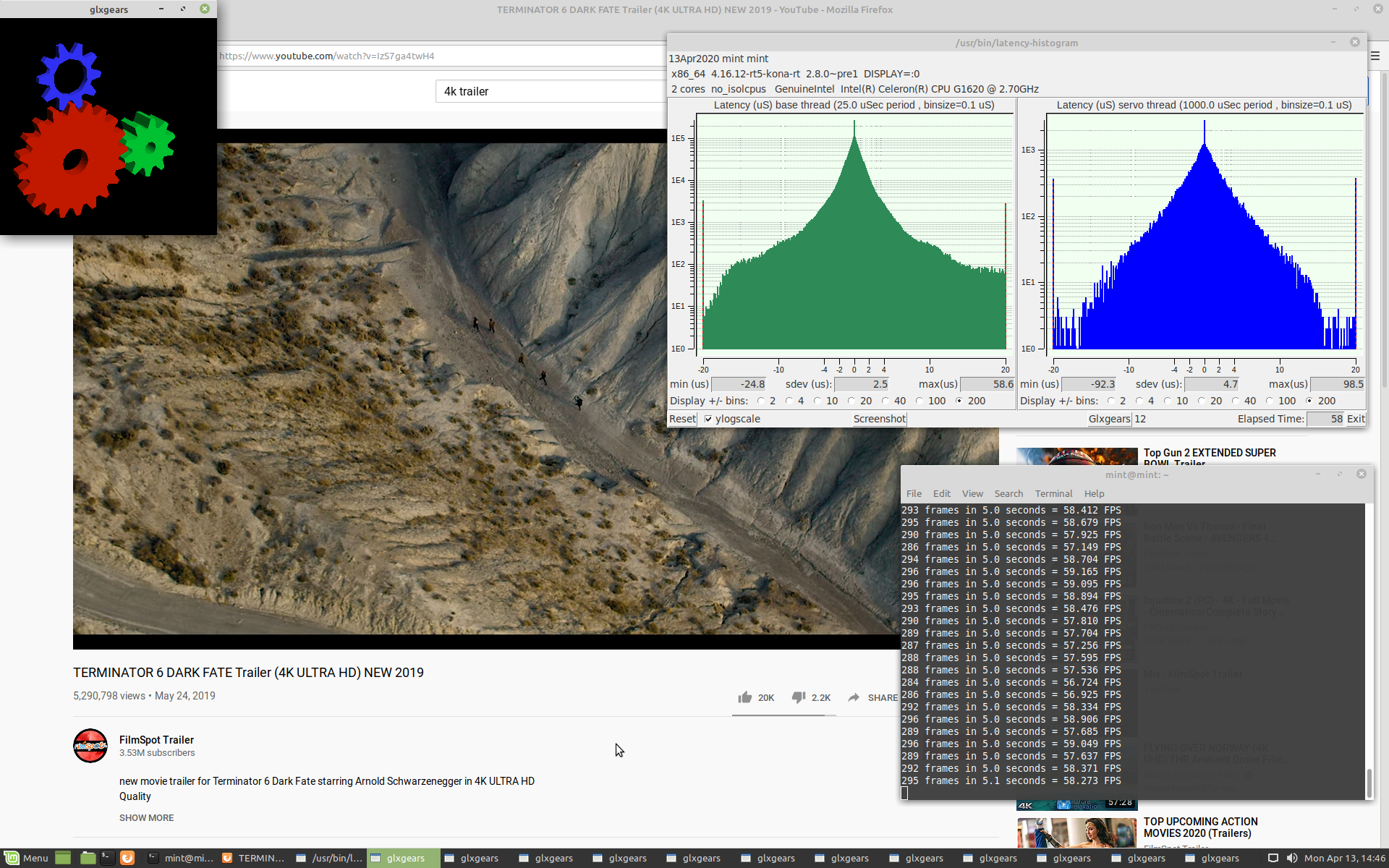
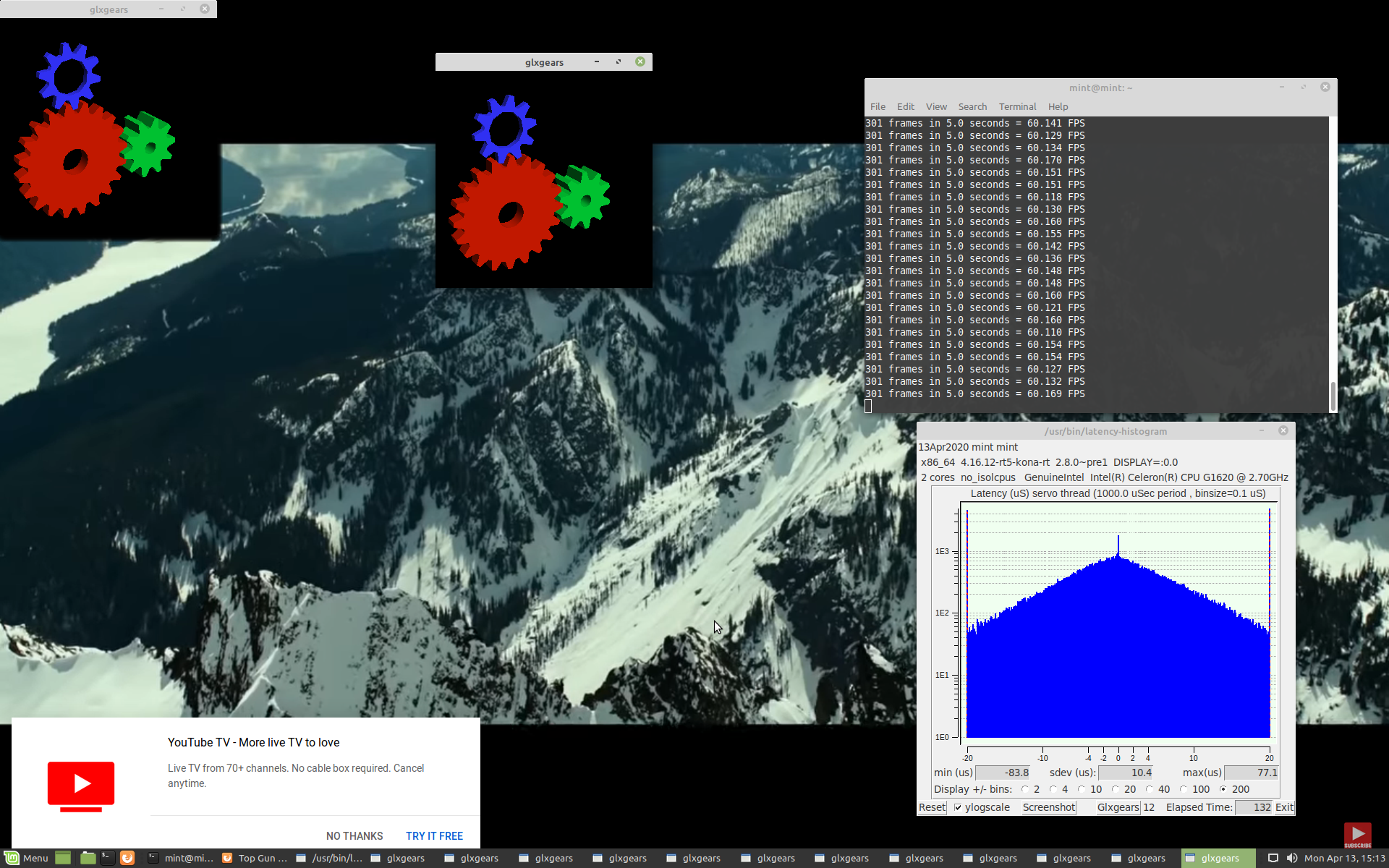
RTAI
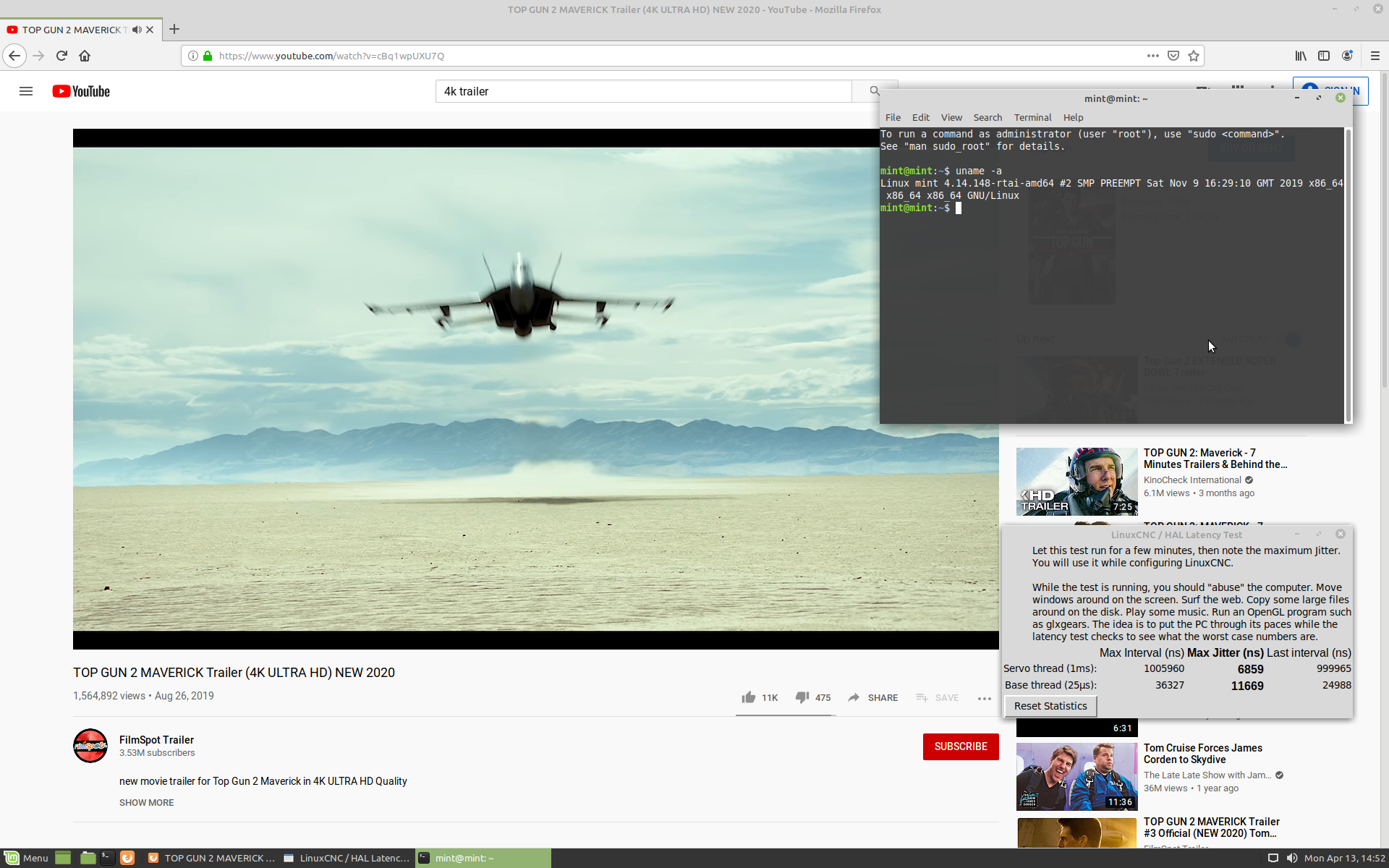
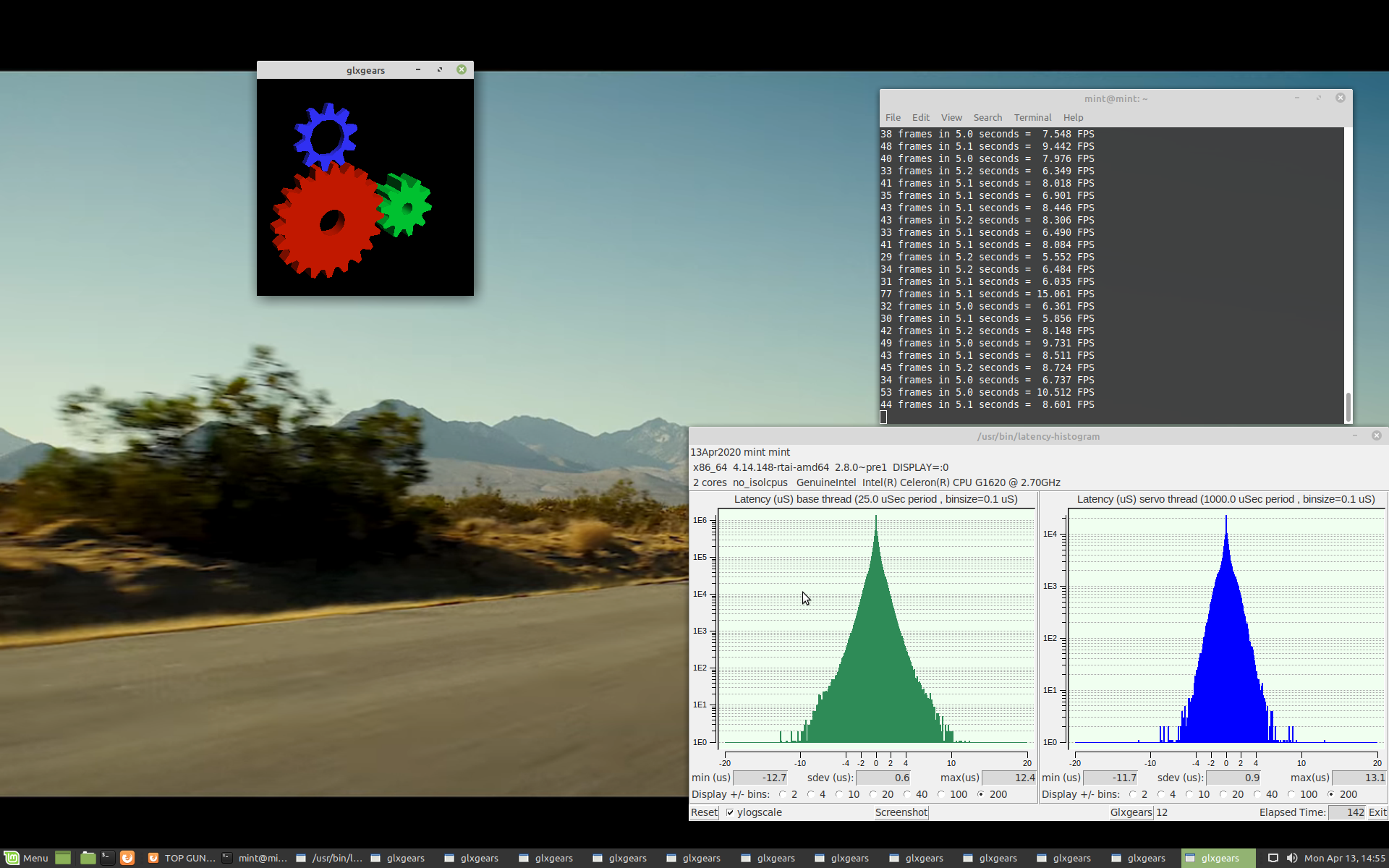
Board works very well, been mining non-stop for over 2 years without issues. Resolution with RTAI kernel is at 1920X1200 as it should be.
RT-Preempt
RTAI
Board works very well, been mining non-stop for over 2 years without issues. Resolution with RTAI kernel is at 1920X1200 as it should be.
Last edit: 6 years 6 months ago by tommylight. Reason: More info
Please Log in or Create an account to join the conversation.
- tommylight
- Away
- Moderator
-
Less
More
- Posts: 22011
- Thank you received: 7491
6 years 6 months ago - 6 years 4 months ago #163890
by tommylight
Replied by tommylight on topic Hardware latency tests, used PC's
ASROCK H61M-DGS
2GB RAM, very picky on type of RAM, parallel port on header.
RT-Preempt

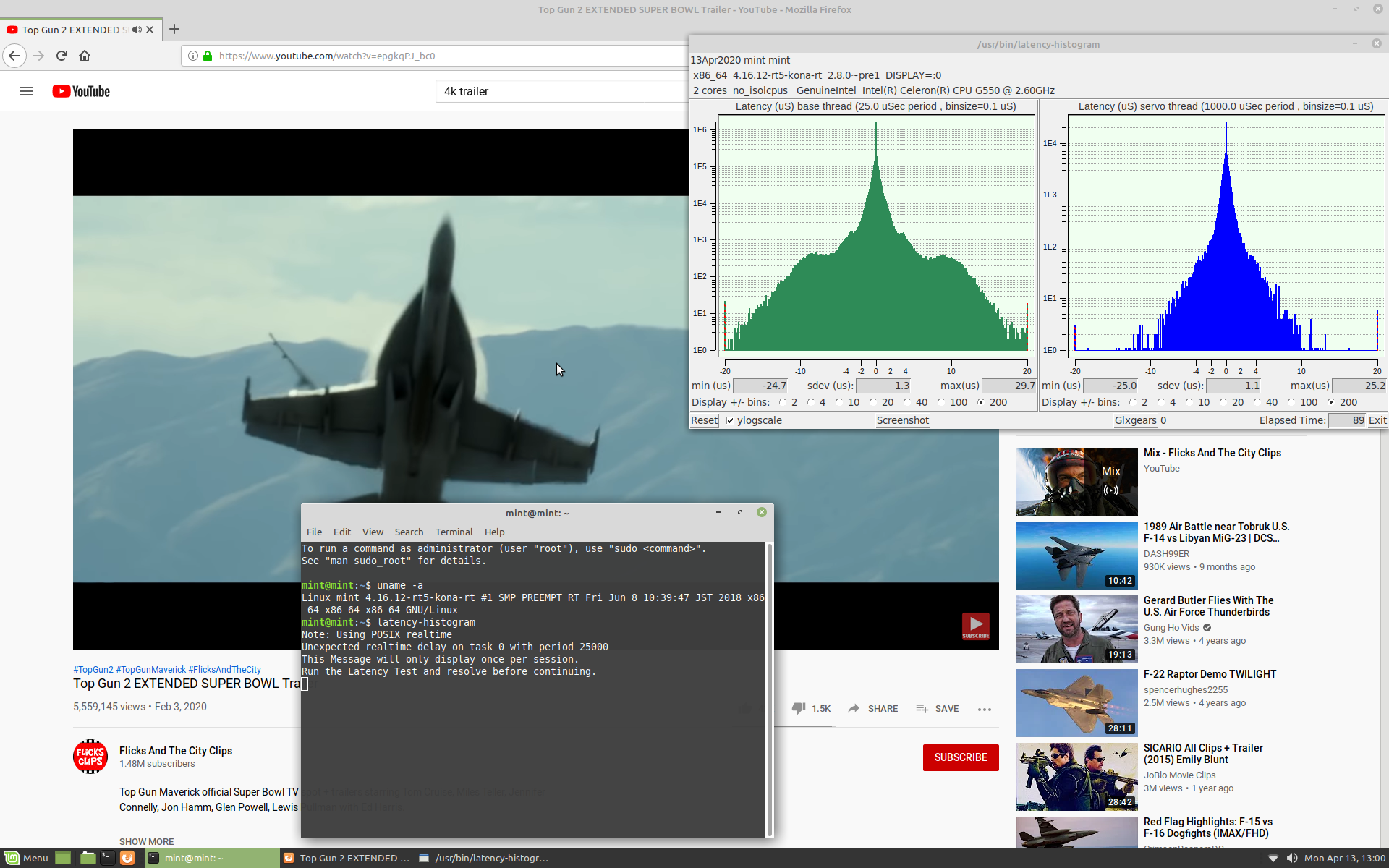
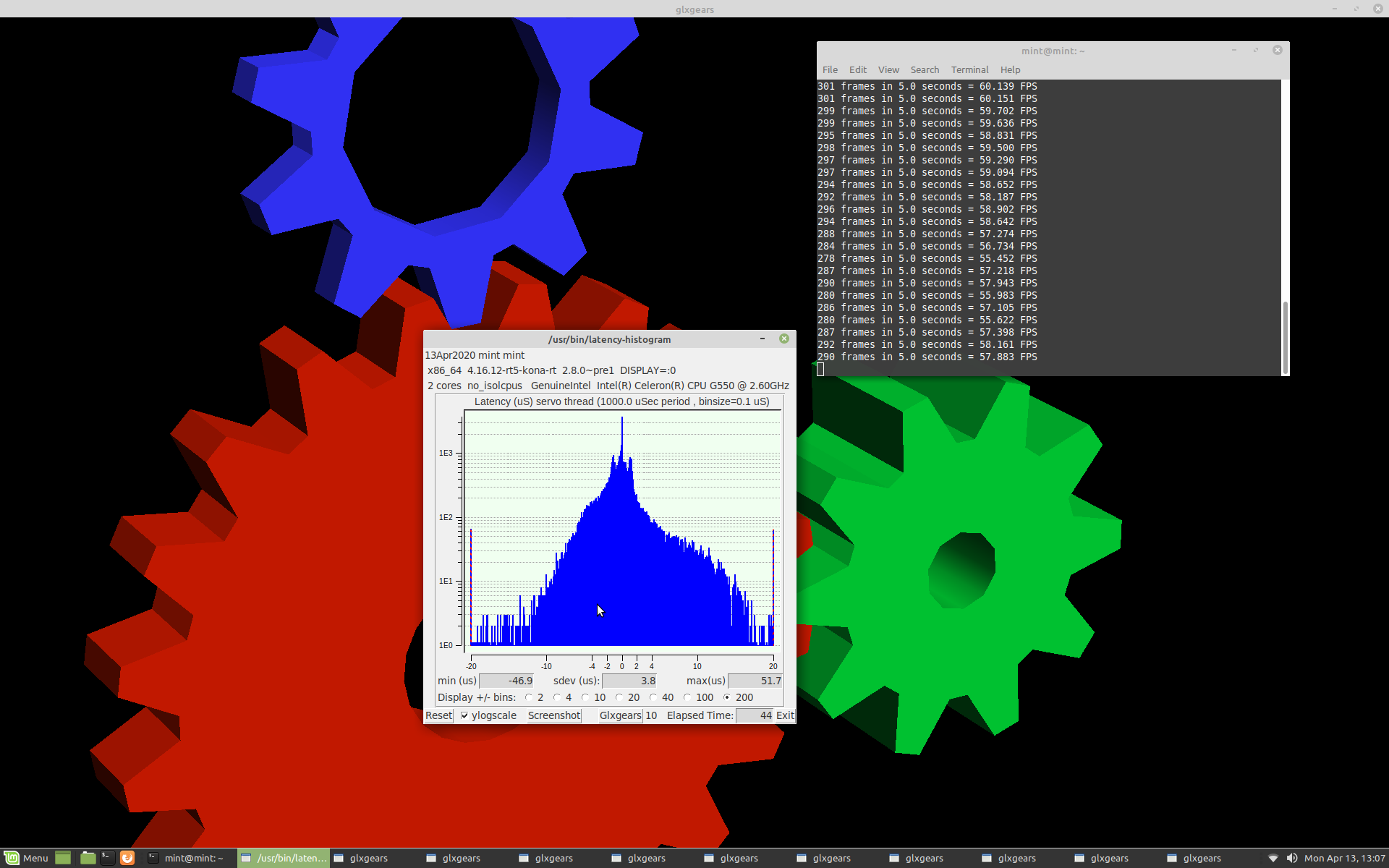
RTAI sluggish and unusable under load with only 2GB RAM, since it does not work with two other types of RAM that i have, not latency test could be properly finished. Overall it is a bit lower that RT-Preempt.
Also was in use as a mining rig for over 2 years without issues, One of those board is in use every day for over 2 years on an industrial plasma cutter with RTAI, Mesa 6i25 and 7i77, 4GB of RAM.
Resolution with RTAI is at 1920X1200, as it should be.
-
Edit:
Adding 2Gb of RAM for a total of 4GB makes it very usable with RT-Preempt, Linux Mint 19.3 and can run machines very nicely.
2GB RAM, very picky on type of RAM, parallel port on header.
RT-Preempt
RTAI sluggish and unusable under load with only 2GB RAM, since it does not work with two other types of RAM that i have, not latency test could be properly finished. Overall it is a bit lower that RT-Preempt.
Also was in use as a mining rig for over 2 years without issues, One of those board is in use every day for over 2 years on an industrial plasma cutter with RTAI, Mesa 6i25 and 7i77, 4GB of RAM.
Resolution with RTAI is at 1920X1200, as it should be.
-
Edit:
Adding 2Gb of RAM for a total of 4GB makes it very usable with RT-Preempt, Linux Mint 19.3 and can run machines very nicely.
Last edit: 6 years 4 months ago by tommylight. Reason: more info
Please Log in or Create an account to join the conversation.
- tommylight
- Away
- Moderator
-
Less
More
- Posts: 22011
- Thank you received: 7491
6 years 6 months ago - 4 years 9 months ago #164150
by tommylight
Replied by tommylight on topic Hardware latency tests, used PC's
MSI B450 main board, AMD Ryzen R5 3600, 16GB RAM, 480GB SSD, Nvidia 1660 super, parallel port header on board:
Unusable for anything machine related, the latency hits 6000000 with and without base thread. No amount of disabling in BIOS helps, not much there anyway.
Very usable for gaming !
I wonder if the 3600X would be better, but i do not have one to test with. Hyperthreading can not be disabled !
Unusable for anything machine related, the latency hits 6000000 with and without base thread. No amount of disabling in BIOS helps, not much there anyway.
Very usable for gaming !
I wonder if the 3600X would be better, but i do not have one to test with. Hyperthreading can not be disabled !
Last edit: 4 years 9 months ago by tommylight. Reason: more info
The following user(s) said Thank You: Muftijaja
Please Log in or Create an account to join the conversation.
Time to create page: 0.221 seconds