Installing LinuxCNC On HP T610 Thin Client

More
5 years 6 months ago - 5 years 6 months ago #206943 by seuchato
Joco
Thanks for the hint on onboard graphics memory. I'll try that out,
Looking forward to your "wrap up post"
Should BCM57781 turn out to be not good enough, at least the t620 does have a mini pcie slot. Look at this or this one . I am sure, there are more options.
Greez
chris
Last edit: 5 years 6 months ago by seuchato.

Please Log in or Create an account to join the conversation.

More
5 years 6 months ago #206970 by Joco
Have you tried tests n the T620? I have a T630 which is the same generation apu and its latency is not flash. Isolating 3 cores, using idle=poll and a few other command line options, putting rtai process on its own core only gets me latency values of ~95us. Still within the upper limit i have seen mentioned as working (100 to 150us from memory).

So something about those newer apus that is not friendly. Mind you I have not tried all the tricks and variables yet but the starting position is nowhere near as good as the T610.

Please Log in or Create an account to join the conversation.

More
5 years 6 months ago - 5 years 6 months ago #206995 by Joco
Investigation Wrap-up

Final tests done with solid results for use for ethernet cards
Code:
LinuxCNC pc tests, version 20200930, started 25.04.2021 10:43:21 ******************************************************************************** General info: Hewlett-Packard, HP t610 WW Thin Client Bios version K30 v01.10, dated 10/26/2012 Chipset: Harddisk is non-rotational, ie. SSD The amount of swap currently used is 0 ================================================================================ CPU related data: model name : AMD G-T56N Processor cpu cores : 2 stepping : 0 cache size : 512 KB ================================================================================ RAM related data: Maximum Capacity: 8 GB Size: 2048 MB Size: 2048 MB ================================================================================ GPU related data: product: Wrestler [Radeon HD 6320] configuration: driver=radeon latency=0 ================================================================================ Parallel port related data: number of parallel ports is 0 ================================================================================ Os and desktop related data: PRETTY_NAME="Linux Mint 19.3" Should the info below not match with your machine, kindly post the output of pstree here, including a brief desciption of your desktop environment, window manager and display manager. Tia https://forum.linuxcnc.org/18-computer/39370-script-for-automated-testing-of-computer-latency Desktop environment : lightdm Windowmanager : Xfwm4 Displaymanager : lightdm ================================================================================ Kernel related data: Kernel 4.19.0-16-rt-amd64 BOOT_IMAGE=/boot/vmlinuz-4.19.0-16-rt-amd64 root=UUID=4940ea09-ddf8-4575-9fb5-d7823eabf836 ro intel_idle.max_cstate=0 processor.max_cstate=0 isolcpus=1 noirqbalance Cpu idle driver: none ================================================================================ Kernel modules data: Check if pcspkr is loaded: No, which is good! Check if snd modules are loaded: No, which is good! ================================================================================ Keyboard & Mouse related data: Number of mice: 1 Mouse 0 : Logitech K400 Mice attached to USB: Keyboards attached to USB: ================================================================================ LinuxCNC related data: LinuxCNC version is: 2.9.0~pre0.3844.g2e75b091a ================================================================================ Preparing for latency test: Started glxgears No. 1, 2, 3, 4, 5 .......... Started firefox with 'https://vimeo.com/150574260', WID ================================================================================ Command for latency test is: su james -c "taskset 0x02 latency-histogram --nobase --sbinsize 1000 --nox 2>&1 | tee -a 1619304154-nopoll-k4-19.lat &" Latency testing loop started Sun Apr 25 10:43:45 NZST 2021, should end after Sun Apr 25 12:43:45 NZST 2021 ================================================================================ Swap useage: prerun: 0, running: 0 ================================================================================ last latency data is as follows:. 7203 s servo min: -34.300 us max: 34.800 us sdev: 1.100 us 7204 s servo min: -34.300 us max: 34.800 us sdev: 1.100 us 7205 s servo min: -34.300 us max: 34.800 us sdev: 1.100 us

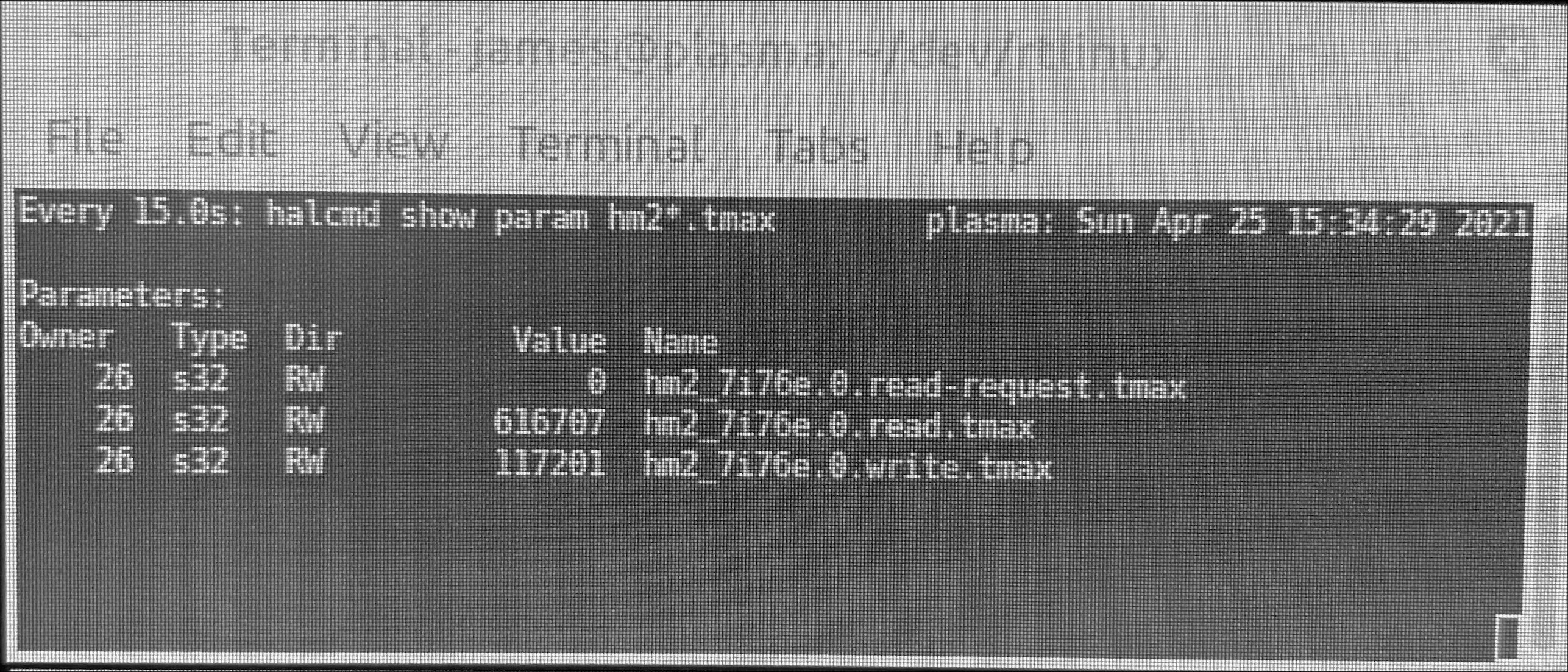
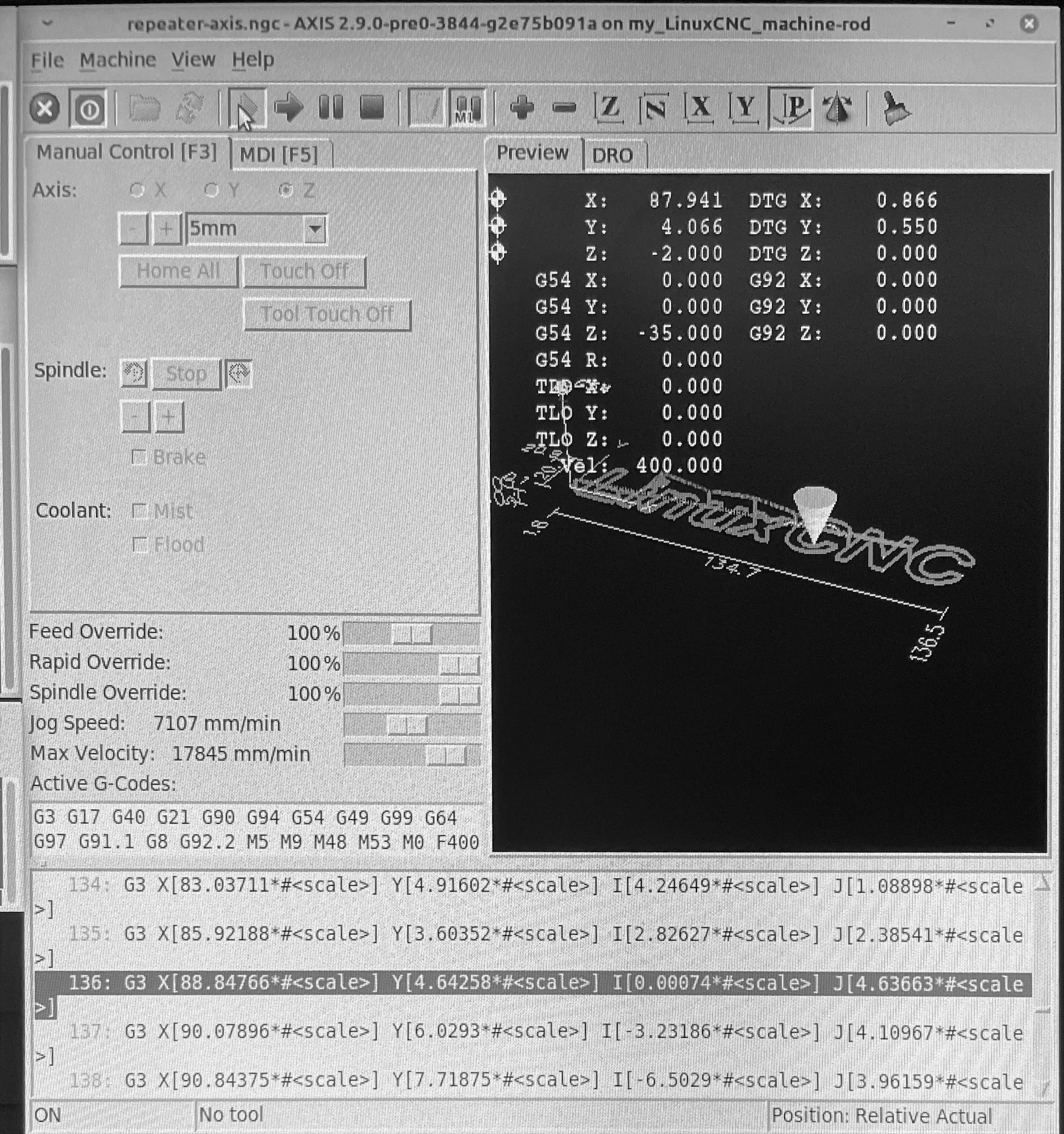
Also a 3hr NIC test by running a modified version of axis.ngc that was in a Repeat loop. This essentially meant the 7i76e was running gcode solid for 3 hrs. No isses experienced or warns reported by axis.


The setup I used is documented below.

BIOS

Your browser does not support embedded PDFs. Please download the file here: Download PDF.


Your browser does not support embedded PDFs. Please download the file here: Download PDF.


Interface File
Code:
auto enp3s0 iface enp3s0 inet static address 10.10.10.100 netmask 255.255.255.0 HARDWARE_IRQ_COALESCE_rx_usecs 1 HARDWARE_IRQ_COALESCE_rx_frames 0 HARDWARE_IRQ_COALESCE_rx_usecs_irq 0 HARDWARE_IRQ_COALESCE_rx_frames_irq 0 HARDWARE_IRQ_COALESCE_tx_usecs 1 HARDWARE_IRQ_COALESCE_tx_frames 0 HARDWARE_IRQ_COALESCE_tx_usecs_irq 0 HARDWARE_IRQ_COALESCE_tx_frames_irq 0
Last edit: 5 years 6 months ago by Joco.
The following user(s) said Thank You: seuchato

Please Log in or Create an account to join the conversation.

More
5 years 6 months ago - 5 years 6 months ago #206996 by Joco
Scripts that I used/adjusted for this test.

This includes the hog cpu script and the linuxcnc wrapper script that needs to be used. This wrapper starts linuxcnc on core 2 then moves the UI task to Core 1. This needed to ensure a balance of UI responsiveness while the RT tasks own Core 2.

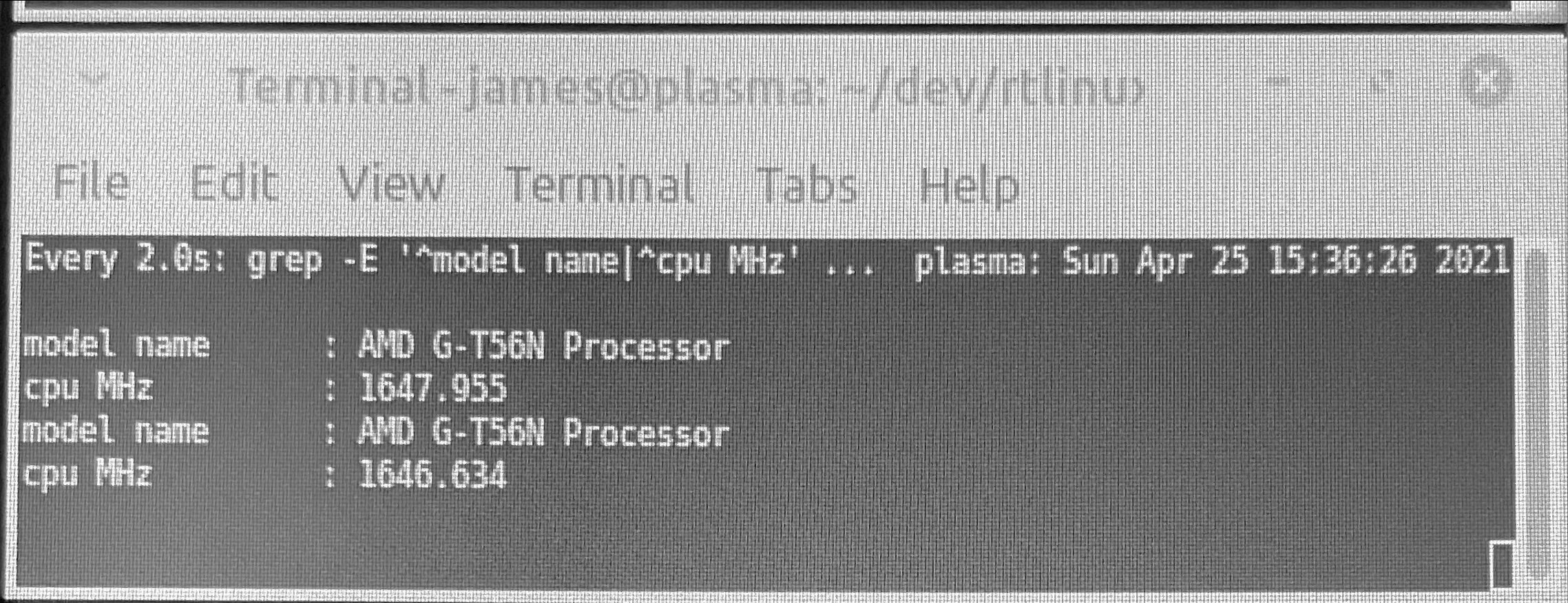
Cpu hog on core 2 ensures clock speeds are maxed while linuxcnc is running. A quirk of this architecture seems to be that maxing core 2 also maxes core 1. But the opposite is not true. An alternative setup is to use idle=poll on the kernwl boot. In which case cou hog is not needed. However the cpu will run hot. I was seeing 70C which is deemed “hot” by this cpu with 100C as critical.
The advantage of cpu hog is if you stop lcnc the wrapper kills hog and the cpu will start to cool.

You will also see from the h/w test file that kernel 4.19 was used. I also tests with 4.9.0-13 and noticed that clock speeds seemed to be maxed irrespective of using idle=poll on kernel boot or not.

Cheers - J
Last edit: 5 years 6 months ago by Joco. Reason: Fleshed out post to add some explanations and hopefully useful info.
The following user(s) said Thank You: seuchato, tommylight

Please Log in or Create an account to join the conversation.

More
5 years 6 months ago #207073 by seuchato
Joco
Thanks a ton! That's what I would call a complete documentation of your config. Very inspiring!
Greez
chris

Please Log in or Create an account to join the conversation.

More
4 years 10 months ago #230060 by davidimurray
Hi all

I'm trying to setup a HP T610 for my next project. I've followed the guide but seem to be getting terrible latency and it doesn;t seem to have improved.

I've tried running - sudo echo "install pcspkr /bin/true" >/etc/modprobe.d/pcspkr.conf and I get an error stating bash: /etc/modprobe.d/pcspkr.conf: Permission denied

I am running Debian 11 with LCNC 2.9 so I can run python 3 with QTPYVCP.

Does anyone have any thoughts on what may improve the latency? Output from latency script below.

Thanks

Dave
Code:
LinuxCNC pc tests, version 20200930, started 27.12.2021 11:48:23 ******************************************************************************** General info: Hewlett-Packard,  HP t610 WW Thin Client Bios version K30 v01.20, dated 03/10/2015 Chipset: Harddisk is non-rotational, ie. SSD The amount of swap currently used is 0 ================================================================================ CPU related data: model name    : AMD G-T56N Processor cpu cores    : 2 stepping    : 0 cache size    : 512 KB ================================================================================ RAM related data: Maximum Capacity: 8 GB Size: 2 GB Size: No Module Installed ================================================================================ GPU related data: product: Wrestler [Radeon HD 6320] configuration: driver=radeon latency=0 ================================================================================ Parallel port related data: number of parallel ports is 1 parport0: PC-style at 0x378 (0x778), irq 7 [PCSPP,TRISTATE,EPP] ================================================================================ Os and desktop related data: PRETTY_NAME="Debian GNU/Linux 11 (bullseye)" Should the info below not match with your machine, kindly post the output of pstree here, including a brief desciption of your desktop environment, window manager and display manager. Tia https://forum.linuxcnc.org/18-computer/39370-script-for-automated-testing-of-computer-latency Desktop environment : xfce4 Windowmanager       : Xfwm4 Displaymanager      : gdm3 ================================================================================ Kernel related data: Kernel 5.10.0-9-rt-amd64 GRUB_CMDLINE_LINUX_DEFAULT="intel_idle.max_cstate=0 processor.max_cstate=0 isolcpus=1 noirqbalance" Cpu idle driver: acpi_idle ================================================================================ Kernel modules data: Check if pcspkr is loaded: [0;31mYes, may cause bigger latency.[0m   can be eliminated using:   sudo echo "install pcspkr /bin/true" >/etc/modprobe.d/pcspkr.conf Check if snd modules are loaded: [0;32mNo, which is good![0m ================================================================================ Keyboard & Mouse related data: Number of mice: 1 Mouse 0 : Telink Wireless Receiver Mouse Mice  attached to USB: Keyboards attached to USB: Dell Computer Corp. Keyboard SK-8115 ================================================================================ LinuxCNC related data: LinuxCNC version is: 2.9.0~pre0 ================================================================================ Preparing for latency test: Started glxgears No. 1, 2, 3, 4, 5 .......... Started firefox with 'https://vimeo.com/150574260', WID ================================================================================ Command for latency test is: su dave -c  "latency-histogram --bbinsize 1000 --base 25000 --sbinsize 1000 --nox 2>&1 | tee -a 1640605695.lat &" Latency testing loop started Mon 27 Dec 11:48:51 GMT 2021, should end after Mon 27 Dec 13:48:51 GMT 2021 Useless to proceed, read the relevant part in 1640605695.lat   [0;31m>>>Unexpected realtime delay on task 0 with period 25000<<<[0m ================================================================================ Swap useage: prerun: 0, running: 764 ================================================================================ CPU core temperatures:

Please Log in or Create an account to join the conversation.

Time to create page: 0.431 seconds
Powered by Kunena Forum