Remora - ethernet NVEM / EC300 / EC500 cnc board

More
3 years 2 months ago #277103 by raf1110
Hi
Where this part of code needs adding:#spindle DAC 0-10 control
loadrt scale count=1
addf scale.0 servo-thread
setp scale.0.gain 1 #this will make m3 s1000 give 100% output and m3 s100 10%
net spindle-speed-scale spindle.0.speed-out => scale.0.in
net spindle-speed-abs scale.0.out => abs.0.in
net spindle-speed-DAC abs.0.out => remora.SP.3

Do I need to upload config.txt with python_upload to made changes if .ini file changes?

After uploading default congfig.txt I had no responses from E-stop but I can move axis within soft limits. Seems inputs are not sensing.
I have noticed also my board V5 have COM instaead of 12V comparing to V2. Would this mean I need invert all pins?
 

Please Log in or Create an account to join the conversation.

More
3 years 2 months ago - 3 years 2 months ago #277254 by Eugene64
Hello, please help me configure hal and ini for the 2hss86 engine drivers using the standard remora settings does not work. Please, if there is, publish such a hal file.
Last edit: 3 years 2 months ago by Eugene64.

Please Log in or Create an account to join the conversation.

More
3 years 2 months ago #277384 by scotta

Hello, please help me configure hal and ini for the 2hss86 engine drivers using the standard remora settings does not work. Please, if there is, publish such a hal file.
Possible to have some further details of the issue(s)? 

Please Log in or Create an account to join the conversation.

More
3 years 2 months ago #277421 by Eugene64
When sending a command, the motor moves more than the set value, then returns to this value what settings are needed to turn the motor to the values I need, here are my ini settings - 

[EMC]
MACHINE = Remora-NVEM
DEBUG = 0
VERSION = 1.1

[DISPLAY]
DISPLAY = axis
CYCLE_TIME = 0.100
POSITION_OFFSET = RELATIVE
POSITION_FEEDBACK = ACTUAL
ARCDIVISION = 64
MAX_FEED_OVERRIDE = 10
MAX_SPINDLE_OVERRIDE = 1.0
DEFAULT_LINEAR_VELOCITY = 50.00
MIN_LINEAR_VELOCITY = 0
MAX_LINEAR_VELOCITY = 125.00
DEFAULT_ANGULAR_VELOCITY = 36.00
MIN_ANGULAR_VELOCITY = 0
MAX_ANGULAR_VELOCITY = 45.00
PROGRAM_PREFIX = ~/linuxcnc/nc_files
INTRO_GRAPHIC = linuxcnc.gif
INTRO_TIME = 5
INCREMENTS = 50mm 10mm 5mm 1mm .5mm .1mm .05mm .01mm

[KINS]
JOINTS = 3
#KINEMATICS =trivkins coordinates=XYZ kinstype=BOTH
# kinstype=BOTH means that the machine can move in joint mode and world mode
# not good for gantrys or double z axes.
KINEMATICS =trivkins coordinates=XYZ

[FILTER]
PROGRAM_EXTENSION = .png,.gif,.jpg Greyscale Depth Image
PROGRAM_EXTENSION = .py Python Script
png = image-to-gcode
gif = image-to-gcode
jpg = image-to-gcode
py = python

[TASK]
TASK = milltask
CYCLE_TIME = 0.010

[RS274NGC]
PARAMETER_FILE = linuxcnc.var
SUBROUTINE_PATH = ~/linuxcnc/subroutines
USER_M_PATH = ~/linuxcnc/m_codes

[EMCMOT]
EMCMOT = motmod
COMM_TIMEOUT = 1.0
COMM_WAIT = 0.010
BASE_PERIOD = 0
SERVO_PERIOD = 1000000

[HAL]
HALFILE = remora-nvem.hal
# remove comment from next line to enable the NVEM NVMPG
#HALFILE = remora-nvem-mpg.hal
POSTGUI_HALFILE = postgui_call_list.hal
HALUI = halui

[TRAJ]
COORDINATES =  X Y Z
LINEAR_UNITS = mm
ANGULAR_UNITS = degree
CYCLE_TIME = 0.010
DEFAULT_LINEAR_VELOCITY = 100.00
MAX_LINEAR_VELOCITY = 200.00
NO_FORCE_HOMING = 1 

[EMCIO]
EMCIO = io
CYCLE_TIME = 0.100
TOOL_TABLE = tool.tbl

[AXIS_X]
MAX_VELOCITY = 175
MAX_ACCELERATION = 2000.0
MIN_LIMIT = -25.0
MAX_LIMIT = 300.0

[JOINT_0]
TYPE = LINEAR
HOME = 0.0
MIN_LIMIT = -25.0
MAX_LIMIT = 300.0
MAX_VELOCITY = 175.0
MAX_ACCELERATION = 2000.0
STEPGEN_MAXACCEL = 2200.0
SCALE = 160.0
FERROR = 1.0
MIN_FERROR = 0.5
#HOME_SEARCH_VEL = -10.0
#HOME_LATCH_VEL = -3.0
#HOME_FINAL_VEL = 20
#HOME_IGNORE_LIMITS = YES
#HOME_USE_INDEX = NO
#HOME_OFFSET = -25.0
#HOME = 0.0
#HOME_SEQUENCE = 1 
HOME_OFFSET = 0.0
HOME_SEARCH_VEL = 0
HOME_LATCH_VEL = 0
HOME_SEQUENCE = 0

[AXIS_Y]
MAX_VELOCITY = 175.0
MAX_ACCELERATION = 2000.0
MIN_LIMIT = -0.01
MAX_LIMIT = 300.0

[JOINT_1]
TYPE = LINEAR
HOME = 0.0
MIN_LIMIT = -5.0
MAX_LIMIT = 300.0
MAX_VELOCITY = 175.0
MAX_ACCELERATION = 2000.0
STEPGEN_MAXACCEL = 2200.0
SCALE = 160.0
FERROR = 1.0
MIN_FERROR = 0.5
#HOME_SEARCH_VEL = -10.0
#HOME_LATCH_VEL = -3.0
#HOME_FINAL_VEL = 20
#HOME_IGNORE_LIMITS = YES
#HOME_USE_INDEX = NO
#HOME_OFFSET = -20.0
#HOME = -10.0
#OME_SEQUENCE = 2
HOME_OFFSET = 0.0
HOME_SEARCH_VEL = 0
HOME_LATCH_VEL = 0
HOME_SEQUENCE = 0

[AXIS_Z]
MAX_VELOCITY = 175.0
MAX_ACCELERATION = 2000.0
MIN_LIMIT = -10
MAX_LIMIT = 280

[JOINT_2]
TYPE = LINEAR
HOME = 0.0
MIN_LIMIT = -10
MAX_LIMIT = 280
MAX_VELOCITY = 175.0
MAX_ACCELERATION = 2000.0
STEPGEN_MAXACCEL = 2200.0
SCALE = 160.0
FERROR = 1.0
MIN_FERROR = 0.5
#HOME_SEARCH_VEL = -10.0
#HOME_LATCH_VEL = -3.0
#HOME_FINAL_VEL = 20
#HOME_IGNORE_LIMITS = YES
#HOME_USE_INDEX = NO
#HOME_OFFSET = -20.0
#HOME = -10.0
#OME_SEQUENCE = 3
HOME_OFFSET = 0.0
HOME_SEARCH_VEL = 0
HOME_LATCH_VEL = 0
HOME_SEQUENCE = 0

Please Log in or Create an account to join the conversation.

More
3 years 2 months ago - 3 years 2 months ago #277519 by damancuso
Hi Scott,
First I'd like to thank you for your huge work, I've just discovered and I think it's great!
I may be a bit late to the flashing party, and I'm not sure if you or someone already did it, but I've managed to flash the RT1052 NVEM, I'm going to try soon with the EC500 with J-Link. So for people that already use J-Link this may be an easier path than converting other probes to DAPLink:

I'm using J-Link EDU with the latest FW at the time of writing (SEGGER J-Link Commander V7.90).
1) J-Link uses the target VCC rail to drive the level translators for the IOs, to I'm using the last pin on the connector to connect to VRef, which happens to go to 3.3V when you press the button to put the board into flashing mode.
2) jlinkexe  -device 'MIMXRT1052XXXXB?BankAddr=0x60000000&Loader=QSPI’
3) J-Link>exec EnableEraseAllFlashBanks
4) J-Link>LoadFile remora-rt1052-EC300-020.bin, 0x60000000

It seems that SEGGER added the flash loader algo but the documentation is a bit hidden ( wiki.segger.com/J-Link_Multiple_Flashloa...mmand_line_parameter   and   wiki.segger.com/i.MXRT1050 )
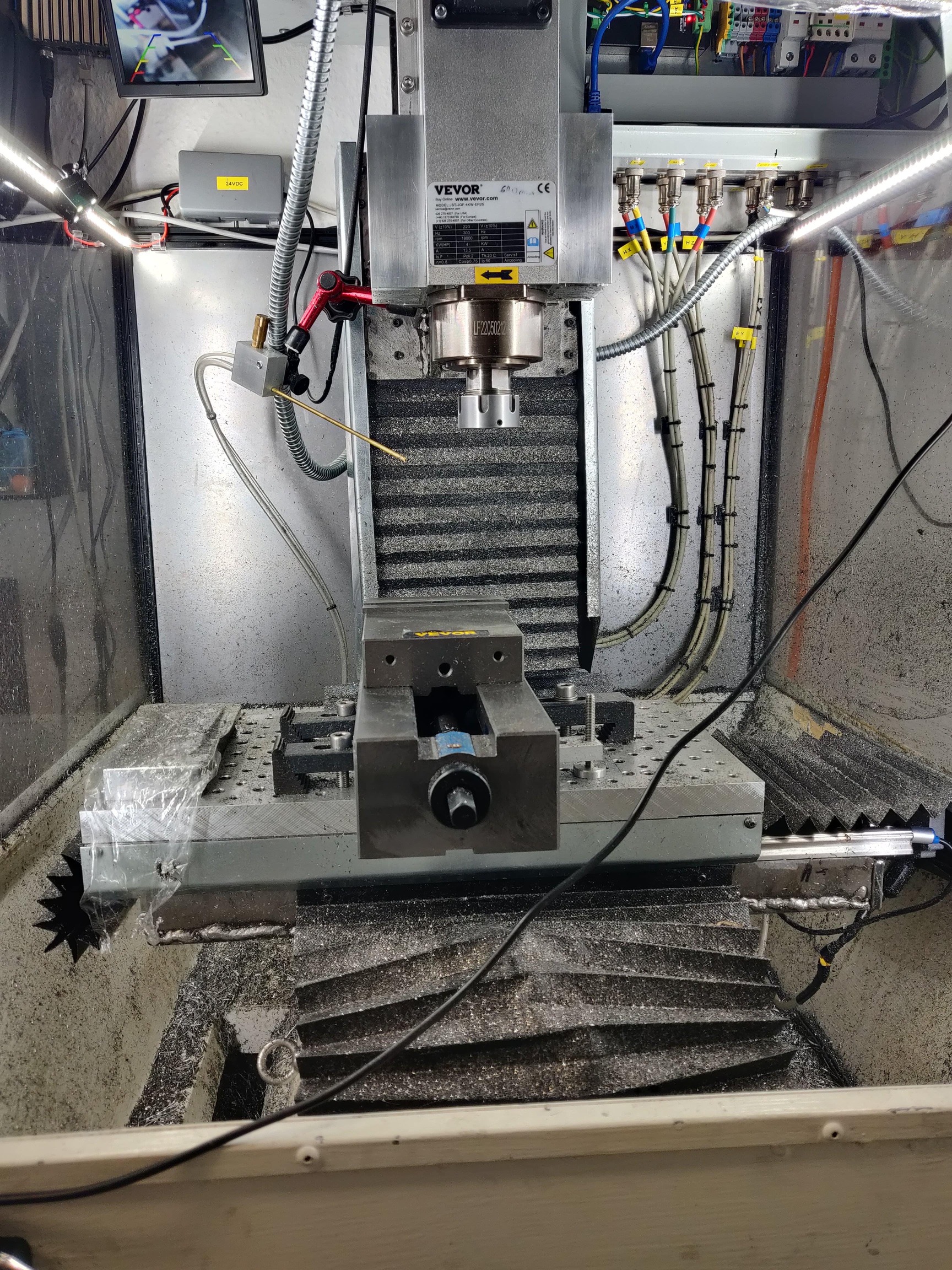
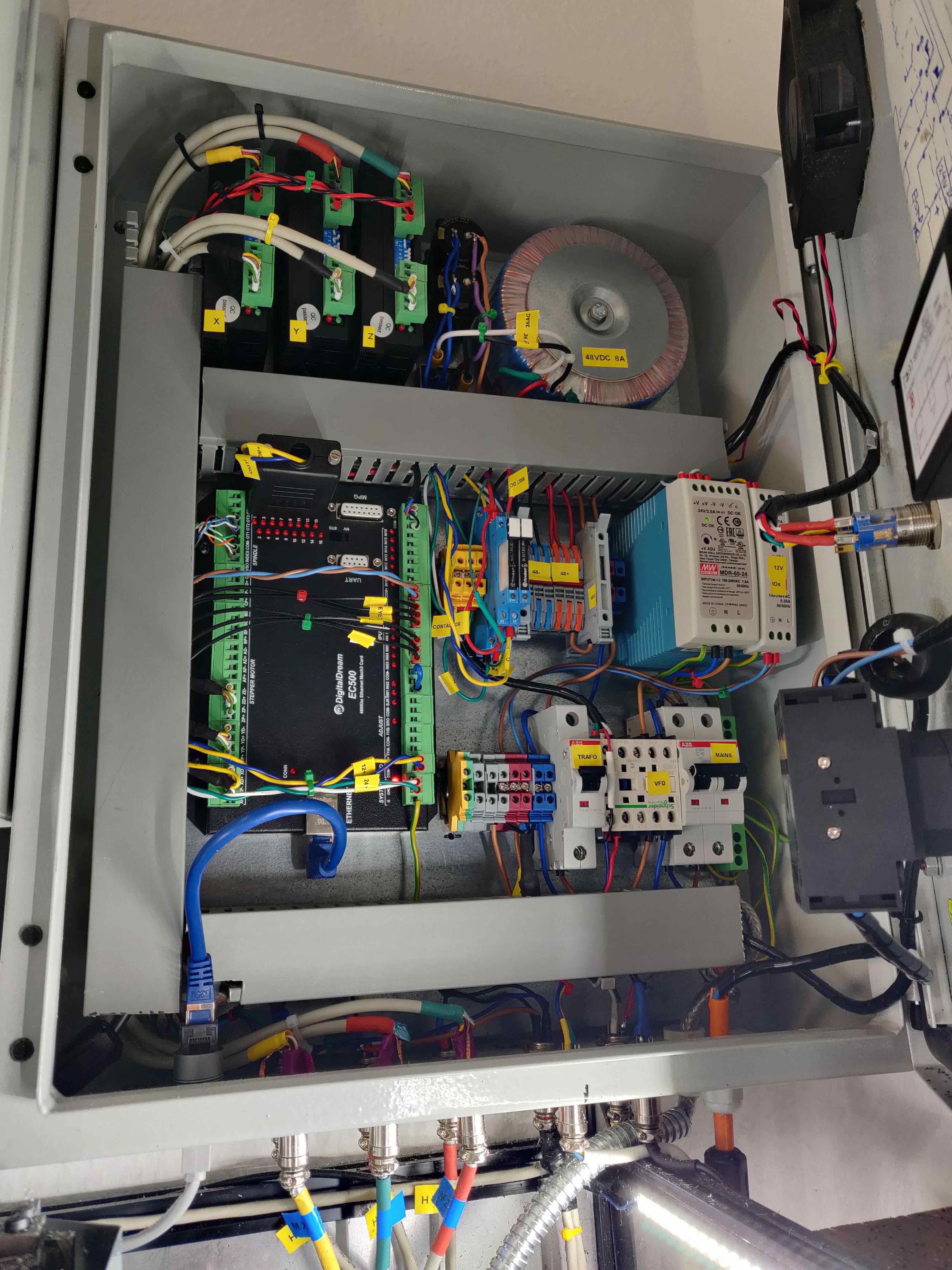
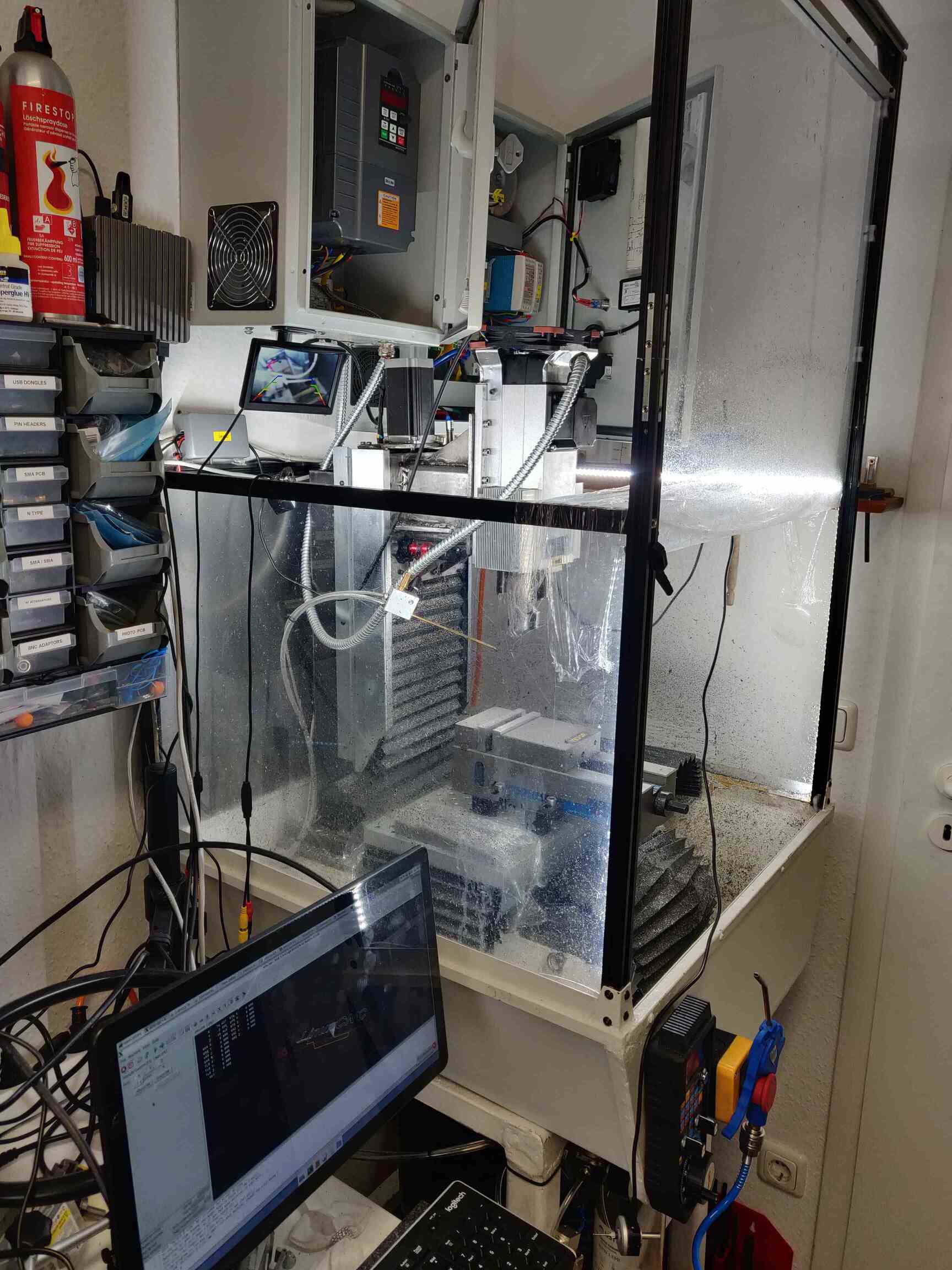
Next steps will be to try it on the EC500 and set everything for my machine. Some pictures here below. I've designed this vertical mill from scratch, with zero knowledge of machining or machine design (I have an Electronics background not mechanics),  but so far it's working great and I've been struggling with Mach3 for a few months (a piece of buggy old shht) so I've finally decided to get into LinuxCNC.
By the way, if anyone is interesting on building something similar, I could share the design files and some experience, just let me know.

Cheers!


    ​​​​​​​  ​​​​​​​
 
Last edit: 3 years 2 months ago by damancuso.
The following user(s) said Thank You: tommylight

Please Log in or Create an account to join the conversation.

More
3 years 2 months ago #277572 by scotta
Thanks for the details of the J-Link flashing method. This would be a good addition to the documentation when I finally get to updating it.

Nice mill BTW, would love that in my shed!
The following user(s) said Thank You: damancuso

Please Log in or Create an account to join the conversation.

Time to create page: 0.139 seconds
Powered by Kunena Forum