PCI and PCI-E add on cards with parallel port that work out of the box

More
1 year 11 months ago #313973 by Cant do this anymore bye all
Whilst this is a great topic I fear that newbies will ignore it, I tried the same thing a year or 2 ago. Hopefully having your name as the OP will have more success.

Please Log in or Create an account to join the conversation.

More
1 year 11 months ago #313974 by Cant do this anymore bye all
Regarding Lenovo ThinkCentres this is the low profile part number for a cable 45j9598

Prices can vary from USD $10 - $20, may seem on par or a little more than a physical card, but way way easier to setup. Beware a std 2x13 to db25 cable will not work as there is the cable would seem to short a pin or some other such trickery that I just haven't looked at. what happens is that the Super IO chip, lacking a better description, is informed there is a cable attached and then enables the Parallel Port setup in the BIOS.

Below is a link to an example.


www.ifixit.com/products/45j9598-lenovo-parallel-cable-280mm

If you have a ThinkStation and want a simple solution and don't want to have a Black Mass under a full moon, unless of course you're Norwegian and you have a bent for a particular genre of Music, this is the way to go. If you are one of the above mentioned, you still can have your Black Mass and use the cable.


The following user(s) said Thank You: tommylight

Please Log in or Create an account to join the conversation.

More
1 year 11 months ago #313978 by tommylight

I tried the same thing a year or 2 ago.
Where is it?
I did search for that and another one with "duzie" in the tittle but could not find them, strange as i did find the "duzie" one a few days back!
I can try to gather all those into one topic, and yes i am aware this would be better in the wiki, but i do not need anymore logins, have to much as is.
-
Will delete this post and other "non related" later as we get a chance to read them.

Please Log in or Create an account to join the conversation.

More
1 year 11 months ago #313981 by Cant do this anymore bye all
Keep this one, it has pictures and less "techno babble". :)
The following user(s) said Thank You: tommylight

Please Log in or Create an account to join the conversation.

More
1 year 7 months ago - 1 year 7 months ago #324439 by ContinenteCNC
Excellent idea, Tom!

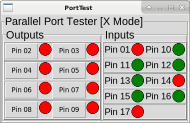
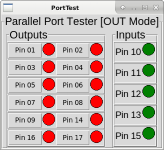
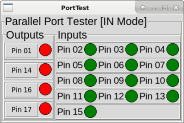
For testing convenience I have extended the Parallel Port Tester from BigJohnT to also test in "IN" and "X" modes.  

     
Last edit: 1 year 7 months ago by ContinenteCNC.

Please Log in or Create an account to join the conversation.
More
1 year 7 months ago - 1 year 7 months ago #324440 by ContinenteCNC
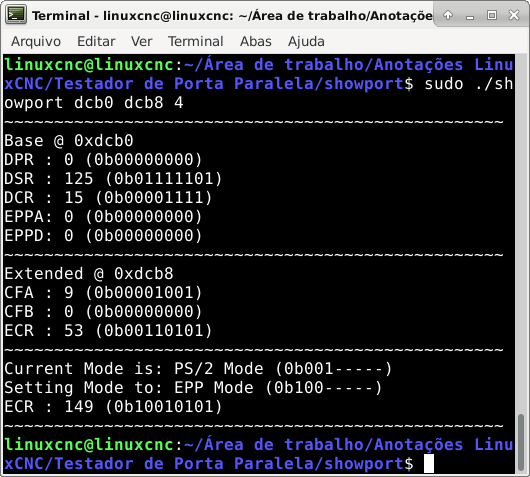
I have also polished the "showport" utility created by Kirk Wallace.

Now one can set and read all 8 parallel port modes from on-board and PCI/PCIe cards.

Instead of showing only the numeric (decimal) value of each register, now it shows the mode name and respective binary value.

Command line is back compatible with original version, but now it is also possible to reference the modes by index.

Compile "sudo gcc -O2 -o showport showport.c"run with "sudo ./showport (base1) (extended1) (mode) (base2) (extended2) (mode) ...

For example - "sudo ./showport 21D0 21C8 1 21C0 21B8 4"
Modes Indexes:    
    0 = Standard Mode
    1 = PS/2 Mode
    2 = Parallel Port FIFO Mode
    3 = ECP FIFO Mode
    4 = EPP Mode
    5 = Reserved
    6 = FIFO Test Mode
    7 = Configuration Mode
    s = PS/2 Mode
    e = EPP Mode
    n = No change

For terminology reference:  wearcam.org/seatsale/programs/www.beyondlogic.org/ecp/ecp.htm


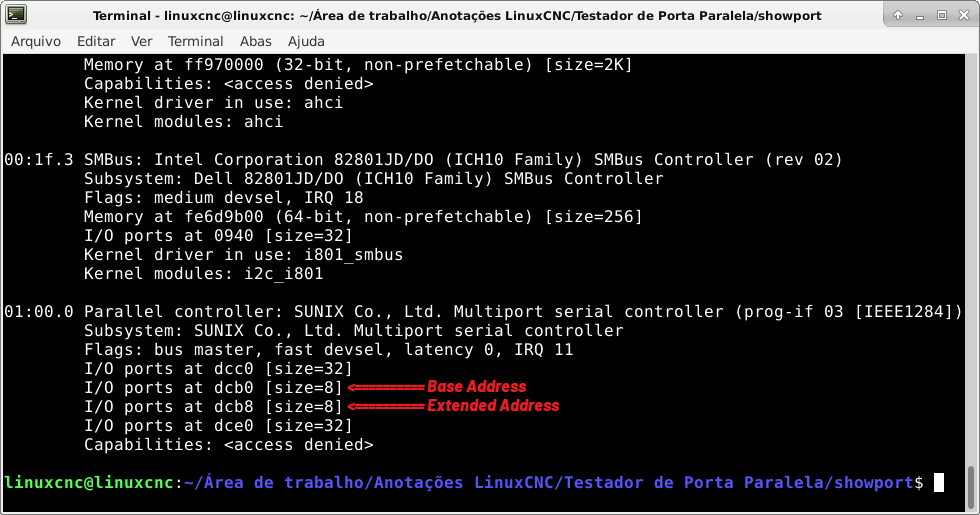
It is not always like this, but for a Sunix SUN2212 these are the addresses I've got. You have to search for two 8 byte addresses. 

Last edit: 1 year 7 months ago by ContinenteCNC.

Please Log in or Create an account to join the conversation.
Time to create page: 0.459 seconds
Powered by Kunena Forum