
Mini PC for LinuxCNC/CPU Realtime Performance
- giaviv
- Offline
- New Member
-

Less
More
- Posts: 7
- Thank you received: 0
28 Jan 2026 11:57 #342074
by giaviv
Replied by giaviv on topic Mini PC for LinuxCNC/CPU Realtime Performance
this is great, thanks for the info! what do these results indicate regarding how good this setup is for the linuxcnc application? im new to linuxcnc so the raw data doesn't mean much to me...
Please Log in or Create an account to join the conversation.
- tommylight
-

- Away
- Moderator
-

Less
More
- Posts: 21943
- Thank you received: 7471
28 Jan 2026 12:33 #342077
by tommylight
Replied by tommylight on topic Mini PC for LinuxCNC/CPU Realtime Performance
@NVE,
can you do the latency test with no base period and with added --show at the end as there are excursions on both periods on your screenshot, and base period is not used for Mesa boards.
Thank you.
can you do the latency test with no base period and with added --show at the end as there are excursions on both periods on your screenshot, and base period is not used for Mesa boards.
Thank you.
The following user(s) said Thank You: NWE
Please Log in or Create an account to join the conversation.
- unknown
- Offline
- Platinum Member
-

Less
More
- Posts: 887
- Thank you received: 323
28 Jan 2026 12:46 #342078
by unknown
Replied by unknown on topic Mini PC for LinuxCNC/CPU Realtime Performance
With Mesa cards latency isn't such as issue as with using the Parallel port. I think the rule of thumb is under 100000ns is good for a mesa card, for about 99% of uses, cos I know someone will have an example that breaks the rule of thumb. Or my numbers may be wrong.
Unlike one forum I can think of we dont have p*$##&€ contests.
If it works and does the job reliably that's the goal.
Unlike one forum I can think of we dont have p*$##&€ contests.
If it works and does the job reliably that's the goal.
The following user(s) said Thank You: tommylight
Please Log in or Create an account to join the conversation.
- OttoDidact
-

- Offline
- Junior Member
-

Less
More
- Posts: 24
- Thank you received: 3
28 Jan 2026 17:00 #342087
by OttoDidact
Replied by OttoDidact on topic Mini PC for LinuxCNC/CPU Realtime Performance
I just watched your YouTube video on reducing latency.
People were talking about isolating cores, and I think that your PC has 8 cores, not 7. Counting from zero gives you 8.
Could this be causing mischief with isolation?
Good video, that grub editor is good to know about.
People were talking about isolating cores, and I think that your PC has 8 cores, not 7. Counting from zero gives you 8.
Could this be causing mischief with isolation?
Good video, that grub editor is good to know about.
Please Log in or Create an account to join the conversation.
- NWE
-

- Offline
- Elite Member
-

Less
More
- Posts: 261
- Thank you received: 80
29 Jan 2026 04:35 - 29 Jan 2026 04:55 #342139
by NWE
Replied by NWE on topic Mini PC for LinuxCNC/CPU Realtime Performance
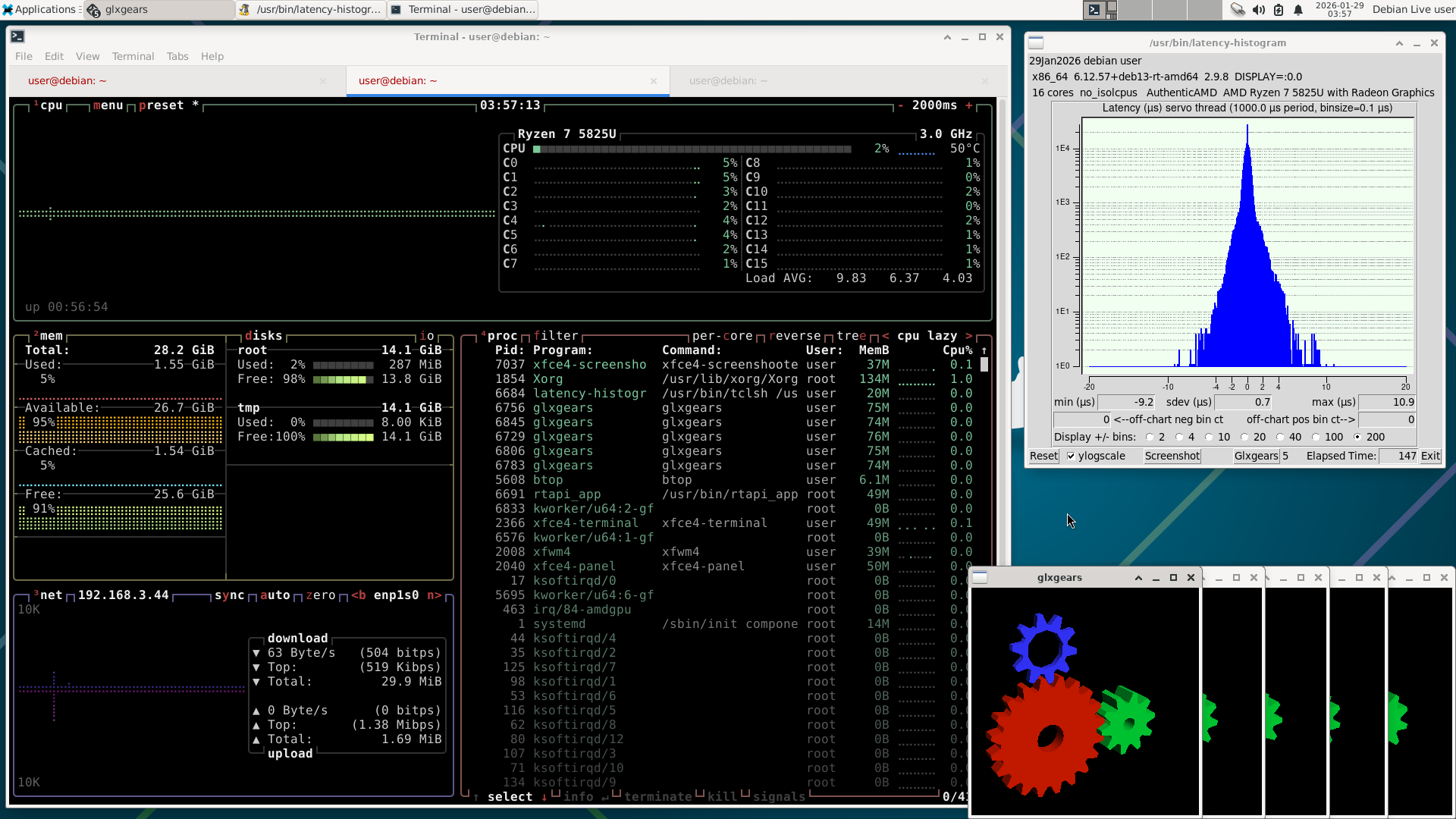
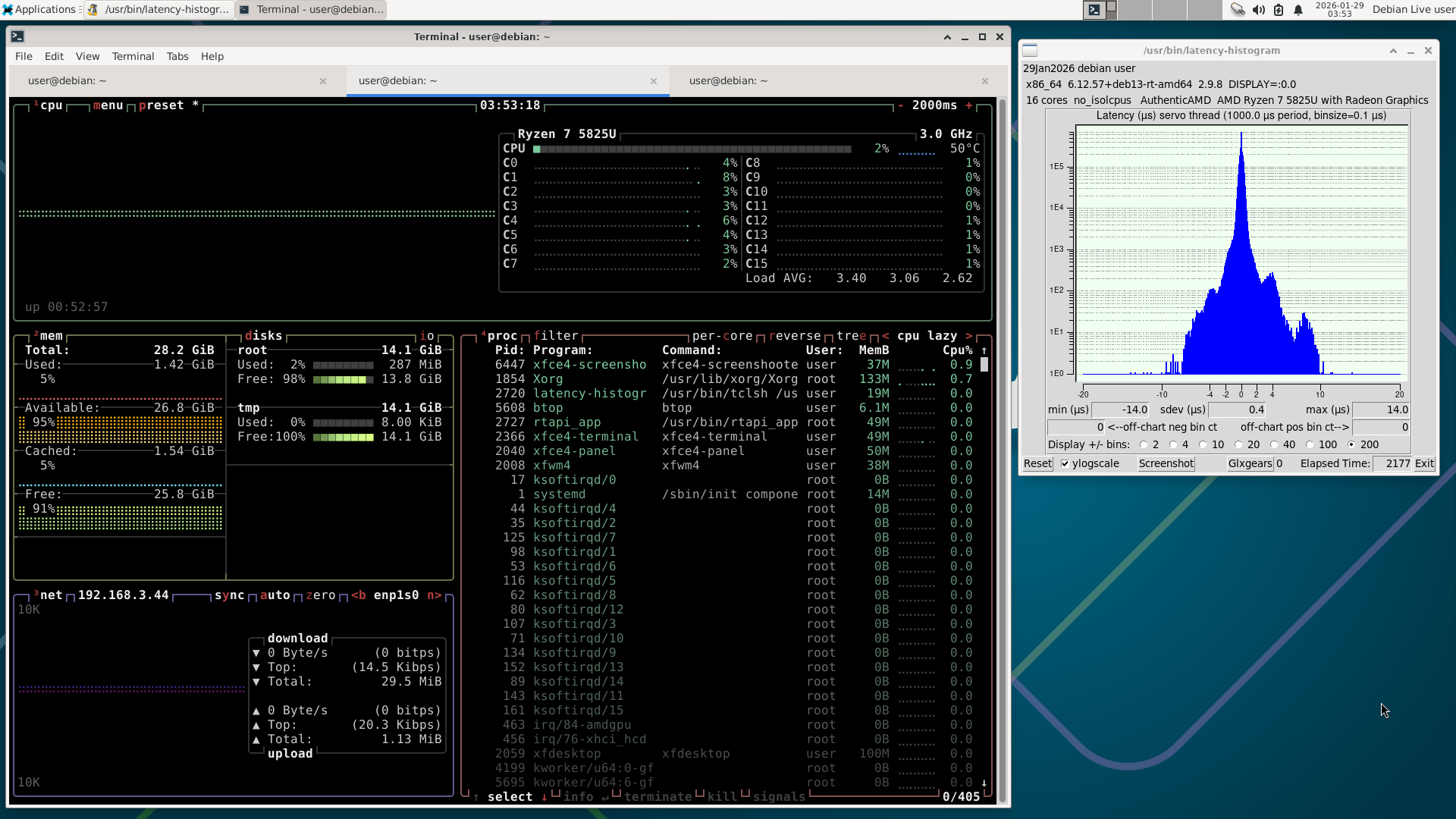
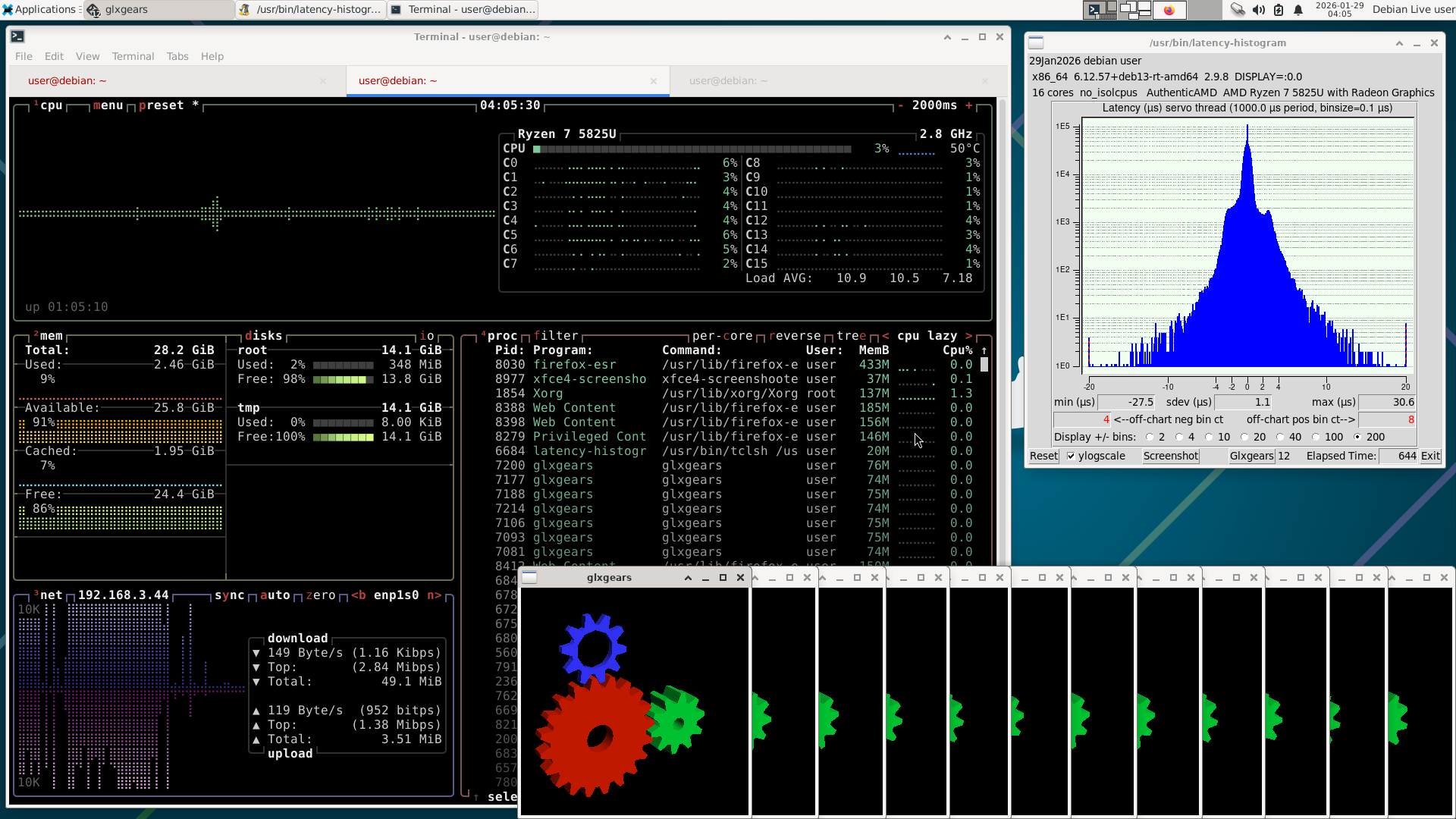
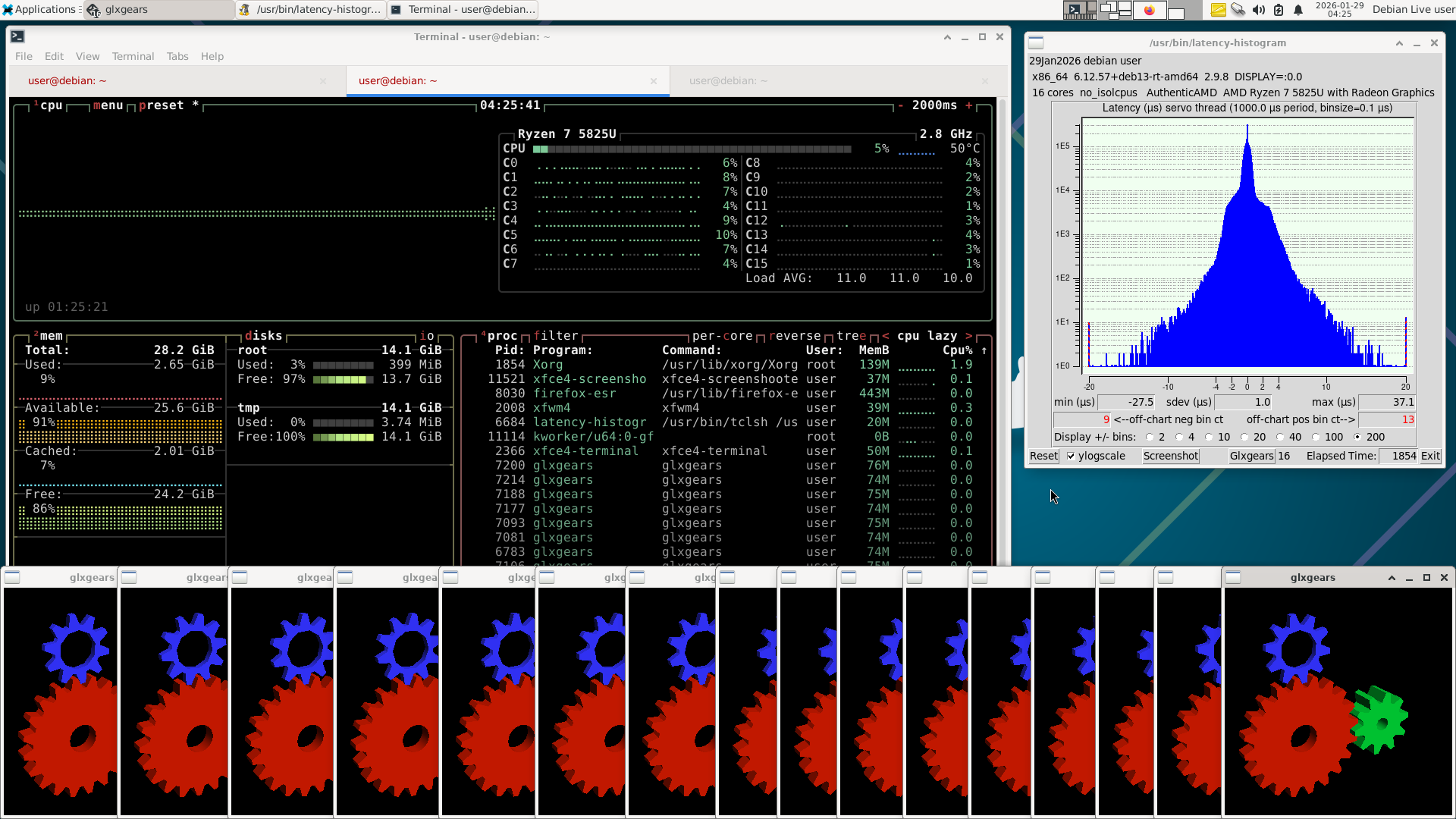
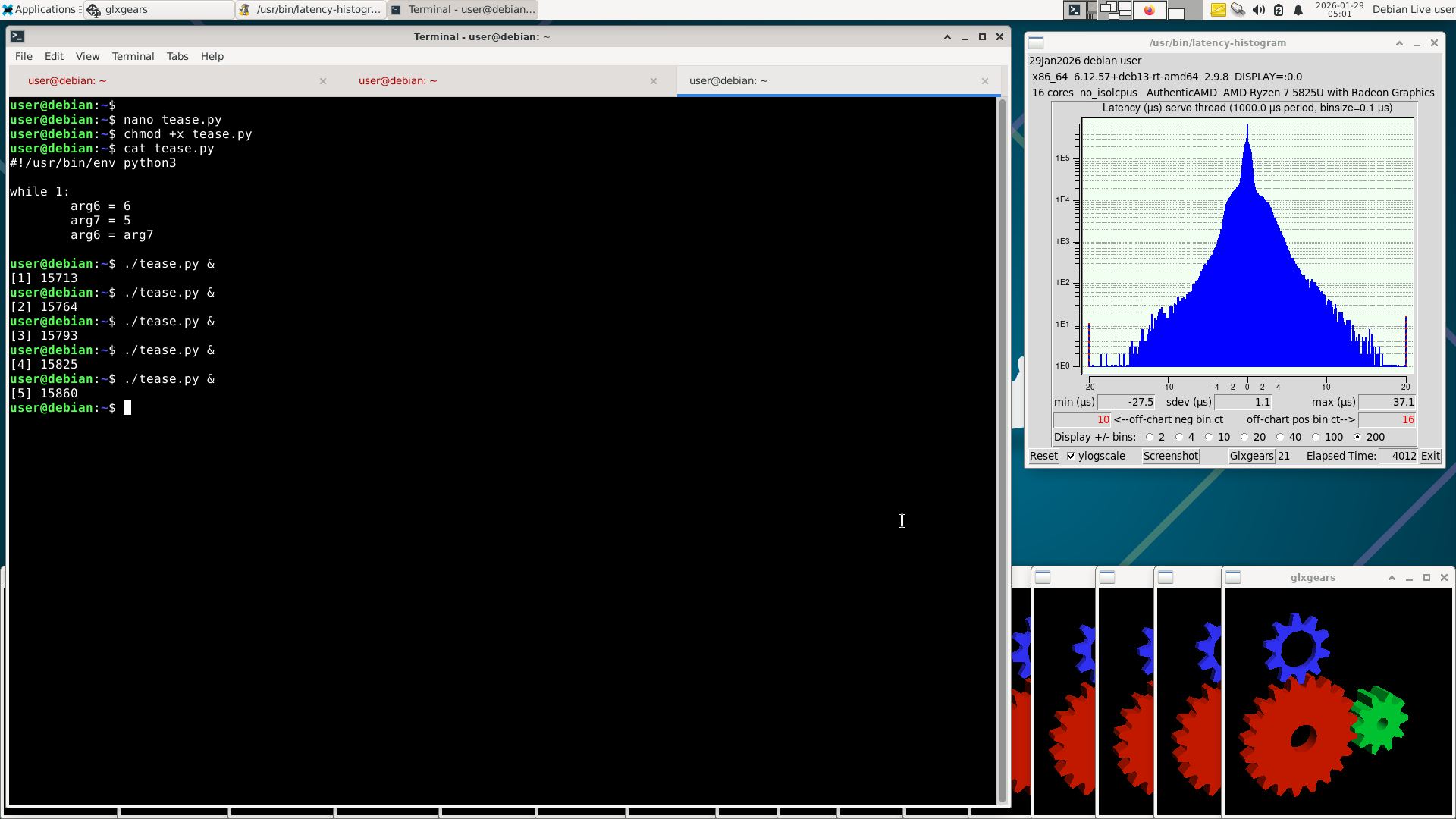
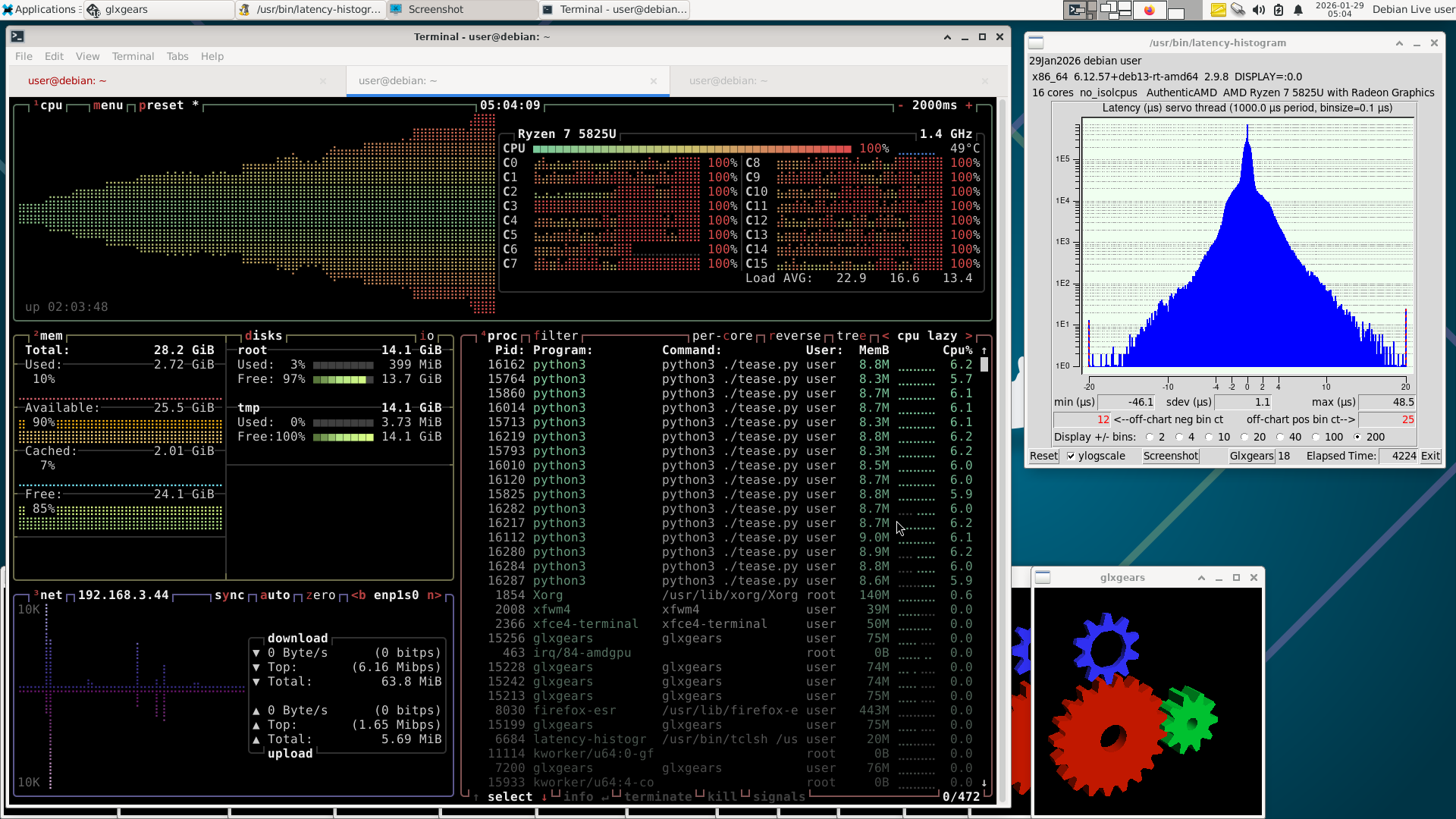
More screenshots; for the first run I left it running for a bit without teasing it much. Then I restarted the test and let it run a bit, occationally taking a screenshot, then opening more apps.
Wow, I just noticed the load average numbers in btop. I was noticing how glxgears is not showing a lot of cpu usage, now I notice it showing up in the load average. I will go back and find out what it takes to bump that load average over 16! I will post it.
When I'm building something like LinuxCNC from source I make sure I have the build terminal and btop open so I can watch it rip! Especially on the 10yr old server with two Xeon 14 core CPU's = 56 threads.
Wow, I just noticed the load average numbers in btop. I was noticing how glxgears is not showing a lot of cpu usage, now I notice it showing up in the load average. I will go back and find out what it takes to bump that load average over 16! I will post it.
When I'm building something like LinuxCNC from source I make sure I have the build terminal and btop open so I can watch it rip! Especially on the 10yr old server with two Xeon 14 core CPU's = 56 threads.
Last edit: 29 Jan 2026 04:55 by NWE. Reason: load average
Please Log in or Create an account to join the conversation.
- NWE
-
- Offline
- Elite Member
-
Less
More
- Posts: 261
- Thank you received: 80
29 Jan 2026 05:22 - 29 Jan 2026 06:18 #342141
by NWE
Replied by NWE on topic Mini PC for LinuxCNC/CPU Realtime Performance
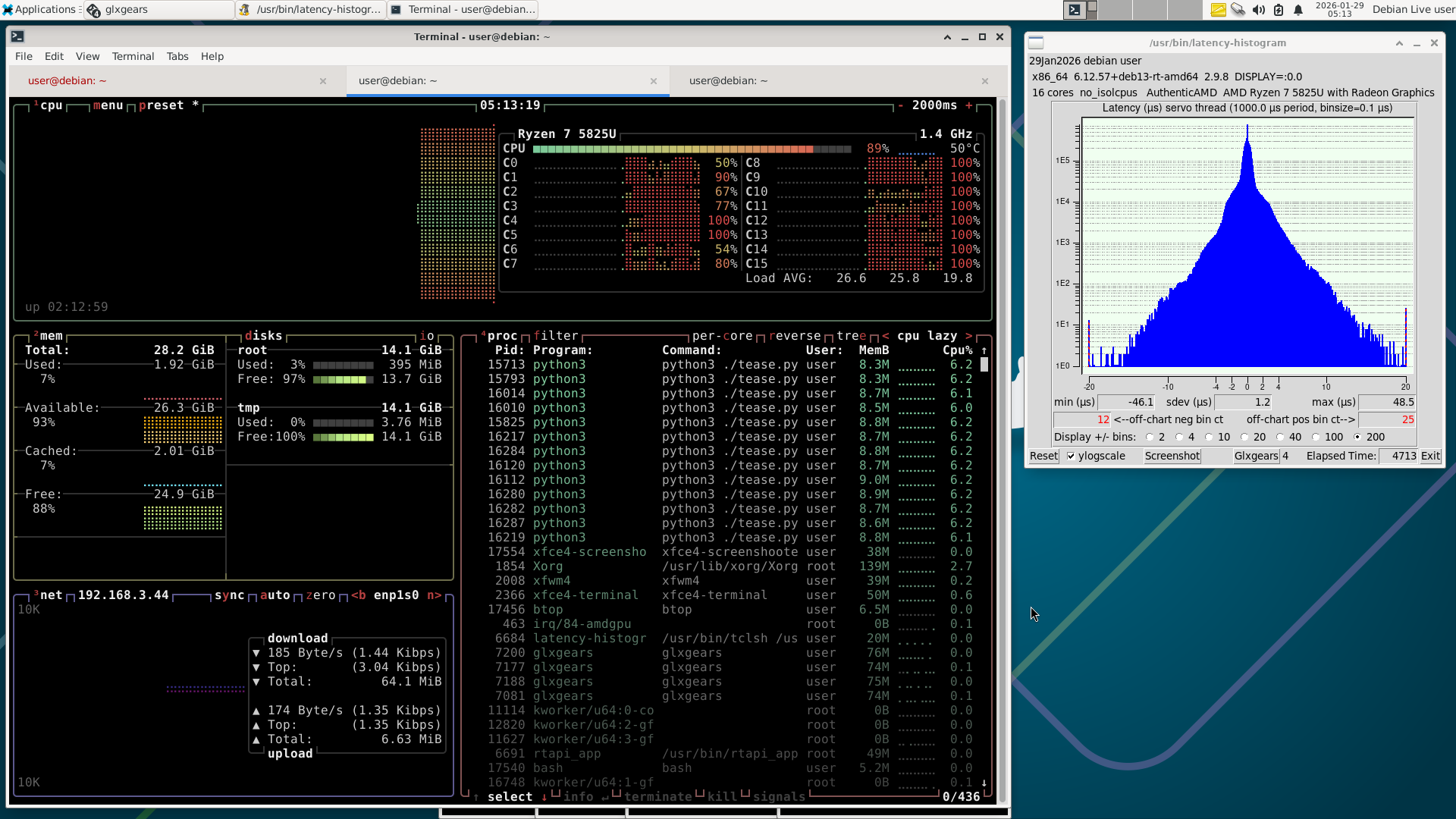
Now it's bogging down. Toward the end I had to close some stuff so I could get screenshot to open. Boy, this thing is really throttling down.
Oh No! now I remember, a bit ago I was running this thing on a power tool battery+inverter , so I had changed the power limit in bios as low as it can be set! I will try one more time.
Oh No! now I remember, a bit ago I was running this thing on a power tool battery+inverter , so I had changed the power limit in bios as low as it can be set! I will try one more time.
Last edit: 29 Jan 2026 06:18 by NWE.
Please Log in or Create an account to join the conversation.
- NWE
-
- Offline
- Elite Member
-
Less
More
- Posts: 261
- Thank you received: 80
29 Jan 2026 05:52 #342142
by NWE
Replied by NWE on topic Mini PC for LinuxCNC/CPU Realtime Performance
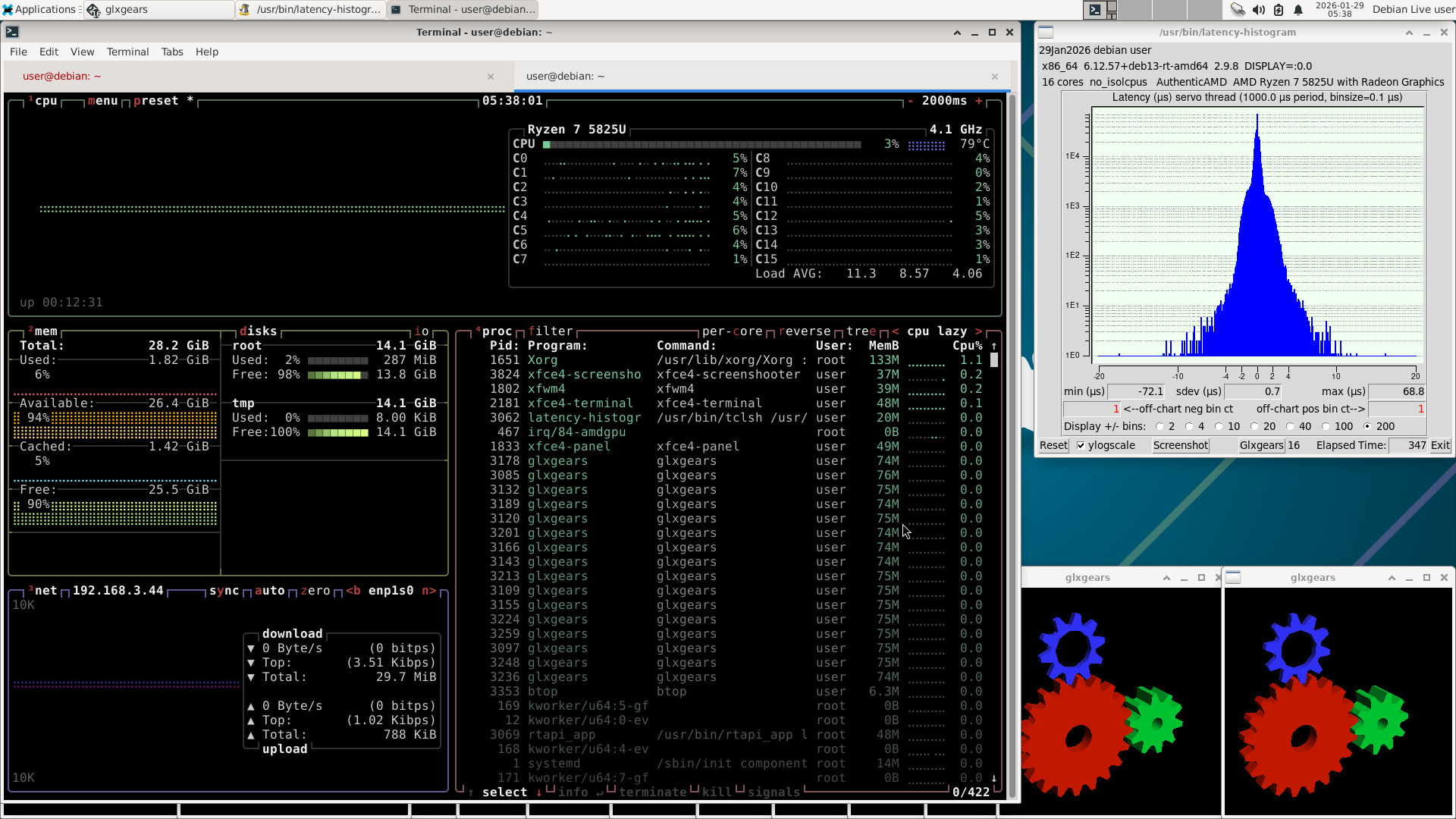
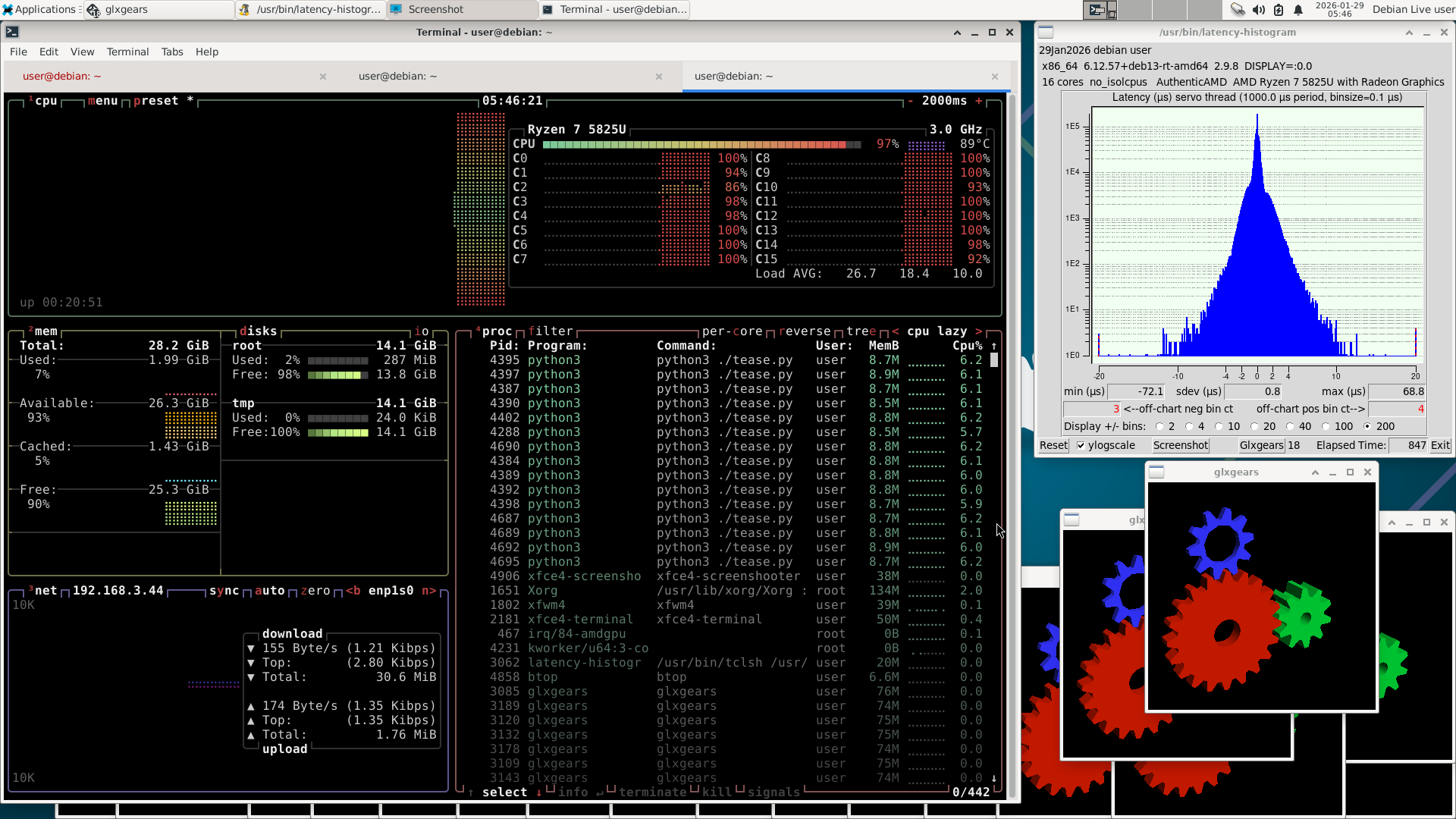
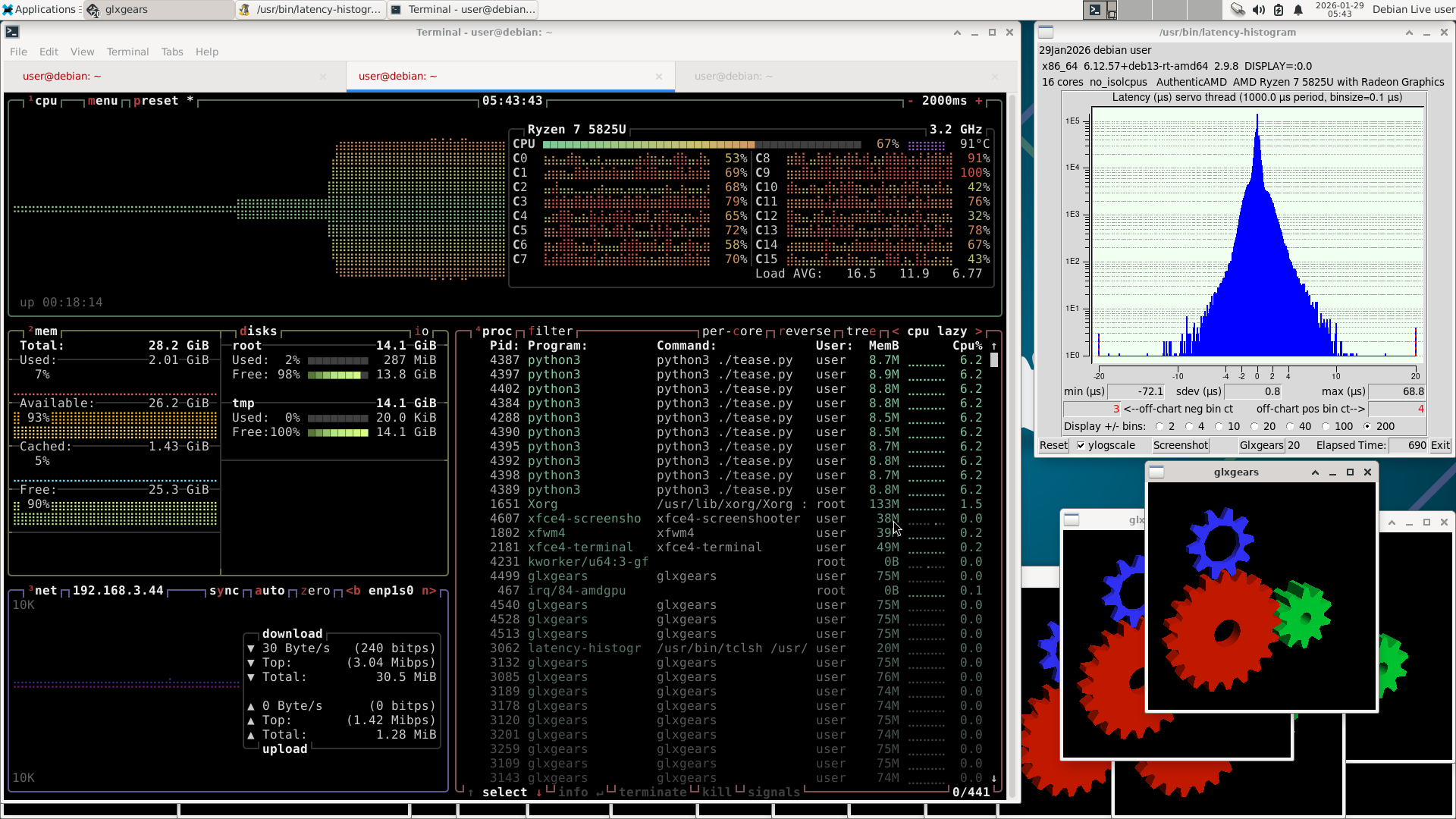
I like this better. I went in the bios and changed cpu power limit back from 10W to the default 35W "performance" setting.
Please Log in or Create an account to join the conversation.
- NWE
-
- Offline
- Elite Member
-
Less
More
- Posts: 261
- Thank you received: 80
29 Jan 2026 06:04 #342143
by NWE
Replied by NWE on topic Mini PC for LinuxCNC/CPU Realtime Performance
For what it's worth, I've used $200 to $400 USD mini-pc's with way worse latency than this with ethercat and Mesa card setups and never bothered optimizing for latency. It seems to work great.
Please Log in or Create an account to join the conversation.
- rodw
-

- Offline
- Platinum Member
-
Less
More
- Posts: 12156
- Thank you received: 4149
29 Jan 2026 11:08 #342156
by rodw
Replied by rodw on topic Mini PC for LinuxCNC/CPU Realtime Performance
Yes, I think people get carried away chasing the minimum. If it works without error its fine, up to about 200 usec of latency works mostly, I used 130 usec for years...
The following user(s) said Thank You: onceloved, NWE
Please Log in or Create an account to join the conversation.
- summat
- Offline
- New Member
-
Less
More
- Posts: 7
- Thank you received: 2
19 Feb 2026 16:49 #343194
by summat
Replied by summat on topic Mini PC for LinuxCNC/CPU Realtime Performance
I'll hijack this thread, as my use-case is a "mini PC" NUC gen-11 i3, modest performance but which should more than adequate for LinuxCNC. Running 2.9.0 (though able to update... however same behaviour verified with another user here with standard desktop and 2.9.8).
With a Mesa 7i76e (other user: 7i92) - just observing HAL pins, whilst rebuilding an old Boxford 160 set-up I noticed that the HAL Write.Time pin was bubbling around 10,000-12,000 (so, 10us-12us) - which looked quite respectable given that the HM2 is scheduled on servo thread at 1ms. The hm2.read, however, was around 800,000-900,000 (verified on other user's 7i92 also), That, to my uneducated mind is getting a bit close to the limits of the 1ms servo thread. Do other people see similar performance / behaviour with Mesa cards?
I'll dig deeper and Wireshark the set-up. I should say that my particular environment the NUC wired interface is hooked to the Mesa, and I use WiFi for internet. Other user is dedicated wired interface to the machine without internet.
With a Mesa 7i76e (other user: 7i92) - just observing HAL pins, whilst rebuilding an old Boxford 160 set-up I noticed that the HAL Write.Time pin was bubbling around 10,000-12,000 (so, 10us-12us) - which looked quite respectable given that the HM2 is scheduled on servo thread at 1ms. The hm2.read, however, was around 800,000-900,000 (verified on other user's 7i92 also), That, to my uneducated mind is getting a bit close to the limits of the 1ms servo thread. Do other people see similar performance / behaviour with Mesa cards?
I'll dig deeper and Wireshark the set-up. I should say that my particular environment the NUC wired interface is hooked to the Mesa, and I use WiFi for internet. Other user is dedicated wired interface to the machine without internet.
Please Log in or Create an account to join the conversation.
Time to create page: 0.122 seconds