
- Posts: 199
- Thank you received: 25
G41 and G42 Input path error
- RobotMatic
- Offline
- Elite Member
-

Less
More
9 years 1 month ago #99290
by RobotMatic
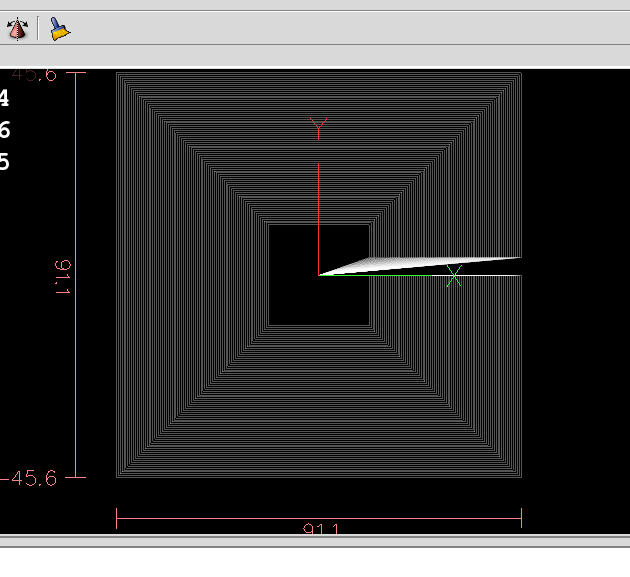
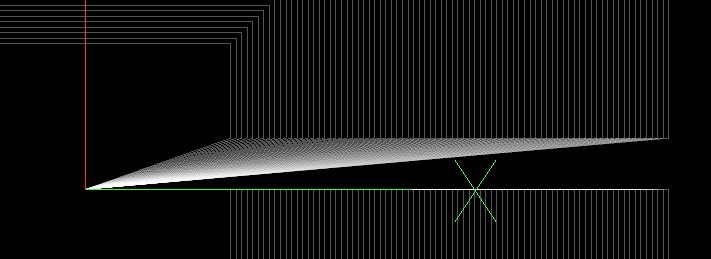
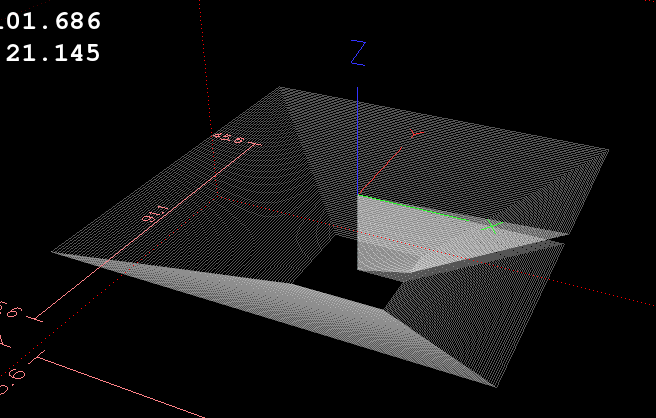
I have not yet caught the attention of developers. I will continue sending different programs to continue showing the problem
Replied by RobotMatic on topic G41 and G42 Input path error
I have not yet caught the attention of developers. I will continue sending different programs to continue showing the problem
Please Log in or Create an account to join the conversation.
- crisiacuf
- Offline
- Junior Member
-

Less
More
- Posts: 22
- Thank you received: 0
8 years 11 months ago #102056
by crisiacuf
Replied by crisiacuf on topic G41 and G42 Input path error
Hello all,
I am a noob in G code so please bare with me.
I am encountering an error with G41 "Lenght of cutter compensation entry move is not greater than the tool radius" near line 13 of my code below.
I am using the Linuxcnc non random processor for Camworks but my cam software is Solidworks CAM(based on Camworks too)
To make the cam working I am making some unorthodox(I think) modification in the G code but the G41 error is killing me slowly now
This is the beginning of the Gcode my postprocessor is outputing:
( PART NAME=2mm )
( MACHINE=LINUXCNC )
G21 G17
G91 G28 Z0
G28 X0 Y0
(1.5MM CRB3FL 25 LOC)
N1( T03 M06)
S12000 M03
M08
G90 G54 G00 X36.7 Y17.04
T01 G43 Z-3. H03
G01 Z-7. F662.94
G41 D23 X36.7 Y16. F1988.82
X37. F2651.76
X54.284
X56.409 Y43.
X54.914
I manually copy the first line from another G code to make it work with my machine(I use automatic tool length measure) and delete the N1( )
G17 G21 G40 G90
(1.5MM CRB3FL 25 LOC)
T03 M06
S12000 M03
M08
G90 G54 G00 X36.7 Y17.04
T01 G43 Z-3. H03
G01 Z-7. F662.94
G41 D23 X36.7 Y16. F1988.82
X37. F2651.76
X54.284
X56.409 Y43.
X54.914
The G41 line is in the beginning of the next step but for simplicity I am posting just a section.
Can somebody advice me how to fix this? And maybe what to use to modify the post processor?
I also tried an arc entry move before perpendicular to no avail
I am a noob in G code so please bare with me.
I am encountering an error with G41 "Lenght of cutter compensation entry move is not greater than the tool radius" near line 13 of my code below.
I am using the Linuxcnc non random processor for Camworks but my cam software is Solidworks CAM(based on Camworks too)
To make the cam working I am making some unorthodox(I think) modification in the G code but the G41 error is killing me slowly now
This is the beginning of the Gcode my postprocessor is outputing:
( PART NAME=2mm )
( MACHINE=LINUXCNC )
G21 G17
G91 G28 Z0
G28 X0 Y0
(1.5MM CRB3FL 25 LOC)
N1( T03 M06)
S12000 M03
M08
G90 G54 G00 X36.7 Y17.04
T01 G43 Z-3. H03
G01 Z-7. F662.94
G41 D23 X36.7 Y16. F1988.82
X37. F2651.76
X54.284
X56.409 Y43.
X54.914
I manually copy the first line from another G code to make it work with my machine(I use automatic tool length measure) and delete the N1( )
G17 G21 G40 G90
(1.5MM CRB3FL 25 LOC)
T03 M06
S12000 M03
M08
G90 G54 G00 X36.7 Y17.04
T01 G43 Z-3. H03
G01 Z-7. F662.94
G41 D23 X36.7 Y16. F1988.82
X37. F2651.76
X54.284
X56.409 Y43.
X54.914
The G41 line is in the beginning of the next step but for simplicity I am posting just a section.
Can somebody advice me how to fix this? And maybe what to use to modify the post processor?
I also tried an arc entry move before perpendicular to no avail
Please Log in or Create an account to join the conversation.
- RobotMatic
- Offline
- Elite Member
-
Less
More
- Posts: 199
- Thank you received: 25
8 years 11 months ago - 8 years 11 months ago #102060
by RobotMatic
Replied by RobotMatic on topic G41 and G42 Input path error
let me try the code and I'll tell you
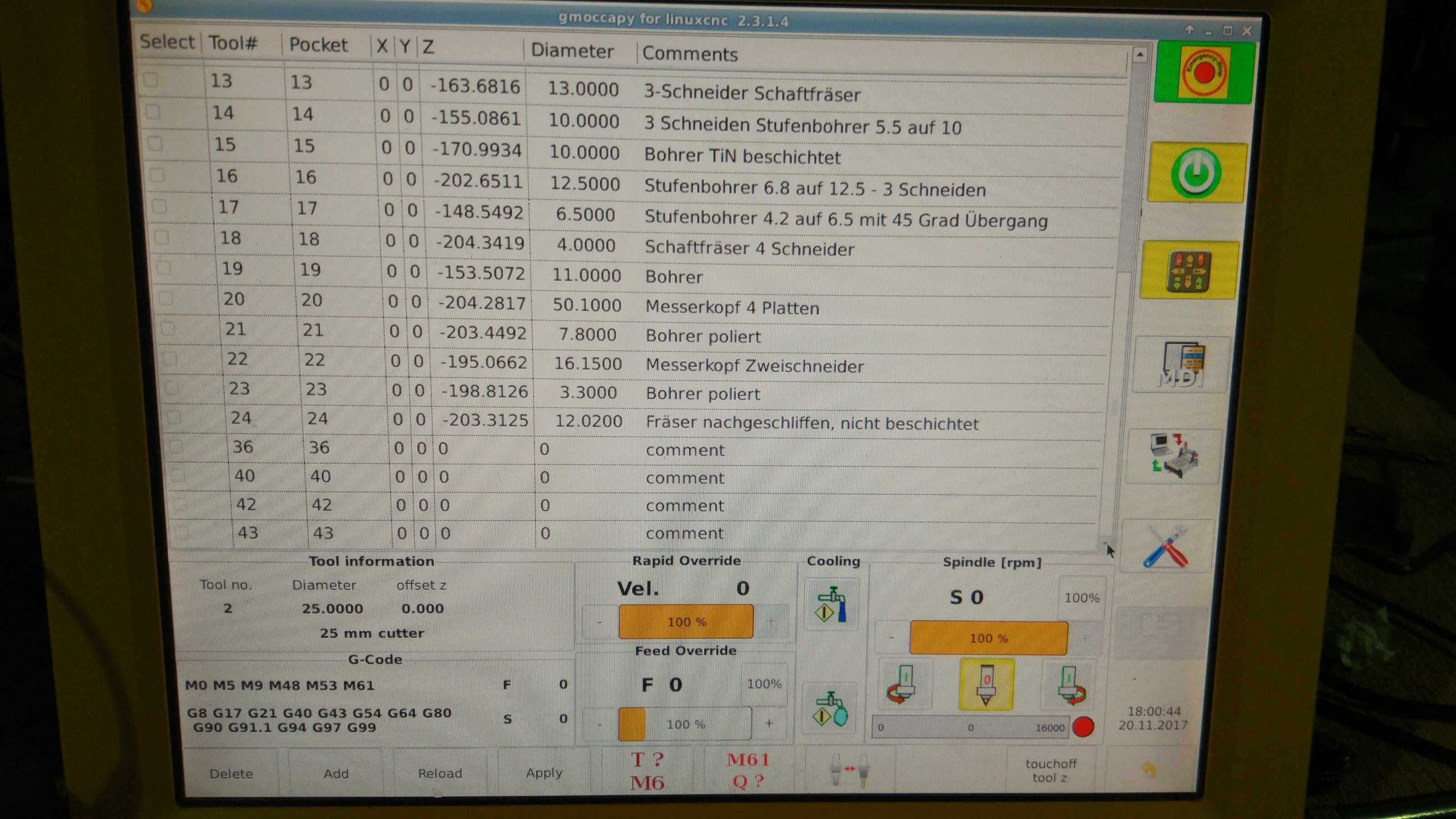
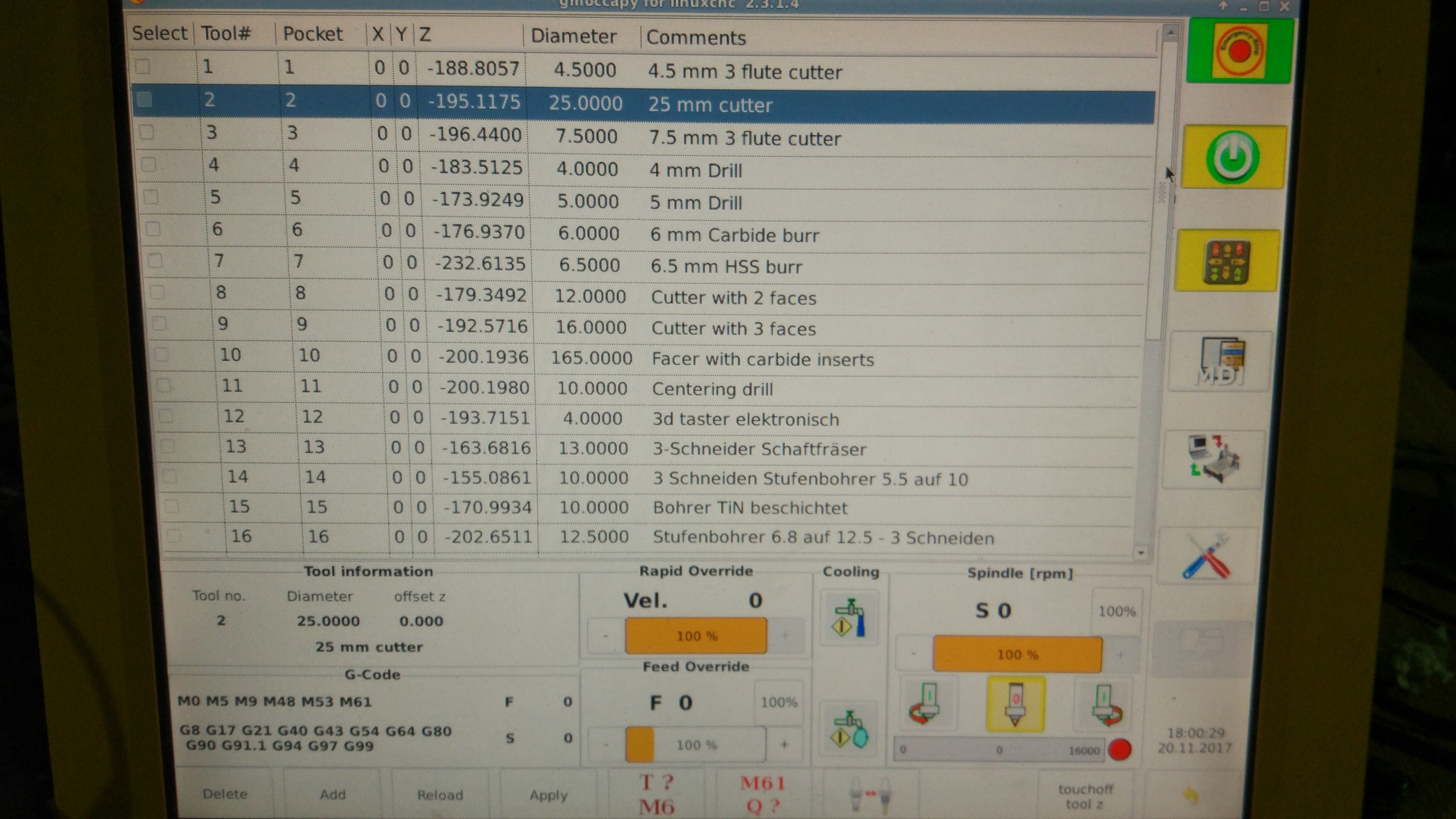
can you show an image of your tool table?
can you show an image of your tool table?
Last edit: 8 years 11 months ago by RobotMatic.
Please Log in or Create an account to join the conversation.
- crisiacuf
- Offline
- Junior Member
-
Less
More
- Posts: 22
- Thank you received: 0
8 years 11 months ago #102064
by crisiacuf
Replied by crisiacuf on topic G41 and G42 Input path error
Does it matter?
Please Log in or Create an account to join the conversation.
- RobotMatic
- Offline
- Elite Member
-
Less
More
- Posts: 199
- Thank you received: 25
8 years 11 months ago #102065
by RobotMatic
Replied by RobotMatic on topic G41 and G42 Input path error
yes. G41 reads the value stored in the position of the tool table to use it. Your program does not load the value. you must do it manually or with the instruction G10 L. If this value is greater than the input path, it will give you an error. for example. There is no way to use G41 compensation without using the tool table. for that is this !!!!!!!!
D23 indicates the reading position in the table.
What is the value of Radio tool in position 23?
D23 indicates the reading position in the table.
What is the value of Radio tool in position 23?
Please Log in or Create an account to join the conversation.
- crisiacuf
- Offline
- Junior Member
-
Less
More
- Posts: 22
- Thank you received: 0
8 years 11 months ago - 8 years 11 months ago #102067
by crisiacuf
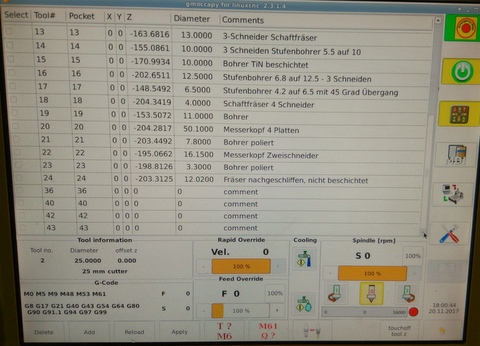
Sorry, but until this day I survived without needing to edit the tool table. I read about G41 arguments already but i have no idea where the postprocessor takes D23 from.
But Isn't the tool declared T03?
On position 23 in my tool table there is a 3 mm tool indeed. But where is "23" coming from? Blackmagic gcode ? In Solidworks CAM tool 3 has ID16.
I tried deleting D23 but same error message.
Replied by crisiacuf on topic G41 and G42 Input path error
Sorry, but until this day I survived without needing to edit the tool table. I read about G41 arguments already but i have no idea where the postprocessor takes D23 from.
But Isn't the tool declared T03?
On position 23 in my tool table there is a 3 mm tool indeed. But where is "23" coming from? Blackmagic gcode ? In Solidworks CAM tool 3 has ID16.
I tried deleting D23 but same error message.
Last edit: 8 years 11 months ago by crisiacuf.
Please Log in or Create an account to join the conversation.
Time to create page: 1.536 seconds