eccentric turning

More
4 years 9 months ago #231237 by jpg
Replied by jpg on topic eccentric turning
maybe with the video ?   ;-)

Please Log in or Create an account to join the conversation.

More
3 years 6 months ago #268078 by mehdidadash
Replied by mehdidadash on topic eccentric turning
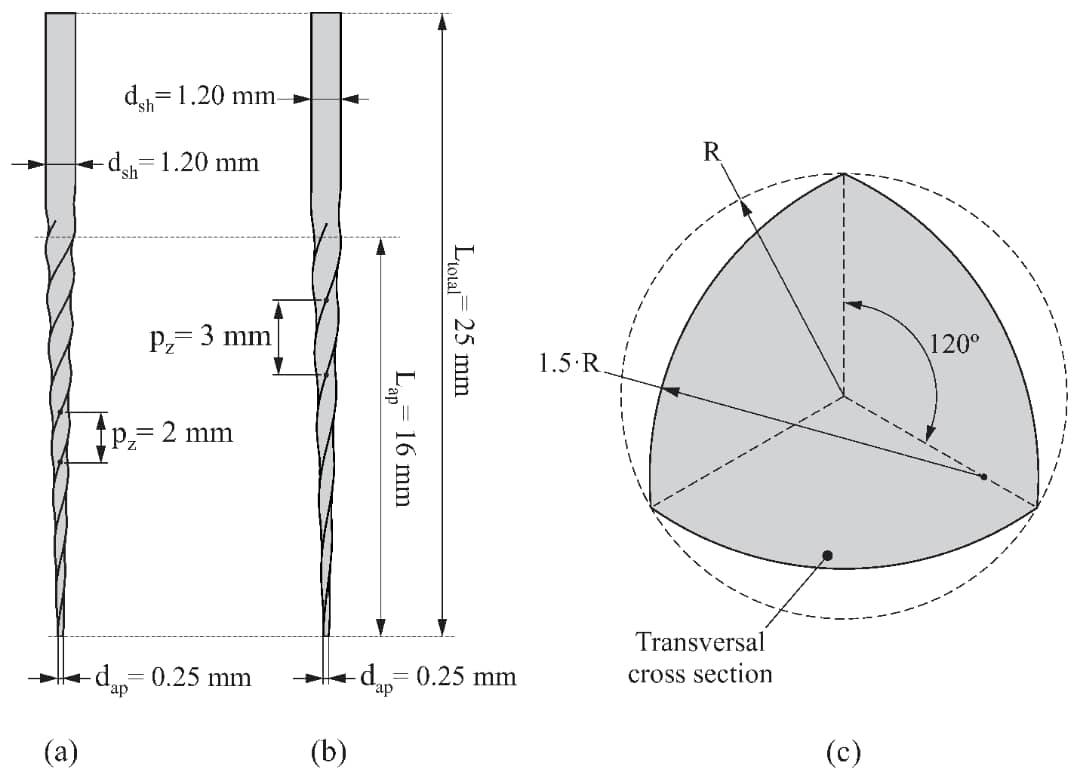
Hi dears. I am designing a machine to grind the component in the attachment.
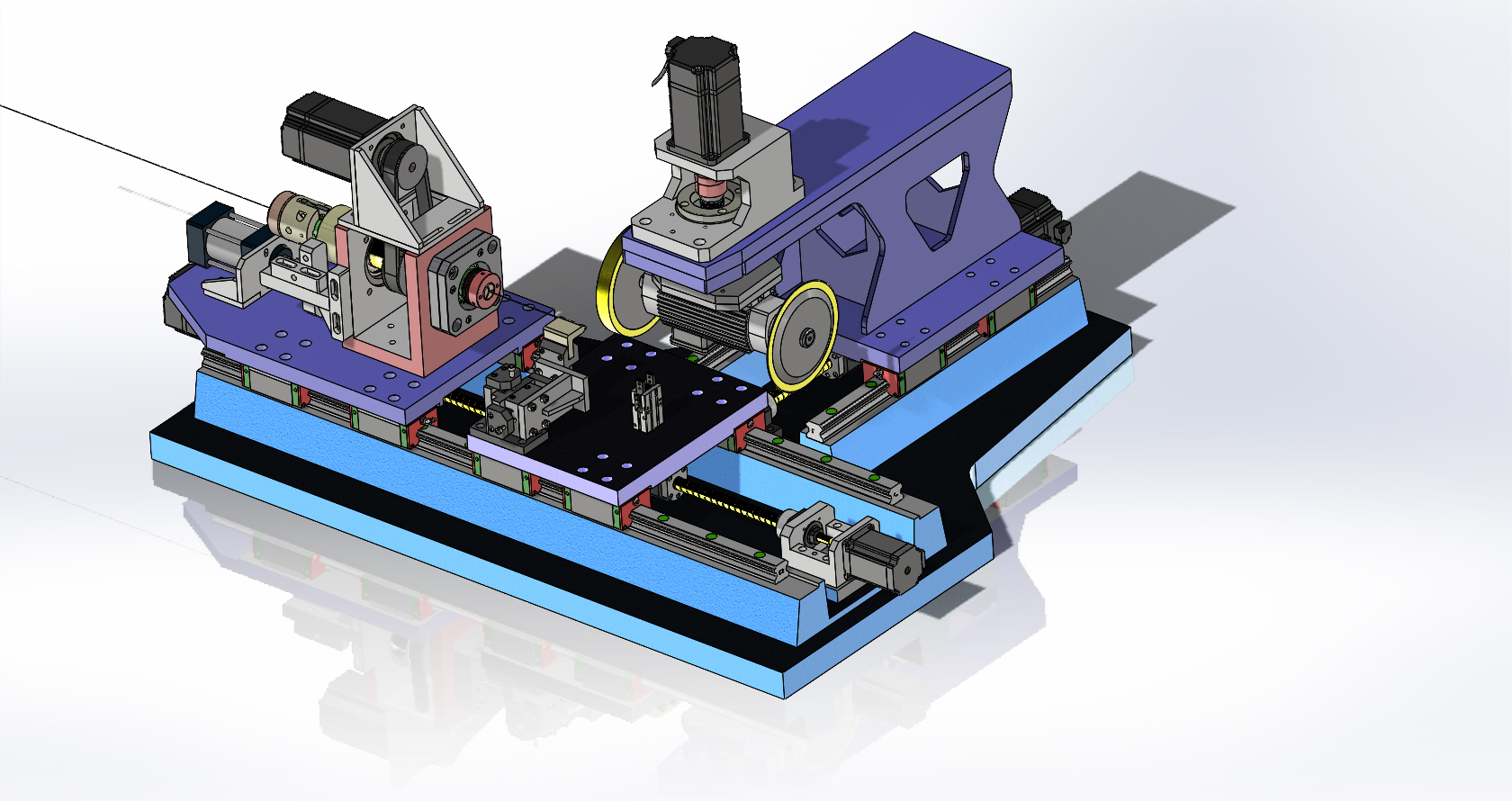
i have attached machine design too. It has this axes;
X(radial )
Z(axial)
B( i may remove this, i added it in a conservative move)
C( workpiece spindle, servo driven)
I want to write a hal to sync x, z, c axis together.
i have mathematical formula for all of surface and i have writen a code to generate a gcode for this. 
MY servos are all delta asd-a2L ethercat.
But best move will be syncing x, z, c together in a hal file like what you have written here.
Where should i start?
I have a very good mathematical background but started coding just recently. 

Please Log in or Create an account to join the conversation.

More
3 years 6 months ago #268082 by mehdidadash
Replied by mehdidadash on topic eccentric turning
Consider that for every point of contact between wheel and workpiece, we know a tapered helical path. The path has this form:
x=f(c)
Z=g(c)
c=c(from 0 to n*c)
SO i have written a function that generates g code like this:
G01 Xf(0) Zg(0) C(0) F400
G01 Xf(10) Zg(10) C(10) F400
And continue to add 10 degrees to c in every step until it reaches the end of component.
But it does not have required accuracy.
So i wanted to write a hal component to link this three axes together.
How should i start ?
Would you give me a starting point ? 

Please Log in or Create an account to join the conversation.

More
3 years 6 months ago #268084 by andypugh
Replied by andypugh on topic eccentric turning
This feels a lot like:

However, you would need the relief grind to vary with Z axis movement, according to the flute spiral angle.

I actually did that relief turning using the "hexbore" component that is also used for the hexagonal boring demo.

This is the HAL component (And the part of the HAL file which connects it).

For grinding spirals I would suggest adding two more pins, one to receive the absolute Z position and another that gets the tangent of the flute angle (no point working out the tangent in the realtime thread, it doesn't move)
You can remove the sections that are active if relief == 0, those are for polygon mode.
Code:
component hexbore "A component to bore polygonal holes"; include "rtapi_math.h"; pin in float spindle-position "scaled 1.0 per rev"; pin in float radius "halui.axis.x.position-relative"; pin in unsigned facets=6; pin in float relief = 0; pin in bit enable; pin out signed offset "scaled x10000"; pin out float angle; pin out unsigned version = 6; function _; license "GPL"; author "andy pugh"; ;; double fmod(double x, double y){ return x - y * (floor(x / y)); } FUNCTION (_){ if (! enable || (facets < 4 && relief == 0) || (facets <1 && relief != 0)) { offset = 0; return; } if (relief == 0){ angle = (fmod(spindle_position, 1.0 / facets) - 1.0 / (2.0 * facets)) * 6.283185307179586; offset = 10000 * ((radius / cos(angle)) - radius); } else { offset = 5000 * relief * (cos(spindle_position * facets * 6.283185307179586) - 1); } }

And the HAL file:
Code:
loadrt hexbore addf hexbore.0 servo-thread #halui...pos-relative includes the eoffset loadrt sum2 names=sum2.rad addf sum2.rad servo-thread setp sum2.rad.gain0 -1 net rad-offset axis.x.eoffset-request => sum2.rad.in0 net rad-raw halui.axis.x.pos-relative => sum2.rad.in1 net radius sum2.rad.out => hexbore.0.radius setp axis.x.eoffset-scale .0001 net spindle-revs hexbore.0.spindle-position net offset axis.x.eoffset-counts hexbore.0.offset
The following user(s) said Thank You: mehdidadash, arijitdutta

Please Log in or Create an account to join the conversation.

Time to create page: 0.083 seconds
Powered by Kunena Forum