Install parallel port

More
5 years 7 months ago #201566 by guido-52
Replied by guido-52 on topic Install parallel port
Hoi,
I have run a "blank" stepconfig wizard. Named "my-test".

In the wizard only the name changed, the rest the "basic" settings, then in the hall file the port address changed to "ef00"
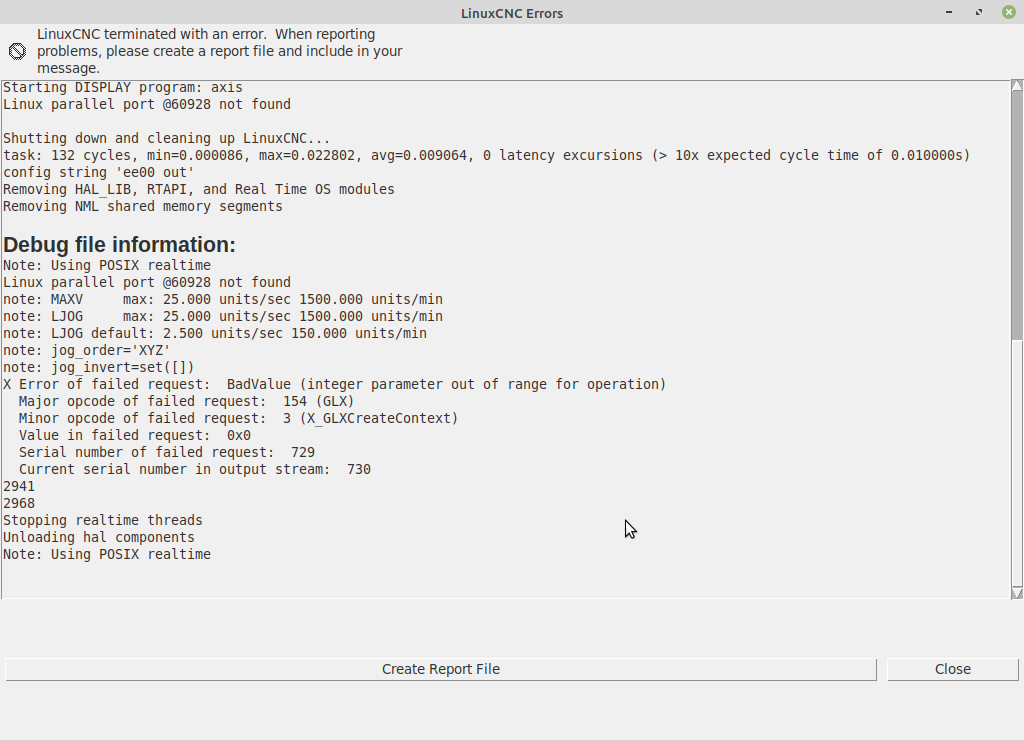
The same result, the machine does not start up and displays the error screen.

Also the same with the second address "ee00".

attached "show_errors.txt" the report generated by this error message.
also "my-test.hal" and "my-test.hal"

"Schermafdruk op 2021-03-09 18-02-05.png" is a screenshot of this attempt

The errors you have noticed are probably related to my joy pad.

"myn-cnc.hal" and "myn-cnc.ini" are the files from my original configuration.

File Attachment:

File Name: myn-cnc.hal
File Size:4.37 KB

File Attachment:

File Name: myn-cnc.hal
File Size:4.37 KB

File Attachment:

File Name: myn-cnc.hal
File Size:4.37 KB

Please Log in or Create an account to join the conversation.
More
5 years 7 months ago #201576 by PCW
Replied by PCW on topic Install parallel port
Looks like you accidentally pasted the error message into the hal file:

addf motion-command-handler servo-threadinux parallel port @57344 not found

Please Log in or Create an account to join the conversation.
More
5 years 7 months ago #201578 by guido-52
Replied by guido-52 on topic Install parallel port
Indeed it looks like it, but in the "new" hal-file it is not and it does not start up there either, but there is an error message

Please Log in or Create an account to join the conversation.

More
5 years 7 months ago #201579 by PCW
Replied by PCW on topic Install parallel port
"addf motion-command-handler servo-threadinux parallel port @57344 not found"

probably caused the "HAL: ERROR: bad position: 0" error

What is the current error?

Please Log in or Create an account to join the conversation.

More
5 years 7 months ago #201582 by guido-52
Replied by guido-52 on topic Install parallel port
With the "blank" stepconfig (see previous message) Again that "port was not found ...."


I can still assume that with a new "stepconfig" and no change other than addressing the parallel port in the hal-file, the machine should boot instead of not booting and displaying an error report.
So there is something wrong with the port addressing. linuxcnc finds no port at the address specified by lspci.
The question is how do I find out with which address linuxcnc finds the card.

Tomorrow I will find another computer and install everything again, maybe that works.

Please Log in or Create an account to join the conversation.

More
5 years 7 months ago #201583 by PCW
Replied by PCW on topic Install parallel port
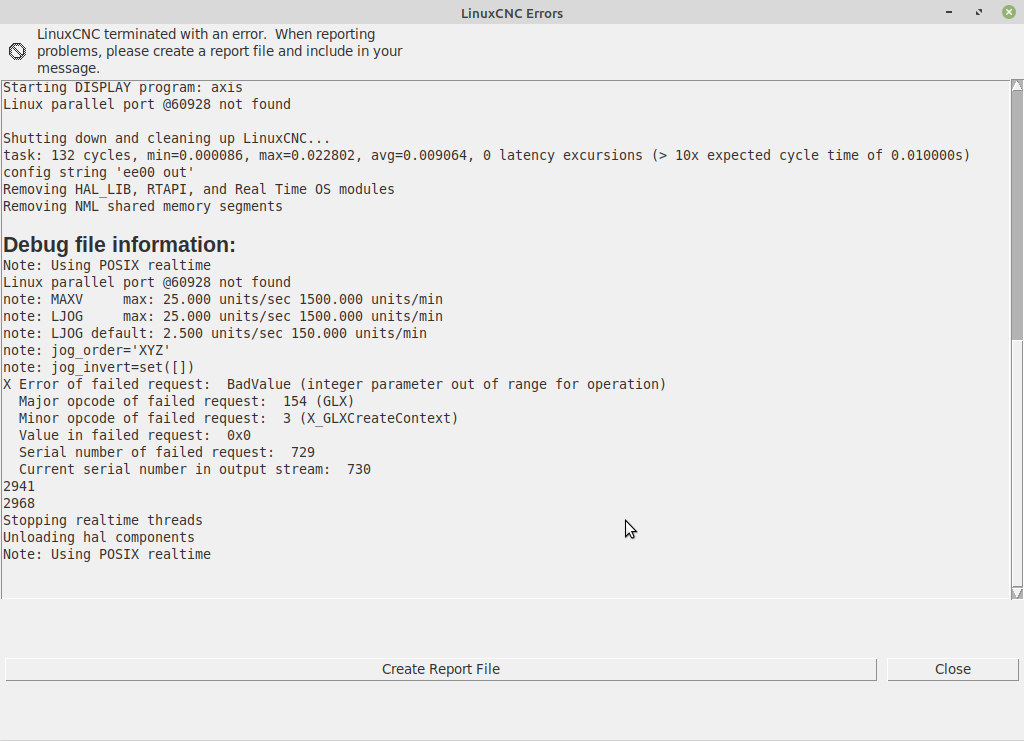
I dont think so, the parallel port message is a just warning (and maybe unimportant)

It looks like the error that stooped LinuxCNC was graphics related

Please Log in or Create an account to join the conversation.

Moderators: PCW, jmelson
Time to create page: 0.505 seconds
Powered by Kunena Forum
