
- Posts: 508
- Thank you received: 94
DeskProto releases free CAM software for Linux.
- Reinhard
- Offline
- Platinum Member
-

Less
More
6 years 1 month ago #183599
by Reinhard
One file per cutter - not bad at all
.
.
I did it the manual way - and there the workpiece size is not obvious.
No matter - using a wizard works fine
.
.
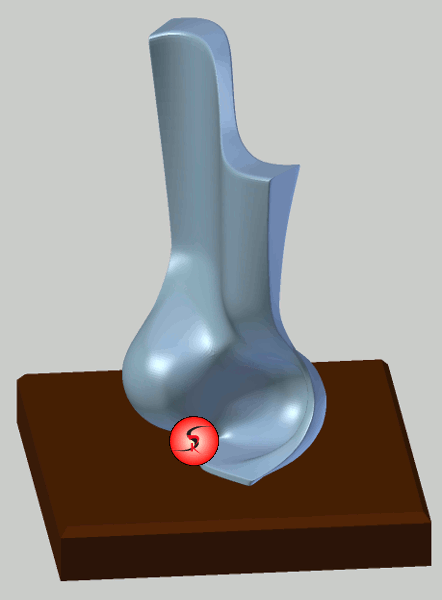
The challenge was - stl size of 22Mb - DP stumbled from crash to crash. We had to tweak model to get it worked out. That time, support for rotary axis was only indexed axis (if I remember well).
This is the result:
.

Replied by Reinhard on topic DeskProto releases free CAM software for Linux.
Ah - I see ...The cutters can be found as .CTR files
One file per cutter - not bad at all
.
Hm, the best way is change the origin in cad indeed (I use blender for that).For more information see the Tips page ...
.
Yes, should have used a wizard. Not bad.... and also in each wizard
I did it the manual way - and there the workpiece size is not obvious.
No matter - using a wizard works fine
.
My first model was milled using DP as CAM about 5 years ago. A friend of mine has a mill and he did me a favorThe model that you show provides a real challenge, when you will indeed machine it I am curious to see the result !
.
The challenge was - stl size of 22Mb - DP stumbled from crash to crash. We had to tweak model to get it worked out. That time, support for rotary axis was only indexed axis (if I remember well).
This is the result:
.
- BeagleBrainz
- Visitor
-

6 years 1 month ago #183601
by BeagleBrainz
Replied by BeagleBrainz on topic DeskProto releases free CAM software for Linux.
That's a fine looking piece.
- LexLen
- Offline
- New Member
-

Less
More
- Posts: 10
- Thank you received: 8
6 years 1 month ago #183688
by LexLen
Replied by LexLen on topic DeskProto releases free CAM software for Linux.
That is a great result !
Would it be OK to post these images on our social media pages ? And if yes, what should I mention as source ?
Would it be OK to post these images on our social media pages ? And if yes, what should I mention as source ?
- Reinhard
- Offline
- Platinum Member
-
Less
More
- Posts: 508
- Thank you received: 94
6 years 1 month ago #183721
by Reinhard
.
Don't know if I understand you right.
Source? - my brain :lol:
I model lot of curved surfaces and it was the challenge to create such surfaces in blender. Quite a lot of work, but finally I got it.
So idea and model (both models in this thread) are mine.
Milling happened on a diy-mill build of wood.
... and worth to mention: model came out of milling as is. No grinding.
Just finishing with oil.
Replied by Reinhard on topic DeskProto releases free CAM software for Linux.
Sure.Would it be OK to post these images on our social media pages ?
.
Source?And if yes, what should I mention as source ?
Don't know if I understand you right.
Source? - my brain :lol:
I model lot of curved surfaces and it was the challenge to create such surfaces in blender. Quite a lot of work, but finally I got it.
So idea and model (both models in this thread) are mine.
Milling happened on a diy-mill build of wood.
... and worth to mention: model came out of milling as is. No grinding.
Just finishing with oil.
- tommylight
- Offline
- Moderator
-

Less
More
- Posts: 22011
- Thank you received: 7491
6 years 1 month ago #183726
by tommylight
Replied by tommylight on topic DeskProto releases free CAM software for Linux.
Are you aware that Blender has a CAM version ? Never used it, but from what i could gather it is very usable.Reinhard wrote: I model lot of curved surfaces and it was the challenge to create such surfaces in blender.
- Reinhard
- Offline
- Platinum Member
-
Less
More
- Posts: 508
- Thank you received: 94
6 years 1 month ago #183742
by Reinhard
I followed blender cam from the first day, but I don't get expected results. May be it's to complicated for me? Don't know.
Til now, I get the best CAM results with CamBam.
Its more work for the user as estlcam or Deskproto, but you can workout any kind of operation from stupid stl-files.
Let's look at next sample, a more technically sample:
.
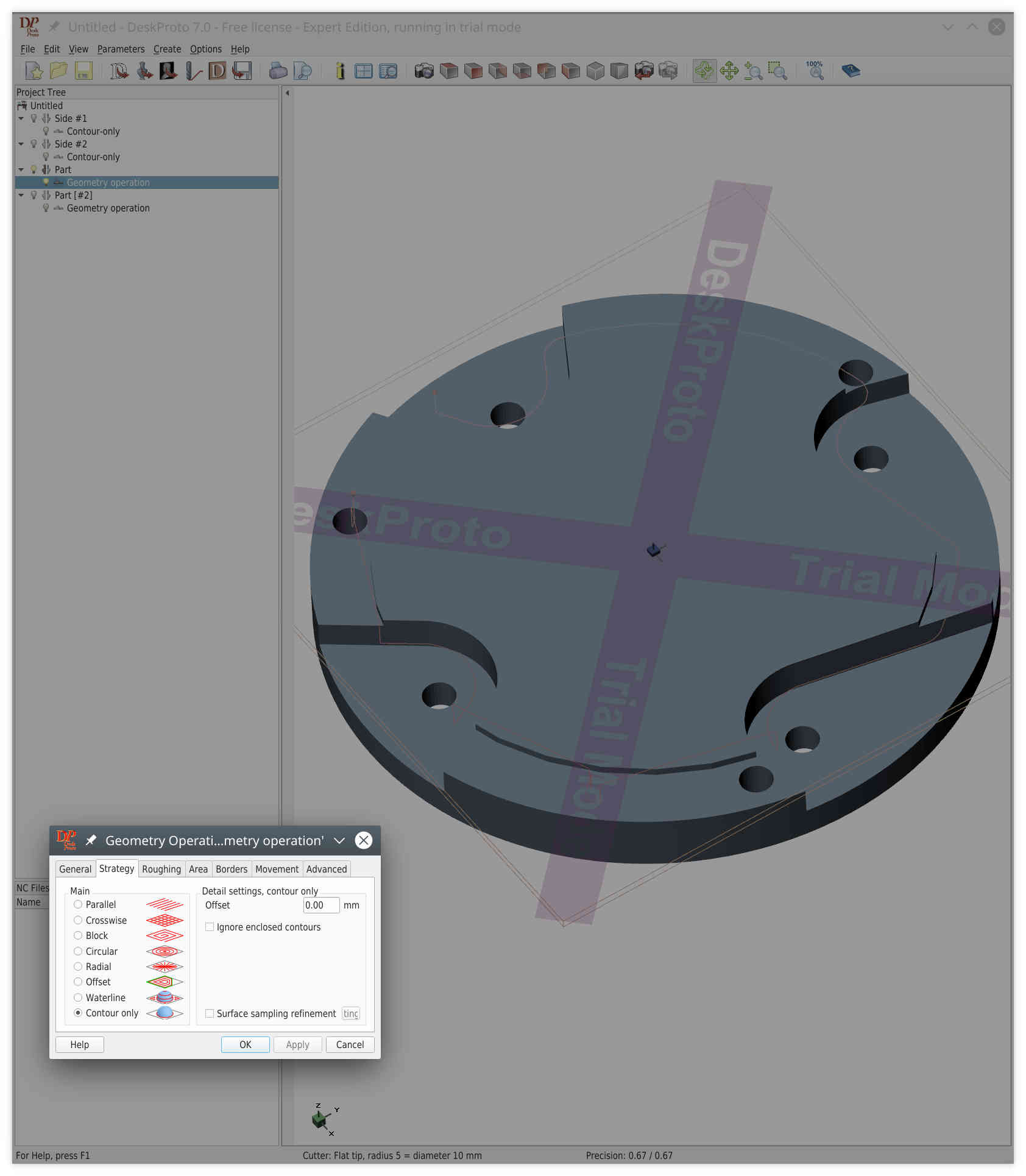
This is an adapter to mount a jaw chuck on a rotary table.
Blender export is always a mesh, so can't use DP vector operations. But 3D-operations are not the right way to mill this part. Well, best would be to turn it on a lathe, but milling could be fine anyway (and in fact, I milled my adapters on a 3-axis mill).
The part consists of 3 levels/stages. So to do it right with DP, you have to create a part for each level and create a geometry operation "contour only" - but that fails:
.
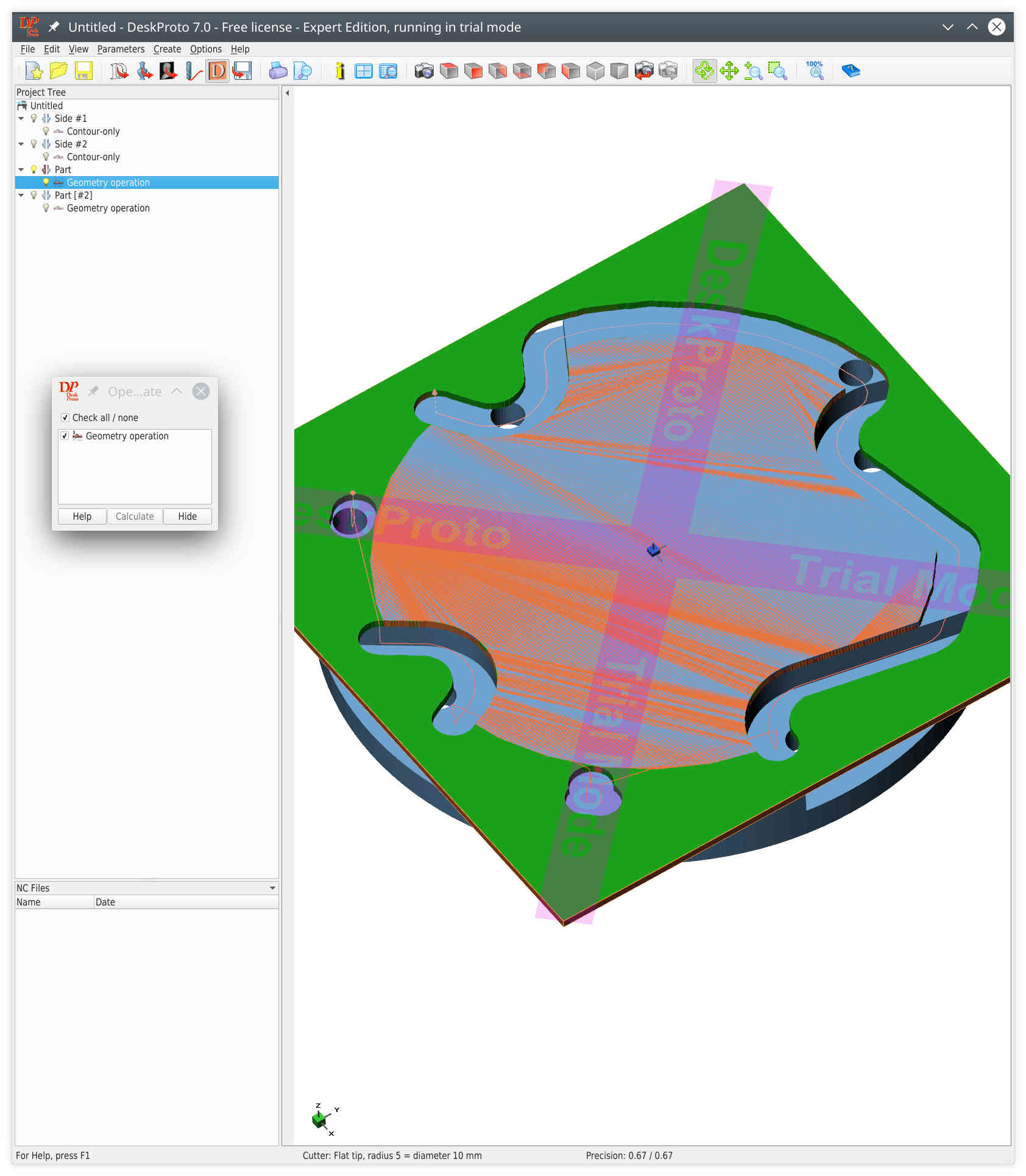
It looks at holes that are below the part boundary and sees artefacts in stl surface ...
... and the drawback of multiple parts - you can't combine operations. Not in simulation, and I guess, gcode output does not know anything about other operations.
So let's have a look at cambam:
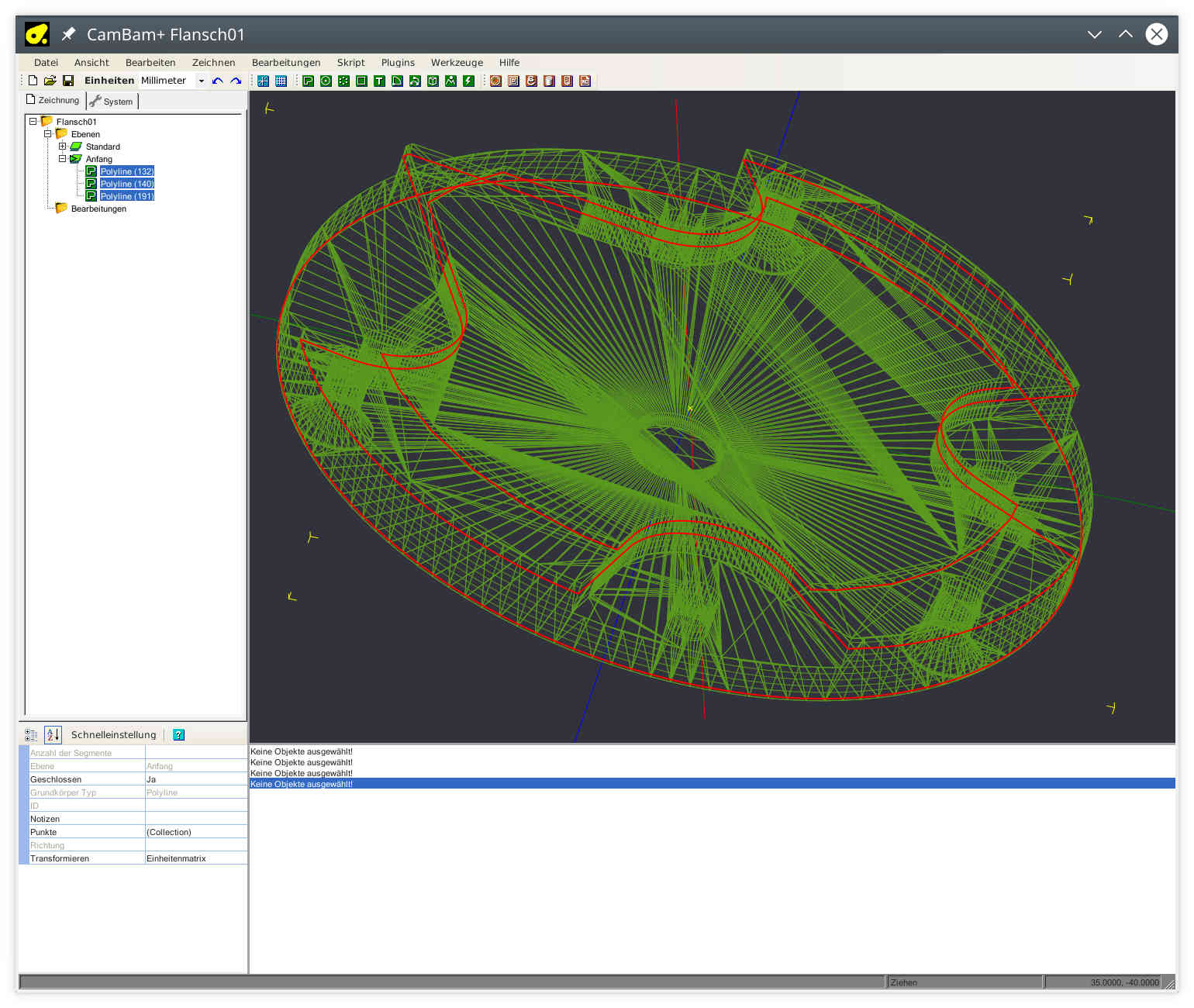
No matter what file u use for import, cambam works with polylines. stl / meshes don't have polylines. But cambam is that charming, that it allows you to cut the model in Z-direction, which will create a bunch of polylines (on the fly).
Just select the one you like and create an operation for that line
.
Replied by Reinhard on topic DeskProto releases free CAM software for Linux.
Yes, I know.Are you aware that Blender has a CAM version ?
I followed blender cam from the first day, but I don't get expected results. May be it's to complicated for me? Don't know.
Til now, I get the best CAM results with CamBam.
Its more work for the user as estlcam or Deskproto, but you can workout any kind of operation from stupid stl-files.
Let's look at next sample, a more technically sample:
.
This is an adapter to mount a jaw chuck on a rotary table.
Blender export is always a mesh, so can't use DP vector operations. But 3D-operations are not the right way to mill this part. Well, best would be to turn it on a lathe, but milling could be fine anyway (and in fact, I milled my adapters on a 3-axis mill).
The part consists of 3 levels/stages. So to do it right with DP, you have to create a part for each level and create a geometry operation "contour only" - but that fails:
.
It looks at holes that are below the part boundary and sees artefacts in stl surface ...
... and the drawback of multiple parts - you can't combine operations. Not in simulation, and I guess, gcode output does not know anything about other operations.
So let's have a look at cambam:
No matter what file u use for import, cambam works with polylines. stl / meshes don't have polylines. But cambam is that charming, that it allows you to cut the model in Z-direction, which will create a bunch of polylines (on the fly).
Just select the one you like and create an operation for that line
.
The following user(s) said Thank You: tommylight
Time to create page: 0.294 seconds