Strange behaviour - thought it was X axis problem but not sure?

More
7 years 10 months ago - 7 years 10 months ago #121907 by uptown47
Hi there,

I'm busy setting up my own home-made CNC machine.

I thought I had a problem with my X axis drifting so I've been doing some experimenting.

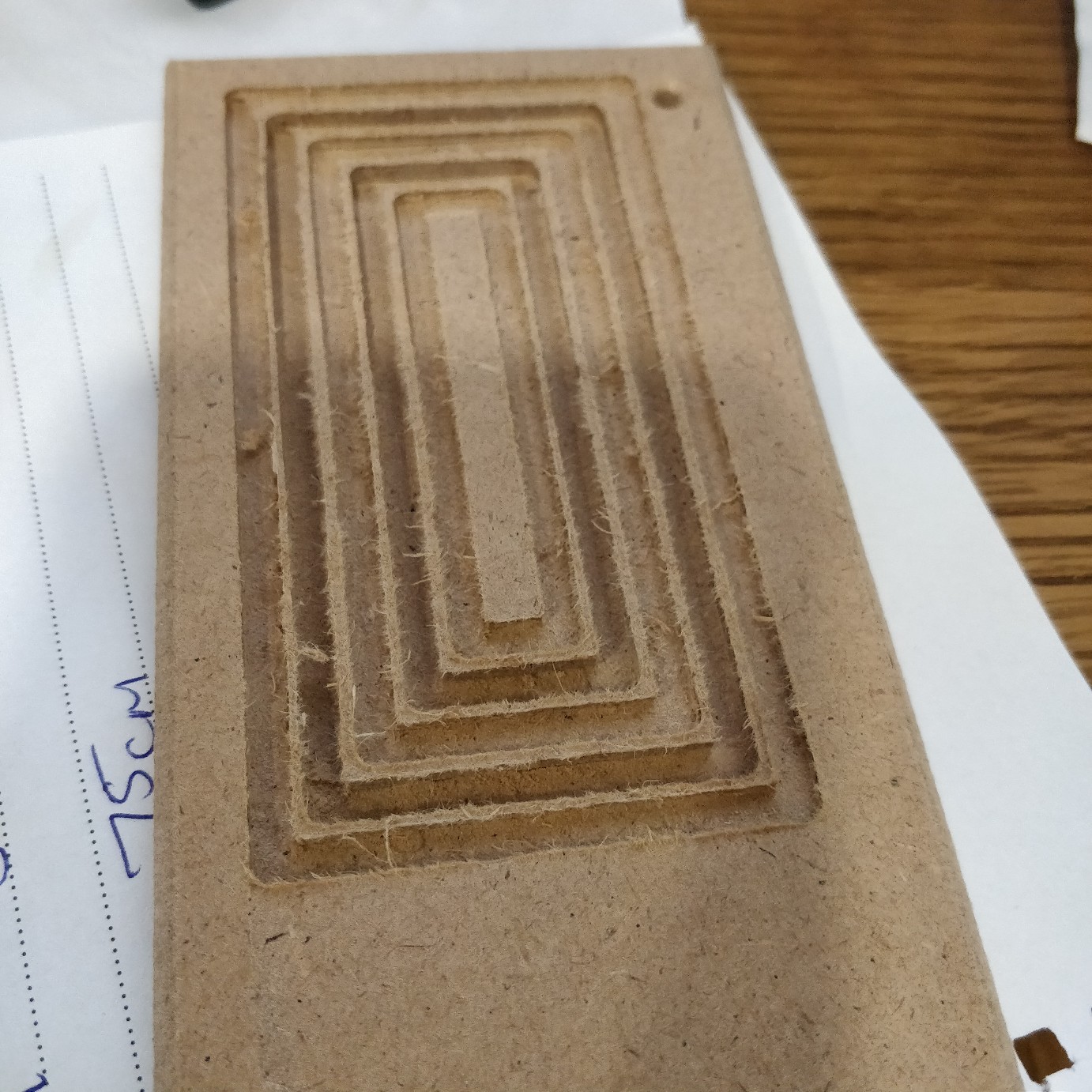
I made the following concentric rectangles earlier and used a 3mm End Mill on them.

I ran two different tool paths (albeit using the same tool) and they came out (in my untrained eye) excellently.


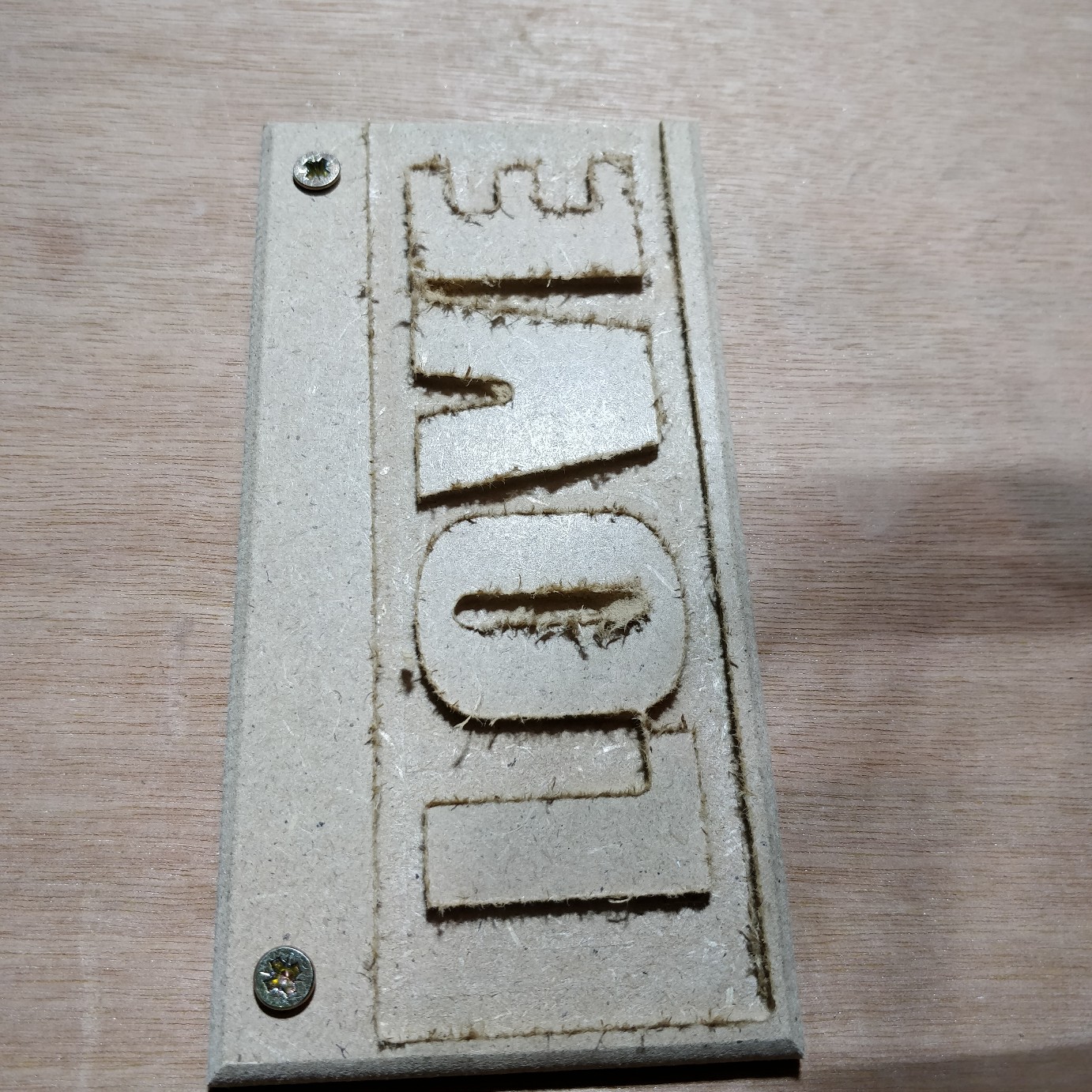
I then made a small sign up (these blanks are only 150mm x 70mm).

I set up two toolpaths. One using a 3mm End Mill again which created this.....


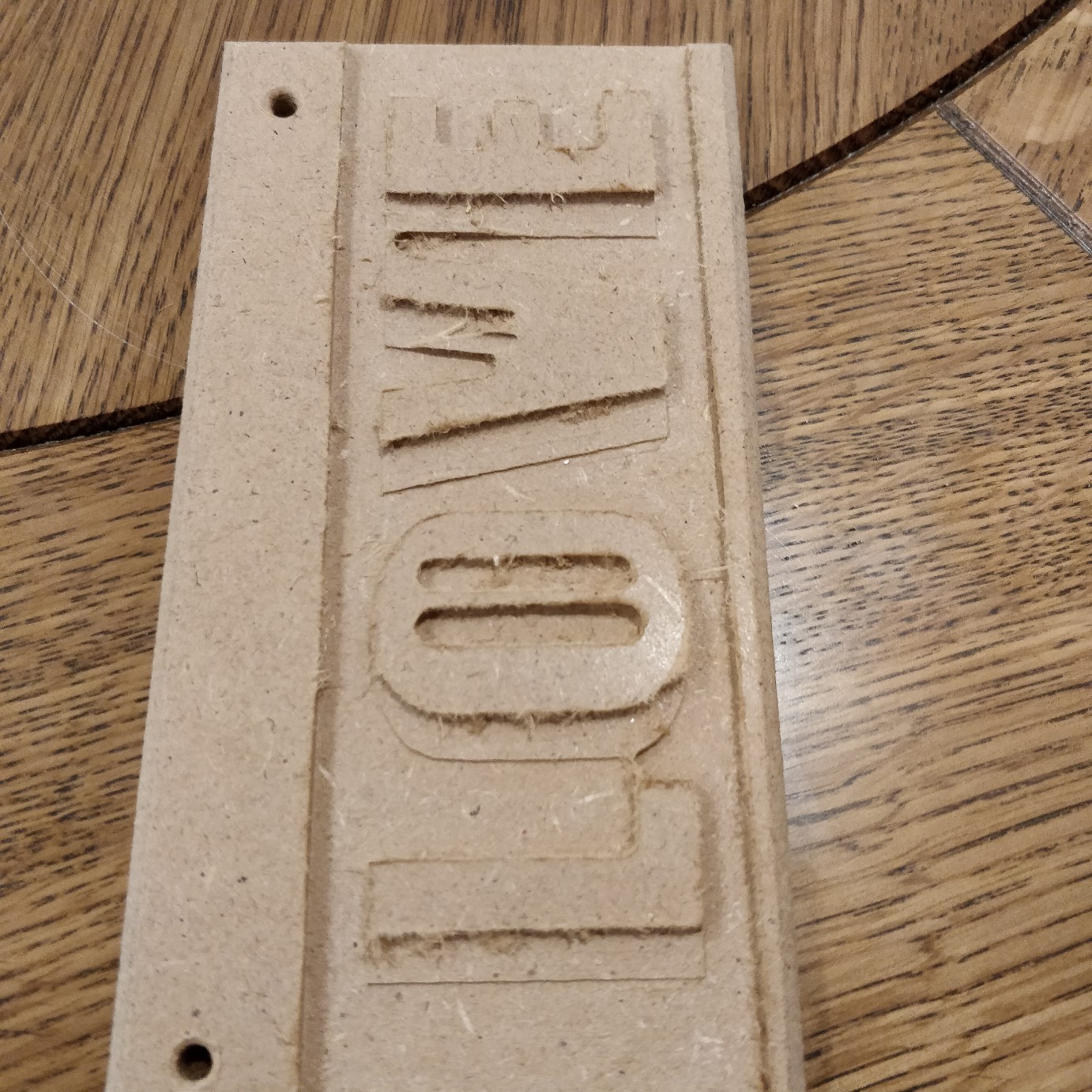
And then another running after this one using a 2mm Ball Nose. It might be worth noting that there wasn't a 2mm Ball Nose in the software so I added it with the following parameters (I am clueless at the moment regarding feed rates etc as I'm completely new to CNC but I took most of the settings from the 3mm Ball Nose and just lowered them slightly).


After running the 2mm Ball Nose it messed the carving up...


You can see in that last image it is as though the whole thing has moved over to the right?
(It's worth noting that the wood was screwed into the machine through those holes with the long edge as the X axis. I just took the photos from that angle as I thought you could see where the tool has cut the wrong parts better)

I'm really stuck as to why this is happening?

I would have thought that if the machine was running out of position it would have done it during the concentric rectangles or the initial carving of the word "LOVE".

I've obviously got something amiss with either the machine or the settings and I just wondered if anyone knew what things could cause this? And what (if anything) I can do to fix it and (ideally) keep it fixed.

A massive thank you for any light you can shed on this as I've come to the end of my ideas and I'm now well and truly stuck.

Thanks :)

PS. Also while I'm here - could you just confirm that, when cutting these MDF blanks, you are suppose to get that 'tearing' around the edges? Or is that excessive? If so, how do I reduce it?
Last edit: 7 years 10 months ago by uptown47.

Please Log in or Create an account to join the conversation.

More
7 years 10 months ago #121921 by Todd Zuercher
First thing to do is to look carefully at the g-code for both files to be sure they are carving in the same position. Then check to see if there are any offsets causing the problem. If you had to home the machine between runs and you don't have home switches, not having a fixed repeatable home position could cause this.
The following user(s) said Thank You: uptown47

Please Log in or Create an account to join the conversation.

More
7 years 10 months ago #121935 by uptown47
Hi Todd

Thanks (again) for helping me. It's really appreciated.

I only homed the machine the first time.

I then did an End Mill carve and the machine went back to the original home position.

I then loaded the next carve (the ball nose) and changed the bit (ensuring the bit stuck out of the spindle by the same amount as the End Mill) and just pressed 'run'.

The carving was exactly the same image. I just chose the "Pocket" option using the end mill and saved that toolpath. I then chose the Pocket option using the ball nose and saved that.

This same issue also happened on an earlier carving I did that *only* used the ball nose. I again had written some letters and then told the software to pocket it out. It seemed to be working well on the first pass but then starting eating away at the already carved letters on the next passes.

I wondered about a mechanical issue but then it seemed to work fine for the End Mill (albeit with just one pass).

I maybe need to try the End Mill with a 3mm carve depth and just 1mm per pass to see if messes itself up that way?

I'm away on holiday tonight so won't get to play with it until next Thursday when I get back.

If there's anything else you can think that would cause this I'm all ears.

Cheers

John :)

Please Log in or Create an account to join the conversation.

More
7 years 10 months ago #121951 by Todd Zuercher
It is possible you might be loosing steps on rapid moves in the X axis?

Could you post your g-code files?

Are you using incremental or absolute mode (G90/G91) in your code?

There are other g-codes that could be potentially messing you up. (Hence why you should post your g-code files.)
The following user(s) said Thank You: uptown47

Please Log in or Create an account to join the conversation.

More
7 years 10 months ago #121952 by andypugh
Is it possible you have an X offset in your Tool Table for one or more tools?
The following user(s) said Thank You: tommylight, uptown47

Please Log in or Create an account to join the conversation.

More
7 years 10 months ago #121956 by uptown47
Todd, I've attached my .ngc files here for both the rough (LOVE_1.ngc) and the fine (LOVE_2.ngc) toolpaths.

File Attachment:

File Name: LOVE_1.ngc
File Size:9.32 KB

File Attachment:

File Name: LOVE_2.ngc
File Size:106.44 KB


That's a good point Andy? I'm not sure. I'm using Aspire and I've looked in the Tool menu and can't find anything to do with an offset?

Do you know where that setting would be? I'm brand new to Aspire so still finding my way around the software and working through the YouTube tutorials.

Please Log in or Create an account to join the conversation.

Time to create page: 0.080 seconds
Powered by Kunena Forum