
issues with isolcpus
- mrmike
-
 Topic Author
- Offline
- Junior Member
-

Less
More
- Posts: 24
- Thank you received: 0
27 Jan 2026 19:57 #342018
by mrmike
issues with isolcpus was created by mrmike
I cannot get the isolcpus command line to take effect. I have set the grub to the following:
savedefault
load_video
insmod gzio
if [ x$grub_platform = xxen ]; then insmod xzio; insmod lzopio; fi
insmod part_msdos
insmod ext2
search --no-floppy --fs-uuid --set=root a08bfa77-56e1-4ee2-a80a-ccc22b8725cd
echo 'Loading Linux 6.3.0-rt11-linuxcnc ...'
linux /boot/vmlinuz-6.3.0-rt11-linuxcnc root=UUID=a08bfa77-56e1-4ee2-a80a-ccc22b8725cd ro initrd=/install/gtk/initrd.gz
echo 'Loading initial ramdisk ...'
initrd /boot/initrd.img-6.3.0-rt11-linuxcnc
GRUB_CMDLINE_LINUX_DEFAULT="isocpus=3"
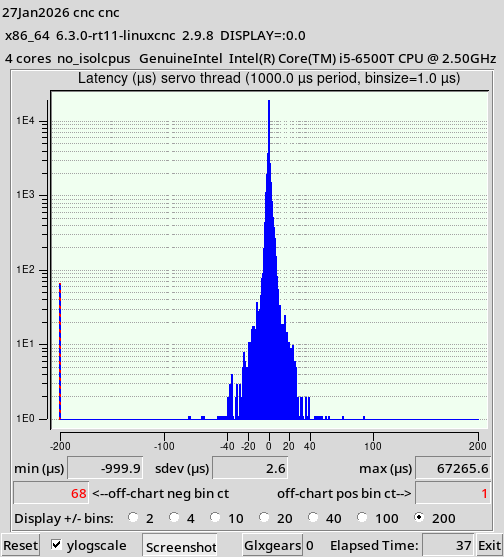
And have changed the last line to 0,1,2 to 0, to 1, and to 2 with no effect. The histograms show 4 cores no_isolcpus.
This is an intel i5-6500t.
Any ideas?
savedefault
load_video
insmod gzio
if [ x$grub_platform = xxen ]; then insmod xzio; insmod lzopio; fi
insmod part_msdos
insmod ext2
search --no-floppy --fs-uuid --set=root a08bfa77-56e1-4ee2-a80a-ccc22b8725cd
echo 'Loading Linux 6.3.0-rt11-linuxcnc ...'
linux /boot/vmlinuz-6.3.0-rt11-linuxcnc root=UUID=a08bfa77-56e1-4ee2-a80a-ccc22b8725cd ro initrd=/install/gtk/initrd.gz
echo 'Loading initial ramdisk ...'
initrd /boot/initrd.img-6.3.0-rt11-linuxcnc
GRUB_CMDLINE_LINUX_DEFAULT="isocpus=3"
And have changed the last line to 0,1,2 to 0, to 1, and to 2 with no effect. The histograms show 4 cores no_isolcpus.
This is an intel i5-6500t.
Any ideas?
Please Log in or Create an account to join the conversation.
- SrLange61
-

- Offline
- Junior Member
-
Less
More
- Posts: 39
- Thank you received: 5
27 Jan 2026 21:58 - 27 Jan 2026 22:13 #342028
by SrLange61
Replied by SrLange61 on topic issues with isolcpus
All guides say that grub is updated from this file by " sudo update-grub".
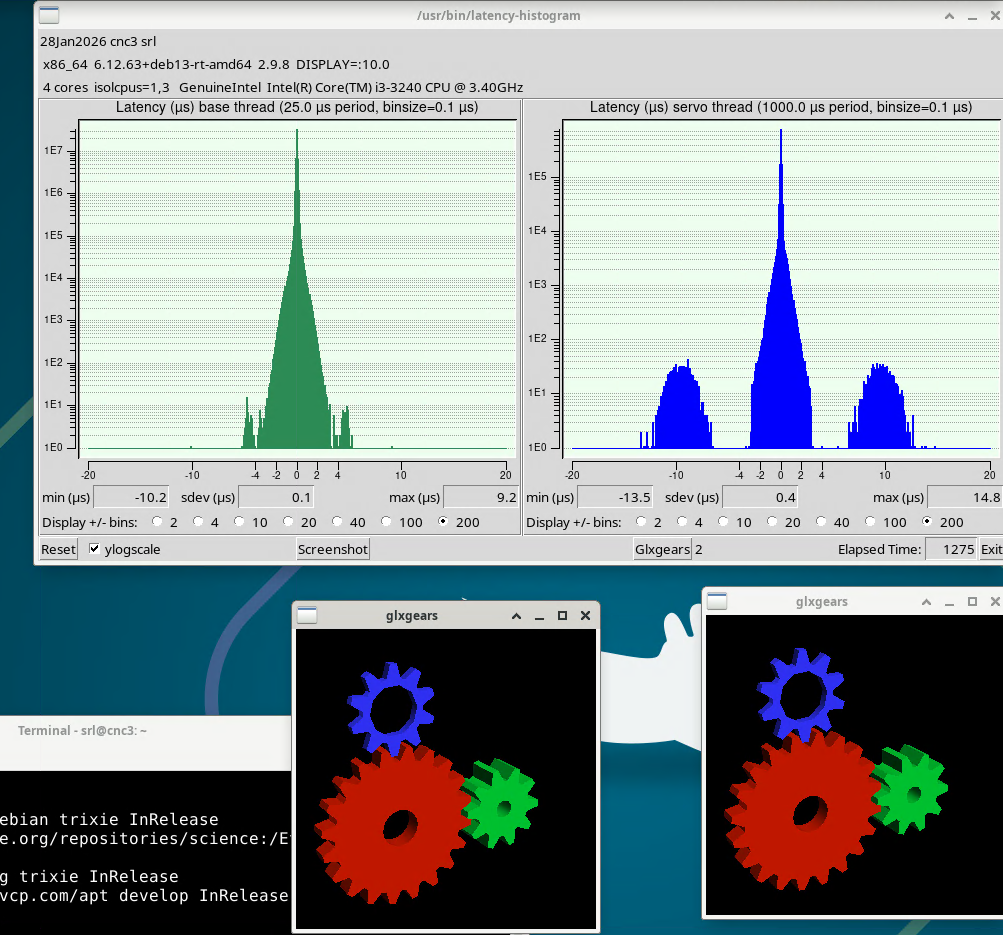
What worked better for running my real machine is to use this script here:- forum.linuxcnc.org/38-general-linuxcnc-q...rq-affinity?start=60
srl
What worked better for running my real machine is to use this script here:- forum.linuxcnc.org/38-general-linuxcnc-q...rq-affinity?start=60
srl
Attachments:
Last edit: 27 Jan 2026 22:13 by SrLange61.
Please Log in or Create an account to join the conversation.
- dm17ry
-

- Offline
- Elite Member
-

Less
More
- Posts: 212
- Thank you received: 91
27 Jan 2026 22:07 #342031
by dm17ry
Replied by dm17ry on topic issues with isolcpus
missing L in "isocpus" may also be a reason...
Please Log in or Create an account to join the conversation.
- mrmike
-
Topic Author
- Offline
- Junior Member
-
Less
More
- Posts: 24
- Thank you received: 0
27 Jan 2026 22:59 #342039
by mrmike
Replied by mrmike on topic issues with isolcpus
Thanks. That was the issue. I did the script SrL had above, and lost the customized grub notes. thanks
Please Log in or Create an account to join the conversation.
Time to create page: 0.168 seconds