
7i76E Spindle configuration
- RobotMatic
-
 Topic Author
- Offline
- Elite Member
-

- Posts: 199
- Thank you received: 25
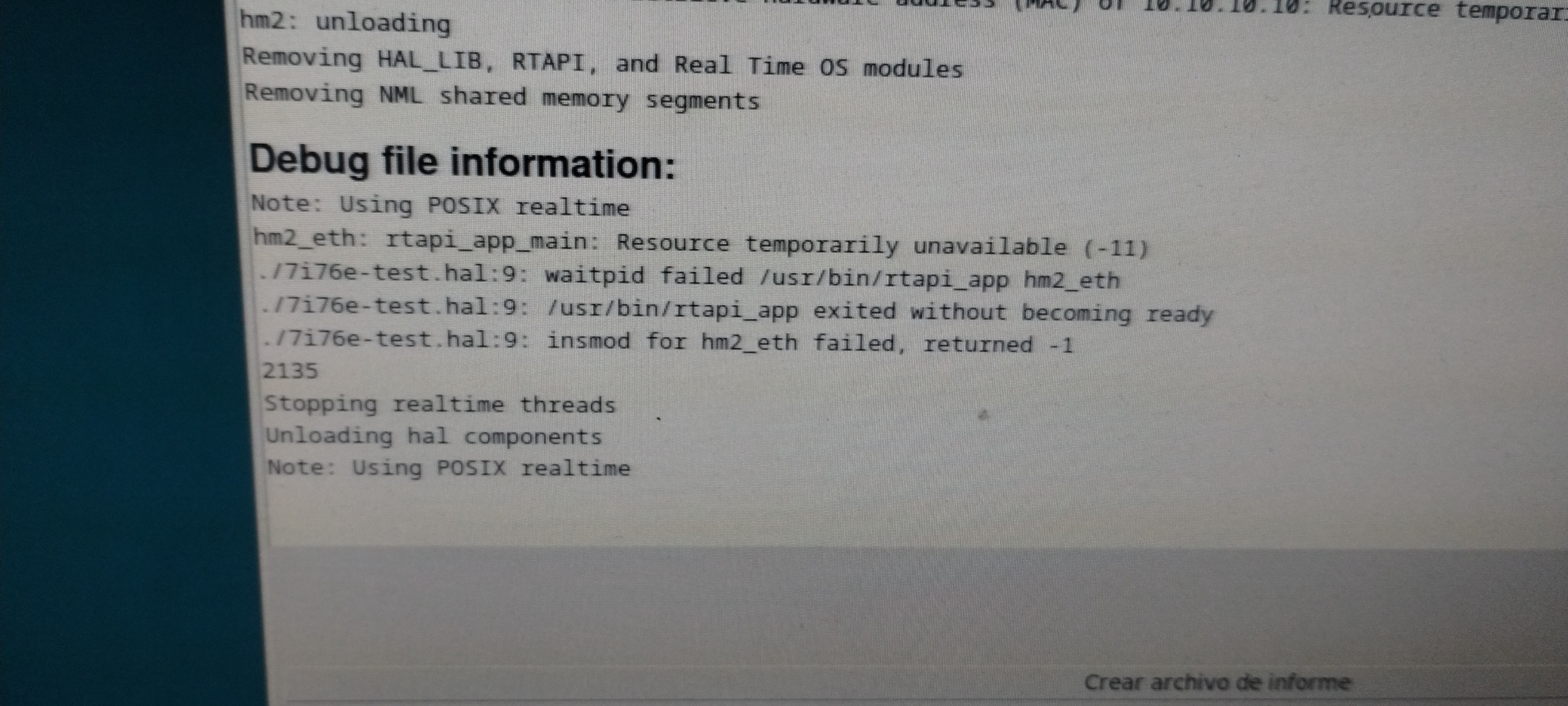
Please Log in or Create an account to join the conversation.
- tommylight
-

- Online
- Moderator
-

- Posts: 21802
- Thank you received: 7448
Is the IP address on the board set same as in the config?
Please Log in or Create an account to join the conversation.
- PCW
-

- Offline
- Moderator
-
- Posts: 18014
- Thank you received: 5291
if you are using 192.168.1.121, you will get that error
Please Log in or Create an account to join the conversation.
- RobotMatic
-
Topic Author
- Offline
- Elite Member
-
- Posts: 199
- Thank you received: 25
it doesn't work, I can set cw-cww-enable but no speed.
I am trying to update and it cannot find the linuxcnc repository , gives an error
I am using 2.9.5
Should I reinstall everything again?
I don't understand what is happening
Please Log in or Create an account to join the conversation.
- PCW
-
- Offline
- Moderator
-
- Posts: 18014
- Thank you received: 5291
to look at the spindle pins as you set the spindle speed to different values
Important things to watch are:
hm2_7i76e.0.7i76.0.0.spinout-minlim
hm2_7i76e.0.7i76.0.0.spinout-maxlim
hm2_7i76e.0.7i76.0.0.spinout-scalemax
hm2_7i76e.0.7i76.0.0.spinena-invert
hm2_7i76e.0.7i76.0.0.spinout
hm2_7i76e.0.7i76.0.0.spinena
Also make sure then the electrical connections are correct
(so you have 10V from SPIN+ to SPIN-)
Please Log in or Create an account to join the conversation.
- RobotMatic
-
Topic Author
- Offline
- Elite Member
-
- Posts: 199
- Thank you received: 25
Could it be that I am not using the correct version of LinuxCNC?
Please Log in or Create an account to join the conversation.
- PCW
-
- Offline
- Moderator
-
- Posts: 18014
- Thank you received: 5291
No, any version of LinuxCNC from 2.8 on will work with the 7I76E
Like I said you need to check
hm2_7i76e.0.7i76.0.0.spinout-minlim
hm2_7i76e.0.7i76.0.0.spinout-maxlim
hm2_7i76e.0.7i76.0.0.spinout-scalemax
hm2_7i76e.0.7i76.0.0.spinena-invert
hm2_7i76e.0.7i76.0.0.spinout
hm2_7i76e.0.7i76.0.0.spinena
with halshow
In axis, you can run halshow with:
Machine --> Show Hal Configuration --> Watch
And also verify that you have +10V on the 7I76E SPINDLE+ pin
(TB4 pin 3) relative to SPINDLE- (TB4 pin 1)
Please Log in or Create an account to join the conversation.
- tommylight
-
- Online
- Moderator
-
- Posts: 21802
- Thank you received: 7448
Why? What's the point of having two of the same version?You may try 2.9.4 if you like.
www.linuxcnc.org/iso/linuxcnc_2.9.4-amd64.hybrid.iso
Your HDD probably has enough space to dual boot LinuxCNC 2.9.4 and 2.9.4.
Please Log in or Create an account to join the conversation.
- unknown
- Offline
- Platinum Member
-

- Posts: 888
- Thank you received: 325
Please Log in or Create an account to join the conversation.
- RobotMatic
-
Topic Author
- Offline
- Elite Member
-
- Posts: 199
- Thank you received: 25
thankkkkkkkssssss !!!!!!
I have performed all the tests before starting the forum. It does not output 10 VCC, it does not regulate voltage, that's why I started the thread.
I am confused with this situation, the board was working perfectly on a lathe with version 2.7.15. Now I need to install it on another machine. I tried 2.8 - 2.9.4 - 2.9.5 the result is always the same, it does not regulate voltage. But there is something that is not connecting, linuxcnc shows good operation in Halshow, but it does not go out through the 7i76e.
I am going to reinstall linuxcnc from scratch again and see what happens.
thank you all for trying to help me!!! I'll post updates soon!!!
Please Log in or Create an account to join the conversation.