Hi Pepex,
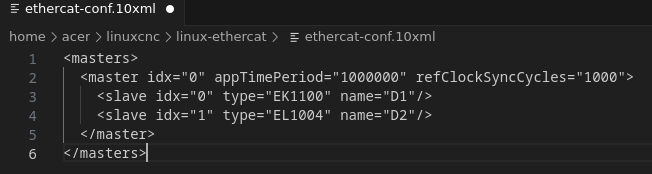
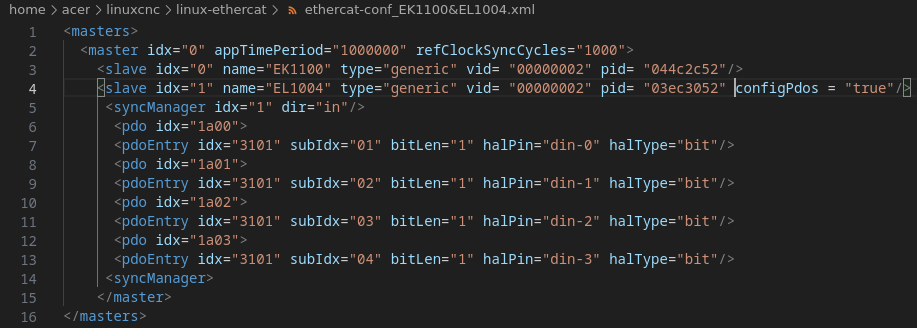
Ok I see you are trying to use the “generic” driver for the EK and the EL. There is no need to do this as both the EK1100 and EL1004 are already in the LCNC-Ethercat driver. I know you are saying LCNC fails if you try the XML without the “generic” type, but the EK and EL definitely work out of the box as these were working from the beginning when Sascha released his code.
The first thing is to change the XML back. Make your XML look like this, I will use your “naming” scheme:
<masters>
<master idx="0" appTimePeriod="1000000" refClockSyncCycles="1000">
<slave idx="0" name=”EK1100” type="EK1100"/>
<slave idx="1" name=”EL1004” type="EL1004"/>
</master>
</masters>
Make sure to remove all the pins that you have written for the EL1004 in any of your “hal” files. With the EK and EL hooked up, try and see if LCNC will start. It should start right up if the EL1004 terminal is ok and not bad.
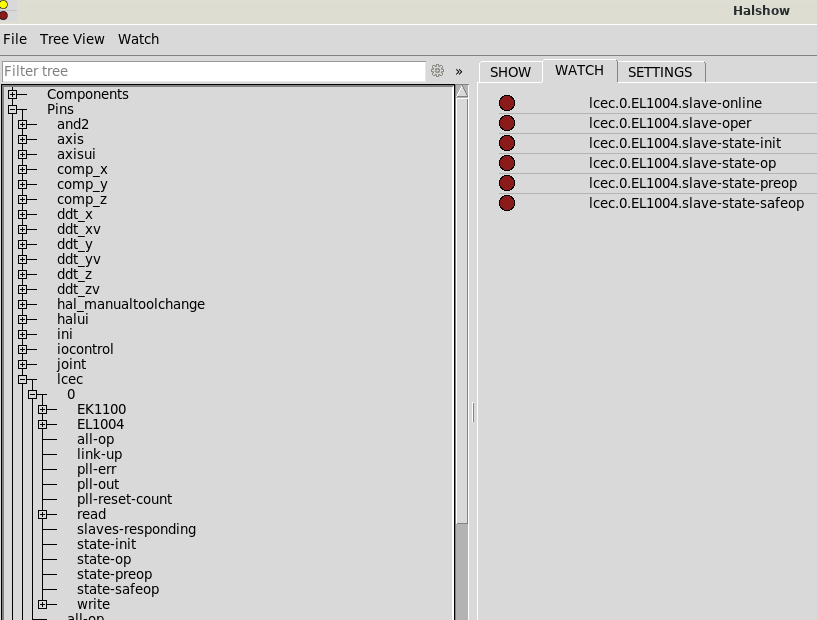
If LCNC starts up then you are ready to write pins for the EL terminal. For the above XML and how you had your XML “naming”, the correct way a pin would be written is:
lcec.0.EL1004.din-0
lcec.0.EL1004.din-1
lcec.0.EL1004.din-2
lcec.0.EL1004.din-3
The above pin would be all of the inputs for the EL1004. If you have multiple EL1004 terminals, then you need to change the “name” in the XML to the following so that it will work:
<masters>
<master idx="0" appTimePeriod="1000000" refClockSyncCycles="1000">
<slave idx="0" name=”EK1100” type="EK1100"/>
<slave idx="1" name=”EL1004-1” type="EL1004"/>
<slave idx="2" name=”EL1004-2” type="EL1004"/>
</master>
</masters>
From the above you see why it is easier to just do the XML “naming” as D1, D2, D3, etc…, but it will work that way also, just don’t get confused with multiple terminals that are the same “type”.
Pins for the #1 EL1004 would be:
lcec.0.EL1004-1.din-0
lcec.0.EL1004-1.din-1
lcec.0.EL1004-1.din-2
lcec.0.EL1004-1.din-3
Pins for the #2 EL1004 would be:
lcec.0.EL1004-2.din-0
lcec.0.EL1004-2.din-1
lcec.0.EL1004-2.din-2
lcec.0.EL1004-2.din-3
If you need to invert pins, then make them:
lcec.0.EL1004-2.din-0-not
lcec.0.EL1004-2.din-1-not
lcec.0.EL1004-2.din-2-not
lcec.0.EL1004-2.din-3-not
Ok let's do an XML like the old days with the “D” naming. Just change the “name” only:
<masters>
<master idx="0" appTimePeriod="1000000" refClockSyncCycles="1000">
<slave idx="0" name=”D1” type="EK1100"/>
<slave idx="1" name=”D2” type="EL1004"/>
<slave idx="2" name=”D3” type="EL1004"/>
</master>
</masters>
Pins for the #1 EL1004 would be:
lcec.0.D2.din-0
lcec.0.D2.din-1
lcec.0.D2.din-2
lcec.0.D2.din-3
Pins for the #2 EL1004 would be:
lcec.0.D3.din-0
lcec.0.D3.din-1
lcec.0.D3.din-2
lcec.0.D3.din-3
Last thing… if you still cannot get the EL to show up, then I would say you need to reset the terminal or get another as it would be hardware. I know TwinCAT can change the terminals heavily, so if this is a used terminal then keep in mind you don’t know what the person before you did and it’s best to factory reset it so that you are starting fresh with the terminal.
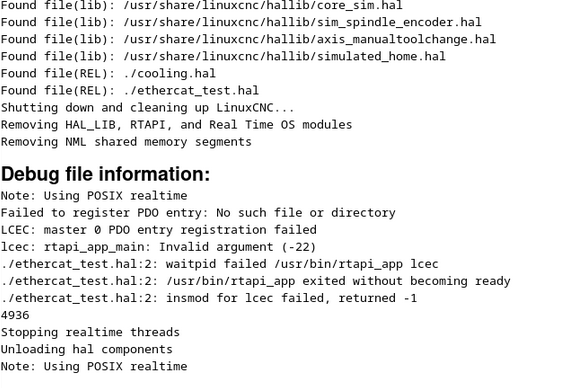
I have had terminals not work, until I reset them. Your first post with the Debug file shows that the terminal is not “seen” by the LCNC-ethercat driver. You call for it in the XML, but the driver cannot find/see it. This is evident in the line:
lcec: rtapi_app_main: Invalid argument (-22)
So this leads me to believe you may have a hardware issue still, but try the XML and software side and we will go through the steps to figure this out.
I am working 7 days a week and up way too late but will try and check back with you tomorrow to help you. Nothing is more frustrating than having LCNC fail and not start up, I have felt your pain before.
Hope this helps,
Robert