Installing ethercat repositories

More
2 years 1 month ago - 2 years 1 month ago #310802 by tommylight
Versions of deb files have changed so none of the existing methods work, try manually downloading and installing from here:
download.opensuse.org/repositories/science:/EtherLab/Debian_12/
and here
download.opensuse.org/repositories/scien...erLab/Debian_12/all/
See the error report and download only files mentioned near the end
Last edit: 2 years 1 month ago by tommylight.

Please Log in or Create an account to join the conversation.

More
2 years 1 month ago #310805 by Masa
Thanks tommylight.
Sorry, but what should I install and in what order?

Please Log in or Create an account to join the conversation.

More
2 years 1 month ago #310822 by tommylight
Code:
E: http://download.opensuse.org/repositories/science:/EtherLab/Debian_12/all/ethercat-dkms_1.6.0.g8330bca-1%2b3.1_all.deb の取得に失敗しました 404 Not Found [IP: 195.135.223.226 80] E: http://download.opensuse.org/repositories/science:/EtherLab/Debian_12/amd64/ethercat-master_1.6.0.g8330bca-1%2b3.1_amd64.deb の取得に失敗しました 404 Not Found [IP: 195.135.223.226 80] E: http://download.opensuse.org/repositories/science:/EtherLab/Debian_12/amd64/libethercat_1.6.0.g8330bca-1%2b3.1_amd64.deb の取得に失敗しました 404 Not Found [IP: 195.135.223.226 80] E: http://download.opensuse.org/repositories/science:/EtherLab/Debian_12/amd64/linuxcnc-ethercat_1.39.0.g4299f7a-0_amd64.deb
Files in the above folders ending with .deb, but they will have different numbering in the names.

Please Log in or Create an account to join the conversation.

More
2 years 1 month ago - 2 years 1 month ago #310906 by Rios
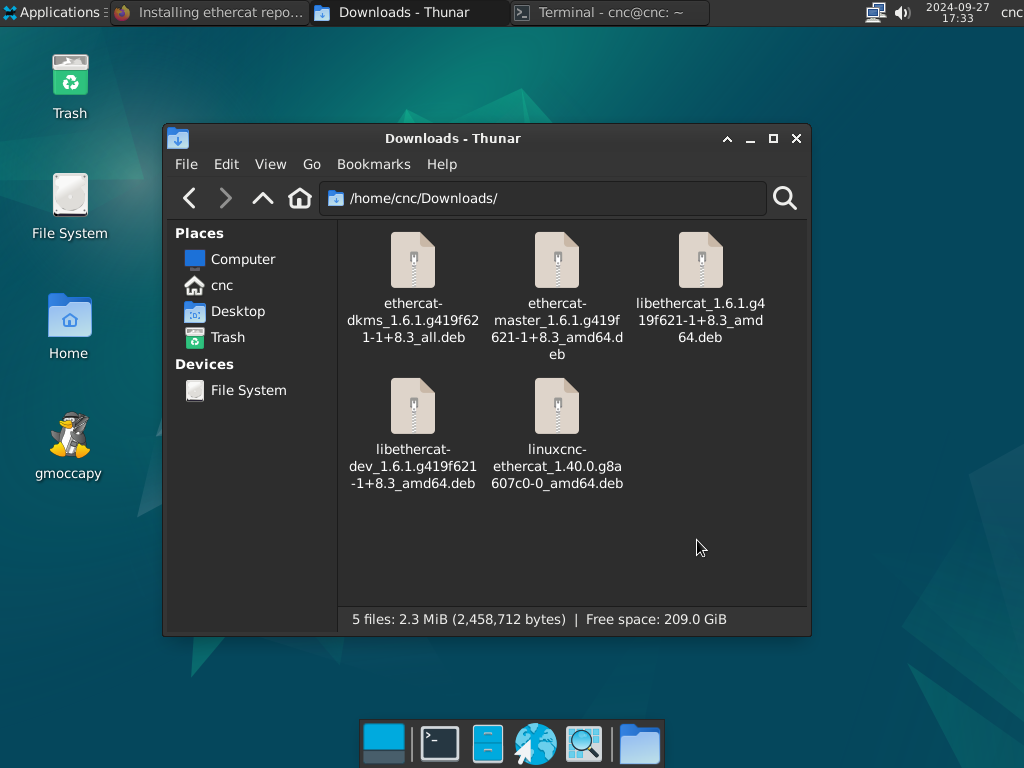
After following the advice from tommylight and downloading and installing the files in that order did in fact work , the names aren't the same but i will post the files that worked for me .

After downloading i wasn't able to install by the GUI Package Installer , so i used the cmd :
Code:
cd Downloads/ sudo dpkg -i ethercat-dkms_1.6.1.g419f621-1+8.3_all.deb

the same for the rest of the files , after that is just to continuing to follow the tutorial from this link and it will be done.
Thanks to tommylight and rodw for the continuos help.
Last edit: 2 years 1 month ago by Rios.
The following user(s) said Thank You: tommylight

Please Log in or Create an account to join the conversation.

More
2 years 2 weeks ago #311844 by burnie
I tried running the script on a fresh LCNC 2.9.3 install from ISO and encountered a few problems.

1. Command not found error when running "sudo ./ecat.sh"
Fixed by running "chmod +x ./ecat.sh" before

2. When running the "sudo apt update" I get this error
Code:
E: Conflicting values set for option Signed-By regarding source http://download.opensuse.org/repositories/science:/EtherLab/Debian_12/ ./: /etc/apt/trusted.gpg.d/science_EtherLab.gpg != /etc/apt/trusted.gpg.d/science_EtherLab.gpg.key.binary.gpg E: The list of sources could not be read.
I fixed it by editing the /etc/apt/sources.list.d/science_EtherLab.list, changing "science_EtherLab.gpg.key.binary.gpg" to "science_EtherLab.gpg"

3. After re-running "sudo apt update" I get this warning
Code:
W: Target Packages (Packages) is configured multiple times in /etc/apt/sources.list.d/ighvh.sources:1 and /etc/apt/sources.list.d/science_EtherLab.list:1 W: Target Translations (en_US) is configured multiple times in /etc/apt/sources.list.d/ighvh.sources:1 and /etc/apt/sources.list.d/science_EtherLab.list:1 W: Target Translations (en) is configured multiple times in /etc/apt/sources.list.d/ighvh.sources:1 and /etc/apt/sources.list.d/science_EtherLab.list:1 W: Target Packages (Packages) is configured multiple times in /etc/apt/sources.list.d/ighvh.sources:1 and /etc/apt/sources.list.d/science_EtherLab.list:1 W: Target Translations (en_US) is configured multiple times in /etc/apt/sources.list.d/ighvh.sources:1 and /etc/apt/sources.list.d/science_EtherLab.list:1 W: Target Translations (en) is configured multiple times in /etc/apt/sources.list.d/ighvh.sources:1 and /etc/apt/sources.list.d/science_EtherLab.list:1
fix it by removing the ighvh.sources file by running "rm /etc/apt/sources.list.d/ighvh.sources"

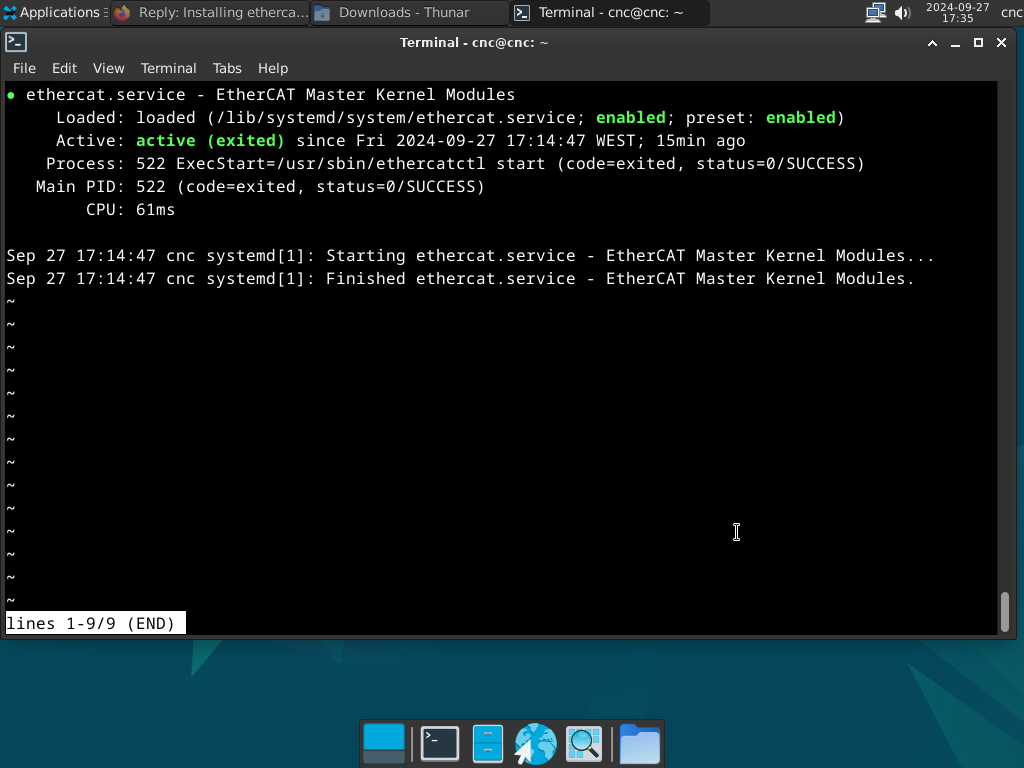
After all that, I was able to follow Rodw instruction and successfully install Ethercat. I don't know how to code and this is my first time using Linux, so I don't know if this is the correct way to fix these problems, but I hope it at least helps other people with the same problem. 

 
The following user(s) said Thank You: Tntmold, Macwolf

Please Log in or Create an account to join the conversation.

More
2 years 2 weeks ago #311860 by BaxEDM
Thanks that works for me too! The thread "Ethercat installation from repositories - how to step by step" is getting really long. I tried a lot of things suggested there to no avail. Eventually did a new ISO install LinuxCNC 2.9.3, ran the ecat.sh script, and changed the things you mentioned. I then followed the main installation thread and got it to work.
I'll write a new installation instruction webpage for my customers. That will save them a lot of frustration.

Please Log in or Create an account to join the conversation.

Time to create page: 0.106 seconds
Powered by Kunena Forum