
CiA 402 Folder Missing
- 3404gerber
- Offline
- Senior Member
-

- Posts: 51
- Thank you received: 14
I have no experience with CiA homecomp, but if I have a look at the comp source code here , I see that it creates a "joint.%d.request-custom-homing", jno" pin. Could the name be your problem?
Cheers,
Luca
Please Log in or Create an account to join the conversation.
- andrax
-

- Offline
- Platinum Member
-

- Posts: 320
- Thank you received: 83
What kind of cable are you using?
What is your topology?
Do you have EMC problems?
[70592.094690] EtherCAT ERROR 0-0: AL status message 0x001A: “Synchronization error”.
Please Log in or Create an account to join the conversation.
- Konstantin
- Offline
- Junior Member
-

- Posts: 28
- Thank you received: 4
The topology is as follows - one cables from the computer is connected to the first servo drives and all the others are daisy chained.
About the name of pin that @3404gerber mentioned. I was thinking if should I change the pin name from 'cia' to 'custom' but you have a working configuration with 'cia' in the name. Why should it be different with my cia402 home component? Perhaps, the name was updated after you got it working.
Please Log in or Create an account to join the conversation.
- 3404gerber
- Offline
- Senior Member
-
- Posts: 51
- Thank you received: 14
So if your example is older than this and that you compiled the comp from source, yes you have to use the current name. And if HAL tells you the pin doesn't exist, then it very likely doesn't exist.- hal_bit_t *request_cia402_homing; // output requests homing (connect to cia402.n.home)
- hal_bit_t *is_cia402_homing; // input verifies custom homing (connect to cia402.n.stat_homing)
- hal_bit_t *cia402_homing_finished; // input from servo drive after homing (connect to cia402.stat_homed)
+ hal_bit_t *request_custom_homing; // output requests homing (connect to cia402.n.home)
+ hal_bit_t *is_custom_homing; // input verifies custom homing (connect to cia402.n.stat_homing)
+ hal_bit_t *custom_homing_finished; // input from servo drive after homing (connect to cia402.n.stat_homed)
Please Log in or Create an account to join the conversation.
- andrax
-
- Offline
- Platinum Member
-
- Posts: 320
- Thank you received: 83
@3404gerber
I am using this configuration and it works so far. There are only massive problems with security issues. But that's another matter.
Provided that homecomp.comp has not been changed, it should work.
@Konstatin
You have massive EMC problems. dmesg shows a bunch of errors even before Linuxcnc is loaded.
1. CAT5 cables are unsuitable > use CAT6
2. Use short cables, no loops!!!
3. Lay cables away from other wires
4. Attach Feritt cores
5. Servo interference suppression EMC filter
6. Only when “dmesg | grep ethercat” shows no more errors before starting lcnc can you focus on the lcnc configuration.
Please Log in or Create an account to join the conversation.
- rodw
-

- Offline
- Platinum Member
-
- Posts: 12156
- Thank you received: 4149
Please Log in or Create an account to join the conversation.
- Konstantin
- Offline
- Junior Member
-
- Posts: 28
- Thank you received: 4
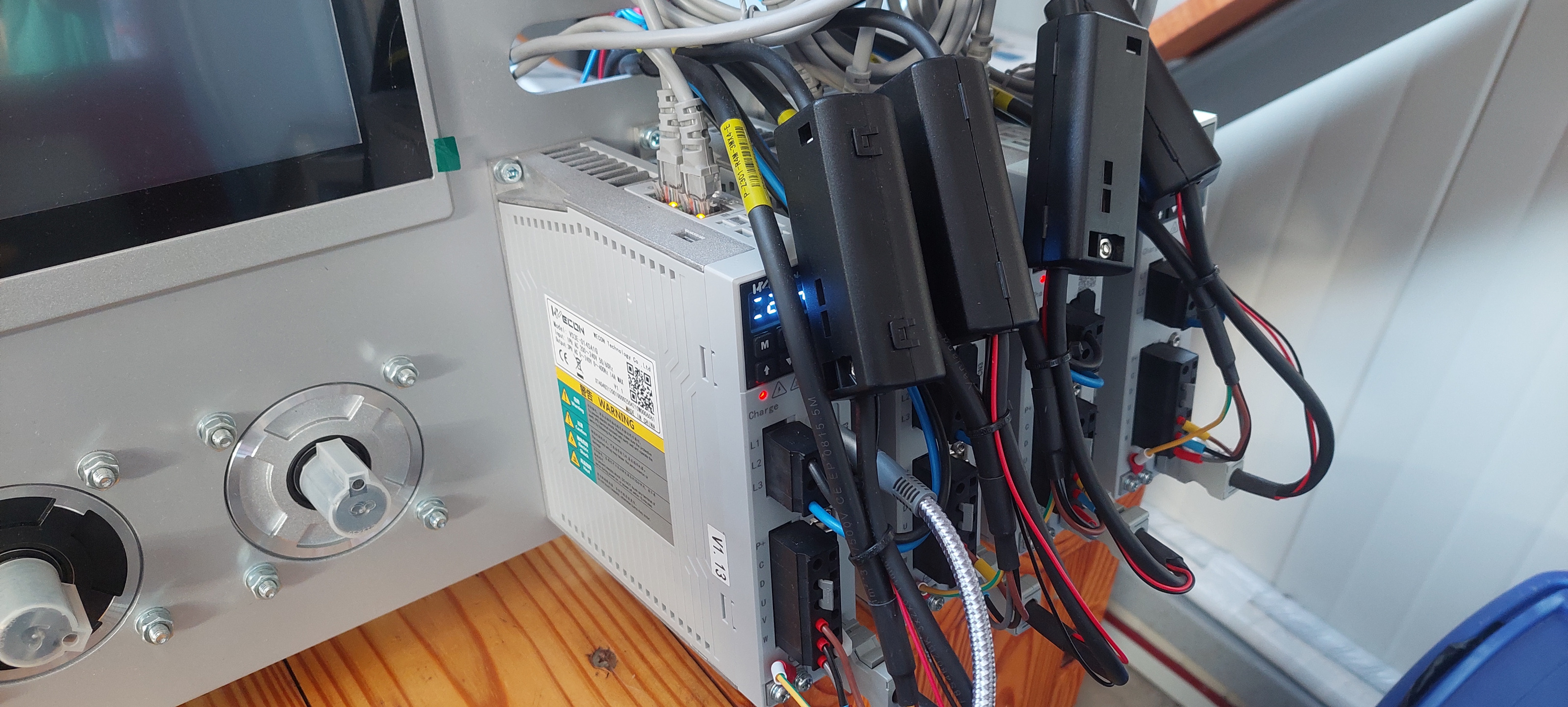
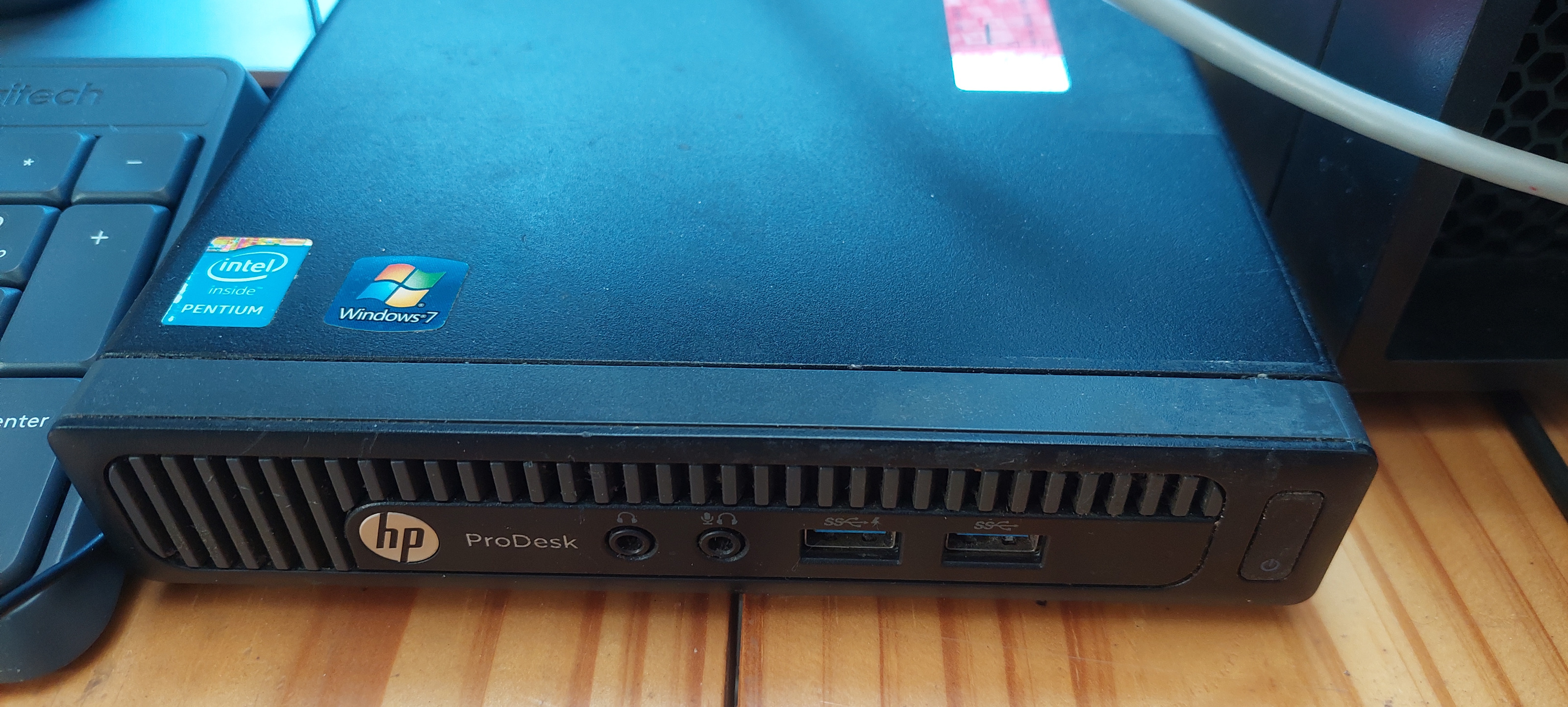
I will purchase CAT6 cables as short as possible to prevent any loops probably the next week. I do not think there should be any EMC since, as I mentioned earlier, the drives and motor are on my testbench. There is no high voltage machine around, just computers. Still, I do not exclude that EMC is the actual problem. I attached pictures of the drive setup and the mini pc I use.
By the way, when I try the command “dmesg | grep ethercat”, I got an error: "dmesg: read kernel buffer failed: Operation not permitted". Only "sudo dmesg" works.
Another interesting fact that I observed is that when I type "ethercat pdos", there are a few rows where it show 0x0000:00, 0bit, 'Gap''. As if there are missing PDOs. I might be wrong but, should I somehow define in the servo drive what PDOs and SDOs to be mapped in the variable PDO and SDO mapping.
@3404gerber
The truth is that I compiled the cia402-homecomp from source a few days ago and the example is a much older.
@rodw
I checked the original version of the component and the example there has only one row for homing that receives the index pulse from the servo drive but still I could not execute a successful homing procedure with it as well.
Please Log in or Create an account to join the conversation.
- andrax
-
- Offline
- Platinum Member
-
- Posts: 320
- Thank you received: 83
Please Log in or Create an account to join the conversation.
- Konstantin
- Offline
- Junior Member
-
- Posts: 28
- Thank you received: 4
You are right, the encoders are absolute and have batteries. Perhaps, the homing may be needed for squaring the gantry.
I changed all the cables with CAT6 and there are no loops. Attached are the terminal outputs for "ethercat master", "ethercat slaves" and "sudo dmesg". The synchronization errors seem to be disappeared. There is still some errors but I am not sure if they influence the EtherCAT synchronization.
When I try to execute "dmesg | grep ethercat" it does not output anything, just moves to a new row in the terminal.
EDIT 1: After I ran LinuxCNC and executed "sudo dmesg", it showed a warning that says 'Slave did not sync after 5000ms'. Attaches is a new file - dmesg_new.txt. It contains the warning for synchronization.
EDIT 2: Something weird happens to my system. After playing with LinuxCNC with different configuration, the same syncronization error appears again. It seems that the cable did not help. Attached is the lates "sudo dmesg" output - dmesg_last.txt
Please Log in or Create an account to join the conversation.
- andrax
-
- Offline
- Platinum Member
-
- Posts: 320
- Thank you received: 83
However, your vid and pid are incorrect.
They are from Stepperonline A6.
You must enter those from your servos.
vid according to manufacturer xml: 00000eff
pid: 0d3e0001 (not sure)
Note:
please use: dmesg | grep ethercat as root
sudo su
password
dmesg | grep ethercat
that's conspicuous
EtherCAT ERROR 0-3: AL status message 0x001A: "Synchronization error".
Please Log in or Create an account to join the conversation.