Advanced Search

Search Results (Searched for: )

  • Todd Zuercher
  • Todd Zuercher's Avatar
Yesterday 18:13
Replied by Todd Zuercher on topic Updating Old GladeVCP Files?

Updating Old GladeVCP Files?

Category: GladeVCP

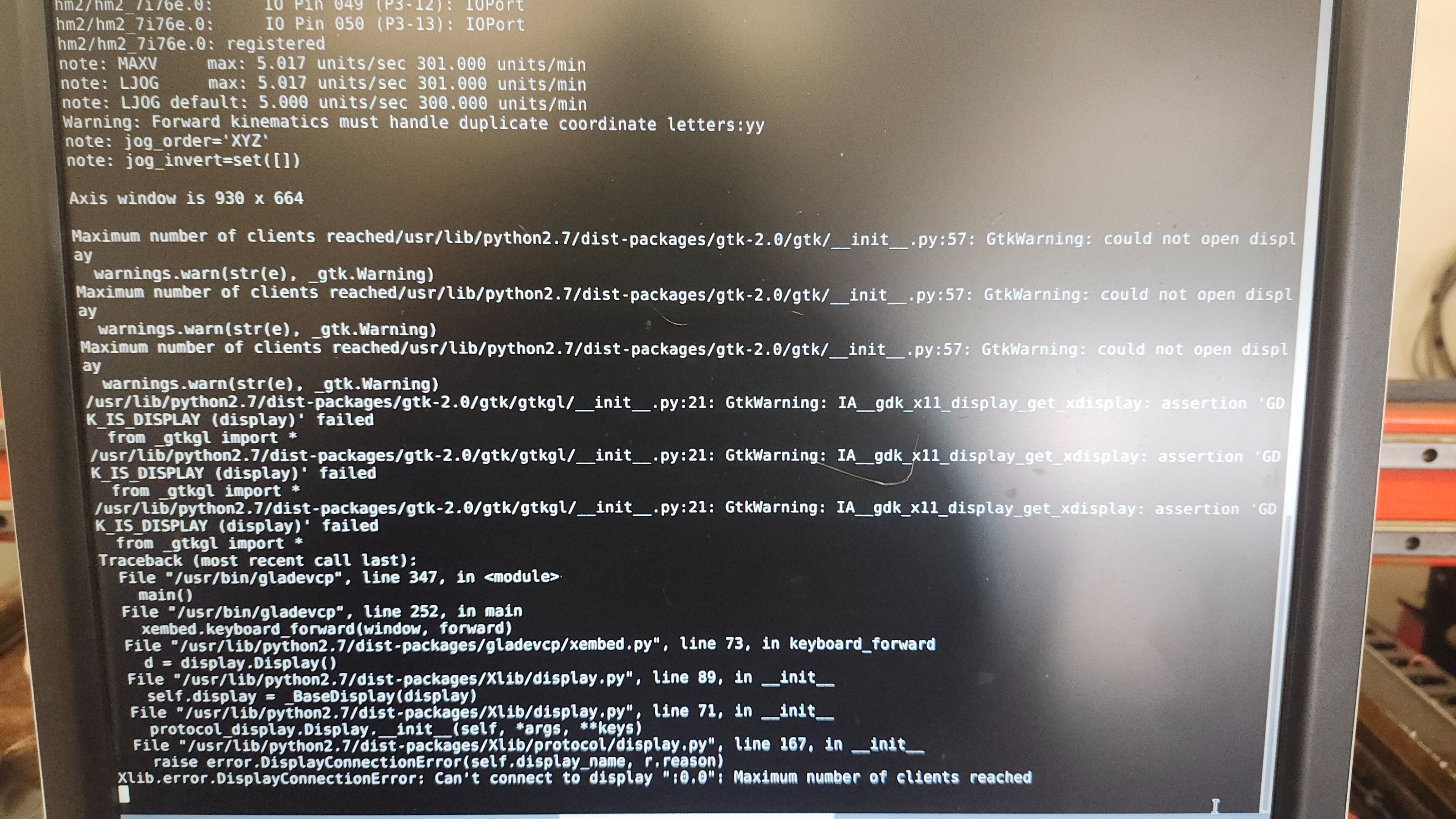
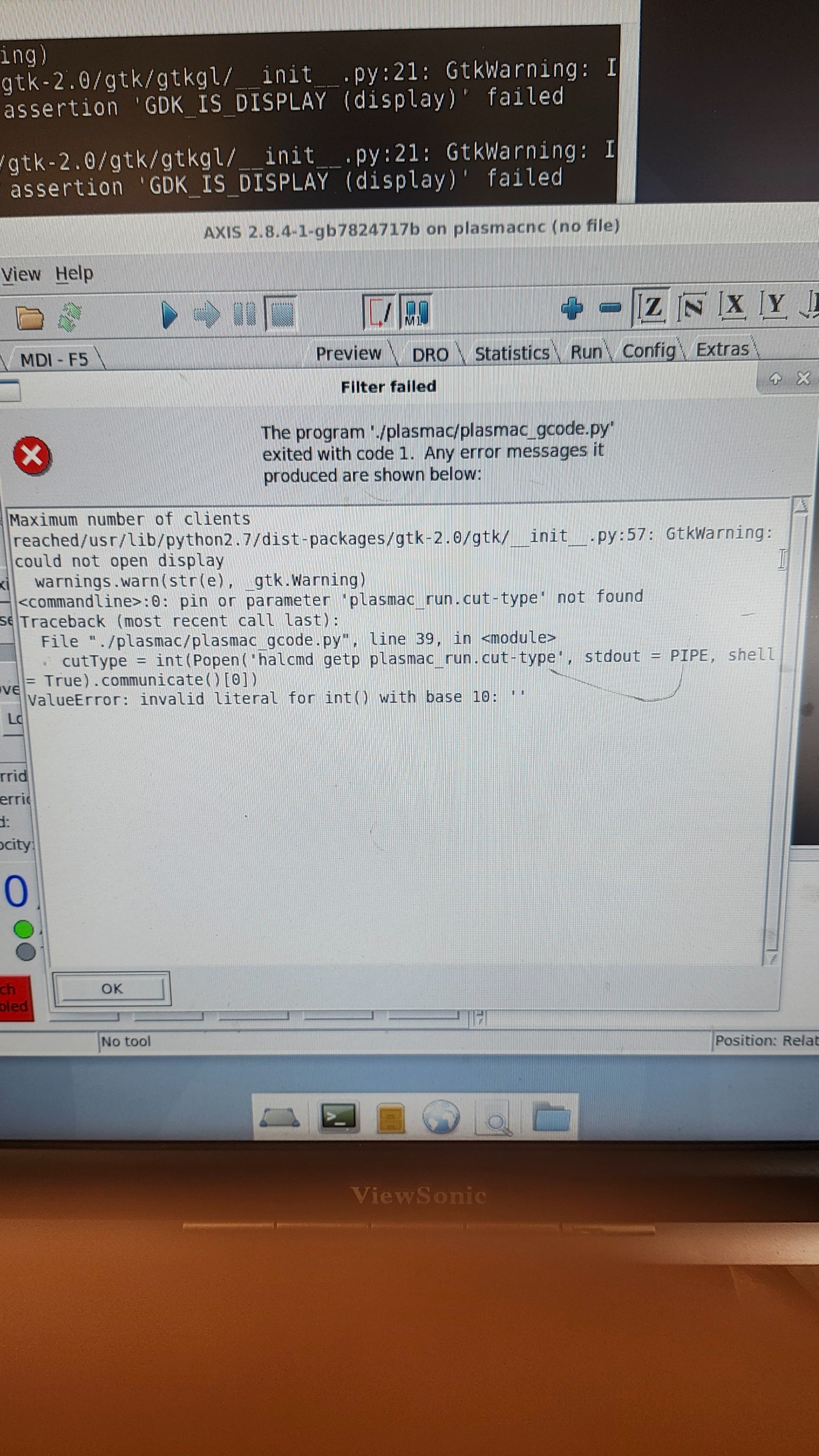
I'm still not getting anywhere with this. This GadeVCP worked fine with Linuxcnc 2.7 on Debian 7, but on the upgraded control PC running Linuxcnc 2.9 on Debian 13, The Python handler file doesn't seem to work. The problem is that it isn't creating any of the hal pins that it used to.  I've tried this with several different GladeVCPs that I had created a number of years ago for these machines. and all of them are giving similar issues.  
  • PCW
  • PCW's Avatar
Yesterday 18:02

Installing Linuxcnc on new pc Using Debian 12.13 and Linuxcnc 2.9.8 mesa 7i76eu

Category: Installing LinuxCNC

If you measure from
TB1 pin 8 (-) to TB1 PIN 5 (+)
 What do voltage do you get?

 
  • 858PSJ
  • 858PSJ
Yesterday 17:53
Replied by 858PSJ on topic pocketing program

pocketing program

Category: General LinuxCNC Questions

here's a screenshot and a pocketingprogram

File Attachment:

File Name: polygonpoc...3-18.zip
File Size:7 KB
  • georgio
  • georgio
Yesterday 17:32

Installing Linuxcnc on new pc Using Debian 12.13 and Linuxcnc 2.9.8 mesa 7i76eu

Category: Installing LinuxCNC

W1 is in the default position left and the fileld power is correctly conneced
Thanks
George
  • PCW
  • PCW's Avatar
Yesterday 17:29

Installing Linuxcnc on new pc Using Debian 12.13 and Linuxcnc 2.9.8 mesa 7i76eu

Category: Installing LinuxCNC

OK that means you have no VIN so the field I/O section is unpowered

Normally VIN comes from VFIELD (W1 LEFT)

So either you have:

1.  No VFIELD

2. W1 is in the right hand position (it should be in the default left position)

3. Some hardware issue with the field I/O section.
  • Spezidrohne
  • Spezidrohne
Yesterday 17:17
Replied by Spezidrohne on topic StepperOnline A6 Servo

StepperOnline A6 Servo

Category: EtherCAT

Hello, 
Im new and have just started with linuxcnc, and im also a newbie with linux. I have installed linuxcnc  on a machine and installed ethercat. I can see my a6 drive under the slaves. But now i dont know what to do. Where should i copy the working configuartion files from Page 1? What do i have to do after that? Can someone please guide me through everything? I have not done anything else on this machine except from adjusting the Internet settings. I can see the drive in preop Mode, but how do i go on? As i said, im a complete newbie. Help much apreciated. Thanks.
  • nicklego
  • nicklego's Avatar
Yesterday 17:14
Motor timing help was created by nicklego

Motor timing help

Category: General LinuxCNC Questions

 Hi, I'm trying to get my motors running with LinuxCNC, and I have an old controller for the machine that can move the motors, but the card reader on it is broken. I have tried many times to get it working with LinuxCNC, but now I've tried to diagnose it with an oscilloscope on the old controller. For the x-axis output, the step pin outputs a constant 20MHz signal when not being told to move, but when being told to move, it outputs a 12MHz signal. Image 1 is the motor not moving (Consistent wave), and image 2 is the motor moving (weird-looking wave). I took a video of them side by side and is linked to a google drive. If anyone knows how I can replicate this signal/frequency in LinuxCNC, that would be greatly appreciated. Thanks. Link to video -->  drive.google.com/file/d/1qQ6TFAT_yjkfDdm...Lns/view?usp=sharing
Image 1 -->      Image 2 --> 
  • PCW
  • PCW's Avatar
Yesterday 17:07
  • georgio
  • georgio
Yesterday 17:01

Installing Linuxcnc on new pc Using Debian 12.13 and Linuxcnc 2.9.8 mesa 7i76eu

Category: Installing LinuxCNC

Hi PCW,
I have attached the linuxcnc report. I put it for line 36 in hal but all of the other inputs 05-09 were the same errors. No there aren't any red led's on the board at that location with the error i get there will be one in amonst the boot up led's.
Thanks
  • PCW
  • PCW's Avatar
Yesterday 15:31

Installing Linuxcnc on new pc Using Debian 12.13 and Linuxcnc 2.9.8 mesa 7i76eu

Category: Installing LinuxCNC

When you say you have an error,
Please please copy/paste that error
in your post.

It's nearly impossible to diagnose the issue
without accurate error reporting.

Also do you have a red LED (CR11) illuminated
above the Spindle connection (TB4) ?

 
  • miniwini
  • miniwini's Avatar
Yesterday 15:27 - Yesterday 15:31
LinuxCNC 2.98 - Ethercat - ProbeBasic was created by miniwini

LinuxCNC 2.98 - Ethercat - ProbeBasic

Category: EtherCAT

Hi there!

my Raspberry Pi5 died so i needed to setup thing new, but I can´t get it working anymore. It worked before... 

I have two Ethercat modules which need "speical care"
1. its the external "EP1809-0021" this is identical to the EL1809, so just replicating the last line in the el1xxx.c with the correct PID, works
2. the EL2564, this is a dedicated "driver" which is copied into the linuxcnc-ethercat/src/devices which gets compiled, works... 

LinuxCNC runs in the SIM Modes... also with ProbeBasic
EtherCat works - ethercat master and slave commands...
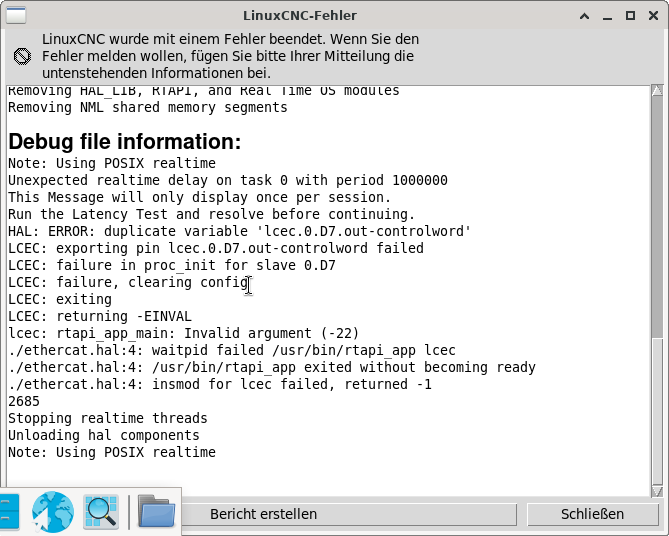
but LinuxCNC with ProbeBasic and Ethercat doesn´t want to start.
LinuxCNC Ethercat crashed with signal 11
-- STACK TRACE START
0    /usr/lib/linuxcnc/modules/lcec.so(+0xfcbc) [0x7f72cb8f3cbc]
1    /lib/x86_64-linux-gnu/libc.so.6(+0x3c050) [0x7f72cc759050]
2    /lib/x86_64-linux-gnu/libethercat.so.1(ecrt_slave_config_pdos+0x2f) [0x7f72cb8b652f]
3    /usr/lib/linuxcnc/modules/lcec.so(rtapi_app_main+0x40a) [0x7f72cb8f4f68]
4    /usr/bin/rtapi_app(+0xbd67) [0x558070fe7d67]
5    /usr/bin/rtapi_app(+0xc6be) [0x558070fe86be]
6    /usr/bin/rtapi_app(+0xccbc) [0x558070fe8cbc]
7    /usr/bin/rtapi_app(+0x7a04) [0x558070fe3a04]
8    /usr/bin/rtapi_app(main+0x70f) [0x558070fe348f]
9    /lib/x86_64-linux-gnu/libc.so.6(+0x2724a) [0x7f72cc74424a]
10    /lib/x86_64-linux-gnu/libc.so.6(__libc_start_main+0x85) [0x7f72cc744305]
11    /usr/bin/rtapi_app(_start+0x21) [0x558070fe38f1]
-- STACK TRACE END

twopass: load_the_modules cmd=<orig_loadrt lcec>
waitpid failed /usr/bin/rtapi_app lcec
/usr/bin/rtapi_app exited without becoming ready
insmod for lcec failed, returned -1

Here you can see my terminal-log when starting LinuxCNC
 

File Attachment:

File Name: message.txt
File Size:6 KB

here you see my Ethercat terminal Outputs...
cnc@linuxcnc:~$ ethercat slaves
 0  0:0   PREOP  +  EK1100 EtherCAT Coupler (2A E-Bus)
 1  0:1   PREOP  +  EL1018 8K. Dig. Eingang 24V, 10�s
 2  0:2   PREOP  +  EL1018 8K. Dig. Eingang 24V, 10�s
 3  0:3   PREOP  +  EL2024 4K. Dig. Ausgang 24V, 2A
 4  0:4   PREOP  +  EL2024 4Ch. Dig. Output 24V, 2A
 5  0:5   PREOP  +  EL2008 8K. Dig. Ausgang 24V, 0.5A
 6  0:6   PREOP  +  EL2008 8K. Dig. Ausgang 24V, 0.5A
 7  0:7   PREOP  +  EL2034 4K. Dig. Ausgang 24V, 2A, Diagnose
 8  0:8   PREOP  +  EL2809 16K. Dig. Ausgang 24V, 0.5A
 9  0:9   PREOP  +  EL2809 16K. Dig. Ausgang 24V, 0.5A
10  0:10  PREOP  +  EL2809 16K. Dig. Ausgang 24V, 0.5A
11  0:11  PREOP  +  EL1819 16K. Dig. Eingang 24V, 10�s
12  0:12  PREOP  +  EL1819 16K. Dig. Eingang 24V, 10�s
13  0:13  PREOP  +  EL2564-0010 4 K. LED-Ausgang, 8...48 V DC, 3 A, RGBW, Common Ca
14  0:14  PREOP  +  EL3202 2K.Ana. Eingang PT100 (RTD)
15  0:15  PREOP  +  EL3014 4K. Ana. Eingang 0-20mA DIFF
16  0:16  PREOP  +  EL3052 2Ch. Ana. Input 4-20mA
17  0:17  PREOP  +  EK1122-0008 2-Port EtherCAT-Abzweig M8
18  0:18  PREOP  +  EP1018-0001 8 K. Dig. Eingang 24V, 10�s, M8
cnc@linuxcnc:~$ 

the EP1809 wasn´t connected...

so what can it be? I followed the "EtherCat installation from repositories" from Rod... i tried multiple images, 2.94~2.98 on Bookworm and Trixie... 

thank you

miniwini
  • currinh
  • currinh's Avatar
Yesterday 15:27
Replied by currinh on topic Trouble with XFCE (trixie) timed logouts

Trouble with XFCE (trixie) timed logouts

Category: Installing LinuxCNC

I have it running well with linuxcnc 2.9.4. Don't really want to over write that. But, I'll put a different hard drive in and load up 2.9.8 to see if this works.

I tried turning off Power Management in the settings menu which gave the original problem, auto login/logout loop. Where do you "set times to zero"? Is that in the window just below the Power Management slider/button? If via setting parameters in a config file or via terminal command where and how?

I don't see anything I recognize as power management in Rod's script.

Thank you. Hugh
  • georgio
  • georgio
Yesterday 15:05

Installing Linuxcnc on new pc Using Debian 12.13 and Linuxcnc 2.9.8 mesa 7i76eu

Category: Installing LinuxCNC

I just figured out what the gpio pins are and they are if iam correct the 50 pins on P1 and P2 halshow was not showig any sserial port pins. That is probably why the pin do not exist errors I was getting is from.
Just a thought
Displaying 31 - 45 out of 18117 results.
Time to create page: 1.286 seconds
Powered by Kunena Forum