Display slightly too big

More
3 years 2 months ago #276907 by daiman444
Replied by daiman444 on topic Display slightly too big
Judging by the sources, the problem is not in the desktop environment. for some reason, both axis and gmocapi made it so that they leave too little space for the title of the application window.
try the option I suggested:  forum.linuxcnc.org/21-axis/49685-2-9-axis-with-1366x768#276904
maybe if there is time, I will make a suggestion to reduce the initial size of the application window for axis and gmokkapi

Please Log in or Create an account to join the conversation.
More
3 years 2 months ago #278484 by zz912
Replied by zz912 on topic Display slightly too big
Has anyone managed to solve this problem?

Please Log in or Create an account to join the conversation.
More
3 years 2 months ago #278524 by zz912
Replied by zz912 on topic Display slightly too big
I changed window manager from xfce to LXQt desktop and it helped.

linuxhint.com/change-debian-desktop-envi...account%20as%20usual .
The following user(s) said Thank You: Aciera

Please Log in or Create an account to join the conversation.

More
3 years 2 months ago #278622 by 10K
Replied by 10K on topic Display slightly too big
Here's a workaround.

Select the settings icon on the right center of the screen. In the upper left corner of the settings screen, under "Main Window", use the radio button for "Start as Fullscreen", then immediately use the button to reset to "Start as Windowed". That will reset the screen to the correct size. There's a picture of this behavior in my original posts on this topic.

Because this fixes it, it may be caused by something Gmoccapy does when it loads initially that differs from what it does when you click on the radio button to start as windowed.
The following user(s) said Thank You: zz912

Please Log in or Create an account to join the conversation.

More
3 years 2 months ago #278678 by zz912
Replied by zz912 on topic Display slightly too big

Here's a workaround.

Select the settings icon on the right center of the screen. In the upper left corner of the settings screen, under "Main Window", use the radio button for "Start as Fullscreen", then immediately use the button to reset to "Start as Windowed". That will reset the screen to the correct size. There's a picture of this behavior in my original posts on this topic.

Because this fixes it, it may be caused by something Gmoccapy does when it loads initially that differs from what it does when you click on the radio button to start as windowed.
Will fullscreen be fine even on reboot? If not, this is not a workaround.

I did some research and I think it's not Gmoccapy's fault.

If we wanted to prove that it was Gmoccapy's fault., we would have to:
- create only window1 in Glade
- create a Python program that will contain self.widgets.window1.maximize() in init
- create a Python program that will contain self.widgets.window1.fullscreen() in init

If these programs behave the same as Gmoccapy, it is not Gmoccapy's fault.

Please Log in or Create an account to join the conversation.

More
3 years 2 months ago #278776 by zz912
Replied by zz912 on topic Display slightly too big
Hello,

I have bad news. I thought I had clear evidence that this problem was the Xfce way, because LXQt didn't have this problem.
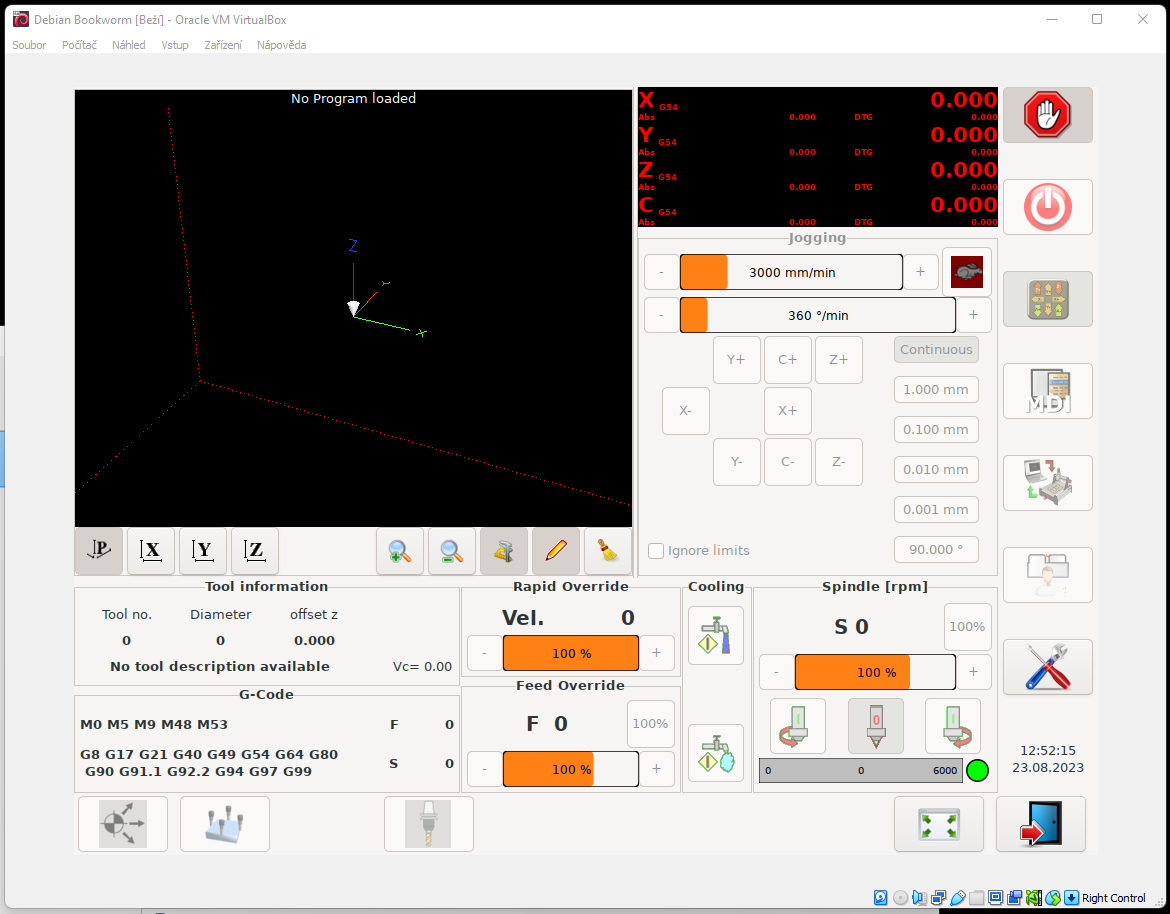
LXQt 1024x768:
 
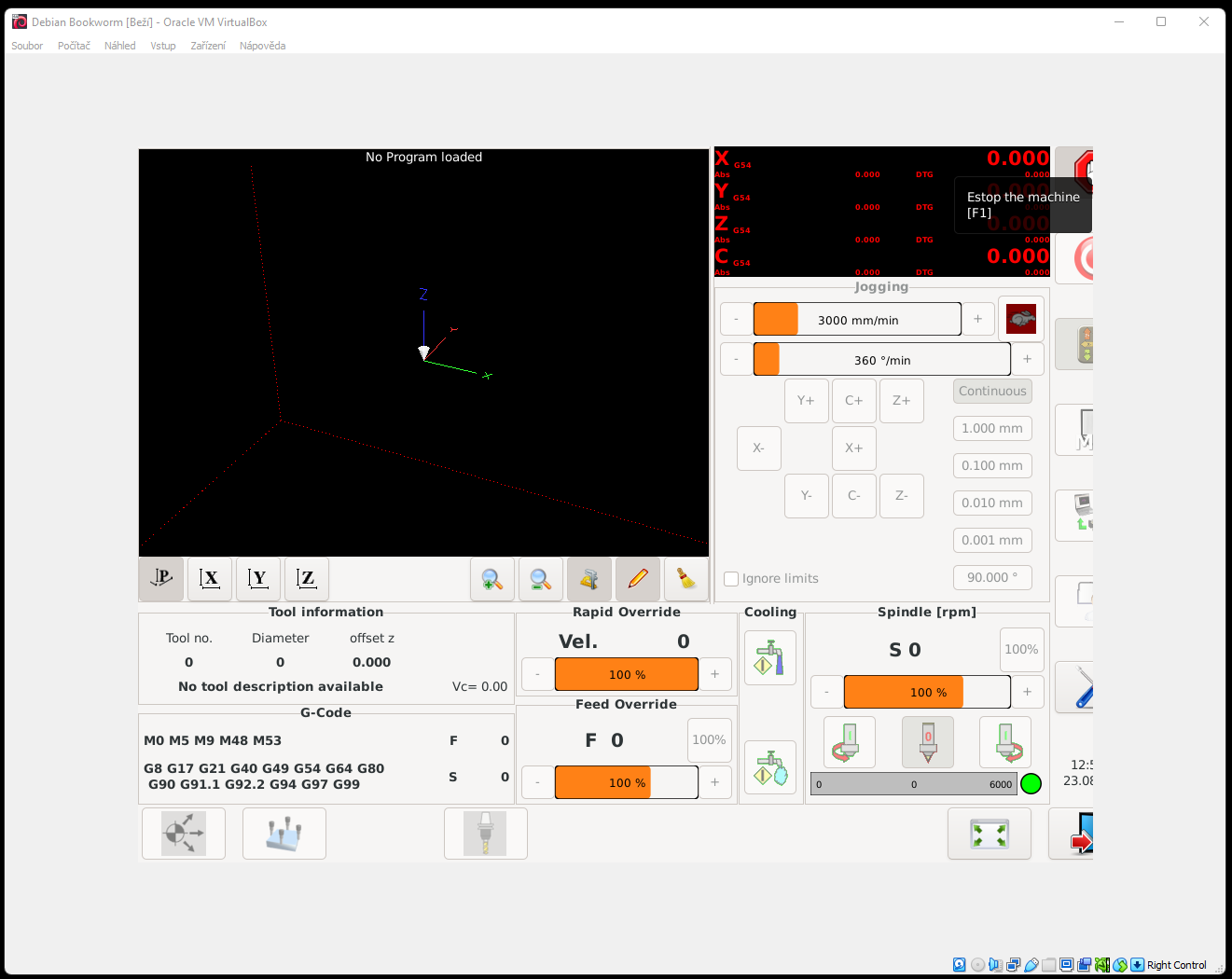
xfce 1024x768:
 

​This is how it behaves in the Virtual Machine and on my computer at home. I installed LXQt on the CNC machine and the problem persists. Therefore, what I wrote above is not true.

:-(
The following user(s) said Thank You: tommylight

Please Log in or Create an account to join the conversation.

Moderators: newbynobi, HansU
Time to create page: 0.240 seconds
Powered by Kunena Forum
