Display slightly too big

More
2 years 11 months ago #286237 by Serg452
Replied by Serg452 on topic Display slightly too big
I have completely the same problems. With 2.8, this was not the case, there is only in 2.9 and 2.10, a buster and a bookworm.
I had to go to resolution 1280 * 1024, but I don't like it - small icons (((
The following user(s) said Thank You: zz912

Please Log in or Create an account to join the conversation.

More
2 years 11 months ago - 2 years 11 months ago #286606 by alex_sar
Replied by alex_sar on topic Display slightly too big
I am another one with same problem
1024x768 , debian bookworm , 2.9

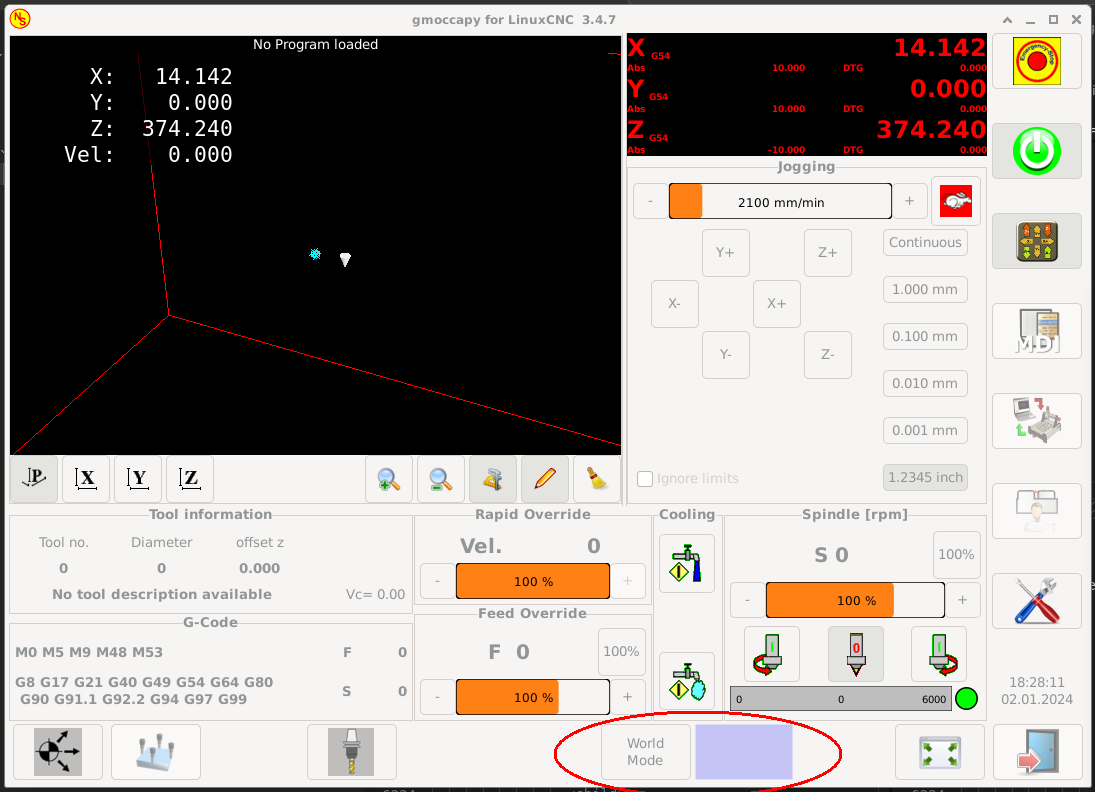
I made some modifications so gmoccapy always start in windowed mode, then I switch to fullscreen and then it works fine. Else buttons go right and I cannot click it. 

Seems there is a gmoccapy bug with switching fullscreen mode on startup on small resolutions. Once window is fully open and initialized, problem disappears.

I just tried and it is easy to repeat in VirtualBox bookworm-2.9 linux install
- set resolution 1024х768
- start gmoccapy 4axis sim config (allow copy config to home dir)
- enable fullscreen in settings
- exit linuxcnc
- restart gmoccapy 4axis sim config from home dir
- buttons are out of screen :(
Last edit: 2 years 11 months ago by alex_sar.

Please Log in or Create an account to join the conversation.
More
2 years 11 months ago - 2 years 11 months ago #286609 by alex_sar
Replied by alex_sar on topic Display slightly too big
I've found a naive workaround, not sure if it is acceptable as common solution, but works for me.

Edit file /usr/bin/gmoccapy
find line
Code:
from time import strftime # needed for the clock in the GUI

replace to
Code:
from time import strftime # needed for the clock in the GUI from threading import Timer

find lines
Code:
if start_as == "rbtn_fullscreen": self.widgets.window1.fullscreen()

replace to
Code:
if start_as == "rbtn_fullscreen": __t = Timer(3, lambda : self.widgets.window1.fullscreen() ) __t.start()

what does it do? it schedules a timer to enable full-screen with 3 seconds delay and it works like a charm now.
Last edit: 2 years 11 months ago by alex_sar. Reason: seems 3 seconds works better
The following user(s) said Thank You: 10K, Aciera, zz912, DPFlex

Please Log in or Create an account to join the conversation.

More
2 years 10 months ago #288585 by 10K
Replied by 10K on topic Display slightly too big
alex_sar-
Your suggestion worked great! I changed the file as you describe, except that I made the delay 2 seconds.

Thanks!

Please Log in or Create an account to join the conversation.
More
2 years 9 months ago - 2 years 9 months ago #289791 by HansU
Replied by HansU on topic Display slightly too big
I have a fix for this. See github.com/LinuxCNC/linuxcnc/pull/2831 .
The solution is very simple - just removing one property in the glade file, but it took me a while to get to this point.
The background:
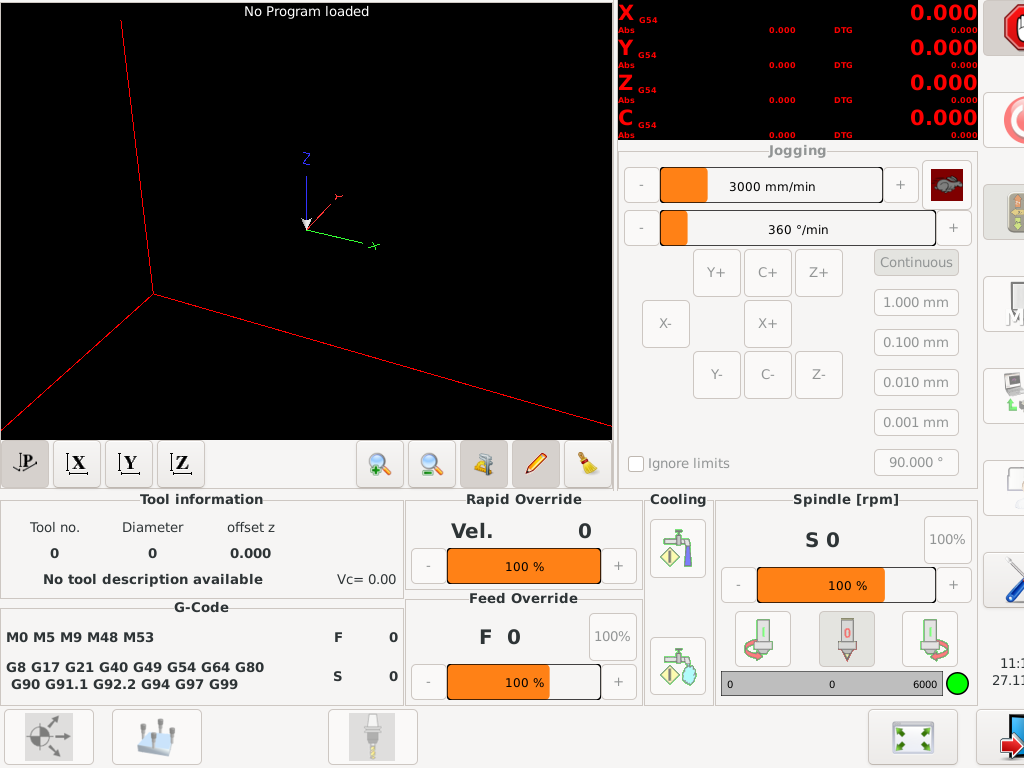
The button "World Mode/Joint Mode" is displayed optional, so there is a placeholder label if that button is not shown. The problem is that at the time the GUI is created (started), the button and the label are active and that make the window too wide to fit 1024 px. The fix is just to have this button hidden at start.
 
Last edit: 2 years 9 months ago by HansU.
The following user(s) said Thank You: Aciera, zz912

Please Log in or Create an account to join the conversation.

More
2 years 9 months ago #290558 by MichalHK
Replied by MichalHK on topic Display slightly too big
Interesting, I'm upgrading gmoccapy.py and gmoccapy.glade as described at github. Nothing changed. Window is still too width.

Please Log in or Create an account to join the conversation.

Moderators: newbynobi, HansU
Time to create page: 0.248 seconds
Powered by Kunena Forum
