
- Posts: 75
- Thank you received: 31
Gmoccapy & carousel.comp problems after update
- Trav328
- Offline
- Senior Member
-

Less
More
2 years 3 weeks ago #311427
by Trav328
Replied by Trav328 on topic Gmoccapy & carousel.comp problems after update
I have read that there has been no changes to the carousel.comp , I'm thinking it has to be somewhere else.
When doing the 1 tool change it will do upon startup iocontrol.0.tool-change goes true then back to false and will not go true again.
Here is a video showing that.
youtube.com/shorts/ikY9XmgKaUE?si=r2Xf1ZPs4eCSNlDe
When doing the 1 tool change it will do upon startup iocontrol.0.tool-change goes true then back to false and will not go true again.
Here is a video showing that.
youtube.com/shorts/ikY9XmgKaUE?si=r2Xf1ZPs4eCSNlDe
Please Log in or Create an account to join the conversation.
- Aciera
- Offline
- Administrator
-

Less
More
- Posts: 4819
- Thank you received: 2177
2 years 3 weeks ago #311430
by Aciera
I presume you are not using the gmoccapy tool change dialog so I don't see why gmoccapy would need to play any role in this and indeed looking at the halfile you attached and comparing that to the screen shot of your postgui_halfile it seems that the signals in the postgui_halfile are actually not connected to anything (which I think is correct):
The question is why the MDI toolchange does not seem to work after the first change.
Maybe you could test if it works properly if you use a gcode file. If that also fails to work after the first change then it is not likely to be related to gmoccapy at all.
So my suggestions are:
- Test in a sim config on your machine
- Test with your machine config using a gcode file
Replied by Aciera on topic Gmoccapy & carousel.comp problems after update
looking in halshow everything related to carousel seems to be functioning fine using my tool change jog buttons, its as if ive lost communication between gmoccapy and carousel , but only after the forst tool selection.
I presume you are not using the gmoccapy tool change dialog so I don't see why gmoccapy would need to play any role in this and indeed looking at the halfile you attached and comparing that to the screen shot of your postgui_halfile it seems that the signals in the postgui_halfile are actually not connected to anything (which I think is correct):
Code:
net tool-change iocontrol.0.tool-change => carousel.0.enable
net tool-changed iocontrol.0.tool-changed <= carousel.0.ready
net tool-number iocontrol.0.tool-prep-number => carousel.0.pocket-number
net tool-prepare-loopback iocontrol.0.tool-prepare => iocontrol.0.tool-prepared
The question is why the MDI toolchange does not seem to work after the first change.
Maybe you could test if it works properly if you use a gcode file. If that also fails to work after the first change then it is not likely to be related to gmoccapy at all.
So my suggestions are:
- Test in a sim config on your machine
- Test with your machine config using a gcode file
Please Log in or Create an account to join the conversation.
- Trav328
- Offline
- Senior Member
-
Less
More
- Posts: 75
- Thank you received: 31
2 years 3 weeks ago #311440
by Trav328
Replied by Trav328 on topic Gmoccapy & carousel.comp problems after update
I just went out to the shop and ran a program , it behaves exactly the same , the offsets and tool number chnage but the physical tool does not , then the program just continues on.
Im not sure what you mean by try in a sim.
I have noticed this since the update aswell , possibly related to something missing or out of place ? , the first time i open linux cnc it starts in some odd configuration, notice the 5 decimal places and world mode at the bottom, then I have to close and re open to continue.
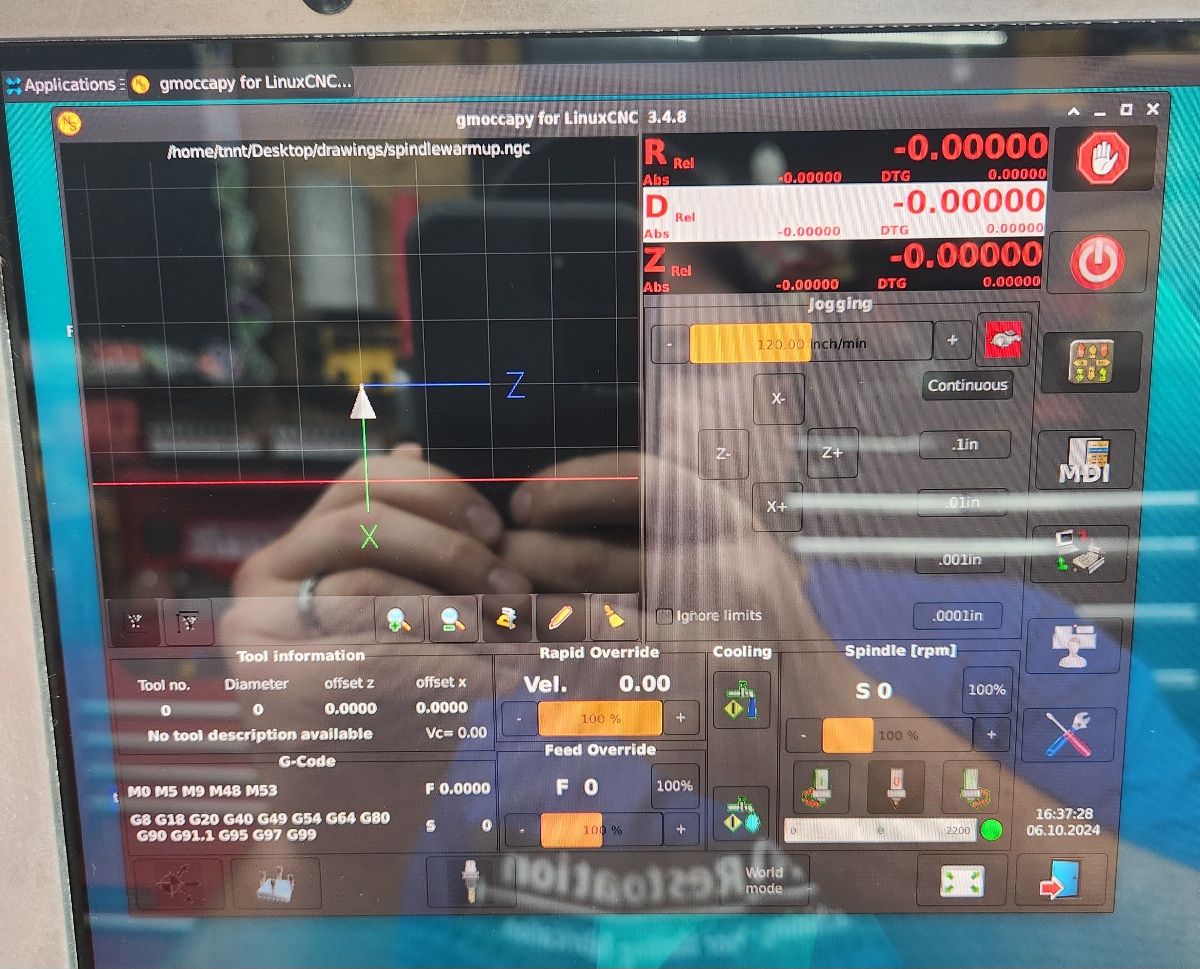
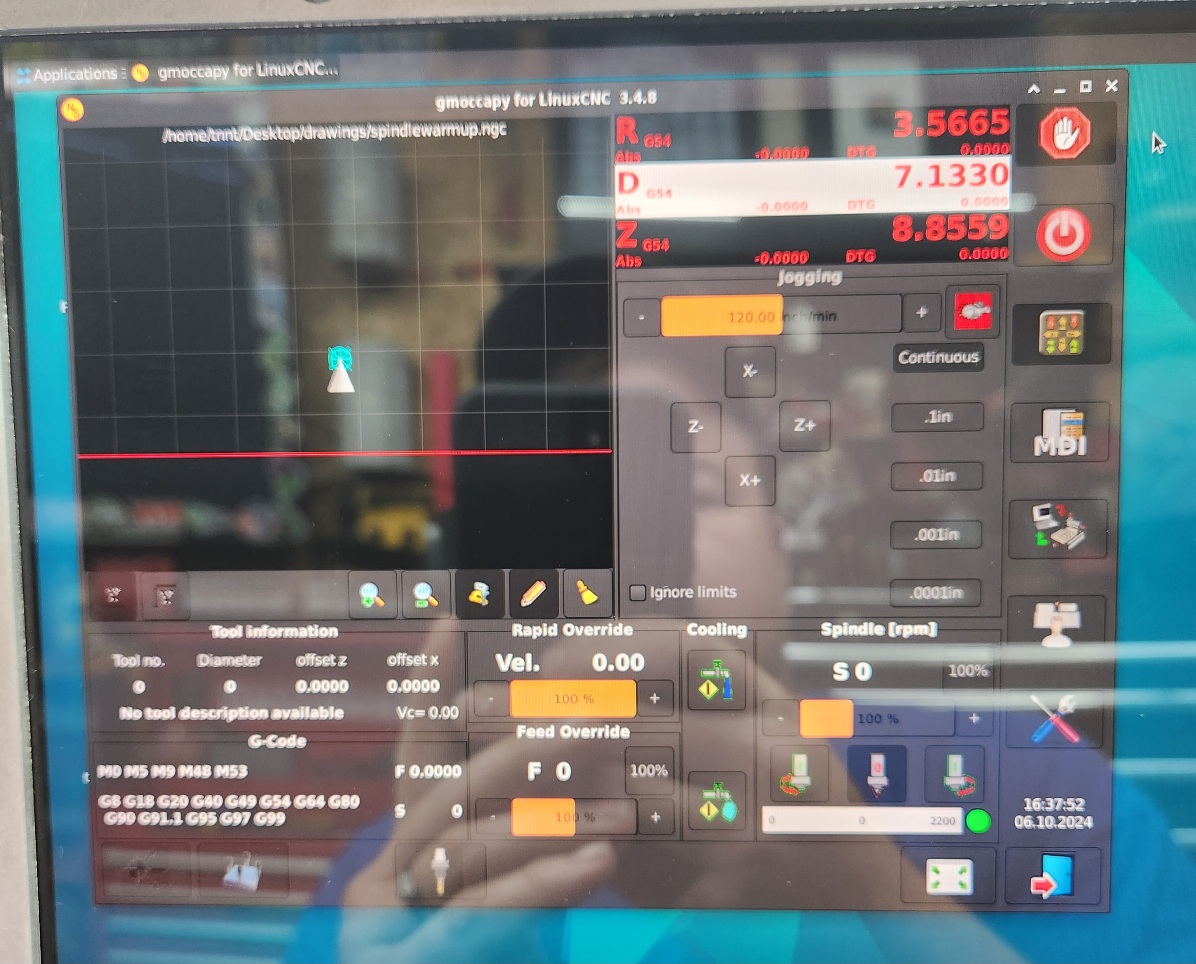
Im not sure what you mean by try in a sim.
I have noticed this since the update aswell , possibly related to something missing or out of place ? , the first time i open linux cnc it starts in some odd configuration, notice the 5 decimal places and world mode at the bottom, then I have to close and re open to continue.
Please Log in or Create an account to join the conversation.
- Aciera
- Offline
- Administrator
-
Less
More
- Posts: 4819
- Thank you received: 2177
2 years 3 weeks ago #311481
by Aciera
Try to run one of the Gmoccapy simulation configs for lathe located in 'configs/sim/gmoccapy/lathe_configs'.
Replied by Aciera on topic Gmoccapy & carousel.comp problems after update
Im not sure what you mean by try in a sim.
Try to run one of the Gmoccapy simulation configs for lathe located in 'configs/sim/gmoccapy/lathe_configs'.
Please Log in or Create an account to join the conversation.
- Trav328
- Offline
- Senior Member
-
Less
More
- Posts: 75
- Thank you received: 31
2 years 3 weeks ago #311501
by Trav328
Replied by Trav328 on topic Gmoccapy & carousel.comp problems after update
the 2 sims i ran seem to run fine
Please Log in or Create an account to join the conversation.
- Trav328
- Offline
- Senior Member
-
Less
More
- Posts: 75
- Thank you received: 31
2 years 3 weeks ago #311510
by Trav328
Replied by Trav328 on topic Gmoccapy & carousel.comp problems after update
A full reinstall of debian 12 , linuxcnc 2.9.2 and gmoccapy 3.4.6 has everything working again , must be a bug somewhere in the update.
Please Log in or Create an account to join the conversation.
Moderators: newbynobi, HansU
Time to create page: 0.155 seconds