Change Tool Offsets after editing the Tool Table

More
1 year 5 months ago #327871 by hermann1976
I've tried all your suggestions. Unfortunately, none of them work.

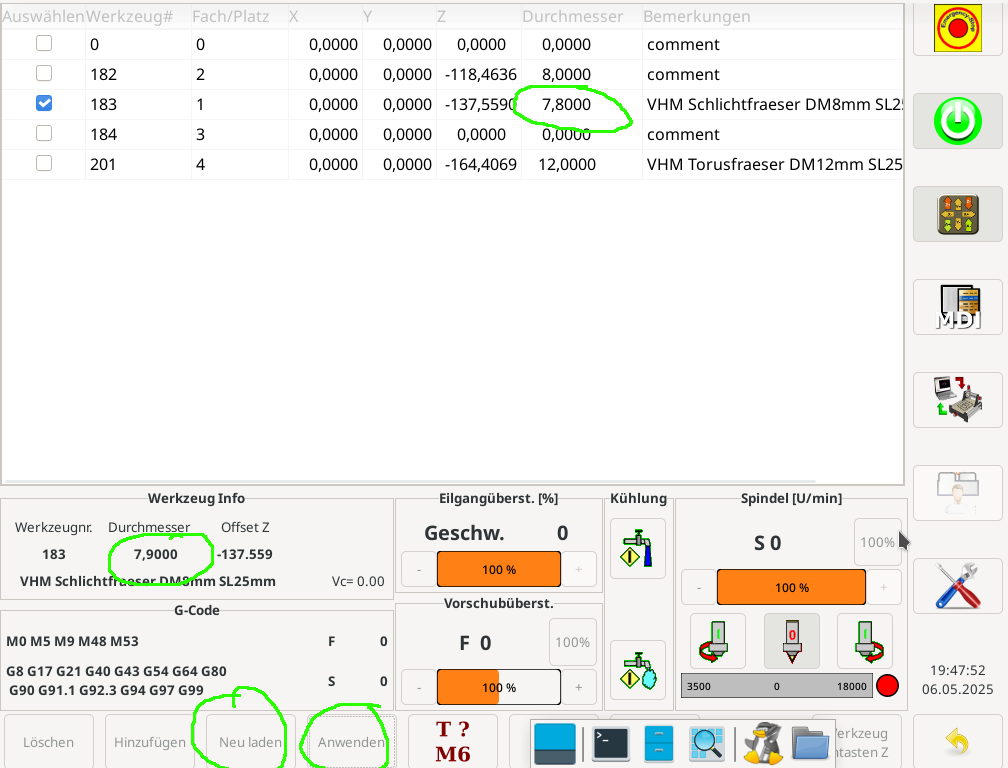
The tool is in the spindle - no program is running --> Tool changed in the tool table --> Confirmed with Enter --> Clicked Apply --> Clicked Reload --> Then tried in MDI G43 - the diameter doesn't change in the tool info box.
 

Please Log in or Create an account to join the conversation.
More
1 year 5 months ago #327875 by MaHa
Can you enter in MDI

(debug,#5410)

to see what diameter linuxcnc use in gcode
The following user(s) said Thank You: hermann1976

Please Log in or Create an account to join the conversation.

More
1 year 5 months ago - 1 year 5 months ago #327952 by hermann1976
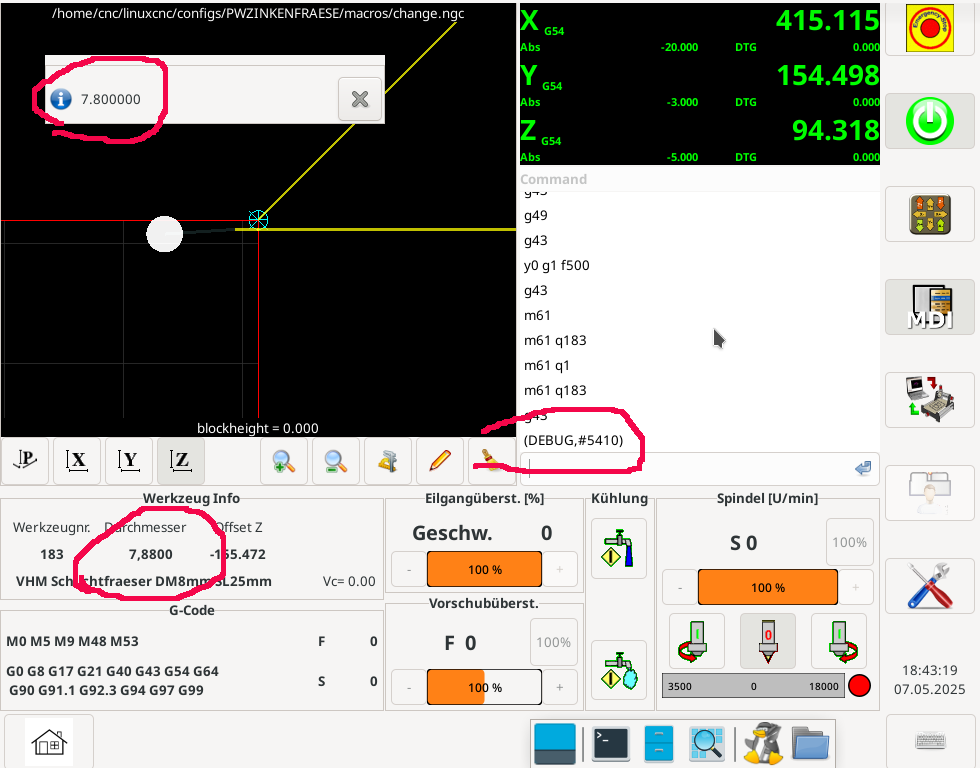
Thanks for your answer. Attached the result.Linuxcnc works with the changed value. But the GUI doesn't recognize the change.
Last edit: 1 year 5 months ago by hermann1976.

Please Log in or Create an account to join the conversation.
More
1 year 5 months ago #327961 by MaHa
Did you try, if the GUI updates changes in tooldata this way? Be aware it uses toolradius

G10 L1 P#5400 R


linuxcnc.org/docs/2.9/html/gcode/g-code.html#gcode:g10-l1


otherwise i have no idea

Please Log in or Create an account to join the conversation.

More
1 year 5 months ago #327983 by hermann1976
Hi, I'd like to ask if I'm the only one experiencing this issue, or if it's a general issue with the Gmoccapy GUI?
When I perform a fresh installation on a virtual machine, I get the same behavior. So I assume it's a general bug in the Gmoccapy GUI.
Please let me know your experience... Thanks

Please Log in or Create an account to join the conversation.

More
1 year 5 months ago #328045 by zz912
What version LCNC do you use?

Please Log in or Create an account to join the conversation.

Moderators: newbynobi, HansU
Time to create page: 0.100 seconds
Powered by Kunena Forum
