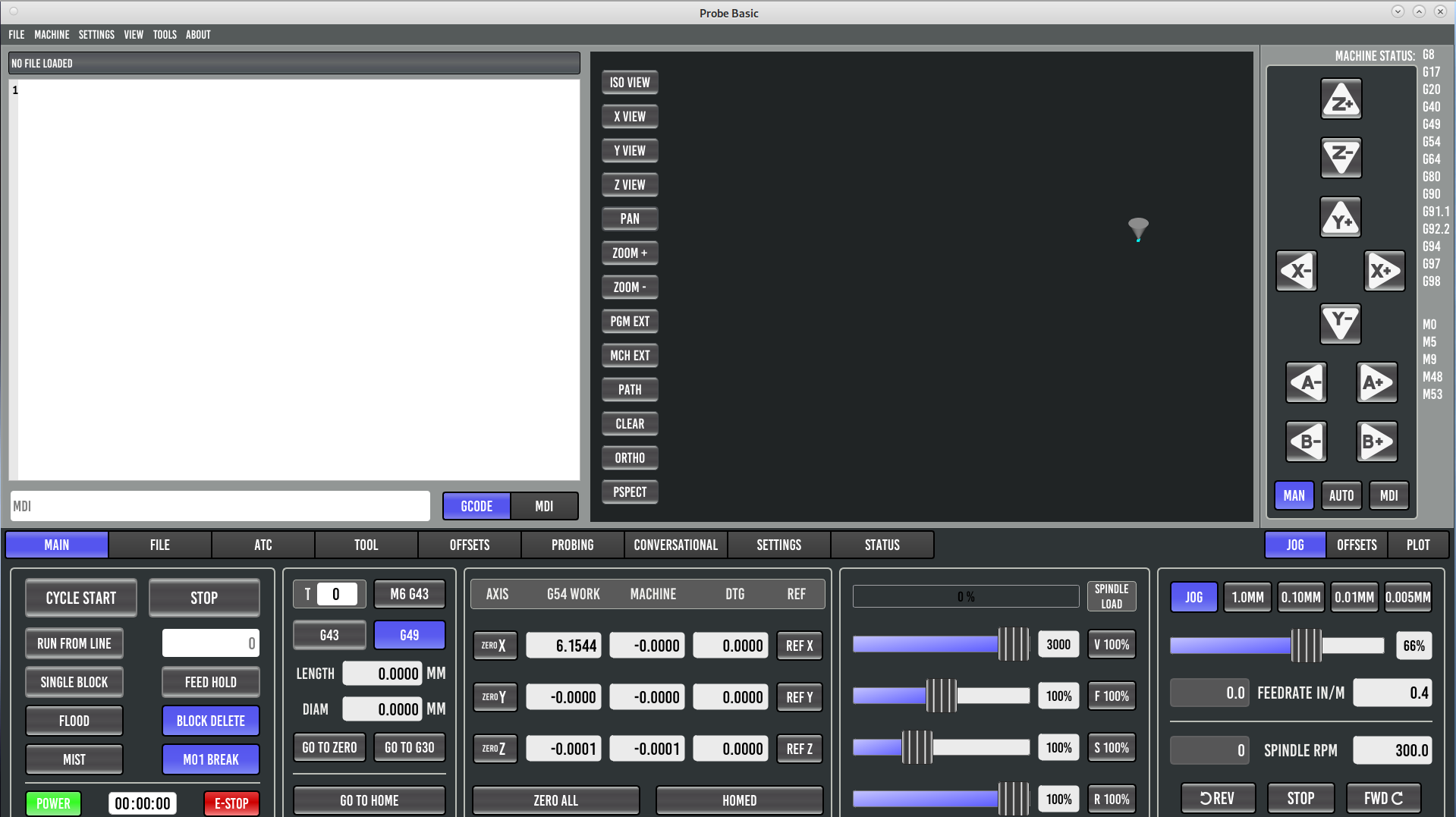
After seeing the last several posts I gave this another try. I have made sure I have AXES = 4 and COORDINATES = X Y Z A
in the [TRAJ] section
I still get the same result. The DRO only shows XY&Z the manual controls show XYZA&B. Even the sim on a fresh install only shows XYZ on the DRO and XYZAB on the manual controls.
I've installed and run Linuxcnc with Gmoccapy, Axis and QtDragon so I'm not stupid, but this is nuts. I know it can work, I can see that all 5 axis displays are available in the QtDesigner. I just can't get mine to display.
I would love to run this interface but I have to have the 4th axis.
My install is:
Debian 11.4 Mate desktop
15.10.0.17 RT Kernel
QtPyVCP install:
cd ~/dev
git clone
github.com/kcjengr/qtpyvcp
cd qtpyvcp
git checkout master
pip install --editable .
cd
cd ~/dev/qtpyvcp/pyqt5designer/Qt5.15.2-64bit/python3.9
sudo ./install.sh
cp ~/dev/qtpyvcp/scripts/.xsessionrc ~/
Probe Basic install:
cd ~/dev
git clone
github.com/kcjengr/probe_basic.git
cd probe_basic
git checkout python3
qcompile .
pip install -e .
cd
cp -r ~/dev/probe_basic/probe_basic/fonts/ ~/.local/share/
cp -r ~/dev/probe_basic/config/probe_basic/ ~/linuxcnc/configs/
Conversational gcode install:
go here:
github.com/kcjengr/qtpyvcp.conversational-gcode
set the repo to python3 and download the zip
extract the zip to ~/dev
cd ~/dev/qtpyvcp.conversational-gcode-python3
pip install .
I can edit probe_basic and have all of the custom icons and widgets
editvcp probe_basic
Attached are my ini and hal files along with a screen shot of Probe Basic running on my machine.