
(Solved) Probe Basic - HAL pins not being created
- Lcvette
-

- Offline
- Moderator
-

Less
More
- Posts: 1682
- Thank you received: 784
03 Sep 2026 02:12 #349249
by Lcvette
Replied by Lcvette on topic (Solved) Probe Basic - HAL pins not being created
works fine! how are you creating things? are you opening using editvcp probe_basic and then opening the user ui?
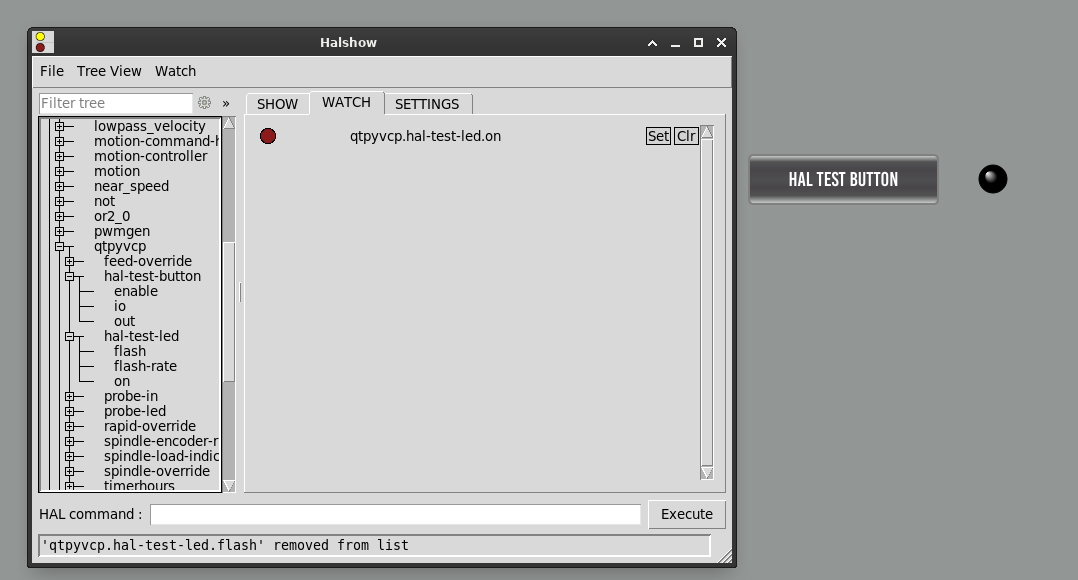
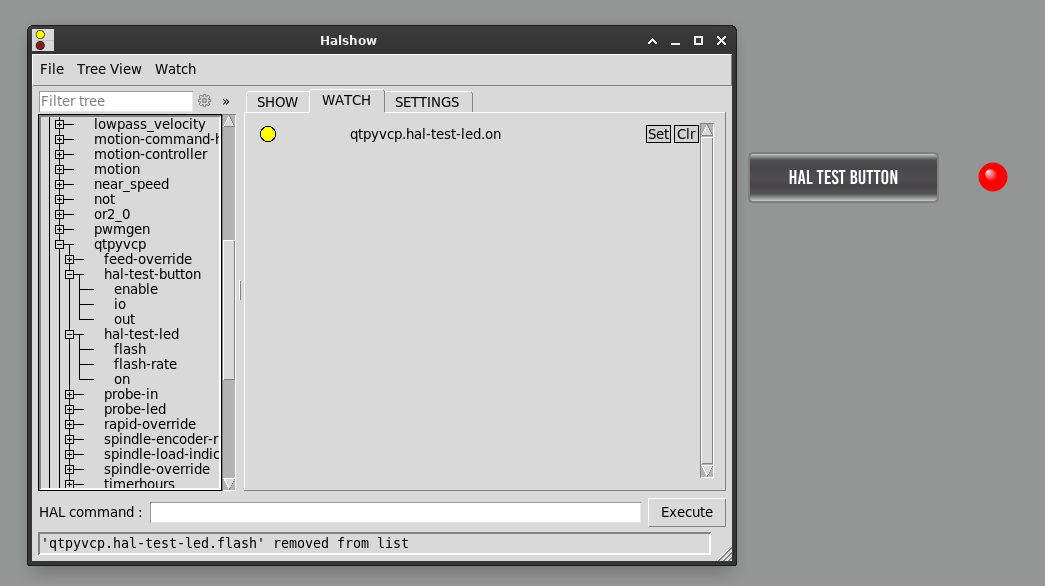
Attachments:
Please Log in or Create an account to join the conversation.
- Lcvette
-
- Offline
- Moderator
-
Less
More
- Posts: 1682
- Thank you received: 784
03 Sep 2026 02:18 #349250
by Lcvette
Replied by Lcvette on topic (Solved) Probe Basic - HAL pins not being created
maybe try bringing over the latest user files, there have been some changes and some may no longer be up to date with the porting we did. the testing i was using used the latest develop branch for the trixie debian 13 probe basic for reference, i do not have a bookworm machine at the momenht while im working on another project so cannot test there if that is what you are on. if so i would recommend updating to the trixie version
Please Log in or Create an account to join the conversation.
- spumco
- Offline
- Platinum Member
-

Less
More
- Posts: 2180
- Thank you received: 905
03 Sep 2026 02:49 #349255
by spumco
Replied by spumco on topic (Solved) Probe Basic - HAL pins not being created
works fine! how are you creating things? are you opening using editvcp probe_basic and then opening the user ui?
No, I edited the user ui directly. Sounds like that may be my problem. I'll have another go at it and report back.
I'm on trixie, did a pull just a week or so ago so I should be up to date.
No, I edited the user ui directly. Sounds like that may be my problem. I'll have another go at it and report back.
I'm on trixie, did a pull just a week or so ago so I should be up to date.
Please Log in or Create an account to join the conversation.
- Lcvette
-
- Offline
- Moderator
-
Less
More
- Posts: 1682
- Thank you received: 784
03 Sep 2026 03:08 #349258
by Lcvette
Replied by Lcvette on topic (Solved) Probe Basic - HAL pins not being created
so the dro's were not really meant to be customized in that manner so they went last in the loading sequence using a timer to stop any conflicts during load, that being the case the hal widgets do not get registered for the dro ui's only for the usertab uis.. i will see if there is some magic i can do to include the dro's and post back when i have an answer on it!
Please Log in or Create an account to join the conversation.
- spumco
- Offline
- Platinum Member
-
Less
More
- Posts: 2180
- Thank you received: 905
03 Sep 2026 03:16 #349260
by spumco
Replied by spumco on topic (Solved) Probe Basic - HAL pins not being created
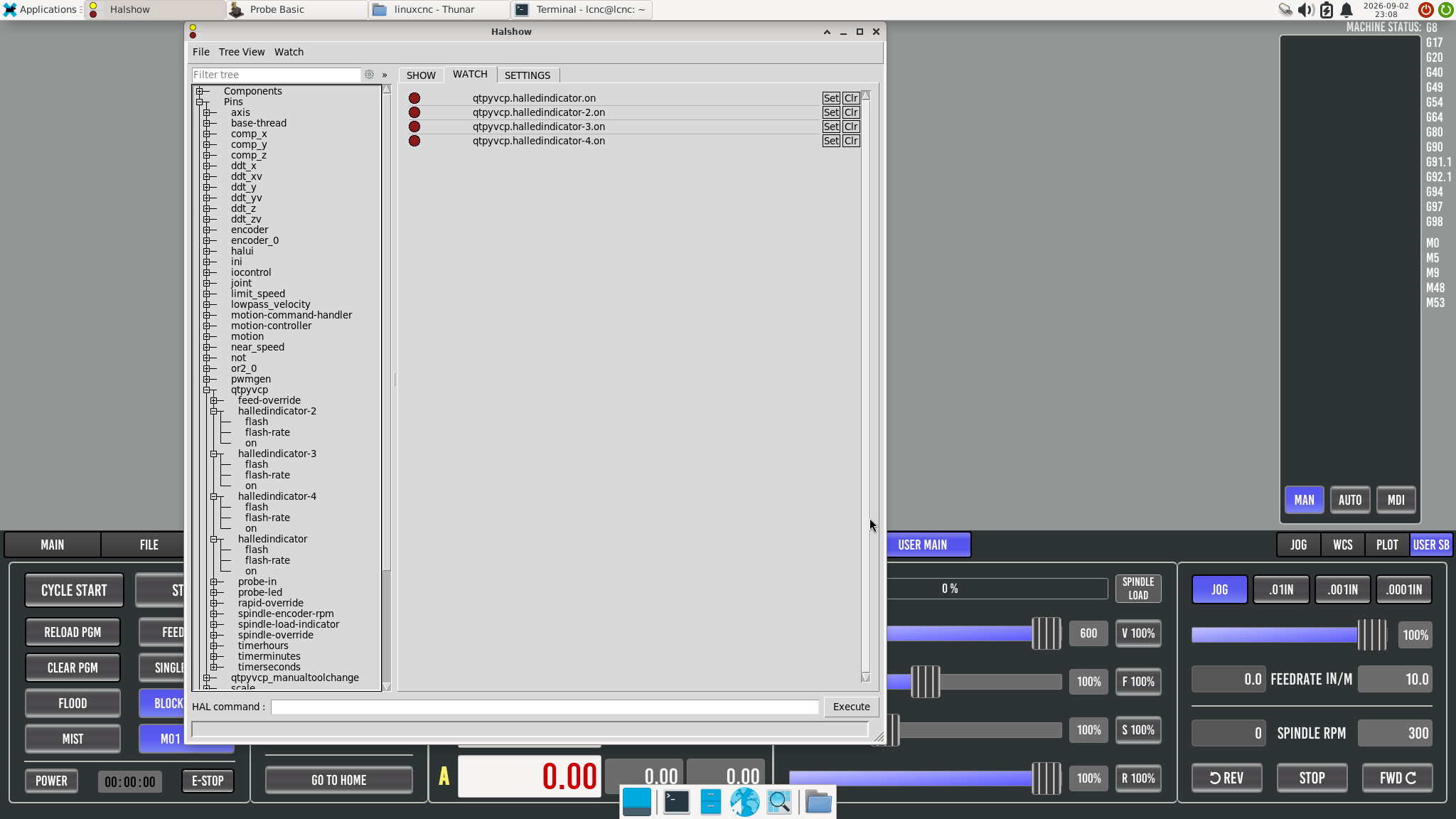
Ok, HalLedIndicator is now showing up in halshow.
Every time I tried to edit probe_basic.ui I couldn't save it due to permissions. And trying 'sudo editvcp probe_basic' resulted in an error before opening.
Had to
The user tab is not showing up on the screen (see attached), but at least I've made some progress.
Every time I tried to edit probe_basic.ui I couldn't save it due to permissions. And trying 'sudo editvcp probe_basic' resulted in an error before opening.
Had to
- make a copy of probe_basic.ui and probe_basic.qrc
- paste copy in some non-root folder
- open sudo -thunar and rename the original
- open the copy in vcp
- open the user_tab.ui file and edit/save both ui files
- using sudo-thunar paste the probe_basic.ui & .qrc file copies back in to the python3/dist-packages/probe_basic folder.
The user tab is not showing up on the screen (see attached), but at least I've made some progress.
Please Log in or Create an account to join the conversation.
- Lcvette
-
- Offline
- Moderator
-
Less
More
- Posts: 1682
- Thank you received: 784
03 Sep 2026 03:45 #349262
by Lcvette
Replied by Lcvette on topic (Solved) Probe Basic - HAL pins not being created
you should not be saving the probe basic ui file only the files from the config folder. however, the main probe basic ui must be opened first to load the qtpyvcp widgets correctly. you can open it but not save it, only save the config user files. each one must be saved and then close designer and reopen for the next that should avoid the call for the qrc file which is located in the usr/python3/probe_basic system wide directory. you really should never have to go into that for this work.
the dro ui's like i said above have a timer that prevents them currently from registering the hal widgets on initial startup. I was too tired to mess with it tonight, but will have aquick look in the morning to see if its something simple. i know i had to add the timer to prevent other issues i was dealing with from loading multiple ui files so i make no promises. you may need to add the led's to the sidebar tab or something which shouldn't have any issues as demonstrated previously above.
the dro ui's like i said above have a timer that prevents them currently from registering the hal widgets on initial startup. I was too tired to mess with it tonight, but will have aquick look in the morning to see if its something simple. i know i had to add the timer to prevent other issues i was dealing with from loading multiple ui files so i make no promises. you may need to add the led's to the sidebar tab or something which shouldn't have any issues as demonstrated previously above.
The following user(s) said Thank You: spumco
Please Log in or Create an account to join the conversation.
- spumco
- Offline
- Platinum Member
-
Less
More
- Posts: 2180
- Thank you received: 905
03 Sep 2026 03:50 - 03 Sep 2026 04:06 #349263
by spumco
Replied by spumco on topic (Solved) Probe Basic - HAL pins not being created
I'm not worried about the DRO at this point - the widget rules are accomplishing what I want - and I understand I'm working on an edge-case.
My intent now is to add LED's to the user sidebar tab, not circle back and mess with the DRO again.
I'll try it again without saving the probe_basic.ui file and see what happens.
EDIT
I just did an update/upgrade and managed to overwrite everything, since I was 'just fiddling around' I didn't bother making a copy of the PB config folder. ARGH.
I'll have another go tomorrow.
My intent now is to add LED's to the user sidebar tab, not circle back and mess with the DRO again.
I'll try it again without saving the probe_basic.ui file and see what happens.
EDIT
I just did an update/upgrade and managed to overwrite everything, since I was 'just fiddling around' I didn't bother making a copy of the PB config folder. ARGH.
I'll have another go tomorrow.
Last edit: 03 Sep 2026 04:06 by spumco. Reason: Brainfade
Please Log in or Create an account to join the conversation.
- Lcvette
-
- Offline
- Moderator
-
Less
More
- Posts: 1682
- Thank you received: 784
03 Sep 2026 11:49 #349280
by Lcvette
Replied by Lcvette on topic (Solved) Probe Basic - HAL pins not being created
doh.. yeah, that can happen...
I just pushed some changes that allow sequential loading correctly that captures hal loading for all ui's at startup for registration. this should allow the use of hal widgets in all user ui files. should be up and live by 8am EST.
I just pushed some changes that allow sequential loading correctly that captures hal loading for all ui's at startup for registration. this should allow the use of hal widgets in all user ui files. should be up and live by 8am EST.
Please Log in or Create an account to join the conversation.
- Lcvette
-
- Offline
- Moderator
-
Less
More
- Posts: 1682
- Thank you received: 784
03 Sep 2026 15:46 #349292
by Lcvette
Replied by Lcvette on topic (Solved) Probe Basic - HAL pins not being created
I just fixed the qrc file request also was a bad path between apt and pip install methods, now resolves for both so that should not be an issue anymore.. thanks for bringing this up!! was hidden from me with dev pc.
The following user(s) said Thank You: spumco
Please Log in or Create an account to join the conversation.
- spumco
- Offline
- Platinum Member
-
Less
More
- Posts: 2180
- Thank you received: 905
03 Sep 2026 21:29 #349297
by spumco
Replied by spumco on topic (Solved) Probe Basic - HAL pins not being created
Had another go at it after updating again. Here's what I've found:
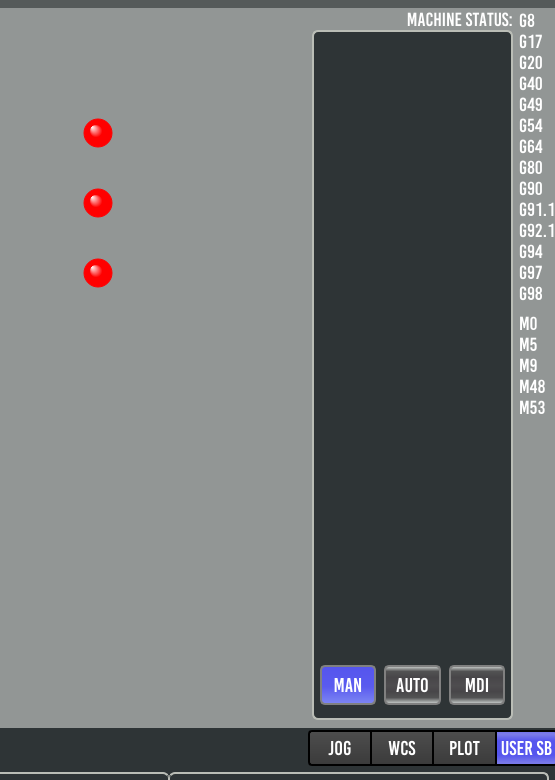
When selected, the user sidebar tab is empty, so I think that confirms the right stack page is being selected, but the user ui file isn't being loaded.
No error messages in terminal during startup, and I didn't change any file names or paths from the templates.
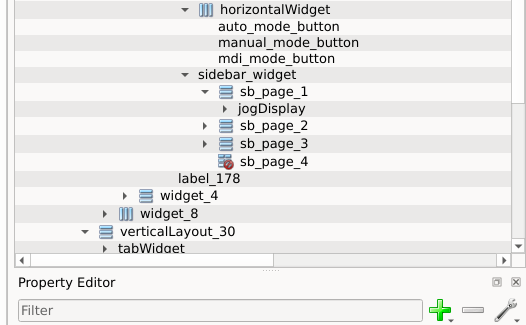
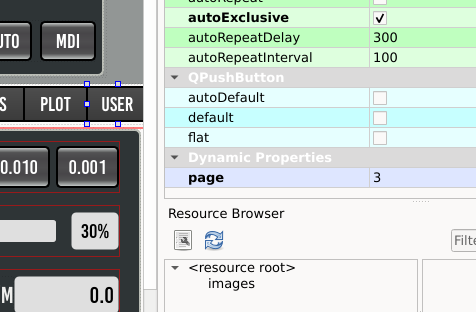
The only thing suspicious I can see is what looks like an 'inactive' icon next to the sb_page_4 object in the object window. Or I'm misinterpreting the icon - not sure.
- qrc file issues are gone. No error message that the qrc can't be found - that's a win.
- Created six hal LEDs - 3 in main window user tab, 3 in sidebar user tab
- All six LED hal pins are present in halshow - still good
- main window user tab LEDs are displayed
- sidebar user tab does not display LEDs or anything else (Qlabels)
When selected, the user sidebar tab is empty, so I think that confirms the right stack page is being selected, but the user ui file isn't being loaded.
No error messages in terminal during startup, and I didn't change any file names or paths from the templates.
The only thing suspicious I can see is what looks like an 'inactive' icon next to the sb_page_4 object in the object window. Or I'm misinterpreting the icon - not sure.
Please Log in or Create an account to join the conversation.
Moderators: KCJ, Lcvette
Time to create page: 0.167 seconds