Camera configuration

More
2 years 10 months ago #289370 by wusel0464
Replied by wusel0464 on topic Camera configuration
Hello,

Since we are currently tinkering with the camview_widget, two things come to mind.
Would it be possible to add a button for rotating the display, which, so to speak, simulates pressing the right mouse button when activated on a touchscreen? The onboard screen keyboard has such a function and if I activate it, then I can also rotate the display accordingly in QtDragon.
I can't handle gesture control and I don't want to clog up the system too much.
Secondly, the MDI buttons could also be used in the camera window.
Basically, I'm chasing the desire to be able to do some functions from the probe screen with the camera.

Thank you in advance and happy new year.
Greetings Frank

PS I changed the Y scaling to 1.6, it's a little rounder.

Please Log in or Create an account to join the conversation.
More
2 years 10 months ago - 2 years 10 months ago #289392 by cmorley
Replied by cmorley on topic Camera configuration
Did you try setting X < 1 rather then Y >1 - it might help the poor picture.
Last edit: 2 years 10 months ago by cmorley.

Please Log in or Create an account to join the conversation.

More
2 years 10 months ago - 2 years 10 months ago #289401 by cmorley
Replied by cmorley on topic Camera configuration
The macro buttons not showing is actually a layout problem - they should be available in other modes.
Since you asked, I fixed it and maybe you can test for me:

if you decompress the file you will find a folder: qtdragon_hd
inside that folder is two files that you need to add to your config.
Inside your config folder is a folder of folders: qtvcp/screens/qtdragon_hd/
Those twp files need to go in the there. If there is a problem you can remove the files and qtvcp will use the normal ones again.

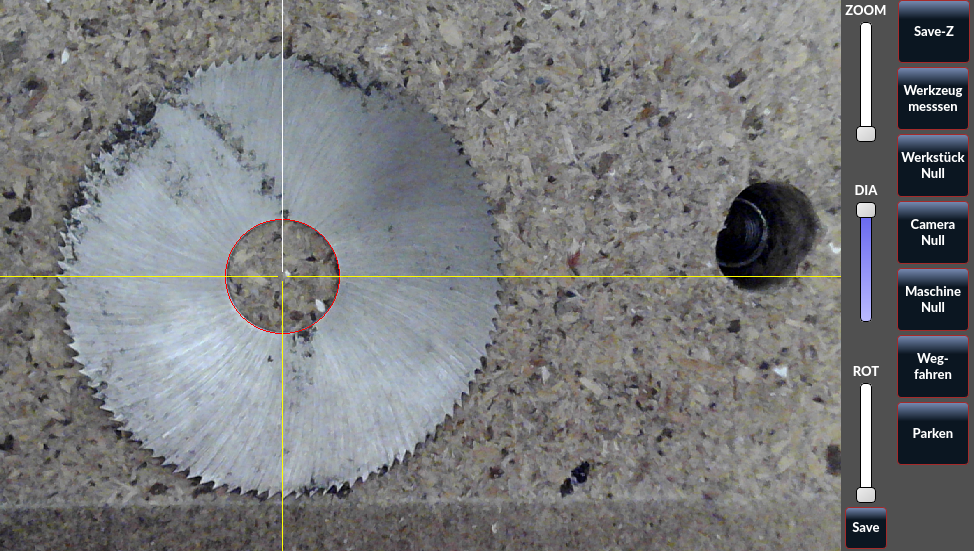
You should then see the macro buttons in main, cam and user in non auto mode.
 
Last edit: 2 years 10 months ago by cmorley.

Please Log in or Create an account to join the conversation.
More
2 years 10 months ago #289429 by wusel0464
Replied by wusel0464 on topic Camera configuration
Hello,

Works perfectly, makes it a little more convenient to use in my opinion. A few buttons will be assigned other functions when I get the baked goods. Theoretically, you could also adopt the camera offset button into the camera window, but that's a matter of personal preference and thought processes; for other users it may also be in the right place where it is now.
It's a shame that I'm at odds with foreign and programming languages. I can build a cheese milling machine from my head or, like in my work, disassemble an SMD assembly head and put it back together again without instructions, but unfortunately my simulation capsule is not wired for languages.

Many thanks and best wishes to everyone and a happy new year.

Frank

Please Log in or Create an account to join the conversation.

More
2 years 10 months ago #289442 by cmorley
Replied by cmorley on topic Camera configuration
Glad it is working for you. I will try to get this out on the next update.
Happy New Year!

Please Log in or Create an account to join the conversation.

More
2 years 10 months ago #289464 by wusel0464
Replied by wusel0464 on topic Camera configuration
Hello,

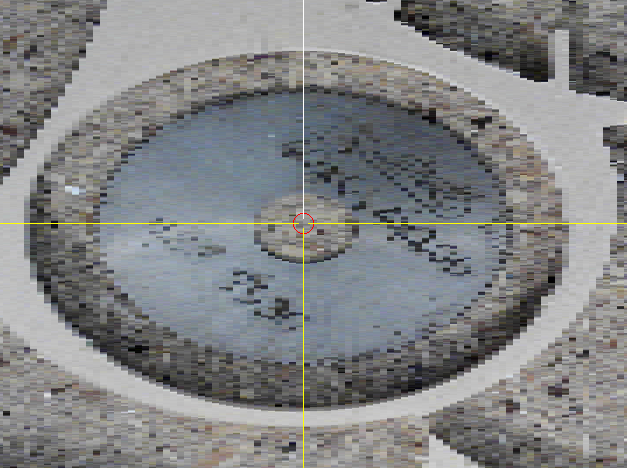
Unfortunately, making the X value smaller doesn't help me, on the contrary it makes the image worse, see appendix.
For now I'll leave it at that, I'll scale up Y, the picture isn't that much worse. Especially since the button strip means that 1.5 on the Y axis is now sufficient again.
Actually, as I understand it, the output window should adapt to the aspect ratio, in my case there would be a black stripe on the right and left.
But the way it is now, you can work well.

Happy and healthy new year to everyone.
Greetings Frank 
The following user(s) said Thank You: tommylight

Please Log in or Create an account to join the conversation.

Moderators: cmorley
Time to create page: 0.187 seconds
Powered by Kunena Forum
