
- Configuring LinuxCNC
- Advanced Configuration
- Using a servo as a spindle and positional axis - keep getting vague errors
Using a servo as a spindle and positional axis - keep getting vague errors
- ffffrf
- Offline
- Senior Member
-

Less
More
- Posts: 57
- Thank you received: 2
03 Apr 2025 00:56 #325564
by ffffrf
Using a servo as a spindle and positional axis - keep getting vague errors was created by ffffrf
Hello,
I have a little lathe that was originally using a bldc motor. I wanted to change it out with a servo motor and use it both in positional mode, but also with turning. I went through the basic configurations in pncconf using my mesa 7i96s and got it to work as a turning machine with a stepgen spindle.
I read about the possibility of using mux2 to switch between the two modes but I am stuck getting strange errors like command 176, etc. I cant figure out how to debug or what I need to change in my INI and HAL (I have two hal files I am using). I am wondering if someone could look over my files and see if I am missing something obvious? I keep staring at it and am getting nowhere...
I config'd it as an XZ lathe with stepgen spindle originally. I have to HAL files I use: C+turning and the mux HAL
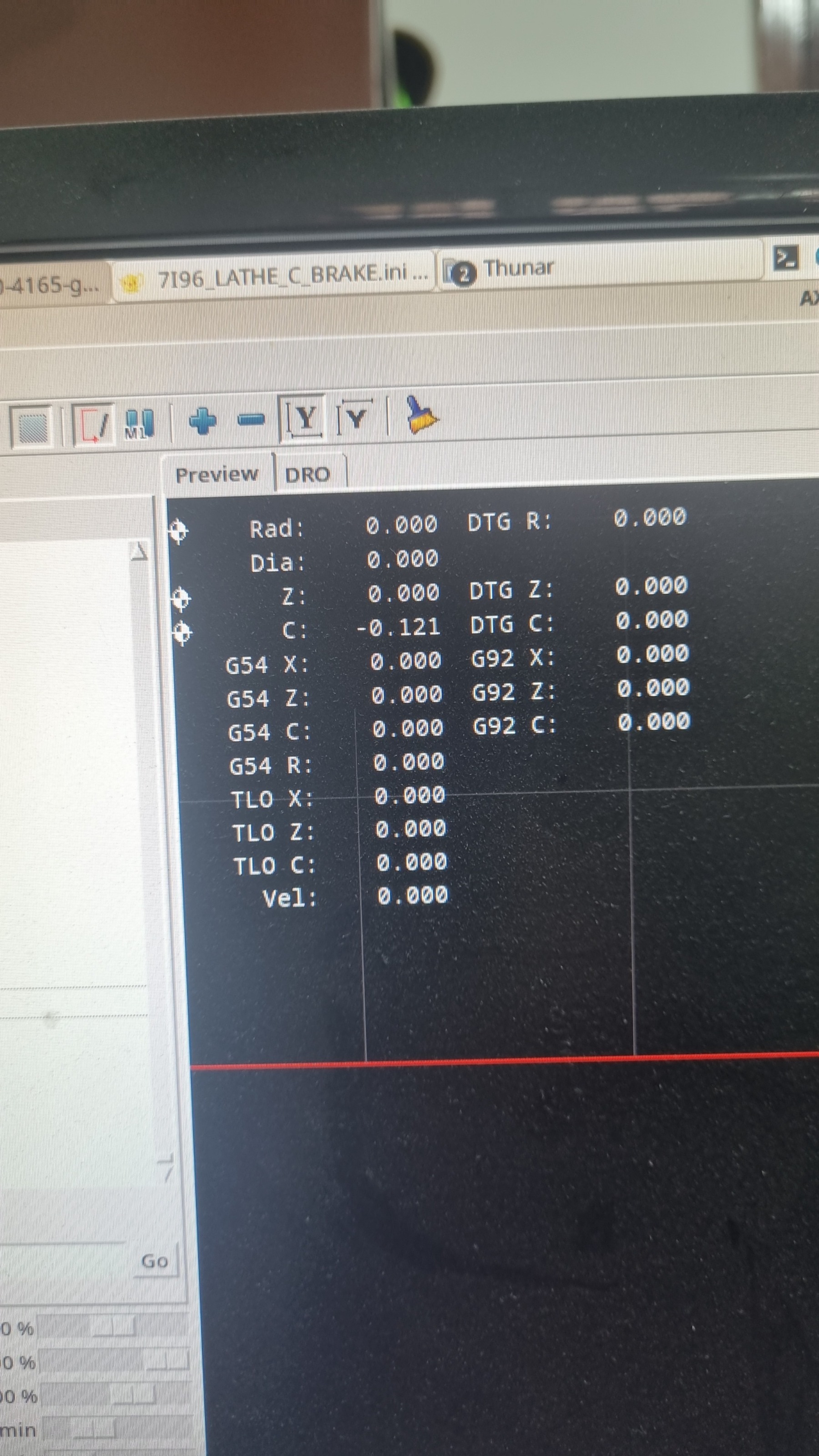
My current issue is as follows: The program compiles and opens. I then home axis, which causes my X and Z axis to home. I can now move those freely. However, when I go to try and move the C axis, I get "error on joint 2" and on terminal it just gives all sorts of "command" errors that I cant seem to debug further. Has anyone experienced this?
Main HAL:
Auxillary HAL
INI FILE
I have a little lathe that was originally using a bldc motor. I wanted to change it out with a servo motor and use it both in positional mode, but also with turning. I went through the basic configurations in pncconf using my mesa 7i96s and got it to work as a turning machine with a stepgen spindle.
I read about the possibility of using mux2 to switch between the two modes but I am stuck getting strange errors like command 176, etc. I cant figure out how to debug or what I need to change in my INI and HAL (I have two hal files I am using). I am wondering if someone could look over my files and see if I am missing something obvious? I keep staring at it and am getting nowhere...
I config'd it as an XZ lathe with stepgen spindle originally. I have to HAL files I use: C+turning and the mux HAL
My current issue is as follows: The program compiles and opens. I then home axis, which causes my X and Z axis to home. I can now move those freely. However, when I go to try and move the C axis, I get "error on joint 2" and on terminal it just gives all sorts of "command" errors that I cant seem to debug further. Has anyone experienced this?
Main HAL:
# Generated by PNCconf at Wed Apr  2 16:24:00 2025
# Using LinuxCNC version:  Master (2.9)
# If you make changes to this file, they will be
# overwritten when you run PNCconf again

loadrt [KINS]KINEMATICS
loadrt [EMCMOT]EMCMOT servo_period_nsec=[EMCMOT]SERVO_PERIOD num_joints=[KINS]JOINTS
loadrt hostmot2
loadrt hm2_eth board_ip="10.10.10.10" config="num_encoders=1 num_pwmgens=1 num_stepgens=5 sserial_port_0=0xxxxxxx"
setp    hm2_7i96s.0.pwmgen.pwm_frequency 20000
setp    hm2_7i96s.0.pwmgen.pdm_frequency 6000000
setp    hm2_7i96s.0.watchdog.timeout_ns 5000000
loadrt pid names=pid.x,pid.z,pid.s,pid.c
loadrt near

addf hm2_7i96s.0.read          servo-thread
addf motion-command-handler   servo-thread
addf motion-controller        servo-thread
addf pid.x.do-pid-calcs       servo-thread
addf pid.z.do-pid-calcs       servo-thread
addf pid.s.do-pid-calcs       servo-thread
addf pid.c.do-pid-calcs servo-thread
addf near.0                   servo-thread
addf hm2_7i96s.0.write         servo-thread
setp hm2_7i96s.0.dpll.01.timer-us -50
setp hm2_7i96s.0.stepgen.timer-number 1

# external output signals

# --- X-ENABLE ---
net x-enable  =>     hm2_7i96s.0.ssr.00.out-00

# --- Z-ENABLE ---
net z-enable  =>     hm2_7i96s.0.ssr.00.out-01


# external input signals

# --- MIN-HOME-X ---
net min-home-x     <=  hm2_7i96s.0.inm.00.input-00-not

# --- MAX-HOME-Z ---
net max-home-z     <=  hm2_7i96s.0.inm.00.input-01-not

# --- ESTOP-EXT ---
net estop-ext     <=  hm2_7i96s.0.inm.00.input-02


#*******************
#  AXIS X JOINT 0
#*******************

setp   pid.x.Pgain     [JOINT_0]P
setp   pid.x.Igain     [JOINT_0]I
setp   pid.x.Dgain     [JOINT_0]D
setp   pid.x.bias      [JOINT_0]BIAS
setp   pid.x.FF0       [JOINT_0]FF0
setp   pid.x.FF1       [JOINT_0]FF1
setp   pid.x.FF2       [JOINT_0]FF2
setp   pid.x.deadband  [JOINT_0]DEADBAND
setp   pid.x.maxoutput [JOINT_0]MAX_OUTPUT
setp   pid.x.error-previous-target true
# This setting is to limit bogus stepgen
# velocity corrections caused by position
# feedback sample time jitter.
setp   pid.x.maxerror 0.012700

net x-index-enable  =>  pid.x.index-enable
net x-enable        =>  pid.x.enable
net x-pos-cmd       =>  pid.x.command
net x-pos-fb        =>  pid.x.feedback
net x-output        <=  pid.x.output

# Step Gen signals/setup

setp   hm2_7i96s.0.stepgen.00.dirsetup        [JOINT_0]DIRSETUP
setp   hm2_7i96s.0.stepgen.00.dirhold         [JOINT_0]DIRHOLD
setp   hm2_7i96s.0.stepgen.00.steplen         [JOINT_0]STEPLEN
setp   hm2_7i96s.0.stepgen.00.stepspace       [JOINT_0]STEPSPACE
setp   hm2_7i96s.0.stepgen.00.position-scale  [JOINT_0]STEP_SCALE
setp   hm2_7i96s.0.stepgen.00.step_type        0
setp   hm2_7i96s.0.stepgen.00.control-type     1
setp   hm2_7i96s.0.stepgen.00.maxaccel         [JOINT_0]STEPGEN_MAXACCEL
setp   hm2_7i96s.0.stepgen.00.maxvel           [JOINT_0]STEPGEN_MAXVEL
setp   hm2_7i96s.0.stepgen.00.step.invert_output   true

# ---closedloop stepper signals---

net x-pos-cmd    <= joint.0.motor-pos-cmd
net x-vel-cmd    <= joint.0.vel-cmd
net x-output     => hm2_7i96s.0.stepgen.00.velocity-cmd
net x-pos-fb     <= hm2_7i96s.0.stepgen.00.position-fb
net x-pos-fb     => joint.0.motor-pos-fb
net x-enable     <= joint.0.amp-enable-out
net x-enable     => hm2_7i96s.0.stepgen.00.enable

# ---setup home / limit switch signals---

net min-home-x     =>  joint.0.home-sw-in
net min-home-x     =>  joint.0.neg-lim-sw-in
net x-pos-limit     =>  joint.0.pos-lim-sw-in

#*******************
#  AXIS Z JOINT 1
#*******************

setp   pid.z.Pgain     [JOINT_1]P
setp   pid.z.Igain     [JOINT_1]I
setp   pid.z.Dgain     [JOINT_1]D
setp   pid.z.bias      [JOINT_1]BIAS
setp   pid.z.FF0       [JOINT_1]FF0
setp   pid.z.FF1       [JOINT_1]FF1
setp   pid.z.FF2       [JOINT_1]FF2
setp   pid.z.deadband  [JOINT_1]DEADBAND
setp   pid.z.maxoutput [JOINT_1]MAX_OUTPUT
setp   pid.z.error-previous-target true
# This setting is to limit bogus stepgen
# velocity corrections caused by position
# feedback sample time jitter.
setp   pid.z.maxerror 0.012700

net z-index-enable  =>  pid.z.index-enable
net z-enable        =>  pid.z.enable
net z-pos-cmd       =>  pid.z.command
net z-pos-fb        =>  pid.z.feedback
net z-output        <=  pid.z.output

# Step Gen signals/setup

setp   hm2_7i96s.0.stepgen.01.dirsetup        [JOINT_1]DIRSETUP
setp   hm2_7i96s.0.stepgen.01.dirhold         [JOINT_1]DIRHOLD
setp   hm2_7i96s.0.stepgen.01.steplen         [JOINT_1]STEPLEN
setp   hm2_7i96s.0.stepgen.01.stepspace       [JOINT_1]STEPSPACE
setp   hm2_7i96s.0.stepgen.01.position-scale  [JOINT_1]STEP_SCALE
setp   hm2_7i96s.0.stepgen.01.step_type        0
setp   hm2_7i96s.0.stepgen.01.control-type     1
setp   hm2_7i96s.0.stepgen.01.maxaccel         [JOINT_1]STEPGEN_MAXACCEL
setp   hm2_7i96s.0.stepgen.01.maxvel           [JOINT_1]STEPGEN_MAXVEL
setp   hm2_7i96s.0.stepgen.01.step.invert_output   true

# ---closedloop stepper signals---

net z-pos-cmd    <= joint.1.motor-pos-cmd
net z-vel-cmd    <= joint.1.vel-cmd
net z-output     => hm2_7i96s.0.stepgen.01.velocity-cmd
net z-pos-fb     <= hm2_7i96s.0.stepgen.01.position-fb
net z-pos-fb     => joint.1.motor-pos-fb
net z-enable     <= joint.1.amp-enable-out
net z-enable     => hm2_7i96s.0.stepgen.01.enable

# ---setup home / limit switch signals---

net max-home-z     =>  joint.1.home-sw-in
net z-neg-limit     =>  joint.1.neg-lim-sw-in
net max-home-z     =>  joint.1.pos-lim-sw-in


#*******************
#  AXIS C JOINT 2
#*******************
setp   pid.c.Pgain     [JOINT_2]P
setp   pid.c.Igain     [JOINT_2]I
setp   pid.c.Dgain     [JOINT_2]D
setp   pid.c.bias      [JOINT_2]BIAS
setp   pid.c.FF0       [JOINT_2]FF0
setp   pid.c.FF1       [JOINT_2]FF1
setp   pid.c.FF2       [JOINT_2]FF2
setp   pid.c.deadband  [JOINT_2]DEADBAND
setp   pid.c.maxoutput [JOINT_2]MAX_OUTPUT
setp   pid.c.error-previous-target true
setp   pid.c.maxerror 0.012700

net c-index-enable  =>  pid.c.index-enable
net c-axis-pos-cmd => pid.c.command
net c-pos-fb        =>  pid.c.feedback
net c-output        <=  pid.c.output

# ---closedloop stepper setup---

net c-vel-cmd    <= joint.2.vel-cmd
net c-output     => hm2_7i96s.0.stepgen.04.velocity-cmd
net c-pos-fb     <= hm2_7i96s.0.stepgen.04.position-fb
net c-pos-fb     => joint.2.motor-pos-fb
net c-enable     <= joint.2.amp-enable-out
net spindle-enable => pid.c.enable


#*******************
#  SPINDLE
#*******************

setp   pid.s.Pgain     [SPINDLE_0]P
setp   pid.s.Igain     [SPINDLE_0]I
setp   pid.s.Dgain     [SPINDLE_0]D
setp   pid.s.bias      [SPINDLE_0]BIAS
setp   pid.s.FF0       [SPINDLE_0]FF0
setp   pid.s.FF1       [SPINDLE_0]FF1
setp   pid.s.FF2       [SPINDLE_0]FF2
setp   pid.s.deadband  [SPINDLE_0]DEADBAND
setp   pid.s.maxoutput [SPINDLE_0]MAX_OUTPUT
setp   pid.s.error-previous-target true
# This setting is to limit bogus stepgen
# velocity corrections caused by position
# feedback sample time jitter.
setp   pid.s.maxerror 0.012700

net spindle-index-enable  =>  pid.s.index-enable
net spindle-enable        =>  pid.s.enable
net spindle-vel-cmd-rpm     => pid.s.command
net spindle-vel-fb-rpm      => pid.s.feedback
net spindle-output        <=  pid.s.output

# Step Gen signals/setup

setp   hm2_7i96s.0.stepgen.04.dirsetup        [SPINDLE_0]DIRSETUP
setp   hm2_7i96s.0.stepgen.04.dirhold         [SPINDLE_0]DIRHOLD
setp   hm2_7i96s.0.stepgen.04.steplen         [SPINDLE_0]STEPLEN
setp   hm2_7i96s.0.stepgen.04.stepspace       [SPINDLE_0]STEPSPACE
setp   hm2_7i96s.0.stepgen.04.position-scale  [SPINDLE_0]STEP_SCALE
setp   hm2_7i96s.0.stepgen.04.step_type        0
setp   hm2_7i96s.0.stepgen.04.control-type     1
setp   hm2_7i96s.0.stepgen.04.maxaccel         [SPINDLE_0]STEPGEN_MAXACCEL
setp   hm2_7i96s.0.stepgen.04.maxvel           [SPINDLE_0]STEPGEN_MAXVEL
setp   hm2_7i96s.0.stepgen.04.step.invert_output   true

#net machine-is-on           =>  hm2_7i96s.0.stepgen.04.enable
#net spindle-vel-cmd-rps     =>  hm2_7i96s.0.stepgen.04.velocity-cmd
# ---Encoder feedback signals/setup---

setp    hm2_7i96s.0.encoder.00.counter-mode 0
setp    hm2_7i96s.0.encoder.00.filter 1
setp    hm2_7i96s.0.encoder.00.index-invert 0
setp    hm2_7i96s.0.encoder.00.index-mask 0
setp    hm2_7i96s.0.encoder.00.index-mask-invert 0
setp    hm2_7i96s.0.encoder.00.scale  [SPINDLE_0]ENCODER_SCALE

net spindle-revs             <=   hm2_7i96s.0.encoder.00.position
net spindle-vel-fb-rps       <=   hm2_7i96s.0.encoder.00.velocity
net spindle-vel-fb-rpm       <=   hm2_7i96s.0.encoder.00.velocity-rpm
net spindle-index-enable     <=>  hm2_7i96s.0.encoder.00.index-enable

# ---setup spindle control signals---

net spindle-vel-cmd-rps        <=  spindle.0.speed-out-rps
net spindle-vel-cmd-rps-abs    <=  spindle.0.speed-out-rps-abs
net spindle-vel-cmd-rpm        <=  spindle.0.speed-out
net spindle-vel-cmd-rpm-abs    <=  spindle.0.speed-out-abs
net spindle-enable             <=  spindle.0.on
net spindle-cw                 <=  spindle.0.forward
net spindle-ccw                <=  spindle.0.reverse
net spindle-brake              <=  spindle.0.brake
net spindle-revs               =>  spindle.0.revs
net spindle-at-speed           =>  spindle.0.at-speed
net spindle-vel-fb-rps         =>  spindle.0.speed-in
net spindle-index-enable      <=>  spindle.0.index-enable

# ---Setup spindle at speed signals---

net spindle-vel-cmd-rps    =>  near.0.in1
net spindle-vel-fb-rps         =>  near.0.in2
net spindle-at-speed       <=  near.0.out
setp near.0.scale 1.000000
setp near.0.difference 3.333333


#******************************
# connect miscellaneous signals
#******************************

#  ---HALUI signals---

net axis-select-x  halui.axis.x.select
net jog-x-pos      halui.axis.x.plus
net jog-x-neg      halui.axis.x.minus
net jog-x-analog   halui.axis.x.analog
net x-is-homed     halui.joint.0.is-homed
net axis-select-z  halui.axis.z.select
net jog-z-pos      halui.axis.z.plus
net jog-z-neg      halui.axis.z.minus
net jog-z-analog   halui.axis.z.analog
net z-is-homed     halui.joint.1.is-homed
net jog-selected-pos      halui.axis.selected.plus
net jog-selected-neg      halui.axis.selected.minus
net spindle-manual-cw     halui.spindle.0.forward
net spindle-manual-ccw    halui.spindle.0.reverse
net spindle-manual-stop   halui.spindle.0.stop
net machine-is-on         halui.machine.is-on
net jog-speed             halui.axis.jog-speed
net MDI-mode              halui.mode.is-mdi

#  ---coolant signals---

net coolant-mist      <=  iocontrol.0.coolant-mist
net coolant-flood     <=  iocontrol.0.coolant-flood

#  ---probe signal---

net probe-in     =>  motion.probe-input

#  ---motion control signals---

net in-position               <=  motion.in-position
net machine-is-enabled        <=  motion.motion-enabled

#  ---digital in / out signals---

#  ---estop signals---

net estop-out     <=  iocontrol.0.user-enable-out
net estop-ext     =>  iocontrol.0.emc-enable-in

#  ---manual tool change signals---

net tool-change-request    <= iocontrol.0.tool-change
net tool-change-confirmed  => iocontrol.0.tool-changed
net tool-number            <= iocontrol.0.tool-prep-number

#  ---Use external manual tool change dialog---

loadusr -W hal_manualtoolchange
net tool-change-request    =>  hal_manualtoolchange.change
net tool-change-confirmed  <=  hal_manualtoolchange.changed
net tool-number            =>  hal_manualtoolchange.number

#  ---ignore tool prepare requests---
net tool-prepare-loopback   iocontrol.0.tool-prepare      =>  iocontrol.0.tool-prepared
Auxillary HAL
# Include your custom HAL commands here
# This file will not be overwritten when you run PNCconf again
loadrt mux2 count=1
addf mux2.0 servo-thread

# Mux inputs
net c-axis-pos-cmd joint.2.motor-pos-cmd => mux2.0.in0
net spindle-vel-cmd-rpm    => mux2.0.in1


net spindle-enable            => mux2.0.sel
net spindle-enable => hm2_7i96s.0.stepgen.04.enable

# Mux output to stepgen.04
net mux-out mux2.0.out => hm2_7i96s.0.stepgen.04.position-cmd


# Feedback and enable
net c-pos-fb <= hm2_7i96s.0.stepgen.04.position-fb
net c-pos-fb => joint.2.motor-pos-fb
INI FILE
# Generated by PNCconf at Wed Apr  2 16:24:00 2025
# Using LinuxCNC version:  Master (2.9)
# If you make changes to this file, they will be
# overwritten when you run PNCconf again

[EMC]
MACHINE = Turn+C_lathe
DEBUG = 0
VERSION = 1.1

[DISPLAY]
DISPLAY = axis
POSITION_OFFSET = RELATIVE
POSITION_FEEDBACK = ACTUAL
MAX_FEED_OVERRIDE = 2.000000
MAX_SPINDLE_OVERRIDE = 1.000000
MIN_SPINDLE_OVERRIDE = 0.500000
INTRO_GRAPHIC = linuxcnc.gif
INTRO_TIME = 5
PROGRAM_PREFIX = /home/maksym/linuxcnc/nc_files
PYVCP = pyvcp-panel.xml
INCREMENTS = 5mm 1mm .5mm .1mm .05mm .01mm .005mm
LATHE = 1
POSITION_FEEDBACK = ACTUAL
DEFAULT_LINEAR_VELOCITY = 13.333333
MAX_LINEAR_VELOCITY = 41.666667
MIN_LINEAR_VELOCITY = 0.500000
DEFAULT_ANGULAR_VELOCITY = 12.000000
MAX_ANGULAR_VELOCITY = 180.000000
MIN_ANGULAR_VELOCITY = 1.666667
EDITOR = gedit
GEOMETRY = xyz
CYCLE_TIME = 100

[FILTER]
PROGRAM_EXTENSION = .png,.gif,.jpg Greyscale Depth Image
PROGRAM_EXTENSION = .py Python Script
png = image-to-gcode
gif = image-to-gcode
jpg = image-to-gcode
py = python

[TASK]
TASK = milltask
CYCLE_TIME = 0.010

[RS274NGC]
PARAMETER_FILE = linuxcnc.var
RS274NGC_STARTUP_CODE = G21 G40 G90 G94 G97 G64 P0.025

[EMCMOT]
EMCMOT = motmod
COMM_TIMEOUT = 1.0
SERVO_PERIOD = 1000000

[HMOT]
# **** This is for info only ****
CARD0=hm2_7i96s.0

[HAL]
HALUI = halui
HALFILE = Turn+C_lathe.hal
HALFILE = c_axis_mux.hal
HALFILE = custom.hal
POSTGUI_HALFILE = custom_postgui.hal
SHUTDOWN = shutdown.hal

[HALUI]

[KINS]
JOINTS = 3
KINEMATICS = trivkins coordinates=XZC

[TRAJ]
COORDINATES =  XZC
LINEAR_UNITS = mm
ANGULAR_UNITS = degree
DEFAULT_LINEAR_VELOCITY = 4.17
MAX_LINEAR_VELOCITY = 41.67
NO_FORCE_HOMING = 1

[EMCIO]
EMCIO = io
CYCLE_TIME = 0.100
TOOL_TABLE = tool.tbl

#******************************************
[AXIS_X]
MAX_VELOCITY = 41.666666666666664
MAX_ACCELERATION = 500.0
MIN_LIMIT = -0.0
MAX_LIMIT = 100.0

[JOINT_0]
TYPE = LINEAR
HOME = 20.0
FERROR = 10.0
MIN_FERROR = 1.0
MAX_VELOCITY = 41.666666666666664
MAX_ACCELERATION = 500.0
# The values below should be 25% larger than MAX_VELOCITY and MAX_ACCELERATION
# If using BACKLASH compensation STEPGEN_MAXACCEL should be 100% larger.
STEPGEN_MAXVEL = 52.08
STEPGEN_MAXACCEL = 625.00
P = 1000.0
I = 0.0
D = 0.0
FF0 = 0.0
FF1 = 1.0
FF2 = 0.0
BIAS = 0.0
DEADBAND = 0.0
MAX_OUTPUT = 0.0
# these are in nanoseconds
DIRSETUP   = 10000
DIRHOLD    = 10000
STEPLEN    = 10000
STEPSPACE  = 10000
STEP_SCALE = -800.0
MIN_LIMIT = -0.0
MAX_LIMIT = 100.0
HOME_OFFSET = 0.000000
HOME_SEARCH_VEL = -13.333333
HOME_LATCH_VEL = -0.500000
HOME_FINAL_VEL = 5.000000
HOME_USE_INDEX = NO
HOME_IGNORE_LIMITS = YES
HOME_SEQUENCE = 2
#******************************************

#******************************************
[AXIS_Z]
MAX_VELOCITY = 25.0
MAX_ACCELERATION = 750.0
MIN_LIMIT = -432.0
MAX_LIMIT = 0.0

[JOINT_1]
TYPE = LINEAR
HOME = -20.0
FERROR = 10.0
MIN_FERROR = 1.0
MAX_VELOCITY = 25.0
MAX_ACCELERATION = 750.0
# The values below should be 25% larger than MAX_VELOCITY and MAX_ACCELERATION
# If using BACKLASH compensation STEPGEN_MAXACCEL should be 100% larger.
STEPGEN_MAXVEL = 31.25
STEPGEN_MAXACCEL = 937.50
P = 1000.0
I = 0.0
D = 0.0
FF0 = 0.0
FF1 = 1.0
FF2 = 0.0
BIAS = 0.0
DEADBAND = 0.0
MAX_OUTPUT = 0.0
# these are in nanoseconds
DIRSETUP   = 10000
DIRHOLD    = 10000
STEPLEN    = 10000
STEPSPACE  = 10000
STEP_SCALE = 800.0
MIN_LIMIT = -432.0
MAX_LIMIT = 0.0
HOME_OFFSET = 0.000000
HOME_SEARCH_VEL = -13.333333
HOME_LATCH_VEL = -0.500000
HOME_FINAL_VEL = 5.000000
HOME_USE_INDEX = NO
HOME_IGNORE_LIMITS = YES
HOME_SEQUENCE = 1
#******************************************
#******************************************
[AXIS_C]
MAX_VELOCITY = 360
MAX_ACCELERATION = 720
MIN_LIMIT = -999999
MAX_LIMIT = 999999
ANGULAR = 1

[JOINT_2]
TYPE = ANGULAR
HOME = 0
FERROR = 5
MIN_FERROR = 1.0
MAX_VELOCITY = 360
MAX_ACCELERATION = 720
# The values below should be 25% larger than MAX_VELOCITY and MAX_ACCELERATION
# If using BACKLASH compensation STEPGEN_MAXACCEL should be 100% larger.
STEPGEN_MAXVEL = 400
STEPGEN_MAXACCEL = 800
P = 1000.0
I = 0.0
D = 0.0
FF0 = 0.0
FF1 = 1.0
FF2 = 0.0
BIAS = 0.0
DEADBAND = 0.0
MAX_OUTPUT = 0.0
# these are in nanoseconds
DIRSETUP   = 10000
DIRHOLD    = 10000
STEPLEN    = 5000
STEPSPACE  = 5000
STEP_SCALE = 27.77778
HOME_SEQUENCE = 0

[SPINDLE_0]
MAX_VELOCITY = 3.3333333333333335
MAX_ACCELERATION = 300.0
# The values below should be 25% larger than MAX_VELOCITY and MAX_ACCELERATION
# If using BACKLASH compensation STEPGEN_MAXACCEL should be 100% larger.
STEPGEN_MAXVEL = 4.17
STEPGEN_MAXACCEL = 375.00
P = 0.0
I = 0.0
D = 0.0
FF0 = 1.0
FF1 = 0.0
FF2 = 0.0
BIAS = 0.0
DEADBAND = 0.0
MAX_OUTPUT = 2000.0
ENCODER_SCALE = 8000.0
# these are in nanoseconds
DIRSETUP   = 10000
DIRHOLD    = 10000
STEPLEN    = 5000
STEPSPACE  = 5000
STEP_SCALE = -1000.0
Please Log in or Create an account to join the conversation.
- PCW
-

- Offline
- Moderator
-

Less
More
- Posts: 18080
- Thank you received: 5316
03 Apr 2025 04:47 #325584
by PCW
Replied by PCW on topic Using a servo as a spindle and positional axis - keep getting vague errors
its fairly complex...
You might take a look at this, using the orient component.
forum.linuxcnc.org/10-advanced-configura...is-from-inside-gcode
You might take a look at this, using the orient component.
forum.linuxcnc.org/10-advanced-configura...is-from-inside-gcode
Please Log in or Create an account to join the conversation.
- ffffrf
- Offline
- Senior Member
-
Less
More
- Posts: 57
- Thank you received: 2
03 Apr 2025 05:45 #325585
by ffffrf
Replied by ffffrf on topic Using a servo as a spindle and positional axis - keep getting vague errors
sadly so yes, although i cannot help but think there must be a simpler way to do this with mux, just somehow switch between position and velocity modes depending on an input
Please Log in or Create an account to join the conversation.
- COFHAL
- Offline
- Platinum Member
-

Less
More
- Posts: 461
- Thank you received: 62
03 Apr 2025 07:20 - 03 Apr 2025 07:31 #325591
by COFHAL
 What model of servo motor are you using?
Replied by COFHAL on topic Using a servo as a spindle and positional axis - keep getting vague errors
Attachments:
Last edit: 03 Apr 2025 07:31 by COFHAL.
Please Log in or Create an account to join the conversation.
- Aciera
-

- Offline
- Administrator
-

Less
More
- Posts: 4811
- Thank you received: 2164
03 Apr 2025 09:21 #325598
by Aciera
Replied by Aciera on topic Using a servo as a spindle and positional axis - keep getting vague errors
This config might also be of interest:
forum.linuxcnc.org/38-general-linuxcnc-q...blem?start=20#324276
forum.linuxcnc.org/38-general-linuxcnc-q...blem?start=20#324276
Please Log in or Create an account to join the conversation.
- ffffrf
- Offline
- Senior Member
-
Less
More
- Posts: 57
- Thank you received: 2
03 Apr 2025 14:22 #325616
by ffffrf
Replied by ffffrf on topic Using a servo as a spindle and positional axis - keep getting vague errors
cheapo 1kw servo motor
motor model A2M-80SV03230
driver S2SVD20
It works well and was generally easy to get running, atleast without the whole switching between c axis and turning
motor model A2M-80SV03230
driver S2SVD20
It works well and was generally easy to get running, atleast without the whole switching between c axis and turning
Please Log in or Create an account to join the conversation.
- ffffrf
- Offline
- Senior Member
-
Less
More
- Posts: 57
- Thank you received: 2
03 Apr 2025 14:23 #325617
by ffffrf
Replied by ffffrf on topic Using a servo as a spindle and positional axis - keep getting vague errors
thank you I will take a look at that
Please Log in or Create an account to join the conversation.
- COFHAL
- Offline
- Platinum Member
-
Less
More
- Posts: 461
- Thank you received: 62
03 Apr 2025 18:50 #325636
by COFHAL
Replied by COFHAL on topic Using a servo as a spindle and positional axis - keep getting vague errors
This setup works for me. My servo is a LICHUAN, so you need to install the caxis.comp and gn_userkins.comp components, create a remaps folder, and save the two ngc files there.
Attachments:
The following user(s) said Thank You: besriworld
Please Log in or Create an account to join the conversation.
- COFHAL
- Offline
- Platinum Member
-
Less
More
- Posts: 461
- Thank you received: 62
03 Apr 2025 19:06 #325638
by COFHAL
Replied by COFHAL on topic Using a servo as a spindle and positional axis - keep getting vague errors
Do you have the servo driver manual?
Please Log in or Create an account to join the conversation.
- ffffrf
- Offline
- Senior Member
-
Less
More
- Posts: 57
- Thank you received: 2
04 Apr 2025 02:53 #325651
by ffffrf
Replied by ffffrf on topic Using a servo as a spindle and positional axis - keep getting vague errors
Hey - yes I do have the servo manual, however, it is not letting me attach it to the email as it says the attachment size exceeds the result.... Is there any other way I can send it? I would also love to ask you a couple more question on your setup if possible to learn more about how you went about making it incase I need to modify things. Do you have a discord account or something?
Please Log in or Create an account to join the conversation.
- Configuring LinuxCNC
- Advanced Configuration
- Using a servo as a spindle and positional axis - keep getting vague errors
Time to create page: 0.797 seconds