Remora - ethernet NVEM / EC300 / EC500 cnc board

More
3 years 1 month ago - 2 years 2 months ago #281410 by aaamil13
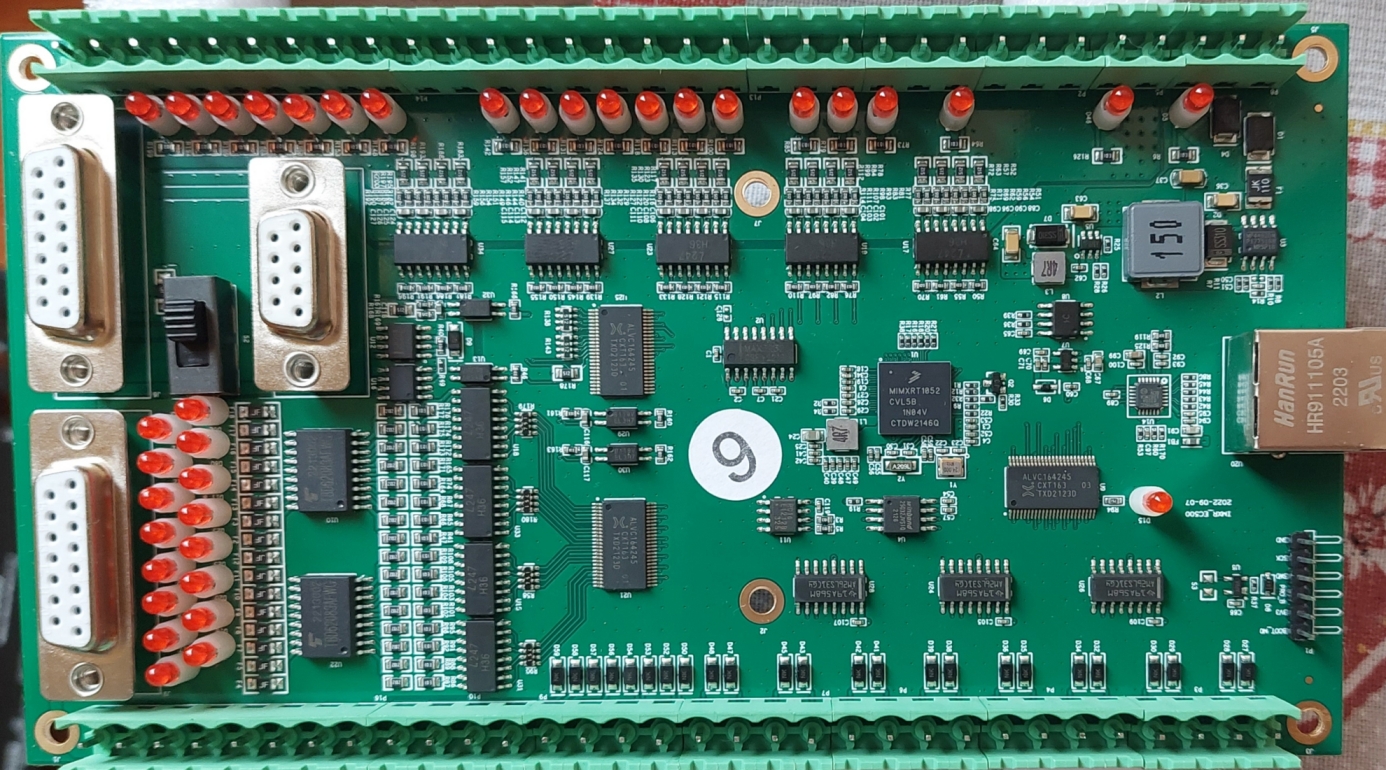
Finally got some success with ComPort. Debug port is the one with type DB9 on the board, 
Pin 1 -> +5V
Pin 2 -> RXD
Pin 3 -> TXD
Pin 5 -> GND
But the levels are not RS232. these are 5V TTL logic levels. 
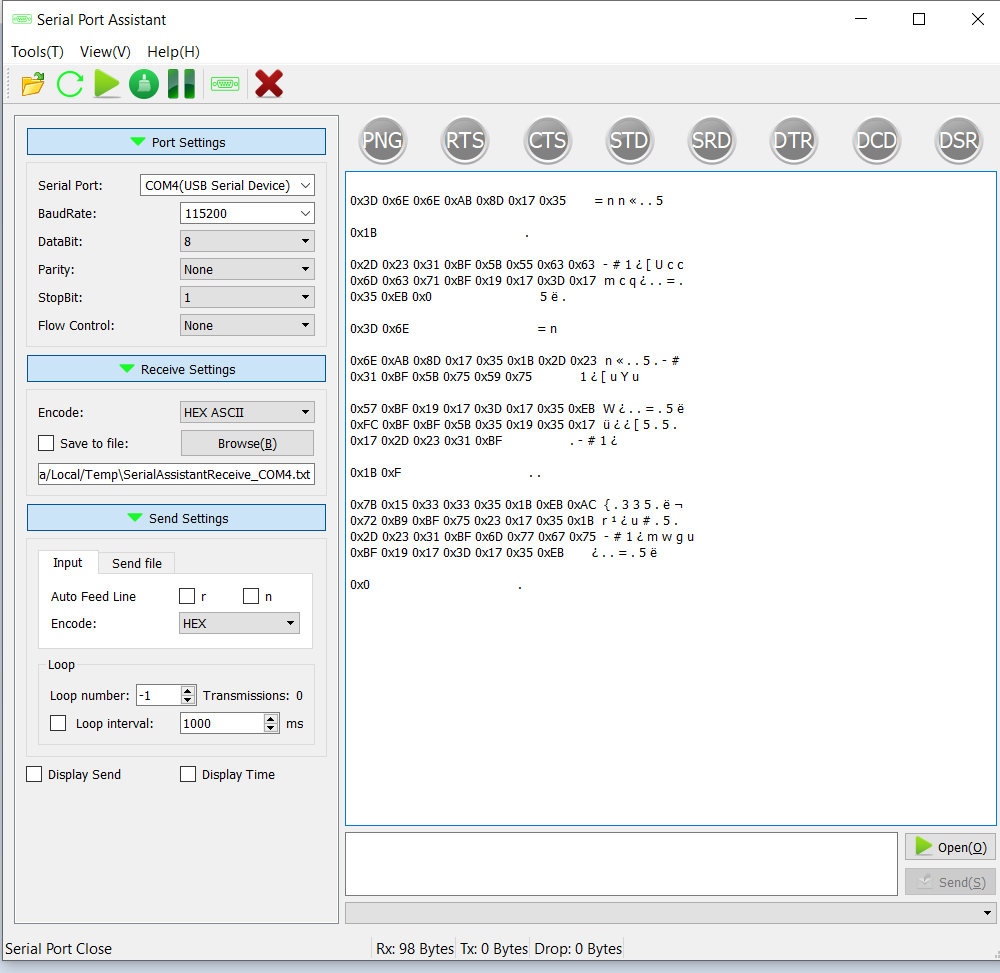
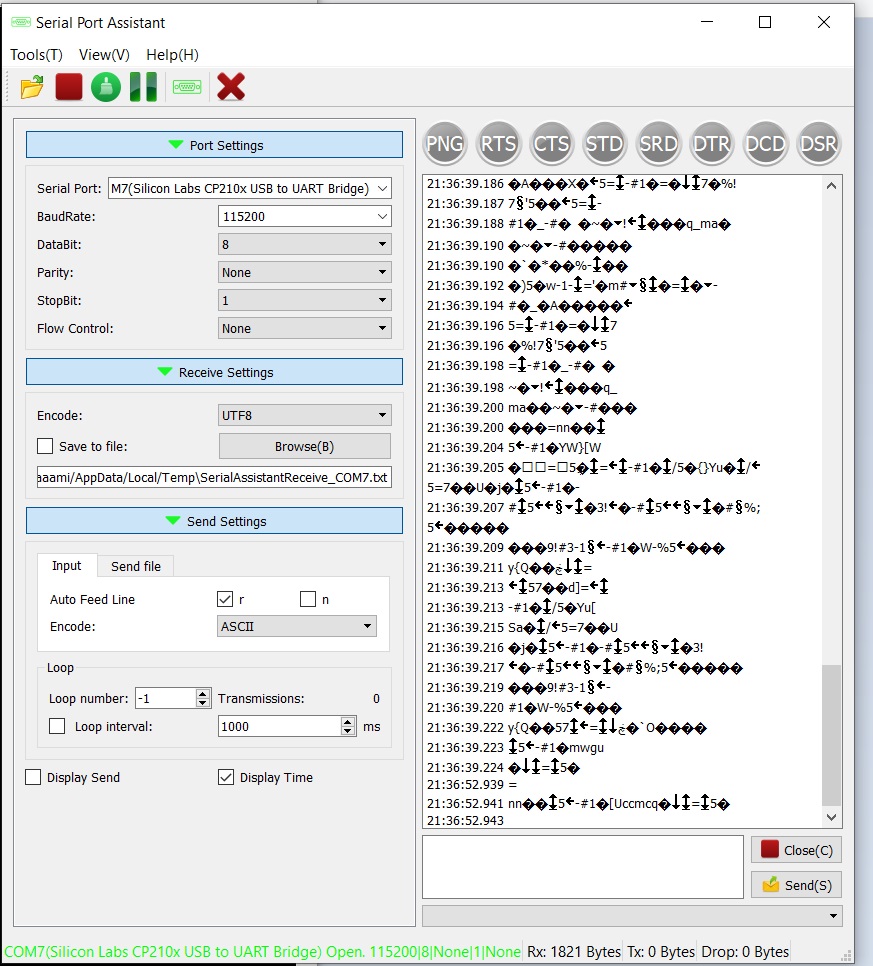
I have some kind of data but it is not readable for now.
Baud ->115200, Parity -no, DataBits - 8 , StopBits 1,

Firmware ->  remora-rt1052-1.0.0.bin

Board EC500v5

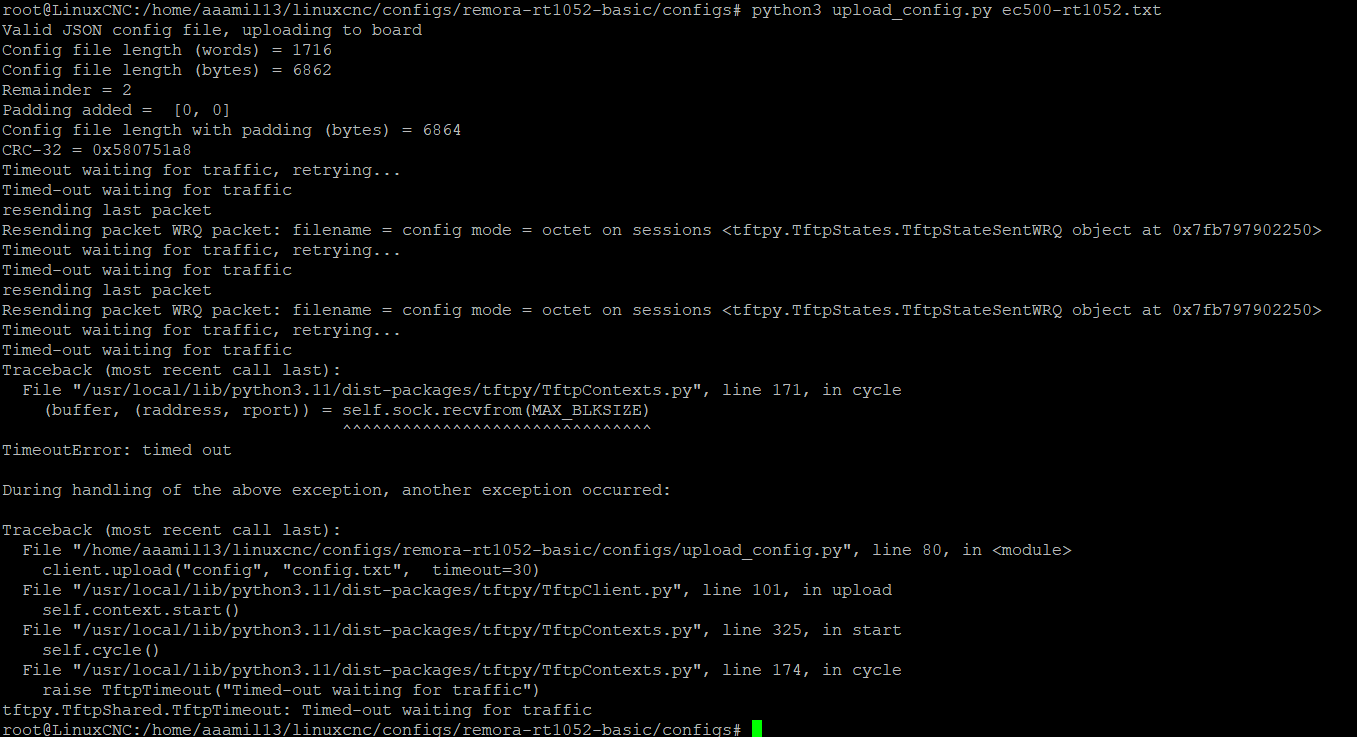
When i try to Upload my config.txt there is some text on Debug port, but unfortunately can't read it.

EC500 has RS232 voltage levels, Pin 3 is TX and should be connected to PIN 2 on the computer side . Baud ->115200, Parity -no, Data Bits - 8 , Stop Bits 1.

 
Last edit: 2 years 2 months ago by aaamil13.

Please Log in or Create an account to join the conversation.

More
3 years 1 month ago #281414 by scotta
The latest firmware is v1.1.0, but this only added encoder support.

I'd try ascii encoding setting on your receive to see if that helps.

For the TFTP, are you going through a router or direct connection between computer and controller board?

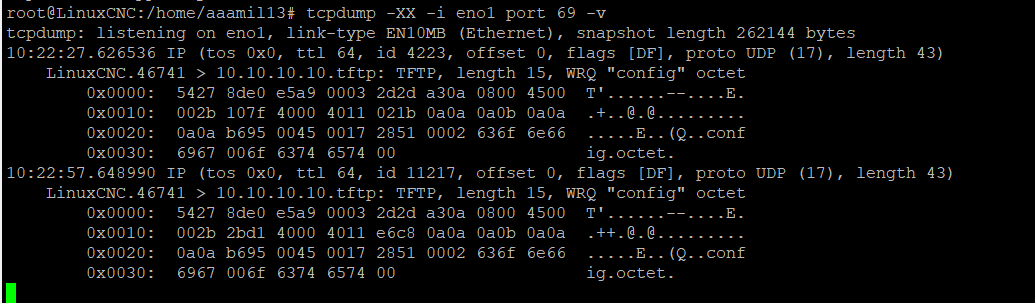
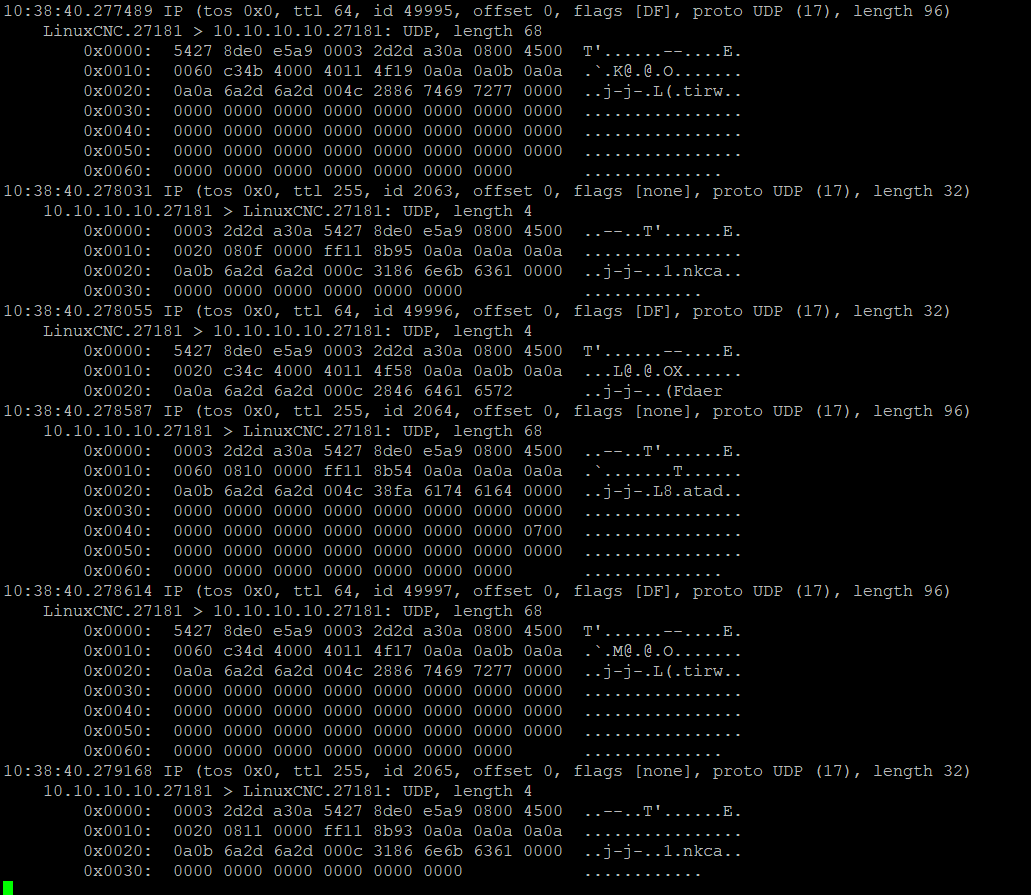
Have you tried monitoring the eth0 with wireshark to see if any response packets are coming from the board?

During the TFTP transfer, the controller board threads are stopped. If the upload fails you would still need to power cycle the board to get everything back and running. On a successful upload this happens with a software reset of the board.

Please Log in or Create an account to join the conversation.

More
3 years 1 month ago #281432 by oficinerobotica
First of all I just don't know how I can thank enough you guys for the tremendous work. I love mesa cards just like anybody else here but given the availability and cost to importing them in certain parts of the world, blowing one like I did can become a costly mistake.
 
I just received my ec500 card but I don't know how to identify what version it is.
 

I would like to flash it using a Pi Pico using this instructables "cmsis-dap-v2" programmer as i understand that it could be the easiest way to do it afterall. www.instructables.com/CMSIS-DAP-V2-Progr...With-Raspberry-Pi-P/

Can somebody please help me with the connection between the pi and the ec500? I'vd read the whole thread twice and watched Scotta's videos but it is still not clear to me.
 

P.S. @scotta .... where can I donate?

Please Log in or Create an account to join the conversation.

More
3 years 1 month ago - 3 years 1 month ago #281442 by aaamil13
There is no big difference in comPort debug responce when encode UTF or ASCII. And no answer from EC500v5 on TFTP port. I have direct connection to the EC500v5 with the cable delivered with the board.


And transfer LinuxCNC<->EC500 when Enabled
 
Last edit: 3 years 1 month ago by aaamil13.

Please Log in or Create an account to join the conversation.

More
3 years 1 month ago - 3 years 1 month ago #281443 by aaamil13
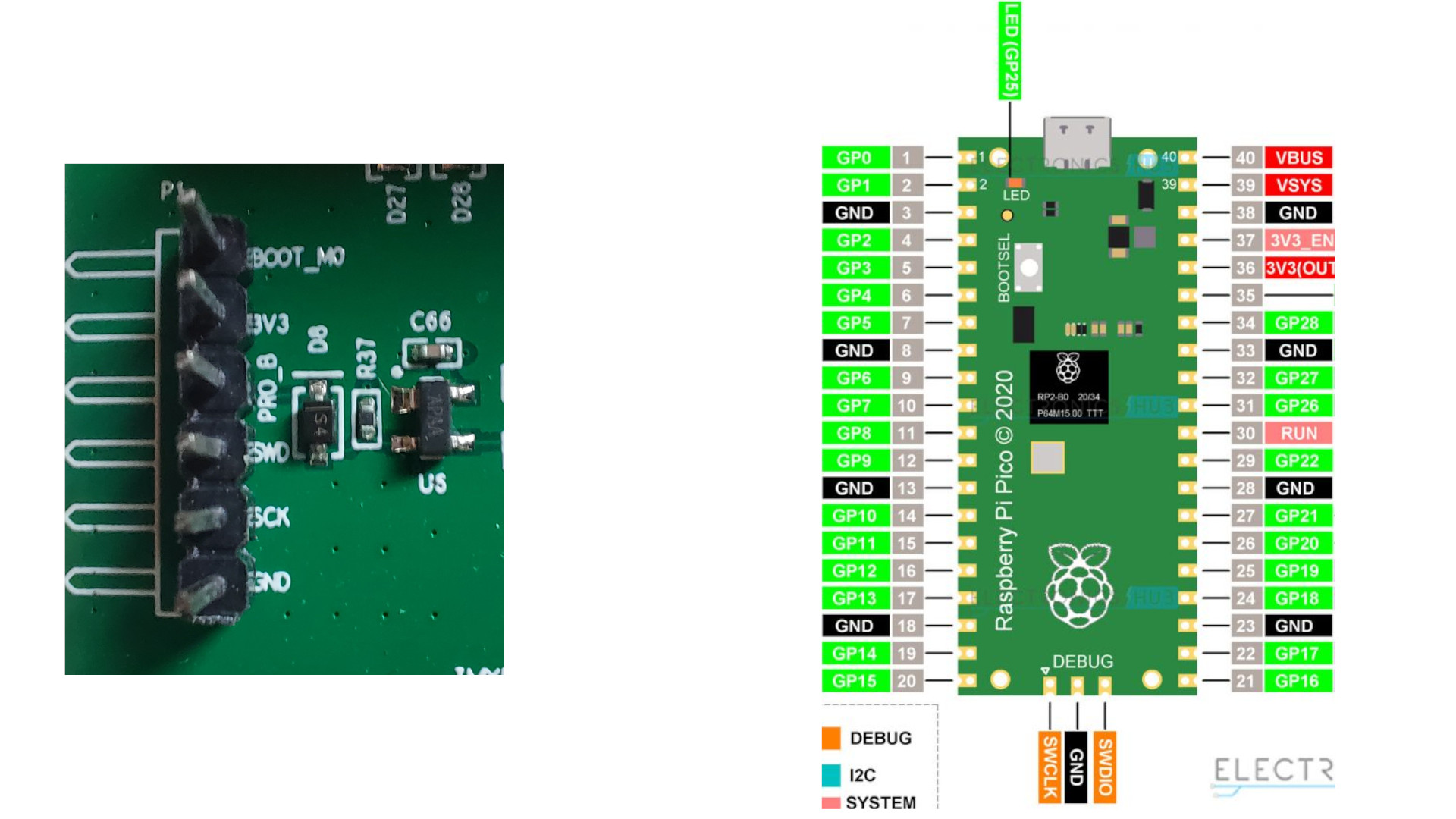
I have no experience with RPI, but you have to connect GND, SCK->SWSCK(GPIO_11), SWD->SWDIO.(PGIO_12)
If you want to use debug port, you have to connect to an adapter USB -> RS232_TTL, or you can use RX pad on the same RPI board and connect RX to DB9_Pin3 on EC500 board ( RPI_GND to DB9_5 pins too).
You must connect 24V to SYSTEM on EC500 to able to flash. If you are going to use PyOCD -> pyocd flash ./remora-rt1052-1.1.0.bin --target mimxrt1050_quadspi -v. It takes some time to flash the board. Your EC500 is V5, which uses mimxrt1052cvl5b MCU.
Last edit: 3 years 1 month ago by aaamil13.
The following user(s) said Thank You: oficinerobotica

Please Log in or Create an account to join the conversation.

More
3 years 1 month ago - 3 years 1 month ago #281563 by rbobey1989
Hello everyone here, I have been doing some reading about XBAR in the rt1052 refence manual (tedious), Following a comment from Scott about XBAR, to implement a Quadrature Encoder/Decoder (QDC) module it is necessary to use this module because it is not possible to map the input pads of the NVEM boards to the QDCs using IOMUX,After taking a look I have managed to understand a few things, the XBAR is a great multiplexer partly independent of IOMUX, partly because many XBAR signals coincide on inputs and outputs e.g. this house for high speed), I have done a small count of the pins mapped as inputs on the EC500 and due to the number of input pins that match XBAR, up to 2 encoders could be connected, I have used part of the C remora version file -rt1052 for counting:

#define IN01_PORT GPIO3 //GPIO_EMC_39/**/Impossible Mux
#define IN01_PIN 25
#define IN02_PORT GPIO4 //GPIO_EMC_13/**/XBAR1_IN25
#define IN02_PIN 13
#define IN03_PORT GPIO4 //GPIO_EMC_14/**/XBAR1_INOUT19
#define IN03_PIN 14
#define IN04_PORT GPIO3 //GPIO_EMC_38/**/Impossible Mux
#define IN04_PIN 24

#define IN05_PORT GPIO3 //GPIO_EMC_32/**/Impossible Mux
#define IN05_PIN 18
#define IN06_PORT GPIO4 //GPIO_EMC_31/**/Impossible Mux
#define IN06_PIN 31
#define IN07_PORT GPIO4 //GPIO_EMC_27/**/Impossible Mux
#define IN07_PIN 27
#define IN08_PORT GPIO3 //GPIO_EMC_35/**/XBAR1_INOUT18
#define IN08_PIN 21

#define IN09_PORT GPIO3 //GPIO_EMC_33/**/Impossible Mux
#define IN09_PIN 19
#define IN10_PORT GPIO3 //GPIO_EMC_34/**/Impossible Mux
#define IN10_PIN 20
#define IN11_PORT GPIO4 //GPIO_EMC_00/**/XBAR1_IN02
#define IN11_PIN 0
#define IN12_PORT GPIO3 //GPIO_EMC_37/**/XBAR1_IN23
#define IN12_PIN 23

#define IN13_PORT GPIO4 //GPIO_EMC_28/**/Impossible Mux
#define IN13_PIN 28
#define IN14_PORT GPIO4 //GPIO_EMC_15/**/XBAR1_IN20
#define IN14_PIN 15
#define IN15_PORT GPIO4 //GPIO_EMC_25/**/Impossible Mux
#define IN15_PIN 25
#define IN16_PORT GPIO4 //GPIO_EMC_09/**/Impossible Mux
#define IN16_PIN 9

There are 6 pads that can be mutiplexed using XBAR, in this case the output signals in XBAR would be those corresponding to the QDC (1 to 4).
I leave a link to the NXP forum where the above is mentioned, I hope it helps, greetings
Last edit: 3 years 1 month ago by rbobey1989.
The following user(s) said Thank You: tommylight

Please Log in or Create an account to join the conversation.

Time to create page: 0.842 seconds
Powered by Kunena Forum