
- Posts: 1635
- Thank you received: 595
Pimping the mini-lathe
- RotarySMP
- Offline
- Platinum Member
-

Less
More
6 years 3 months ago #173889
by RotarySMP
Replied by RotarySMP on topic Pimping the mini-lathe
I couldn't identify a Bios option to disable UEFI, so next I#m trying this...
The way around this problem is to rename the Debian .iso file to a .img file, and then to write the image to the USB with Win32DiskImager (I used 0.9.5 and it worked fine). The install will then work.
Please Log in or Create an account to join the conversation.
- RotarySMP
- Offline
- Platinum Member
-
Less
More
- Posts: 1635
- Thank you received: 595
6 years 3 months ago #173892
by RotarySMP
Replied by RotarySMP on topic Pimping the mini-lathe
That also didn't work.
Please Log in or Create an account to join the conversation.
- tommylight
- Offline
- Moderator
-

Less
More
- Posts: 22011
- Thank you received: 7491
6 years 3 months ago #173895
by tommylight
Replied by tommylight on topic Pimping the mini-lathe
Sorry had guests.
Those 2 "methods" will not work as you have seen, that is the "lets touch something, maybe it starts working" type of solutions.
Debian with throw that error for to many things, but one of them is setting the SATA to "native" mode, and the other is not having any devices in the USB ports besides the USB with the image. Have not seen that error since the Wheezy times.
Mint never has such issues, nor had Ubuntu, they just work, so makes me wonder if they are both based on Debian, why the hell does it not work there? Using a completely different installer might have something to do with it.
Those 2 "methods" will not work as you have seen, that is the "lets touch something, maybe it starts working" type of solutions.
Debian with throw that error for to many things, but one of them is setting the SATA to "native" mode, and the other is not having any devices in the USB ports besides the USB with the image. Have not seen that error since the Wheezy times.
Mint never has such issues, nor had Ubuntu, they just work, so makes me wonder if they are both based on Debian, why the hell does it not work there? Using a completely different installer might have something to do with it.
Please Log in or Create an account to join the conversation.
- RotarySMP
- Offline
- Platinum Member
-
Less
More
- Posts: 1635
- Thank you received: 595
6 years 3 months ago #173900
by RotarySMP
Replied by RotarySMP on topic Pimping the mini-lathe
I had a mouse and a keyboard plugged into other USB ports.
SInce I dont really care which Distro is loaded, tomorrow I'll try the Mint +LCNC 2.8 iso frm here...
forum.linuxcnc.org/9-installing-linuxcnc...aver-mint-iso#165631
I fear that this weeks video is going to be a bit of a lemon.
Mark
SInce I dont really care which Distro is loaded, tomorrow I'll try the Mint +LCNC 2.8 iso frm here...
forum.linuxcnc.org/9-installing-linuxcnc...aver-mint-iso#165631
I fear that this weeks video is going to be a bit of a lemon.
Mark
Please Log in or Create an account to join the conversation.
- rodw
- Offline
- Platinum Member
-
Less
More
- Posts: 12170
- Thank you received: 4153
6 years 3 months ago - 6 years 3 months ago #173950
by rodw
Replied by rodw on topic Pimping the mini-lathe
Hmm, My Odroid arrived today and I got it straight up on Linux Mint using Tommy's method here
forum.linuxcnc.org/9-installing-linuxcnc...nd-easy-installation
I had a Mint 19.3 USB lying around and just used it. Only thing I did in the Bios was to set the boot order so the USB went first.
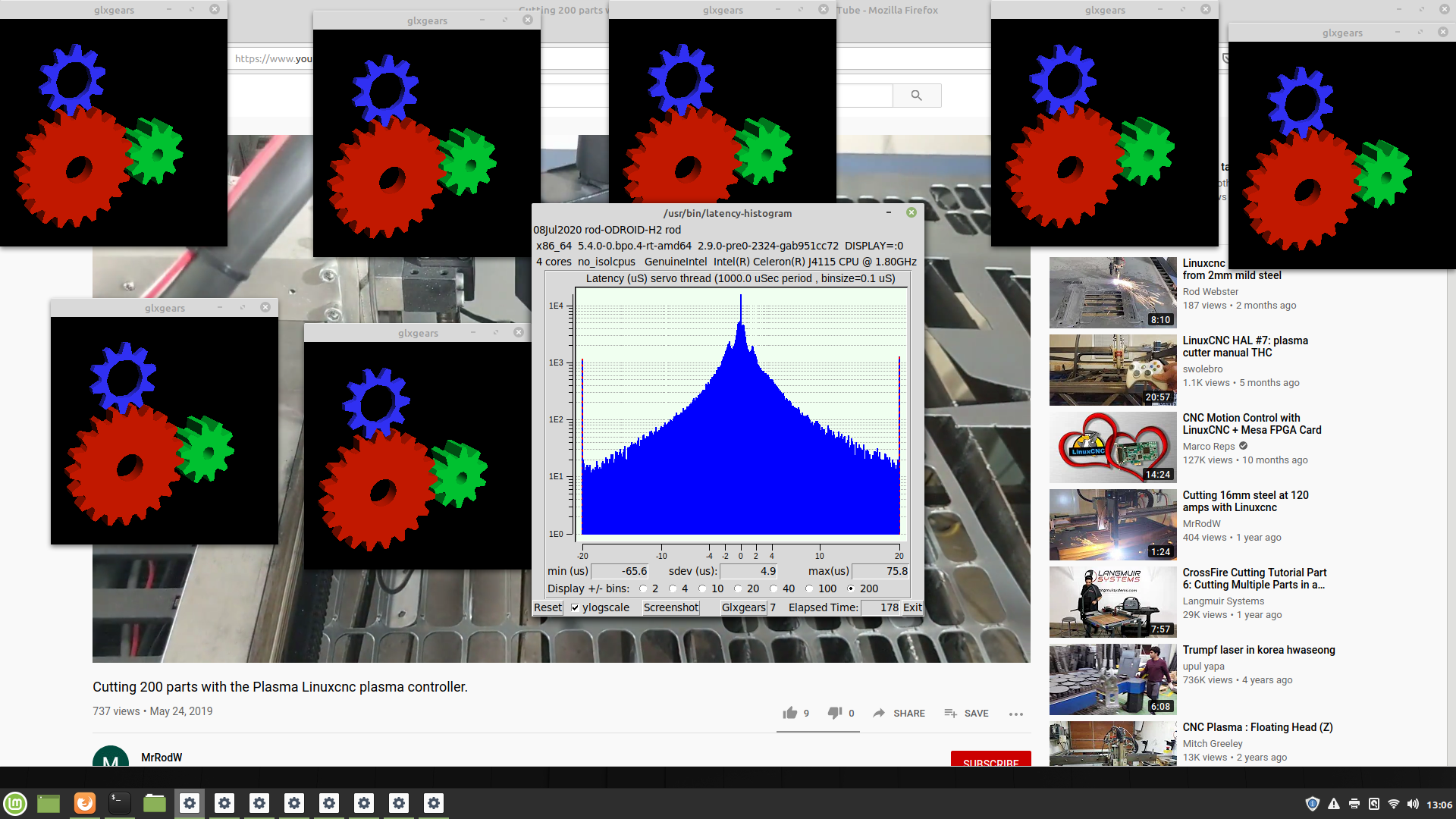
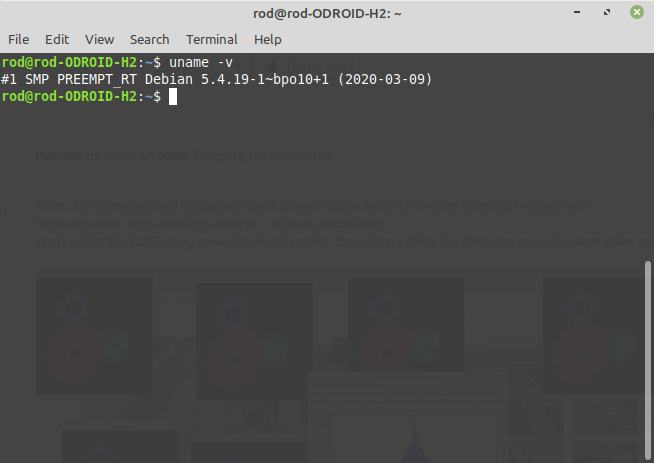
Bloody amazing!
Sorry Mark!
forum.linuxcnc.org/9-installing-linuxcnc...nd-easy-installation
I had a Mint 19.3 USB lying around and just used it. Only thing I did in the Bios was to set the boot order so the USB went first.
Bloody amazing!
Sorry Mark!
Last edit: 6 years 3 months ago by rodw.
Please Log in or Create an account to join the conversation.
- tommylight
- Offline
- Moderator
-
Less
More
- Posts: 22011
- Thank you received: 7491
6 years 3 months ago #173965
by tommylight

Replied by tommylight on topic Pimping the mini-lathe
You lucky ......rodw wrote: Bloody amazing!
The following user(s) said Thank You: rodw
Please Log in or Create an account to join the conversation.
Moderators: piasdom
Time to create page: 0.193 seconds