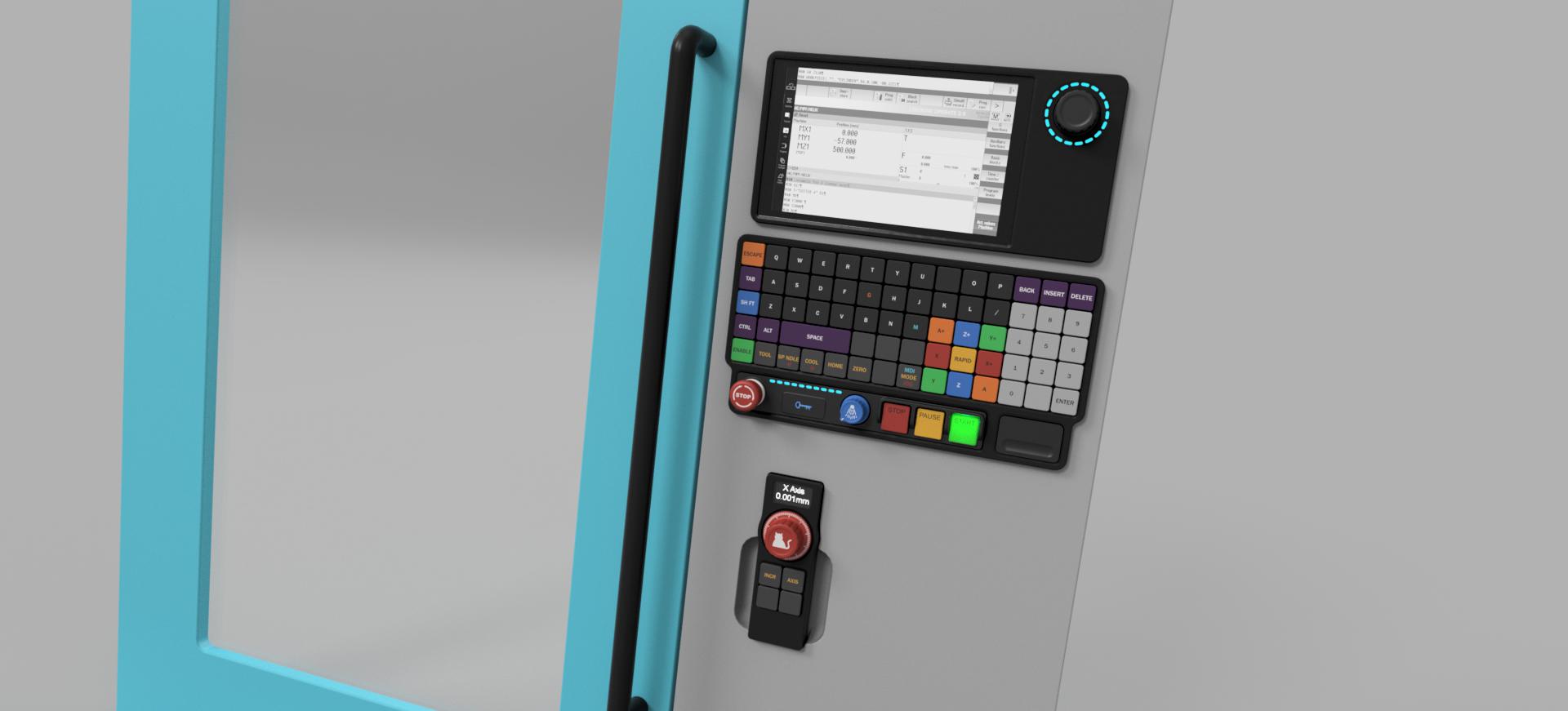
ok, on the topic of pins....
multiswitch might not be ideal for the mpg, not sure now.
Lets use the 4 buttons on the pendant here.
Button 1: sets the axis you want to move.
Button 2: sets the increment the axis moves per encoder count.
Button 3: turns the spindle on and off.
Button 4: turns the coolant on and off.
3 and 4 are duplicates on the main keyboard which I don't think matters here.
Pressing the spindle button will change the state on a multi switch pin. If the spindle is already on, it turns it off and vice versa. M3 to M5 and back. I think this works. The downside is the LED indication could get confused if there was any sort of hiccup. No big deal though.
The coolant it the same. M7/M9. Same led feedback potential glitch, but not important.
Cycling the axis we may have an issue, but I do not fully grasp how this works internally, so maybe it is fine. When the machine starts, the MPG and the Control have no idea what each other has "set" for MPG functions. On a normal MPG the switches are persistent. If X is set, it is hitting that specific pin on the mesa, so linuxcnc KNOWS what the pendant is set to. With multiswitch you are flying blind a bit like using steppers. You need to preset a common default on both, and then hope there are no glitches that send the display out of sync with the control.
So our trade of having 1 pin per function instead of 4 (xyza) is decidedly more unreliable.
There is a middleground though maybe using binary code. 2 pins will get me 4 settings that cant go out of sync. So 2 mesa input pins (and 2 RP2040 output) per axis button.
So lets count up our IO properly.
M3/M5 - 1 pin, multiswitch on mesa. 1 pin on RP2040.
M4/M5 - 1 pin, multiswitch on mesa. 1 pin on RP2040. Uses same KEY as M3 with shift
M7/M9 - 1 pin, multiswitch on mesa. 1 pin on RP2040.
Cycle Start, Cycle Pause, And Cycle Stop. Hypothetically 3 more pins each, BUT, these are already tied to hotkeys, so potentially they do not need to be pins unless there is a reliability reasoning.
MPG wheel - 4 pins for differential correct? Nothing on the RP2040
MPG AXIS - 2 pins on the mesa, 2 pins on the RP2040, one key.
MPG increment - 2 pins on the mesa, 2 pins on the RP2040, one key.
Jog/MDI mode toggle - 1 pin, multiswitch on mesa. 1 pin on RP2040.
Enable would be one pin each too.
The override wheel i assume is really just another mpg. 2 pins each override (spindle and feed) on the mesa will just increment the override up and down. Pressing the encoder push switch would reset back to 100 so that is 1 more pin each. The RP2040 can read this encoder with 2 pins, and the pushbutton is in the key matrix. Then it needs 6 outputs back to the mesa. We do have the potential again for out led's to be wrong in a glitch, but those aren't super important and would get reset often.
The rest i'm not sure yet how they function.
1 - I want something to instigate a tool change. Press tool/magazine, then a number, then enter and it changes tool.
2 - I want to reference the machine. The ways its done on the DDCS is you press home, then the axis + you want to home, and then enter.
3 - Likewise the same for touching off. Zero, axis +, type a number (or zero), and then enter.
Past that we have some other transparent signals.
- Spindle overload error would be a pin on the mesa and rp2040. PLUS a pin on the rp2040 to read from the spindle drive.
We have used up all the basic IO on the rp2040 already here, but we only need a few more. So we need a 16 pin expander. Not a big deal. If we could serialise some of the lesser functions that would be nice, but I feel a $6 expansion of IO is much easier.
We are still pretty wide open for io on the mesa on the the 7i84.
The last thing we need in the middle is a level converter since all my RP2040 IO is 3,3v.