Linuxcnc motion backwards (adaptive-feed negative value) and nothing happens

More
8 years 9 months ago #104443 by PCW
linuxcnc.org/docs/devel/html/code/building-linuxcnc.html

I looks like you skipped the part where you specify the git directory and the ./autogen part

Please Log in or Create an account to join the conversation.

More
8 years 9 months ago #104449 by Grotius
@PCW,

I was able to come as far as the " ./configure " as in the manual is exlpained.
Then i got a error, " could not find tlc path etc. " . So that is a problem that is not so easy to solve.
Then i installed a clean version of linux with the cd. And did the "./ configure" agian. Same problem.

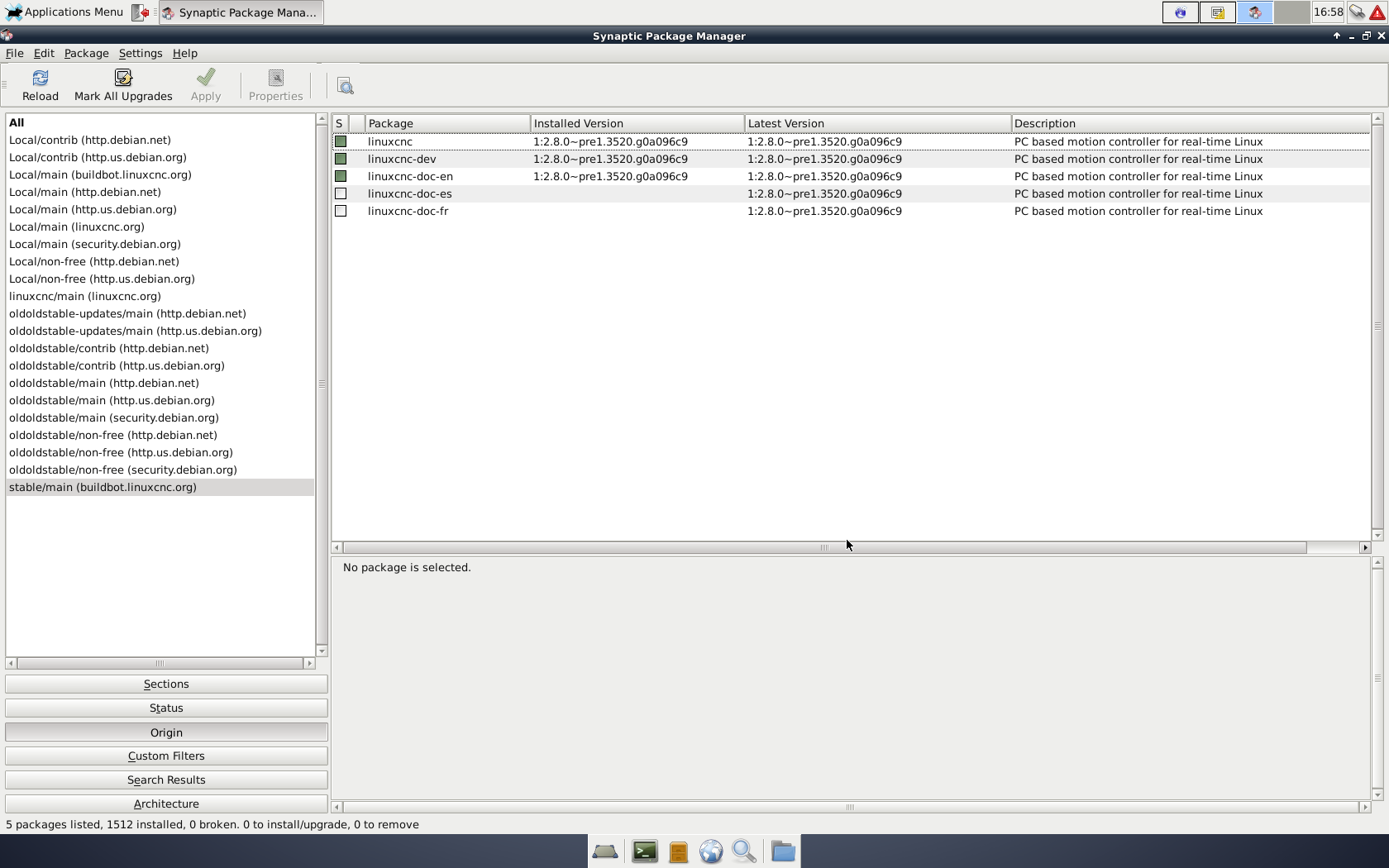
After that i did the package manager in Linuxcnc. I downloaded the latest release i think it is.
1.2.8.0 pre1. 3520.

Wow. i did not expect there was so much changed to the python code of linuxcnc.
What i see is that Gmocappy has done nice work. I had this running in 5 minutes with the step config wizard.

Please Log in or Create an account to join the conversation.
More
8 years 9 months ago #104451 by PCW

Please Log in or Create an account to join the conversation.

More
8 years 9 months ago - 8 years 9 months ago #104474 by Grotius
@Pcw,

No, not that way. I have no experience with that way off installation. For me it's all new, so it's sometimes very difficult to
understand how things are working with Linux.

I did a clean cd installation, after that i deleted only the linuxcnc installation with the package manager. I think 2 or 3 package deleted.
And after that i installed then a newer version, see picture.
Also important to have a fresh install when you are mostly of time digging in the root section to see how things are working.
But things go pretty good at this moment. I learned a lot in the past weeks.

I think i see a few little bug's in gmocappy. The "all home" button does not work.
Also i see when you do a mdi command, you can only stop the machine with emergency button, this is not the way to manage
a mdi command i think, I preffer to have a pause and stop button when you are in mdi mode.

But the Gmocappy has a powerfull python code. It is really made by Linux experts.
Last edit: 8 years 9 months ago by Grotius.

Please Log in or Create an account to join the conversation.

More
8 years 9 months ago - 8 years 9 months ago #104480 by rodw
Hi nerd, I did have troubles about 12 months ago with the Gmoccapy "all home" button on a gantry machine but Norbert pushed some fixes very quickly and its worked ever since.

Just check your ini file for this line
Code:
KINEMATICS = trivkins coordinates=YYXZ

if it has "kinstype=both" on it, remove that setting. This will then prevent you from selecting joint mode and leave you with home all, home x, home y and home z buttons. All should work.

Also ensure that your paired joint axes have a negative value for the home sequence. in V 2.8, this will enable the joint axis homing feature
Code:
HOME_SEQUENCE = -1

and all other joints have 0 or a positive value for this setting. I found it is wise to have the Z axis set to
Code:
HOME_SEQUENCE = 0
so it is the first axis homed to lift the torch up ot of the way before moving the X or Y axis.
Hope that helps.
Last edit: 8 years 9 months ago by rodw.

Please Log in or Create an account to join the conversation.

More
8 years 9 months ago #104484 by Grotius
@Hi Rodw,

How are you? Thank you for your comment's on the other topic.

Gmocappy has a powerfull code. Very good !! I am lucky that yesterday i had made a upgrade.

I am trying out bit by bit to change the screen to my desires. It takes a while, but in the end it will be practical for plasma.

Homing sequence is now done by one click for all axis.
Running the program is also one click.
Fixed axis position's without auto generating 4 and 5, and up to 9 (deactivated some line's off code).

This week i want to integrate the negative adaptive speed. This will take a while. I hope this is possible with this Linux version.
I think easyest is to make a button for negative speed command.

After that i want to integrate the THCud function for the torch height controller. This function works fine.

Please Log in or Create an account to join the conversation.

Time to create page: 0.168 seconds
Powered by Kunena Forum
