
- Posts: 492
- Thank you received: 297
How to read "Machine configuration directory" in HAL userspace component
- dgarrett
- Offline
- Platinum Member
-

Less
More
3 years 11 months ago #257474
by dgarrett
Replied by dgarrett on topic How to read "Machine configuration directory" in HAL userspace component
> there is no "INI_FILE_NAME" or "CONFIG_DIR" in the env; Sorry.
INI_FILE_NAME is exported by the main linuxcnc script and will be in
the environment of any process started by that script (such as the
program specified by the ini setting [DISPLAY]DISPLAY)
Ref:
github.com/LinuxCNC/linuxcnc/blob/master...pts/linuxcnc.in#L257
github.com/LinuxCNC/linuxcnc/blob/master...pts/linuxcnc.in#L804
> About that stat() ?
The stat variable ini_filename (2.9 & master branches):
github.com/LinuxCNC/linuxcnc/blob/master...ntf/emc_nml.hh#L1505
Ref:
github.com/LinuxCNC/linuxcnc/commit/f16a...80ce213b8aed88cae9c7
INI_FILE_NAME is exported by the main linuxcnc script and will be in
the environment of any process started by that script (such as the
program specified by the ini setting [DISPLAY]DISPLAY)
Ref:
github.com/LinuxCNC/linuxcnc/blob/master...pts/linuxcnc.in#L257
github.com/LinuxCNC/linuxcnc/blob/master...pts/linuxcnc.in#L804
> About that stat() ?
The stat variable ini_filename (2.9 & master branches):
github.com/LinuxCNC/linuxcnc/blob/master...ntf/emc_nml.hh#L1505
Ref:
github.com/LinuxCNC/linuxcnc/commit/f16a...80ce213b8aed88cae9c7
Please Log in or Create an account to join the conversation.
- udoS
- Offline
- Elite Member
-

Less
More
- Posts: 216
- Thank you received: 25
3 years 11 months ago #257527
by udoS
Replied by udoS on topic How to read "Machine configuration directory" in HAL userspace component
@dgarrett
Hi,
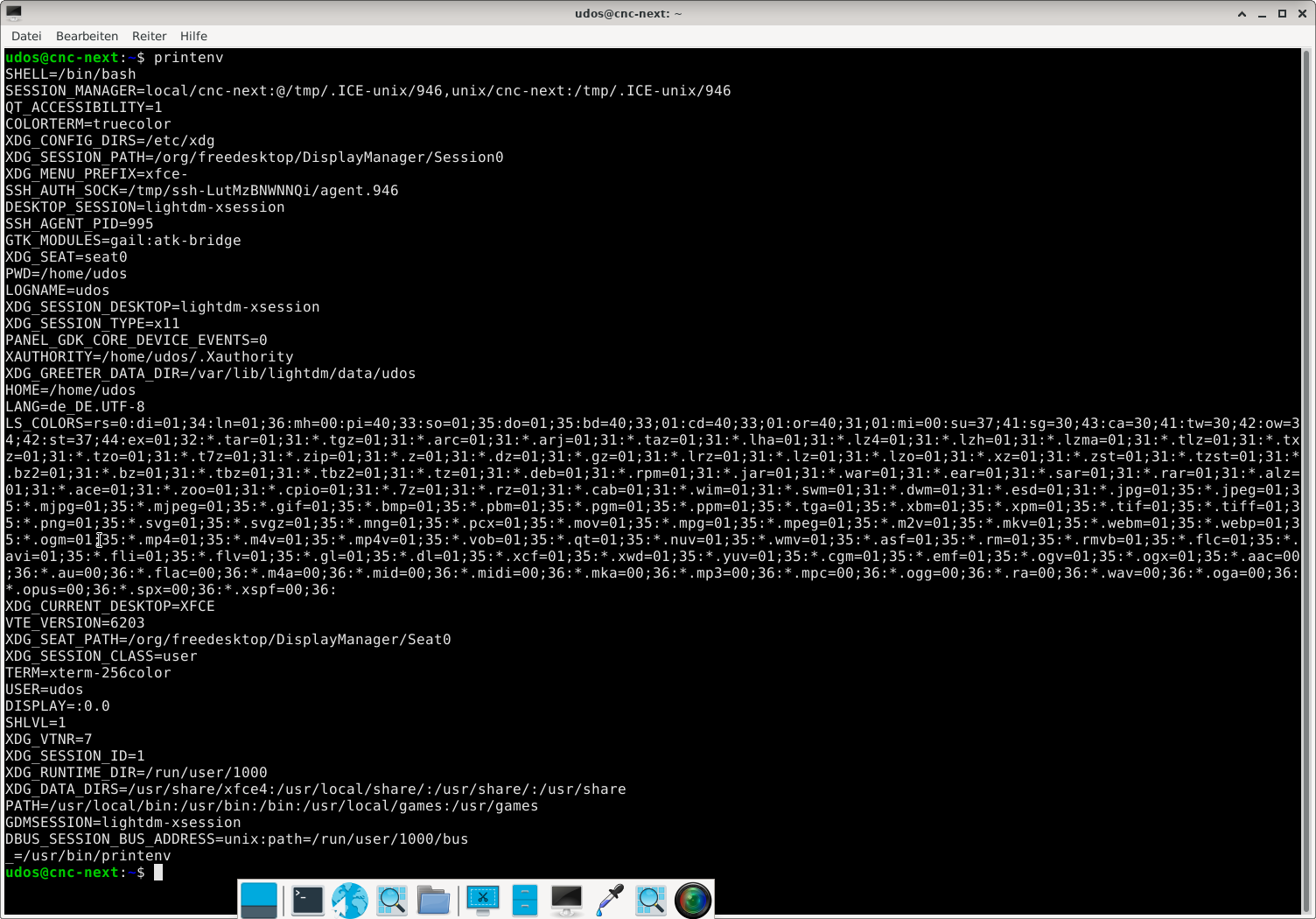
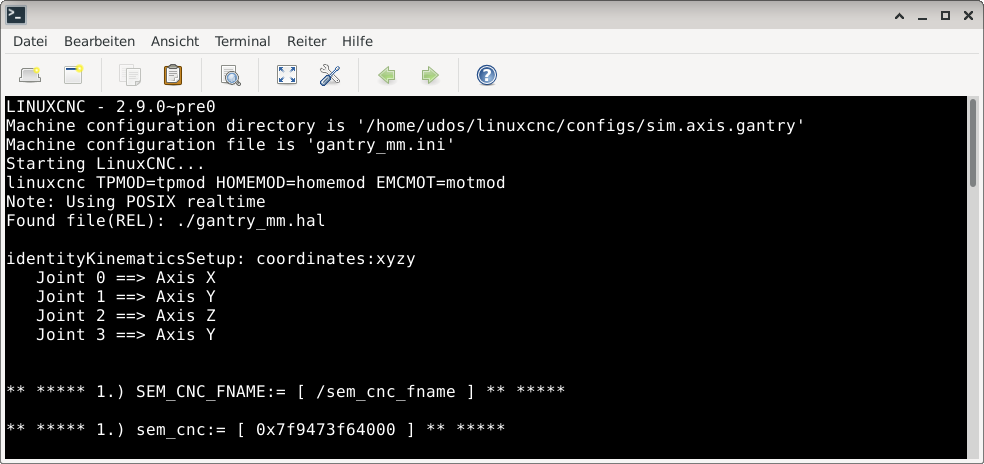
thanks for your effort; but the thing is that there are no "NON" of the env vars visible in respect to linuxcnc;
Hi,
thanks for your effort; but the thing is that there are no "NON" of the env vars visible in respect to linuxcnc;
Please Log in or Create an account to join the conversation.
- udoS
- Offline
- Elite Member
-
Less
More
- Posts: 216
- Thank you received: 25
3 years 11 months ago #257545
by udoS
Replied by udoS on topic How to read "Machine configuration directory" in HAL userspace component
@dgarrett
Hi,
what I understand:
setting var in one shell e.g. "xfce4-terminal" or "lxterminal"
udos@cnc-next:~$ MY_VAR=my_var
udos@cnc-next:~$ export MY_VAR
udos@cnc-next:~$ echo $MY_VAR
BUT: that MY_VAR is only available in the same shell/process or child-shell/process;
If I run a new app/process, then those vars are not set/there; not available;
So to have them available, the new app/process would need to be a child of linuxcnc-env;
Best Regards
Hi,
what I understand:
setting var in one shell e.g. "xfce4-terminal" or "lxterminal"
udos@cnc-next:~$ MY_VAR=my_var
udos@cnc-next:~$ export MY_VAR
udos@cnc-next:~$ echo $MY_VAR
BUT: that MY_VAR is only available in the same shell/process or child-shell/process;
If I run a new app/process, then those vars are not set/there; not available;
So to have them available, the new app/process would need to be a child of linuxcnc-env;
Best Regards
Please Log in or Create an account to join the conversation.
- rodw
- Offline
- Platinum Member
-
Less
More
- Posts: 12170
- Thank you received: 4153
3 years 11 months ago #257546
by rodw
Replied by rodw on topic How to read "Machine configuration directory" in HAL userspace component
In your home folder there should be a hidden file called .profile
I think (but could be wrong) if you add your commands in that file and reboot or even just logout, they should be persistent.
I think (but could be wrong) if you add your commands in that file and reboot or even just logout, they should be persistent.
Please Log in or Create an account to join the conversation.
- udoS
- Offline
- Elite Member
-
Less
More
- Posts: 216
- Thank you received: 25
3 years 11 months ago #257550
by udoS
Replied by udoS on topic How to read "Machine configuration directory" in HAL userspace component
@rodw
Thanks, but the problem here is:
the $HOME/linuxcnc/config/anyConfig/anyName.ini
can always be different;
I start my app and have to check if or if not LinuxCNC is running;
If not then start it;
then I read from the .ini some values;
a.s.o. ......
Thanks, but the problem here is:
the $HOME/linuxcnc/config/anyConfig/anyName.ini
can always be different;
I start my app and have to check if or if not LinuxCNC is running;
If not then start it;
then I read from the .ini some values;
a.s.o. ......
Please Log in or Create an account to join the conversation.
- udoS
- Offline
- Elite Member
-
Less
More
- Posts: 216
- Thank you received: 25
3 years 10 months ago - 3 years 10 months ago #259338
by udoS
Replied by udoS on topic How to read "Machine configuration directory" in HAL userspace component
@all
another question related to this is:
how can you shut down Linuxcnc in a controlled way with an external command;
Just like clicking the x in upper right corner;
and then also avoid that "are you shure...... " thing;
best regards
another question related to this is:
how can you shut down Linuxcnc in a controlled way with an external command;
Just like clicking the x in upper right corner;
and then also avoid that "are you shure...... " thing;
best regards
Last edit: 3 years 10 months ago by udoS.
Please Log in or Create an account to join the conversation.
Time to create page: 0.159 seconds