Debian 10 Buster Linuxcnc iso little issues

More
4 years 11 months ago #227397 by bevins

Janes had to leave ... :)


Who's James and where did he go?

Please Log in or Create an account to join the conversation.

More
4 years 11 months ago #227398 by tommylight

Please Log in or Create an account to join the conversation.

More
4 years 10 months ago - 4 years 10 months ago #230304 by AgentWD40
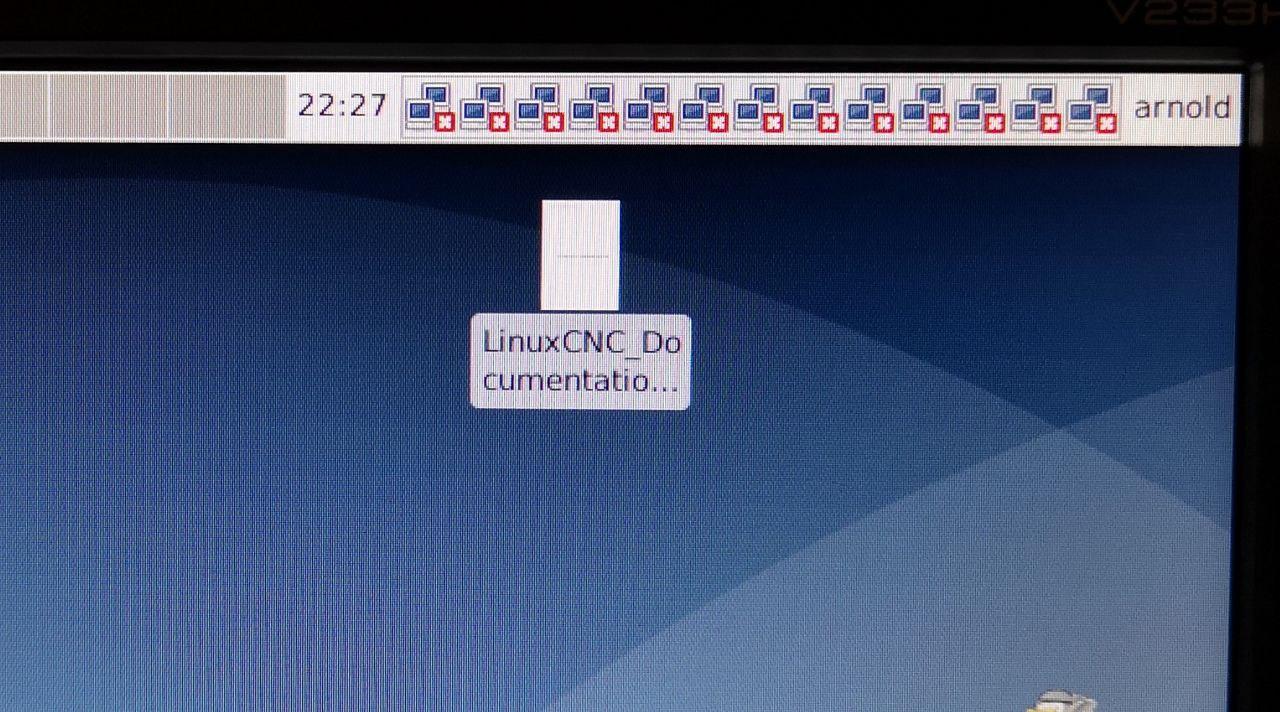
Thank you for the tip on the nm-tray icon. I was actually thinking it was my fault. I actually had no icon at all to begin with and when I was trying to get a wifi dongle going I launched nm-tray from command line in order to login to wifi. Afterward is when the chaos begin.

I actually had issues connecting to my 7i96 and I assumed it had something to do with me setting off nm-tray. I thought it had something to do with network manager and conflicting ip address settings. Maybe I was wrong?

In regard to the repo, I was able to just modify the existing repo lines in the package manager.
Last edit: 4 years 10 months ago by AgentWD40.

Please Log in or Create an account to join the conversation.

More
4 years 10 months ago #230318 by Arnold
Thanks very much!
It is a relief no to see so many nm-tray on the screen image missing /media/kunena/emoticons/smile.png


Please Log in or Create an account to join the conversation.
More
4 years 10 months ago #230368 by AgentWD40

2. Screen Blanking:  by default it blanks screen every 600 seconds xset says.
type xset q  in a terminal and you should see DPMS is Enabled
to turn this off type in terminal:  cd ~   then sudo pico ./bashrc
edit at the bottom of the file and put these lines in.

export DISPLAY=;0.0
xset s off
xset s noblank
xset -dpms

 
There's two very minor typos here that might throw someone off:

1. bashrc needs the dot between the forward slash and b
Code:
sudo pico ~/.bashrc

2. export disply should be a colon instead of a semicolon
Code:
export DISPLAY=:0.0
The following user(s) said Thank You: tommylight, ContinenteCNC, Arnold

Please Log in or Create an account to join the conversation.

More
4 years 10 months ago #230379 by jtrantow
5. brltty causes usb serial ports to go away. Uninstall brltty
 
The following user(s) said Thank You: tommylight, AgentWD40

Please Log in or Create an account to join the conversation.

Time to create page: 0.058 seconds
Powered by Kunena Forum
