
- Posts: 2419
- Thank you received: 2349
Trajectory Planner using Ruckig Lib
- Grotius
- Offline
- Platinum Member
-

Less
More
2 years 5 months ago #300994
by Grotius
Replied by Grotius on topic Trajectory Planner using Ruckig Lib
Hi,
The look ahead seems to work. It's based on this skeleton code.
It was fucking frustrating designing this code. It seems so simple, but it was not.
It took me day's. In the end i first designed a working skeleton code. Then i was sure faults where
not related to this look ahead skeleton code. From there i calculated the velocity end's for the optimizer
by a trapezium velocity profile. As this is the fastest algo.
Then in the component the skeleton code is integrated as a look_ahead_optimizer .
Then with hal pins you can enable the look ahead and define the nr off look ahead lines.
If no values are given, it sets standard 20 look ahead lines, and standard the look ahead is active.
Then for arc's it uses a integrated velocity optimizer, these settings have to be ported to hal pins too in a later moment.
The perfect arc velocity is now set to radius 5 mm with velocity 1400 mm/min. All other arc velocity's are derived from
this setting.
The component now does not use the grbl's corner algo.
There is a tiny bug when the planner uses end velocity from current segment to next segment. The joint[n]
graph's in the scope show's little transition spikes, however the scurve graph output is ok.
I could not find the problem in a short time, so to solve this,
enable this line. The backend runners will filter the transition spikes out.
The look ahead seems to work. It's based on this skeleton code.
It was fucking frustrating designing this code. It seems so simple, but it was not.
It took me day's. In the end i first designed a working skeleton code. Then i was sure faults where
not related to this look ahead skeleton code. From there i calculated the velocity end's for the optimizer
by a trapezium velocity profile. As this is the fastest algo.
Then in the component the skeleton code is integrated as a look_ahead_optimizer .
Then with hal pins you can enable the look ahead and define the nr off look ahead lines.
If no values are given, it sets standard 20 look ahead lines, and standard the look ahead is active.
Then for arc's it uses a integrated velocity optimizer, these settings have to be ported to hal pins too in a later moment.
The perfect arc velocity is now set to radius 5 mm with velocity 1400 mm/min. All other arc velocity's are derived from
this setting.
The component now does not use the grbl's corner algo.
There is a tiny bug when the planner uses end velocity from current segment to next segment. The joint[n]
graph's in the scope show's little transition spikes, however the scurve graph output is ok.
I could not find the problem in a short time, so to solve this,
enable this line. The backend runners will filter the transition spikes out.
The following user(s) said Thank You: akb1212, tommylight
Please Log in or Create an account to join the conversation.
- Grotius
- Offline
- Platinum Member
-
Less
More
- Posts: 2419
- Thank you received: 2349
2 years 5 months ago #301003
by Grotius
Replied by Grotius on topic Trajectory Planner using Ruckig Lib
The video of today.
- Jogging scurve.
- Run sample program.
- Pause, resume.
- Jog while pause.
- Motion reverse.
- Look ahead 20 lines.
Next week i will test it on the production machine.
lcnc scurve source code

- Jogging scurve.
- Run sample program.
- Pause, resume.
- Jog while pause.
- Motion reverse.
- Look ahead 20 lines.
Next week i will test it on the production machine.
lcnc scurve source code
The following user(s) said Thank You: akb1212, tommylight, TangentAudio, pommen, yrsiddhapura, zmrdko, nwallace, Unlogic
Please Log in or Create an account to join the conversation.
- TangentAudio
- Offline
- Premium Member
-

Less
More
- Posts: 97
- Thank you received: 29
2 years 5 months ago #301009
by TangentAudio
Replied by TangentAudio on topic Trajectory Planner using Ruckig Lib
Reverse motion might open up the door to replicating the "Traking" feature on Prototrak CNC lathes. It lets you use one of the MPG wheels to move forward or reverse through the program motions.
Please Log in or Create an account to join the conversation.
- andrew2085
- Offline
- Junior Member
-

Less
More
- Posts: 28
- Thank you received: 42
2 years 5 months ago #301013
by andrew2085
Replied by andrew2085 on topic Trajectory Planner using Ruckig Lib
I don't think the FIR s-curve generation will really work for this after messing with it for a while. I have found some papers on s-curve generation with other analytical methods instead of resorting to an iterative solver. It gives a time-optimal solution given the constraints: max velocity, max acceleration, max jerk, path length, starting velocity, and ending velocity. I think this might be much faster than anything else. So far it's looking very promising and its mostly working. There were some errors in the paper that I'm working through.
I think for path blending arcs have to be avoided because there is a curvature discontinuity where they meet a line or different radius arc. It's not possible to limit jerk at the transition unless you come to zero velocity at the transition point. I think the best way to blend a path is using clothoid curves because their radius changes linearly with the curve length which allows curvature continuity which results in smoothly changing acceleration in a transition. There are also algebraic solutions to calculating radial acceleration and jerk at a given velocity and point on the curve. The solutions to fitting the curve to the path geometry are closed-form. I've done a little work on this that I can share soon.
I think for path blending arcs have to be avoided because there is a curvature discontinuity where they meet a line or different radius arc. It's not possible to limit jerk at the transition unless you come to zero velocity at the transition point. I think the best way to blend a path is using clothoid curves because their radius changes linearly with the curve length which allows curvature continuity which results in smoothly changing acceleration in a transition. There are also algebraic solutions to calculating radial acceleration and jerk at a given velocity and point on the curve. The solutions to fitting the curve to the path geometry are closed-form. I've done a little work on this that I can share soon.
The following user(s) said Thank You: Bari, akb1212, tommylight, rodw, Grotius, DHeineck
Please Log in or Create an account to join the conversation.
- Grotius
- Offline
- Platinum Member
-
Less
More
- Posts: 2419
- Thank you received: 2349
2 years 5 months ago #301064
by Grotius
Replied by Grotius on topic Trajectory Planner using Ruckig Lib
@ You all.
The spike's on the velocity curve for joint[n] outputs are solved. Added [url=https://if(s.modpos && s.finish && s.endvel==0){]endvel[/url] must be zero.
@Andrew2085,
Thanks for your input. I have read the pdf document. It's interesting document. They actually did a test at
mercedes benz on a machine.
I don't think the FIR s-curve generation will really work for this after messing with it for a while.
If you can give me a working python example, i maybe can convert it to c, c++ and test it just like i did with the
grbl's corner algo.
I think for path blending arcs have to be avoided because there is a curvature discontinuity where they meet a line or different radius arc.
In my current solution, it uses endvelocity when arc's are tangent to each other, or lines to arc's have to be tangent, or lines
have to be colinear. Coincentric arc's with same radius are also accepted.
All other things will use ve=0.
I think the best way to blend a path is using clothoid curves
This can be true, i believe you. But what is accepted by the community? A arc blend or a clothoid blend.
If a product has corner with a arc blend, it looks quite nice. If its a non arc shape, i think they are not happy.
But i am open to integrate a algo into the source, we can just test different solutions.
The spike's on the velocity curve for joint[n] outputs are solved. Added [url=https://if(s.modpos && s.finish && s.endvel==0){]endvel[/url] must be zero.
@Andrew2085,
Thanks for your input. I have read the pdf document. It's interesting document. They actually did a test at
mercedes benz on a machine.
I don't think the FIR s-curve generation will really work for this after messing with it for a while.
If you can give me a working python example, i maybe can convert it to c, c++ and test it just like i did with the
grbl's corner algo.
I think for path blending arcs have to be avoided because there is a curvature discontinuity where they meet a line or different radius arc.
In my current solution, it uses endvelocity when arc's are tangent to each other, or lines to arc's have to be tangent, or lines
have to be colinear. Coincentric arc's with same radius are also accepted.
All other things will use ve=0.
I think the best way to blend a path is using clothoid curves
This can be true, i believe you. But what is accepted by the community? A arc blend or a clothoid blend.
If a product has corner with a arc blend, it looks quite nice. If its a non arc shape, i think they are not happy.
But i am open to integrate a algo into the source, we can just test different solutions.
The following user(s) said Thank You: zmrdko
Please Log in or Create an account to join the conversation.
- Grotius
- Offline
- Platinum Member
-
Less
More
- Posts: 2419
- Thank you received: 2349
2 years 5 months ago #301097
by Grotius
Replied by Grotius on topic Trajectory Planner using Ruckig Lib
Hi,
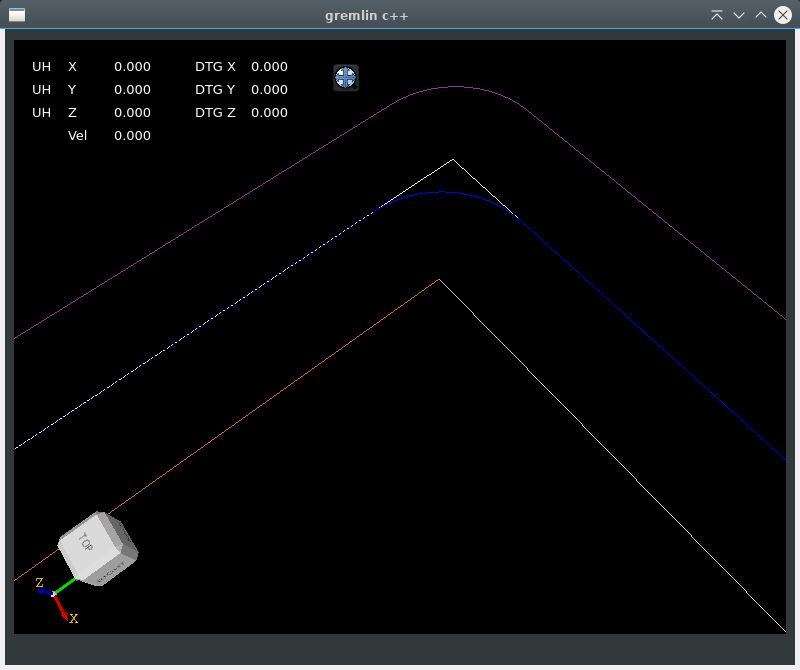
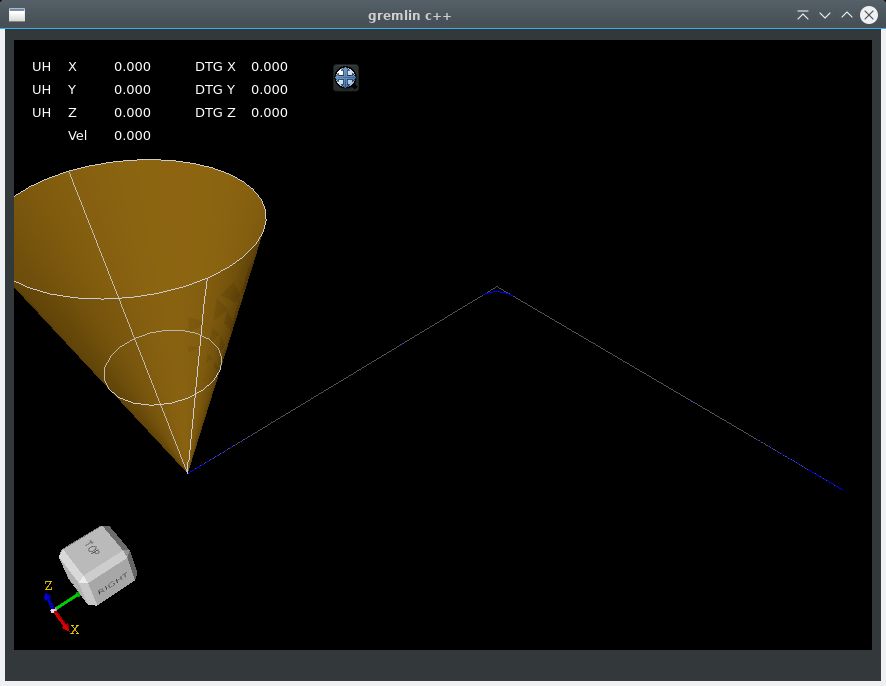
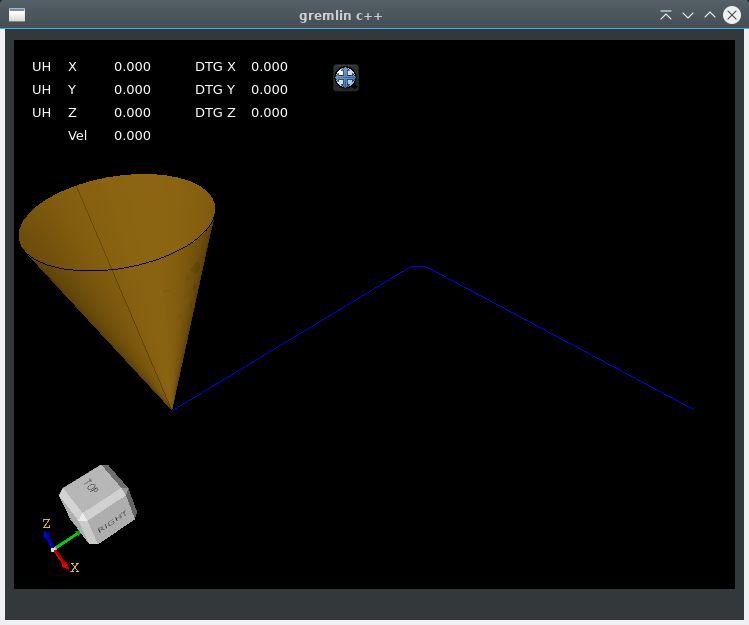
I did a cavaliercontour offset test, to get blended path result.
The test include's 2 lines at 90 degree.
1. Offset path both sides, inside & outside offset.
2. Offset the 2 offsetted path's back to original path, inverse offset. This creates a fillet for one inverse offset.
3. The two inverse offset path's on top of the original path with the most segments is the winner of the game !

Then the question is, how to integrate this into the trajectory planner, should we insert a gcode arc between these 2
lines? Or should we interpolate this at runtime and leave the gcode as is?
I did a cavaliercontour offset test, to get blended path result.
The test include's 2 lines at 90 degree.
1. Offset path both sides, inside & outside offset.
2. Offset the 2 offsetted path's back to original path, inverse offset. This creates a fillet for one inverse offset.
3. The two inverse offset path's on top of the original path with the most segments is the winner of the game !
Then the question is, how to integrate this into the trajectory planner, should we insert a gcode arc between these 2
lines? Or should we interpolate this at runtime and leave the gcode as is?
The following user(s) said Thank You: akb1212, tommylight
Please Log in or Create an account to join the conversation.
Time to create page: 0.248 seconds